Repository navigation
Meraline 1.11.0

Download Meraline-1.11.0.dmg, open it, and drag Meraline into your Applications folder. Meraline needs macOS 26 or later. Installed copies update themselves.
What's new
Decision
- Decisions as you type. The Context card has a Live switch in Decision mode. Turn it on, and the card asks the decision model about its text as you type, after each pause and at least once a second while you keep typing, without sending anything to the chat. Each answer shows on a glass capsule under the text: a check on green glass for Yes, a cross on red for No, plain glass for Not sure or an answer of your own, with how sure the model is. While a newer answer is on its way the last one stays as it is, and the Live switch spins. Return still asks for a decision in the chat.
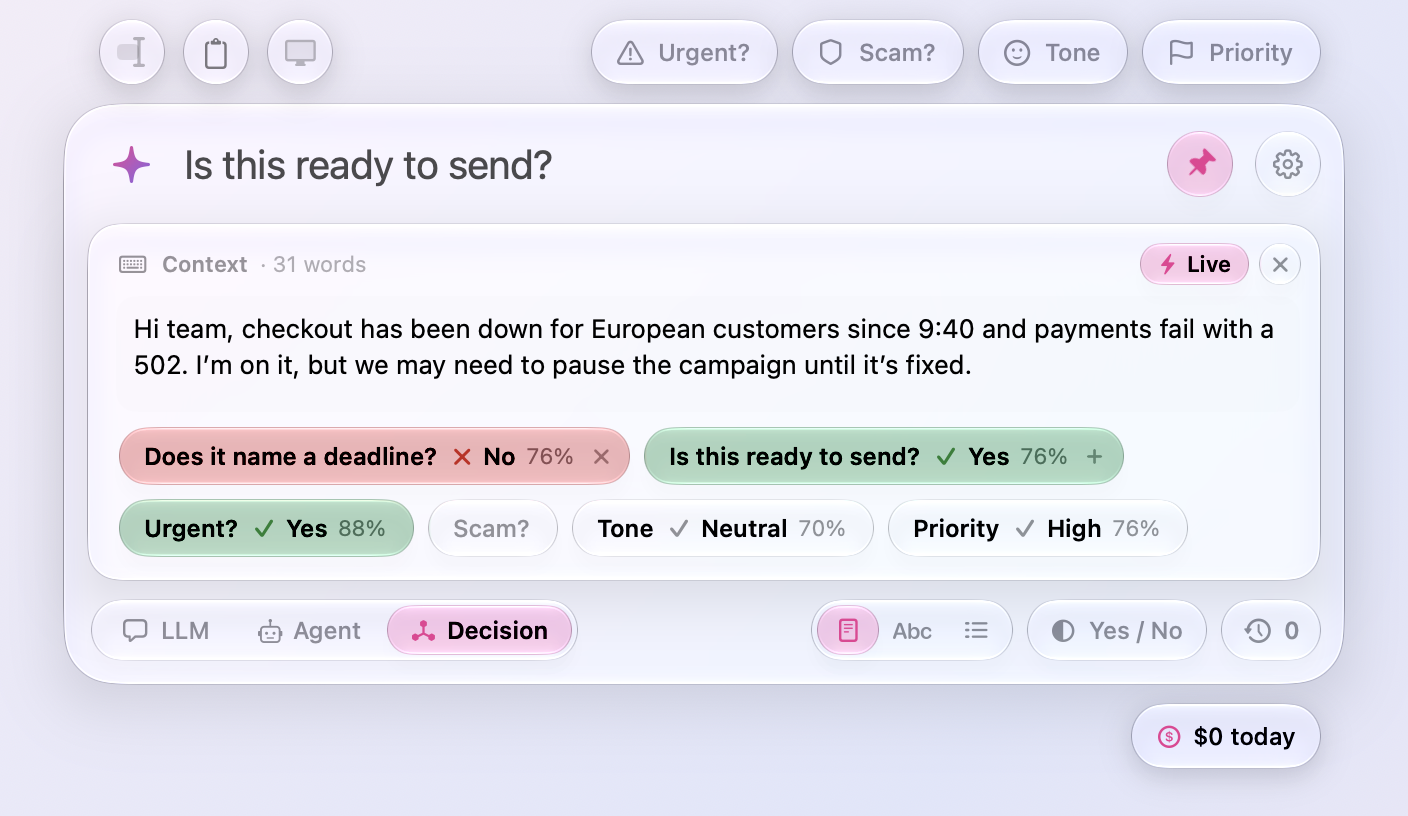
- Several judges at once. The question in the input is asked, and so is any preset you turn on: click Urgent?, Tone, or Priority on the card and a draft is decided three ways in one request. Click the plus on your question's capsule to keep it, in its place, and the input is free for the next one, so as many questions of your own as you like are asked beside the presets; a kept question turns off with a click and goes with its cross. Turning a preset on asks only that preset, and typing again asks everything that is on.
- Live belongs to the chat. The switch, the presets turned on, and the kept questions are the chat's: a new chat (Esc, ⌘N) starts with Live off and nothing on, since every pause asks the model, and turning the switch starts over too, your question in the input aside. Settings › Usage counts the live decisions among the rest.
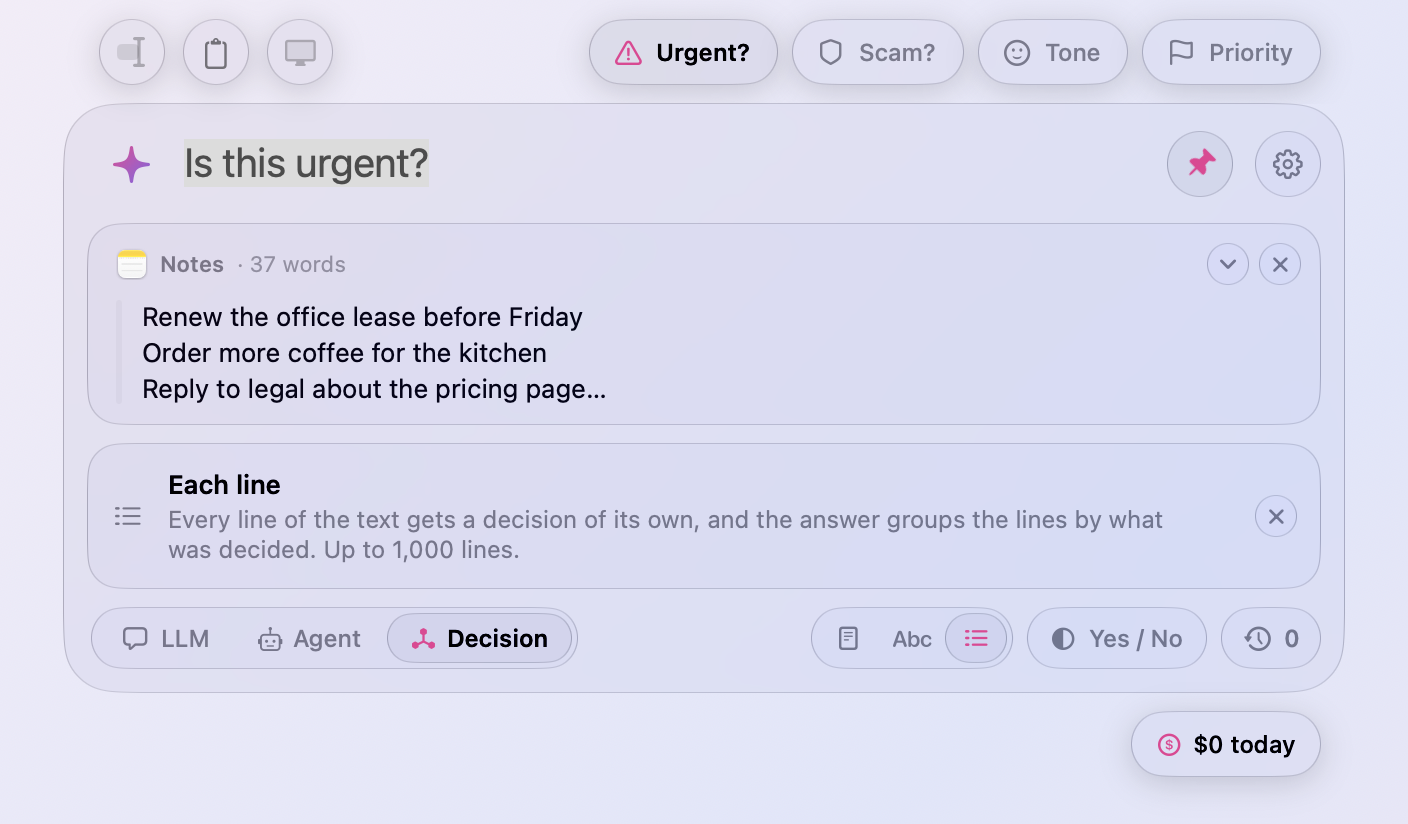
- The scope switch explains itself. Click Each Word, Each Line, or back to Whole Text under the input, and a note under the cards says what the choice decides about, up to the thousand words or lines a question takes. It goes with the question or the chat, and never shows on its own.
Ask
- A colon opens the Context card. End a question in a colon, “Fix the grammar:” or “Find the bugs in this:”, in LLM or Agent mode, and the Context card opens under the input for the text, as a preset does when there is nothing to work on yet. The cursor stays in the input; Tab moves to the card.
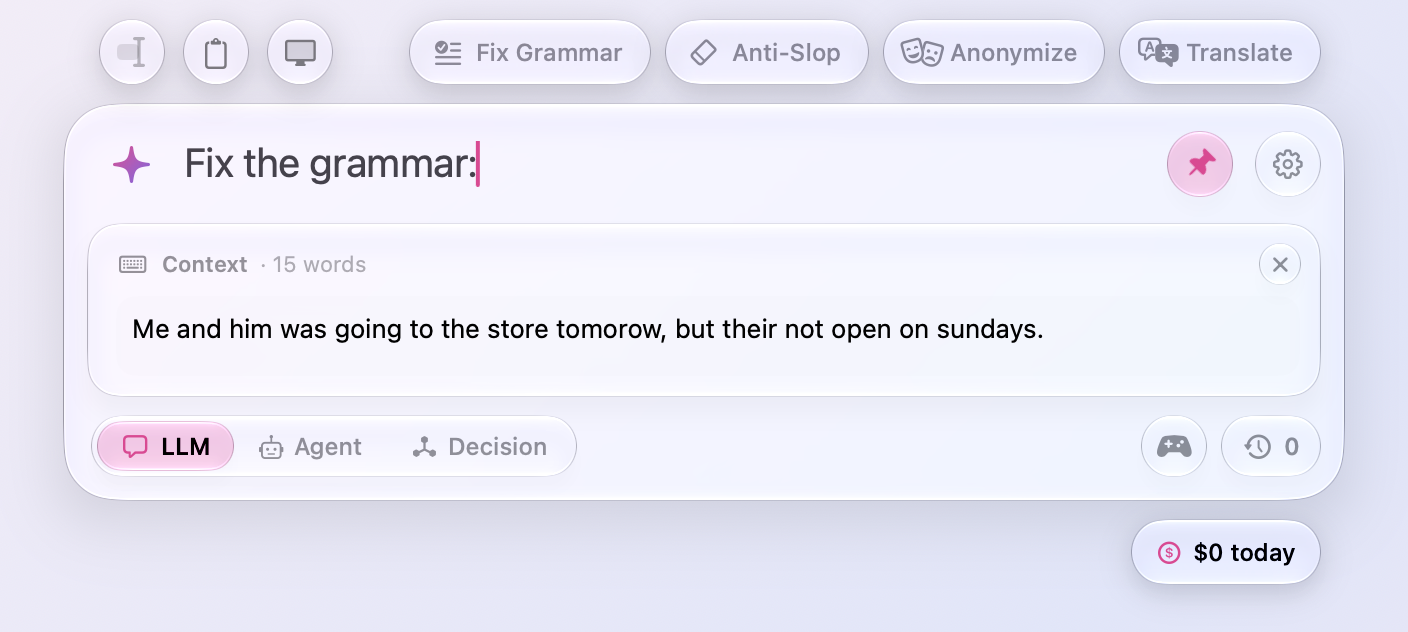
- Tab closes an empty Context card. Tab in the card with nothing written in it goes back to the input and takes the card away, so Tab opens and closes it. A card with text stays, as before.
- The window fades in and out. ⌥ Space fades the window in as the card rises into place, and fades it out as it closes, instead of showing and hiding it in a cut. Pressing the shortcut during the fade turns it around. With Reduce Motion only the fade remains.
- Fewer cuts in the chat. A chat's first question brings the conversation in smoothly, the thinking line fades into the answer's first words, and Show What Changed and Show Answer fade one into the other. An agent's ask, its tools, and the files it hands over fade in too.
Fixes
- The row that asks for a decision's context reads “write it here. It's optional.” as two sentences, not with a dash.
All files, and how to verify them
| File | What it is | SHA-256 |
|---|---|---|
Meraline-1.11.0.dmg |
The installer | a8b8127a8da953b97d488feec5cd16a7c1769d1da6280f8df42c6ff0f0e9e375 |
Meraline-1.11.0.zip |
The archive Sparkle installs as an update | 17159646afedb6f5322df100253b599b0145efa078f6dd0177258a3d2b974ebc |
Meraline-1.11.0-dSYMs.zip |
Debug symbols, for reading crash reports | f0b5ba51ec490306cd7385646022d778a7a907bc0a46005c50807650fdb1ce5a |
appcast.xml is the update feed that installed copies check once a day.
Every file was built by GitHub Actions from tag v1.11.0 and carries a signed provenance attestation:
gh attestation verify Meraline-1.11.0.dmg --repo Meldiron/meraline