Repository navigation
Meraline 1.13.0

Download Meraline-1.13.0.dmg, open it, and drag Meraline into your Applications folder. Meraline needs macOS 26 or later. Installed copies update themselves.
What's new
A pass through the app as a tester found a hang, a few bugs on keyboards where the digits take Shift, and places where the window got in the way of reading. This release fixes what it found.
Reading answers
- You can scroll up while an answer is still coming. The conversation follows a growing answer only while you are at its end. Scroll up to read from the start and it stays where you put it; before, every new word pulled you back down, and so did the follow-ups when they arrived. Scroll back to the end, or ask something, and it follows again.
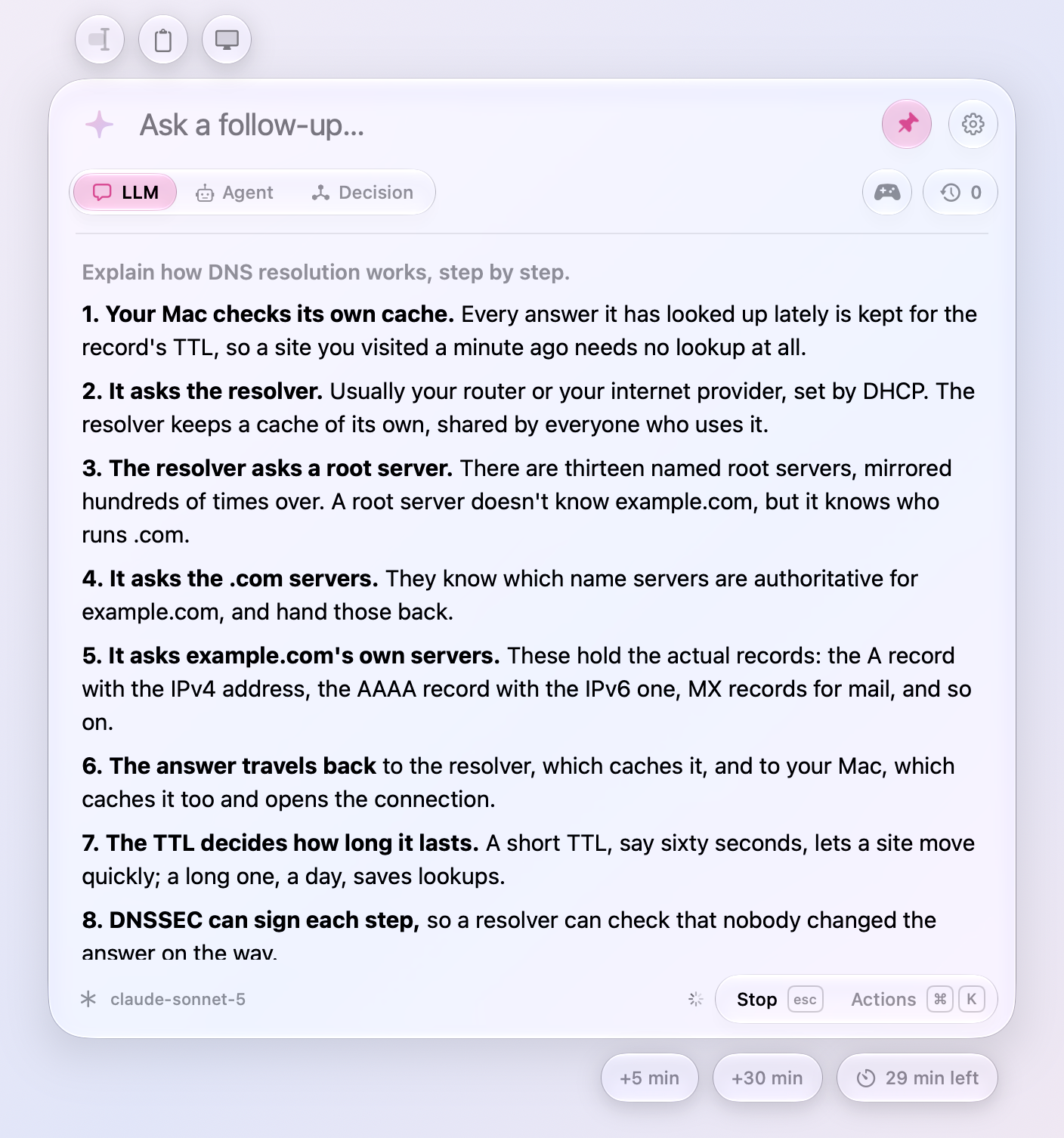
- Fast answers no longer fall behind the model. Words that arrive within a twentieth of a second go on screen together, instead of the whole answer being laid out again for each one. A long answer from a fast model used to finish on screen many seconds after it had arrived.
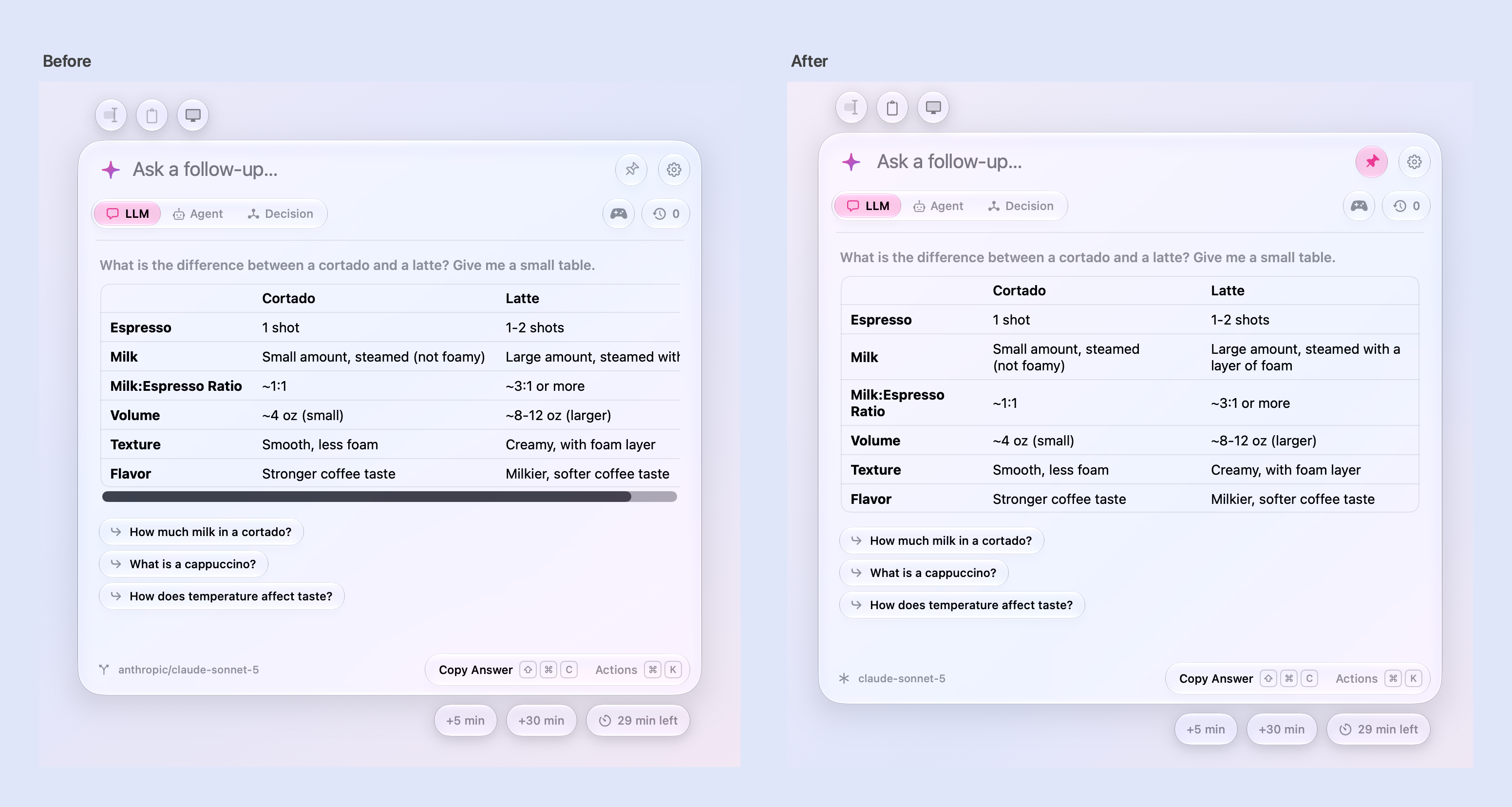
- Tables fit the window. A table's columns give way to the room the card has, the widest first, so a table of three or four columns wraps its cells instead of scrolling sideways with its last column cut off. A table too wide even for that still scrolls.
- With “Show scroll bars: Always” in System Settings, the conversation no longer flashes a scroll bar and re-wraps its text each time the card shrinks. Its scroll bar lies over the text, as Spotlight's does, and shows while scrolling.
Answers
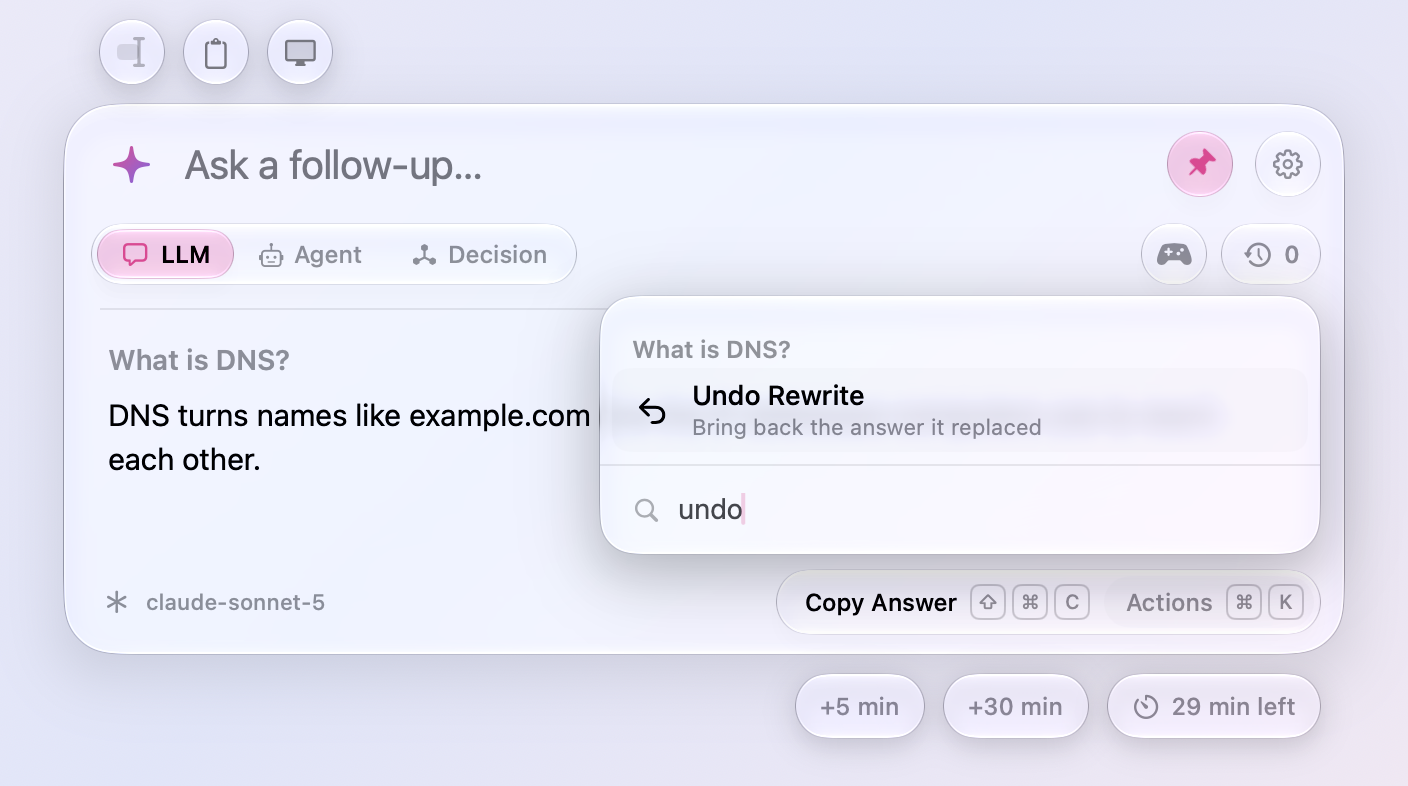
- Undo Rewrite. A rewrite, or a preset run on the answer, can be taken back from the chat's actions: the answer it replaced comes back under the same question. Each undo takes back the rewrite before it. Handy when ⌘1 ran Fix Grammar on an answer you only meant to zoom.
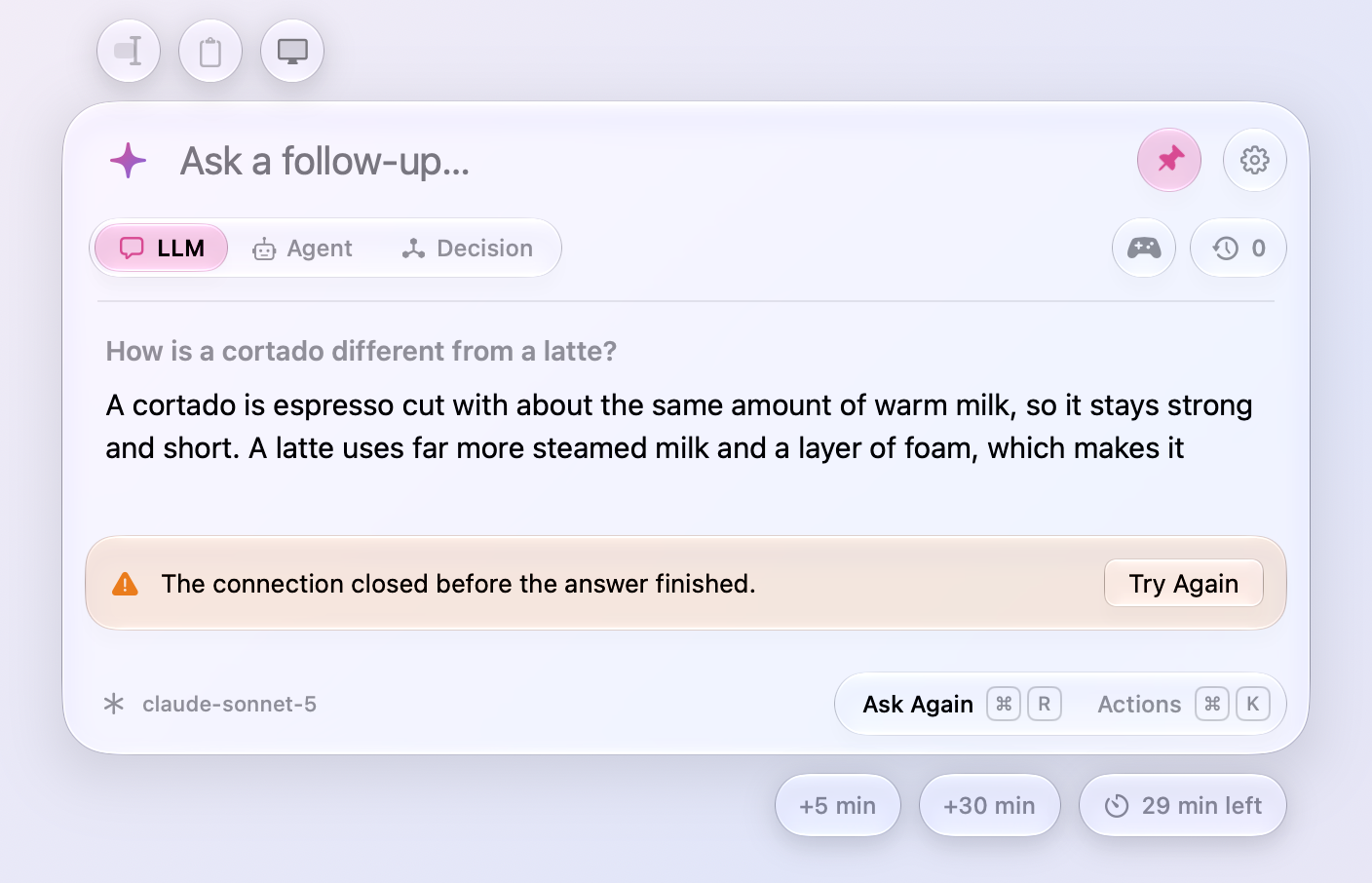
- Try Again after a failed answer. The error's banner has a Try Again button: it asks the question again when the answer was cut off, and sends it again when it came back to the input. After an answer fails partway, Ask Again is the footer's first action, with Copy Answer still in the actions.
- An answer whose connection closes partway now says so (“The connection closed before the answer finished.”) and keeps what arrived. Before, the cut-off text passed for the whole answer.
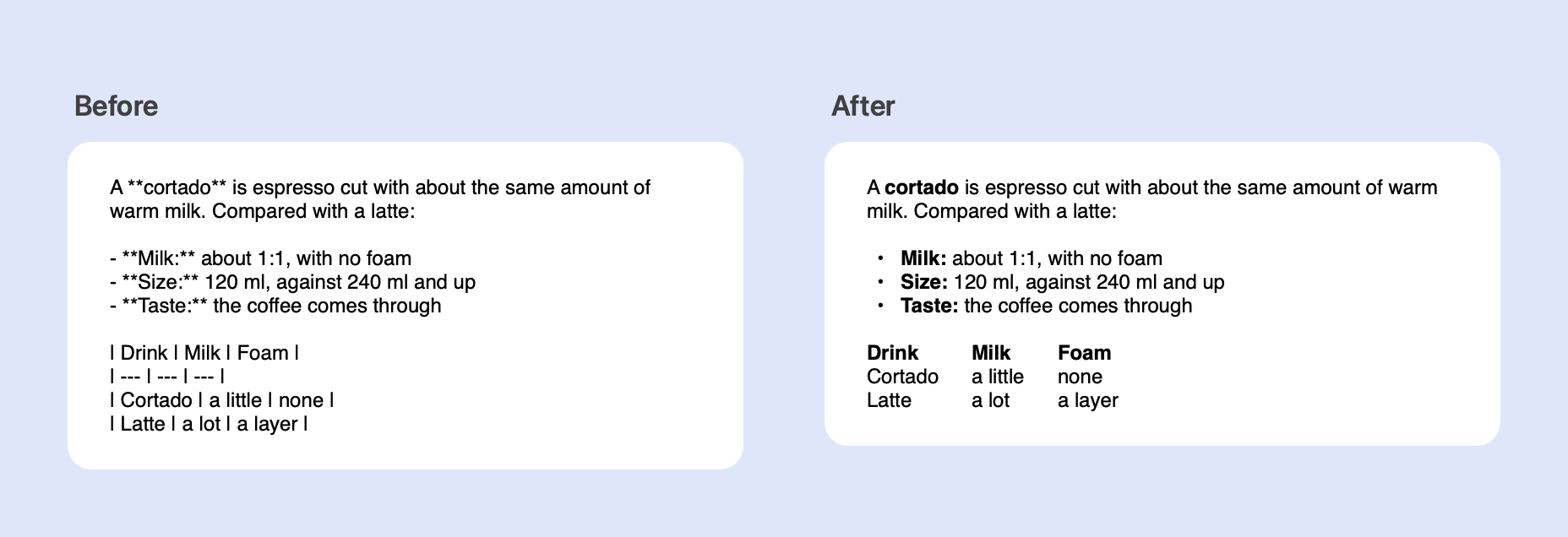
- Copy Answer and Insert Answer paste formatted text into apps that take it. The answer goes to the clipboard as its Markdown, as before, and beside it as HTML and rich text, so Mail, Notes, Pages, and web editors get bold, lists, code, and tables as such instead of the asterisks and dashes. Plain editors still get the Markdown.
- No follow-ups are suggested under an answer that is your own text changed, such as after Fix Grammar or Translate. They took the text for a subject: under a corrected note about a parcel, “Who is receiving the package?”.
Agents
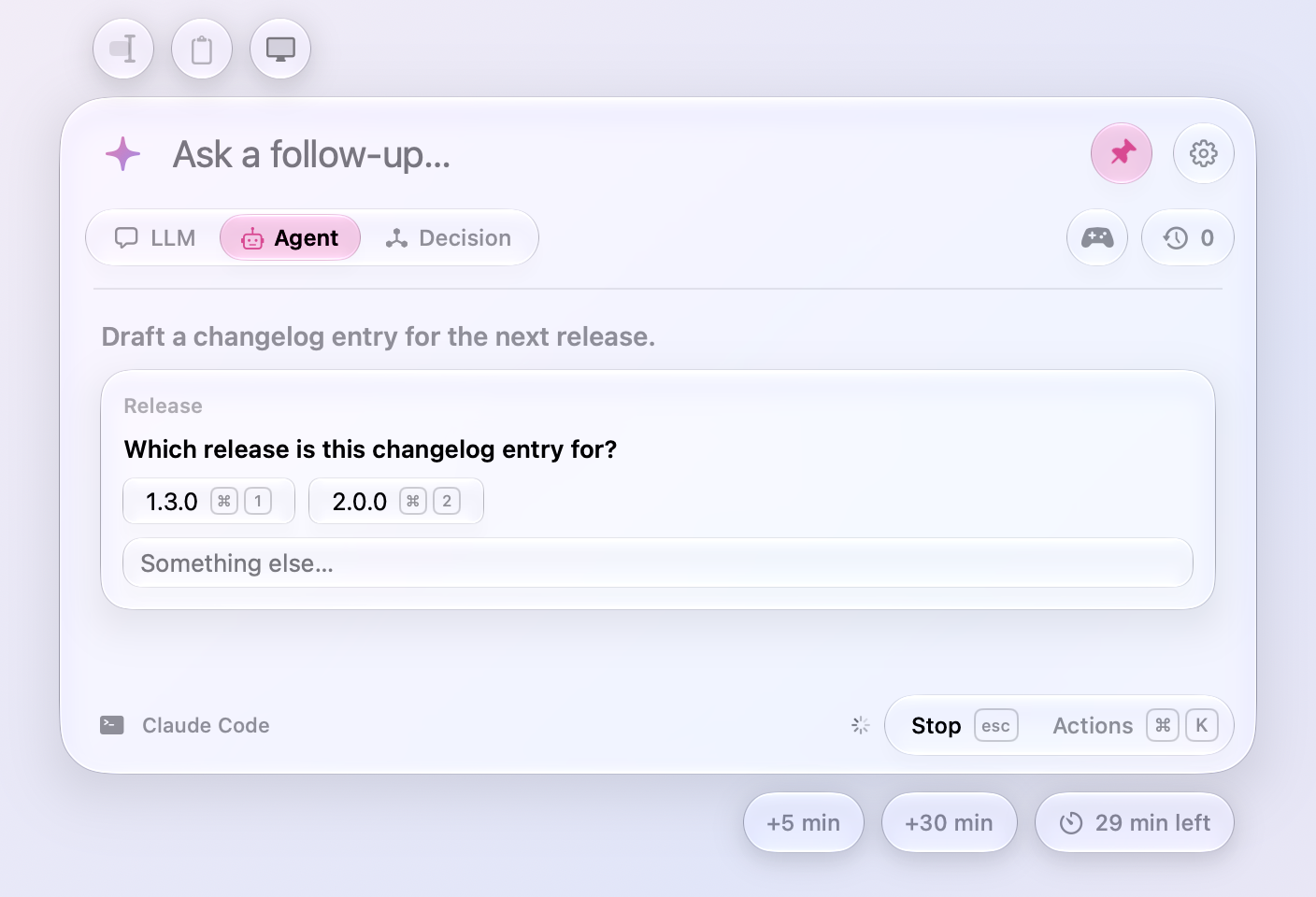
- ⌘1 to ⌘9 answer an agent's question. When Claude Code asks a question with choices, the keys pick them, as a click does, and the choices show their keycaps. Allow and Deny already took Return.
Games
- Word Football gives the model a second try. When the model's word breaks the chain or was played already, it is told what was wrong and asked once more before the foul is called; only the word that counted shows. Against Apple's on-device model, most matches used to end after one move.
- A round's result shows once when a game ends. It stood in the transcript and again in the Play Again tray right under it; the tray now leads with the game's name.
Recent chats
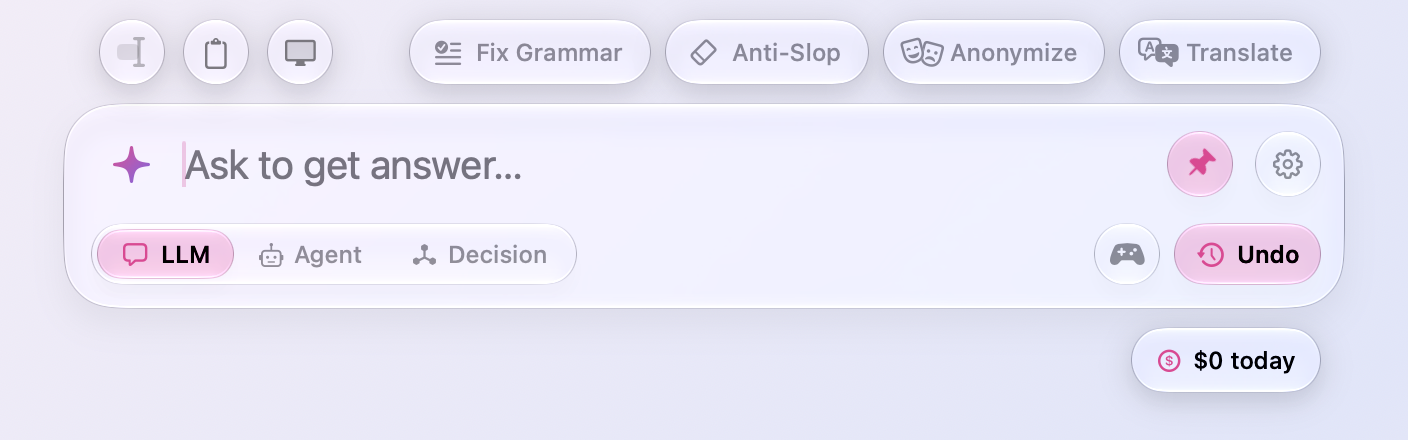
- A shake can be undone. Shaking the window still forgets Recent Chats without asking, but the clock's capsule under the input turns pink and says Undo for five seconds, and a click on it brings every chat back as it was. One drag shakes at most once, too; before, a wiggle that went on fired twice.
Keyboards where the digits take Shift
On a Czech, Slovak, or AZERTY keyboard the number row types letters, and the digits take Shift.
- ⌘1, ⌘2, and ⌘3 switch between LLM, Agent, and Decision there. They go by the key's place now; before, only ⇧⌘2 worked.
- ⌘0 puts answers back to actual size there. It goes by the key's place now, as ⌘1 to ⌘9 do.
- Zoom In shows the key that works on your keyboard. On a Czech or Slovak one the key that types + is the 1 key, which runs the first preset once an answer is ready, so Zoom In says ⌘= there.
Settings › Usage
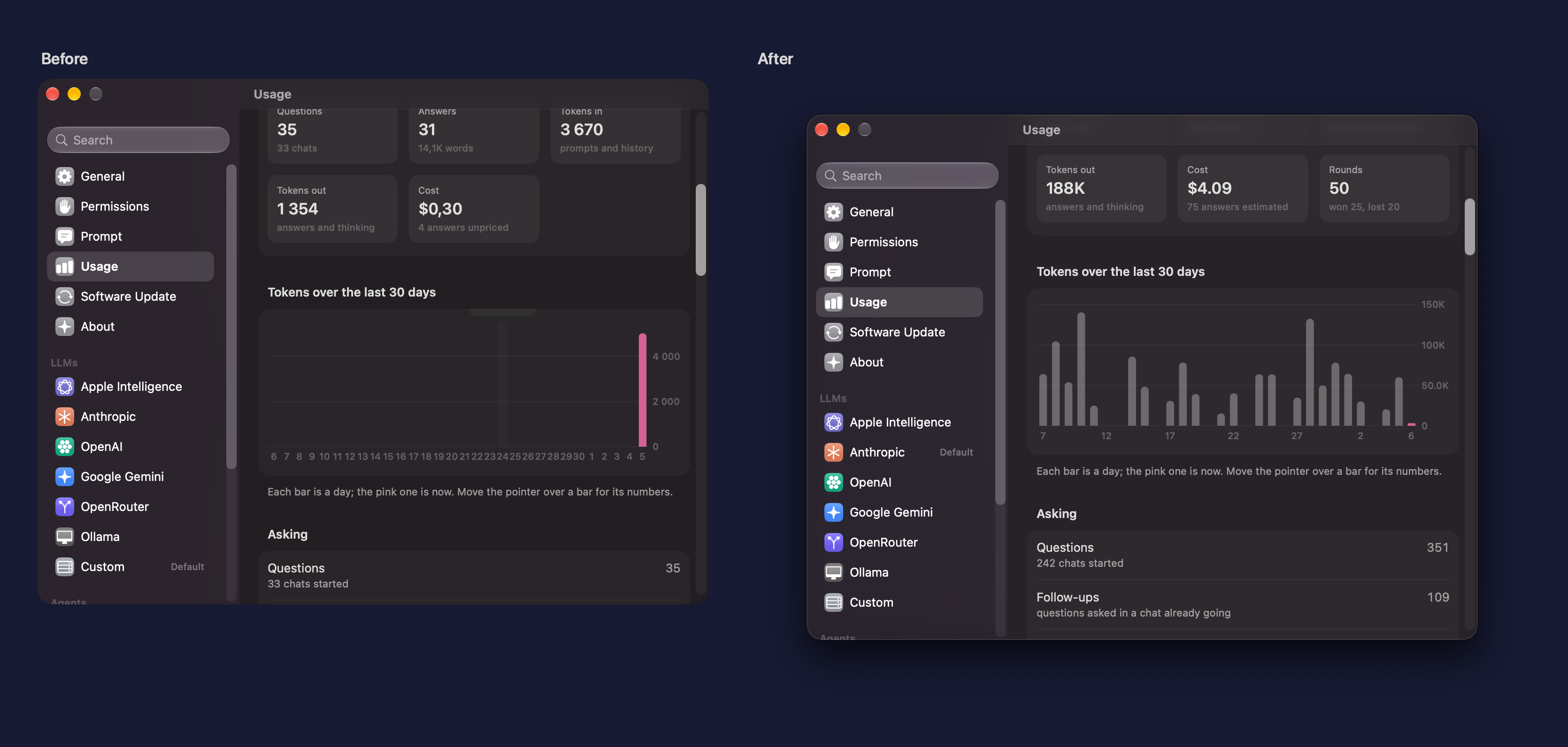
- The chart shows a bar's numbers when the pointer is over it. They sat above the chart, where only their bottom edge showed.
- The chart labels every few bars again. Every bar had a label, so a month's days ran together.
- The Hour chart no longer counts every five minutes twice, and the Day chart's bars are clock hours, so the bar for now sits over the hour it is. Both ran backwards from the current minute, which cut the counted five minutes in two.
Fixes
- Show What Changed no longer freezes Meraline under VoiceOver. With VoiceOver or any other accessibility tool reading the window, showing what an answer changed sent macOS 27 into a loop that never ended, and Meraline had to be force quit.
- The title of a panel of actions stays at the left when a search finds nothing, instead of jumping to the middle.
- A
meraline://URL's text comes without control characters, which a URL can carry and no keyboard types.
All files, and how to verify them
| File | What it is | SHA-256 |
|---|---|---|
Meraline-1.13.0.dmg |
The installer | c85d172970a811069768aa8dfd051cc5e2cf61b3149c7f8a4d920400a2de9e86 |
Meraline-1.13.0.zip |
The archive Sparkle installs as an update | 58ff792b7b62bb542fd7d80f50ea81a5a398eb4e575dac361615457b332e472b |
Meraline-1.13.0-dSYMs.zip |
Debug symbols, for reading crash reports | e3adb52c3d17135d48fcedca08f297cf7bbc321485346bf00e938b29927f1516 |
appcast.xml is the update feed that installed copies check once a day.
Every file was built by GitHub Actions from tag v1.13.0 and carries a signed provenance attestation:
gh attestation verify Meraline-1.13.0.dmg --repo Meldiron/meraline