Repository navigation

Download Meraline-1.14.0.dmg, open it, and drag Meraline into your Applications folder. Meraline needs macOS 26 or later. Installed copies update themselves.
What's new
Decision mode grows in this release: decision models run on this Mac through Ollaya, the answers under the input open a panel with lists of your own, every preset asks at once, and Improve edits your text toward the answers it should get. Around it, presets ask with one click, the window stops closing by itself, and updates arrive within a quarter of an hour.
Decisions
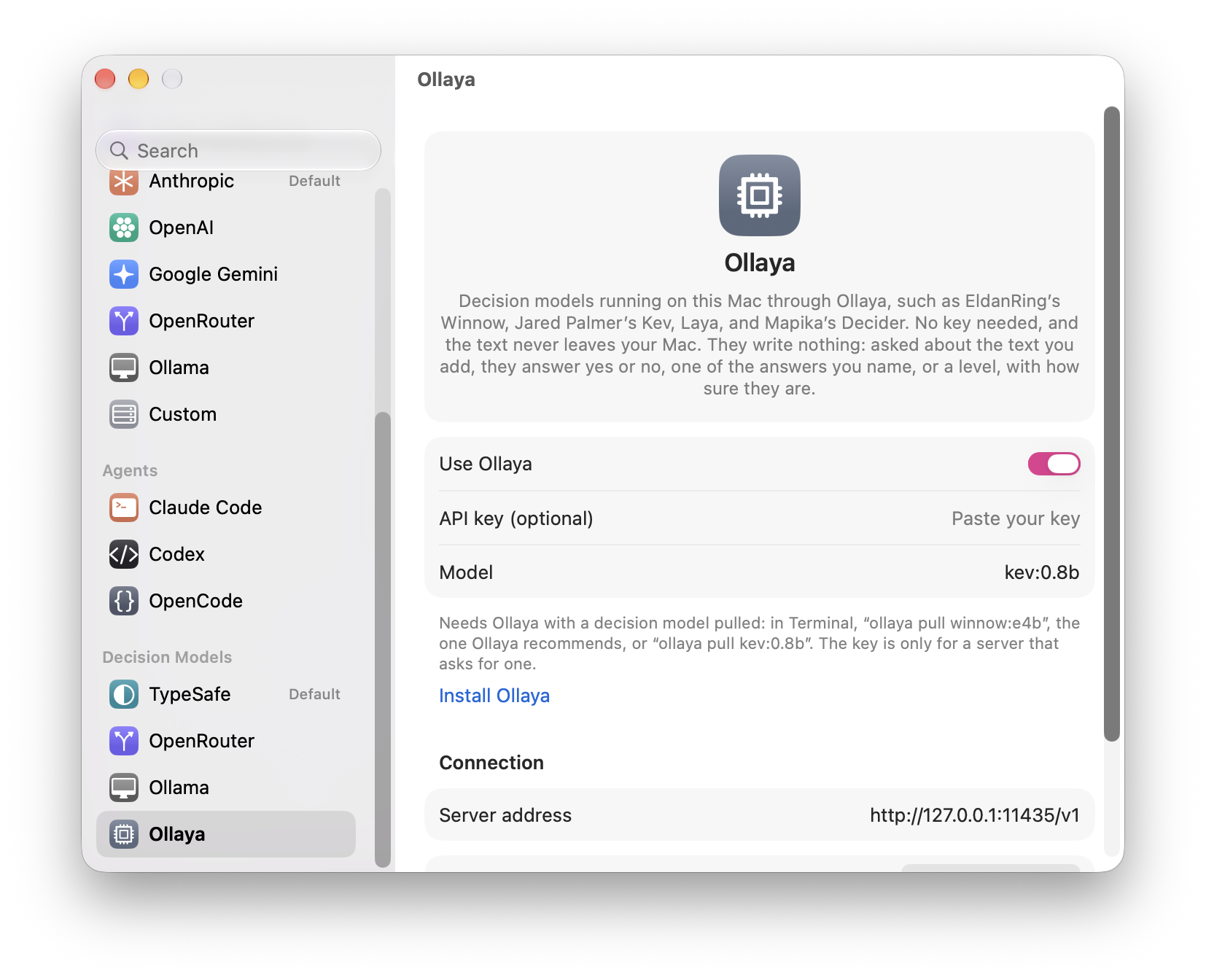
- Decision models through Ollaya. Settings › Decision Models has Ollaya beside Ollama: the Ollama of decision models, which pulls and serves EldanRing's Winnow, Jared Palmer's Kev, Laya, Mapika's Decider, and more on this Mac behind the same API as Jev. Turn it on, pull a model (
ollaya pull winnow:e4b, the one it recommends, orollaya pull kev:0.8b), and decisions, live decisions, the presets, and each word or line go to127.0.0.1:11435and nowhere else, free in Settings › Usage. A key is needed only for a server that asks for one.
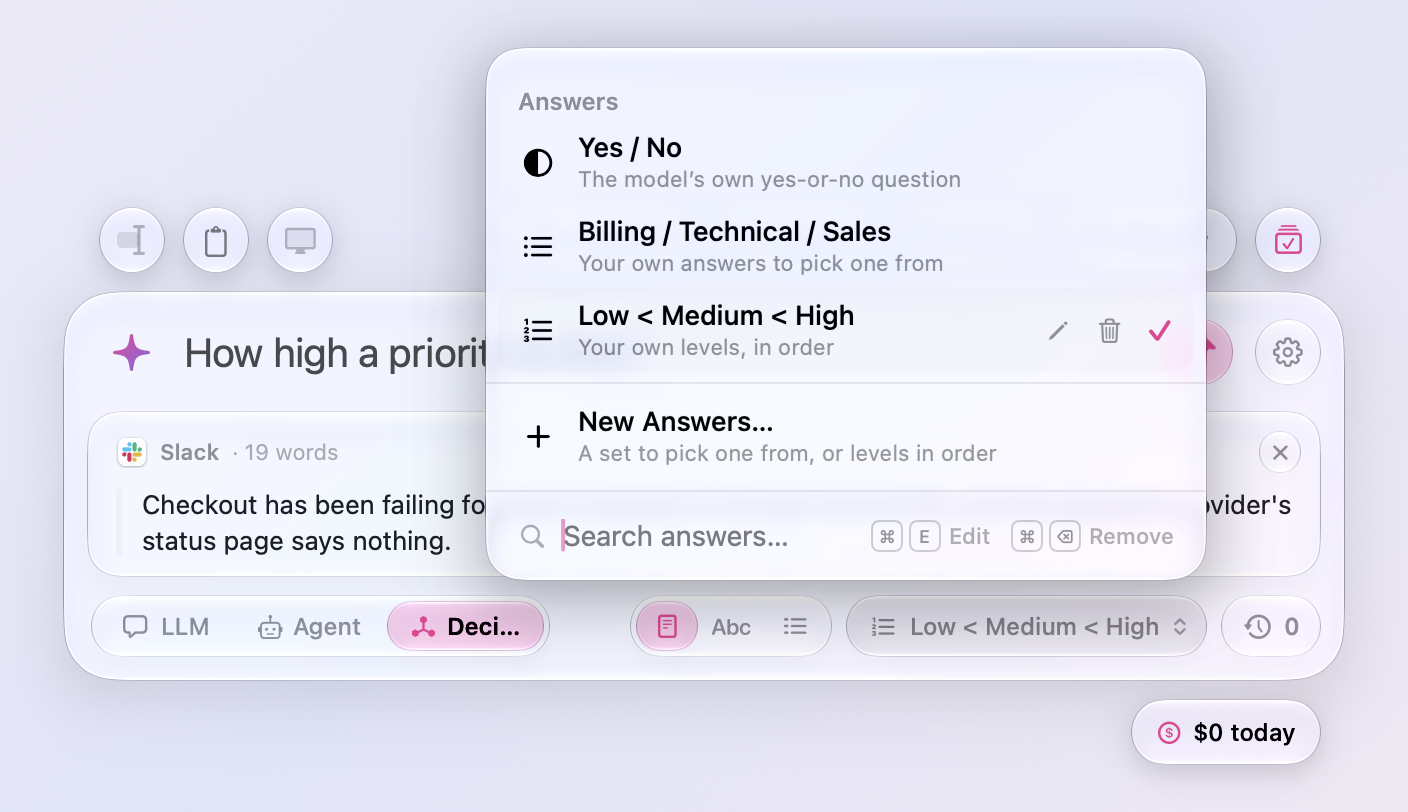
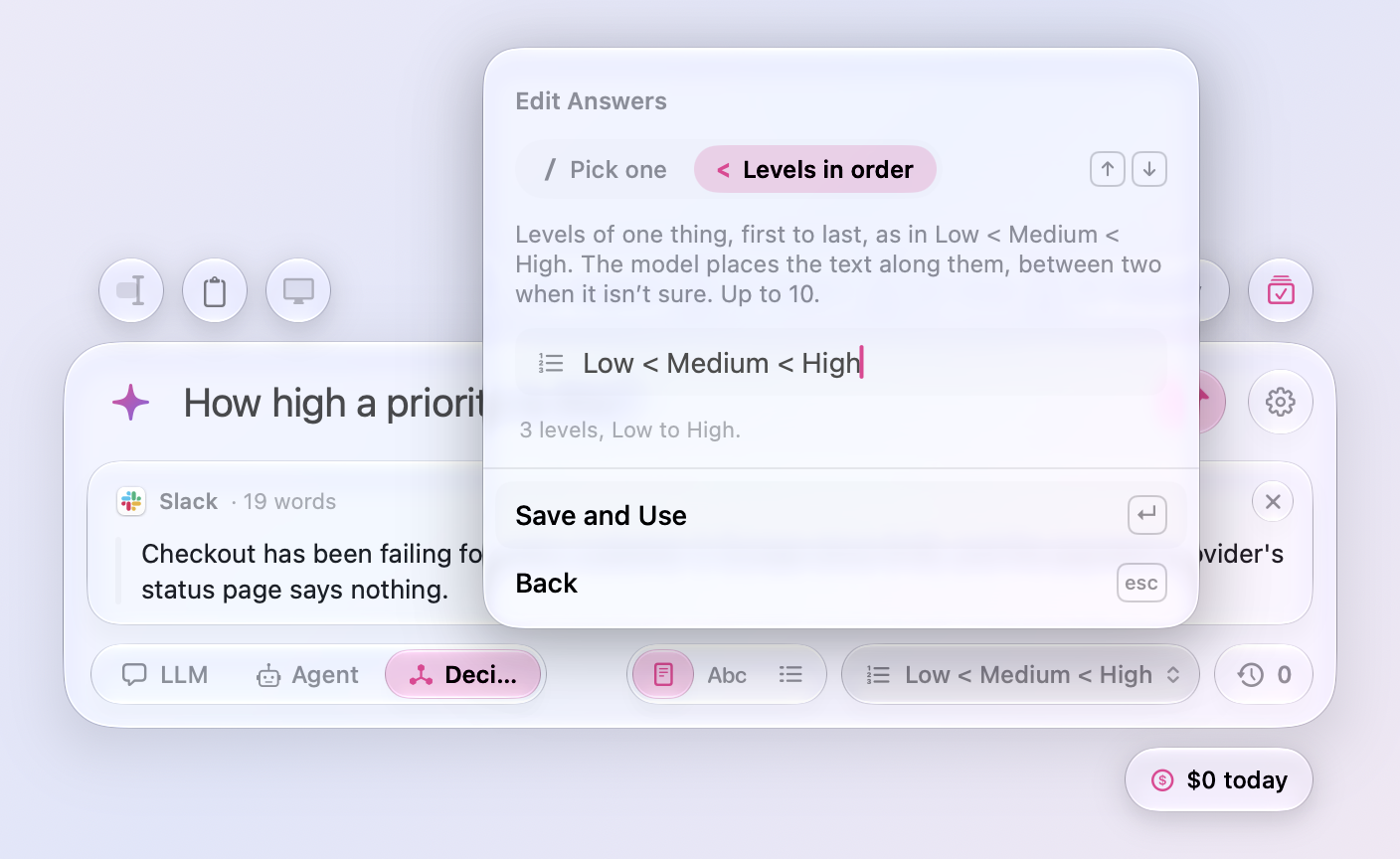
- The answers under the input are a click away. In Decision mode the capsule that shows what the next question picks from, Yes / No until you change it, opens a panel like the clock's, on the answers in use: switch between Yes / No and as many lists of your own as you like, Billing / Technical / Sales for one question and Low < Medium < High for another. New Answers… writes one in a form there, a set to pick one from with / between its answers or levels in order with <, with a toggle between the two and a word on what each means; ↑ and ↓ switch the toggle, Return takes the answers, and Esc goes back. On a list of yours, Edit (⌘E) opens it in the same form and Remove (⌘⌫) asks first, from the buttons at its end, a right-click, or the keyboard, and the search field shows both shortcuts. ⇧⌘A opens the panel from the keyboard, and Settings › Prompt › Decisions picks among the same lists. A question that names its own answers after its question mark still wins, and the panel says so.
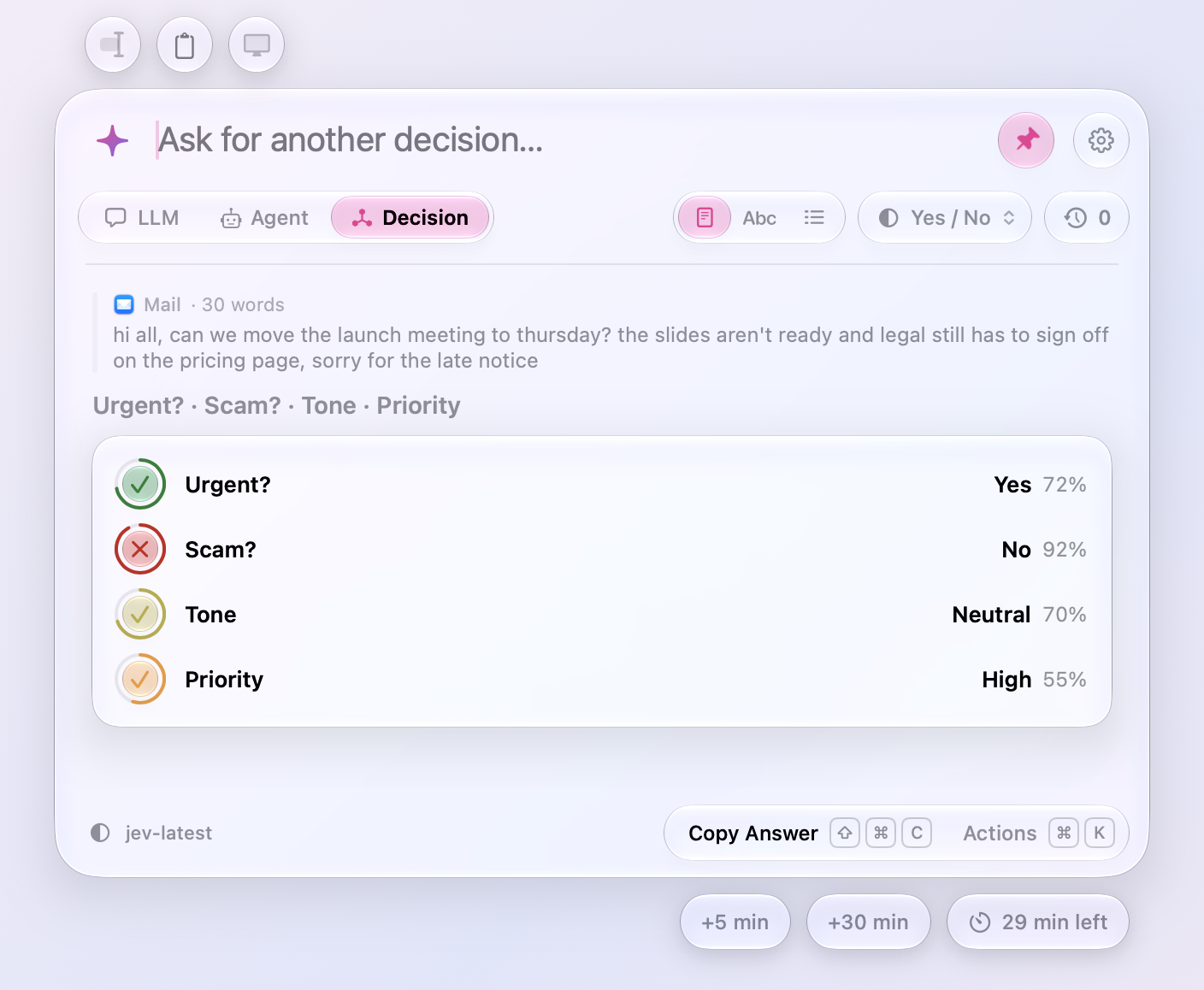
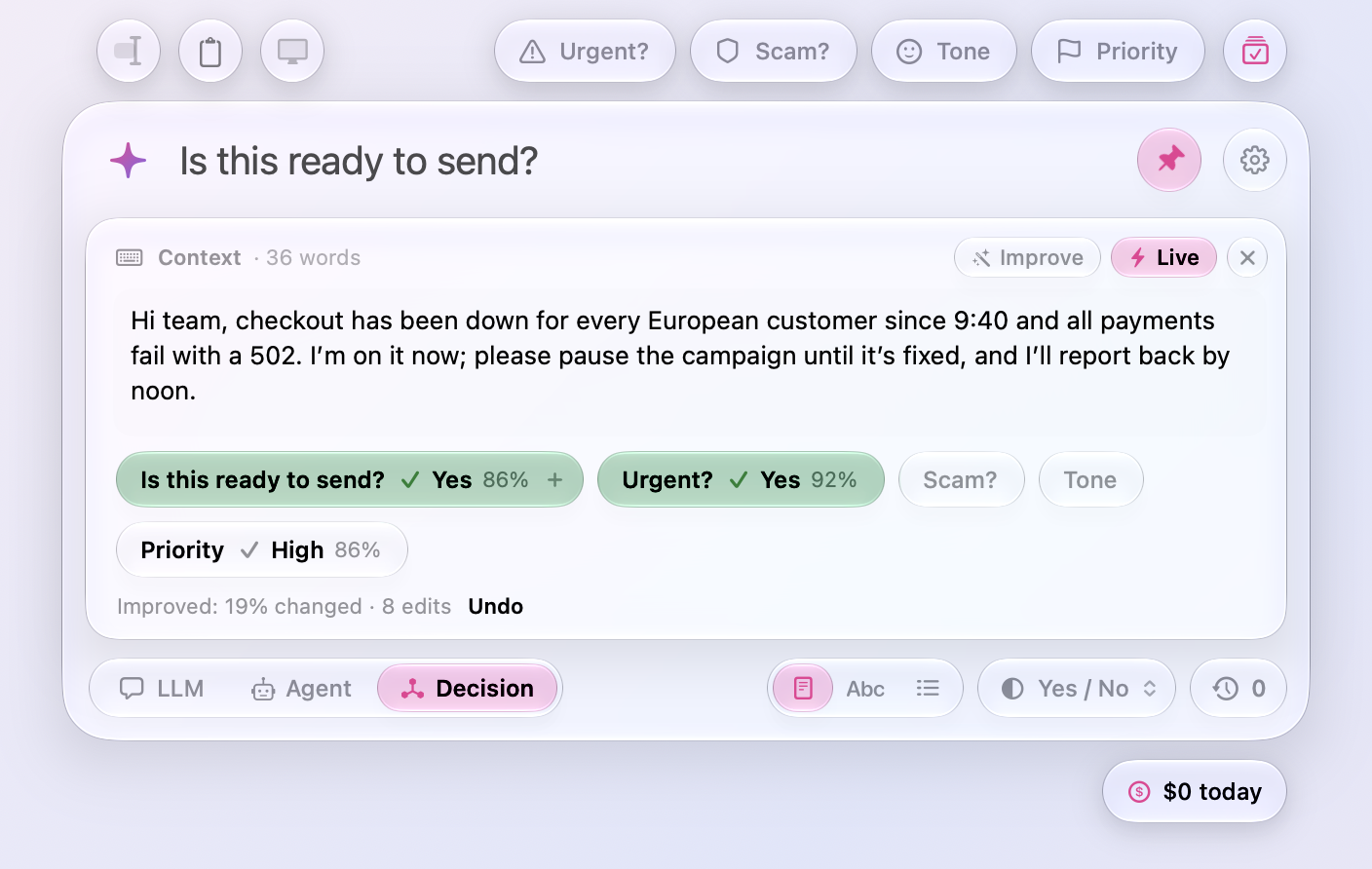
- Every decision preset at once. In Decision mode, a circle at the end of the presets, by the gear, asks all of them about your text in one click and one request: each preset's answer on one card, Urgent? Yes, Scam? No, Tone Neutral, Priority High, with how sure the model is. Your own question stays in the input for a follow-up, and Ask Again asks them all again.
- Improve on the Context card. In Decision mode with Live on, a wand beside the switch has the LLM you use change your text toward the answers the questions should get: Yes on each question, the highest level of a scale, or the answer a list of your own already gives. It starts with small edits that keep your words and length, and when those stop making the answers surer, a click more rewrites the parts in the way, then the whole text if that is what it takes, so it never says there is nothing to improve while an answer sits at 65%; a note under the capsules says what it did and how much changed, and Undo puts the text back. The instructions it works with are in Settings › Prompt › Decisions, and Settings › Usage counts the clicks.
Presets
- Presets ask with one click. With text selected, copied, or written on the Context card, a click on a preset above the window asks it right away, and the capsule shows an arrow as you hover. With no text yet, the click puts the preset in the input and opens the card for it as before; paste the text and click the preset again. Shift-click no longer sends: it puts the preset in the input to add to, and in Decision mode it turns on Live with that preset and puts the cursor in the Context card; Shift-click it again and it stops asking the preset, and when nothing else is asked and the card is empty, the card closes, Live goes off, and the cursor is back in the input, as if you never clicked.
The window
-
The window no longer closes by itself. It closed whenever it lost the keyboard, and sometimes something took the keyboard that you never asked for: an app coming forward on its own, a helper window of the system's, or the editor taking its window back a moment after ⌥ Space opened the panel over it, so the window vanished while you were reading an answer, or ⌥ Space seemed to do nothing. Now it closes only when you send the keyboard elsewhere, with a click, a key press, or a switch to another Space, and takes it back otherwise.
-
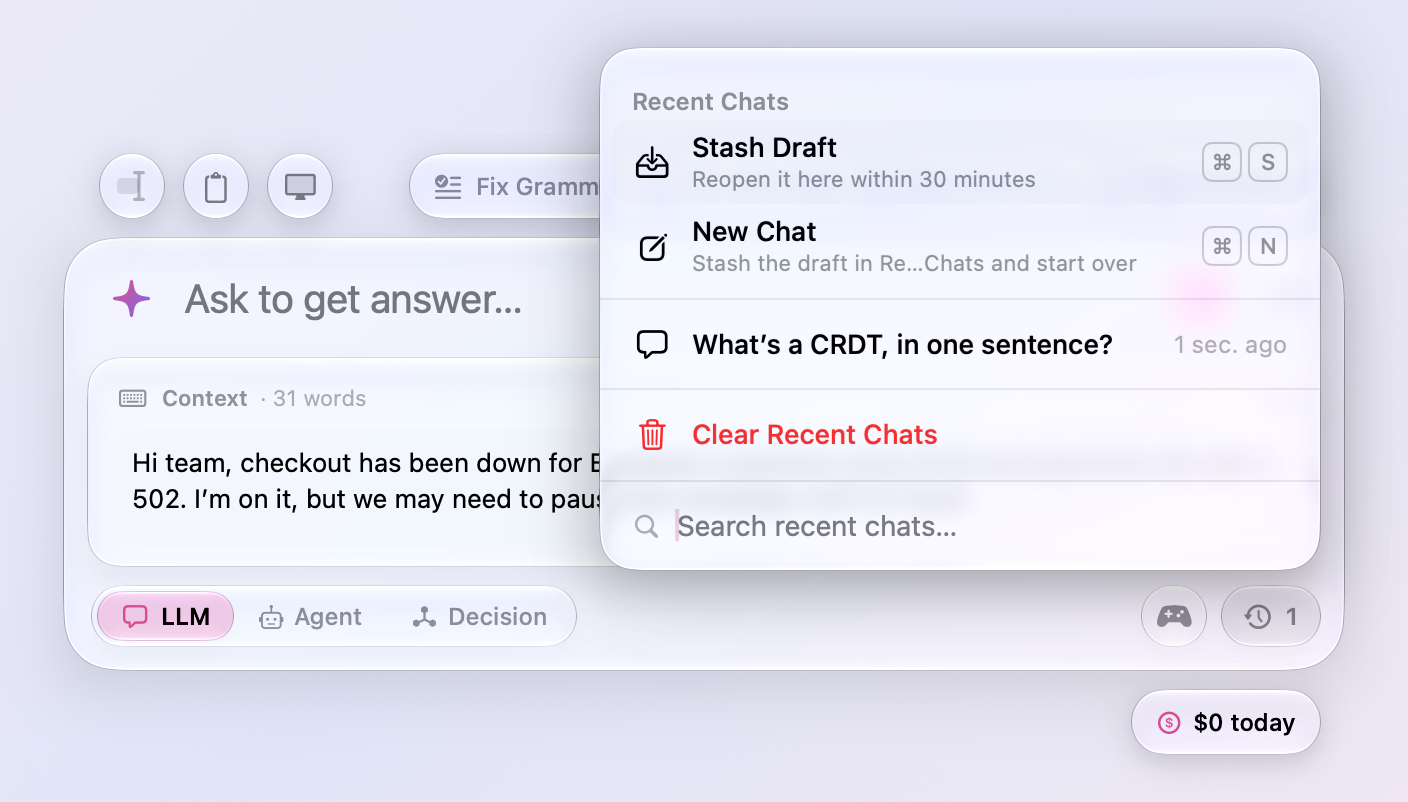
⌘N clears the Context card with no chat open. Esc with only text on the Context card closes the window and leaves the text for next time, on purpose, so there was no way to be rid of it short of selecting it and deleting. ⌘N now starts over with no chat open too: the input and the card empty, and the card's text waiting in Recent Chats as a stashed draft, with Live as it was, for 30 minutes; a line in the input alone is cleared, as Esc clears it. The row sits beside Stash Draft at the top of the clock's panel. Starting a new chat from a chat keeps the card's text the same way, with the chat.
- Updates are found within a quarter of an hour. Meraline checks for updates every 15 minutes instead of once a day, and when you open the window after the Mac slept through a check, so the Update Available capsule is under the window by the time you press ⌥ Space. Before, Settings › Software Update could say “Last checked 15 hours ago” while a release waited.
All files, and how to verify them
| File | What it is | SHA-256 |
|---|---|---|
Meraline-1.14.0.dmg |
The installer | ee1c2213bd0df52cc283e2cf84fc03825ffb238fb76e46eefc66561da799223b |
Meraline-1.14.0.zip |
The archive Sparkle installs as an update | 43a7619392b176f765ce3f5d3d6f12dfa1786a102c7202b0d75cf4c5a2f3c865 |
Meraline-1.14.0-dSYMs.zip |
Debug symbols, for reading crash reports | 72d3db4c0acfd66abfe09d1a2ed183345fb807c396bbf0ca53084b745e14f1bd |
appcast.xml is the update feed that installed copies check once a day.
Every file was built by GitHub Actions from tag v1.14.0 and carries a signed provenance attestation:
gh attestation verify Meraline-1.14.0.dmg --repo Meldiron/meraline