Repository navigation
Meraline 1.5.0

Download Meraline-1.5.0.dmg, open it, and drag Meraline into your Applications folder. Meraline needs macOS 26 or later. Installed copies update themselves.
What's new
Ask
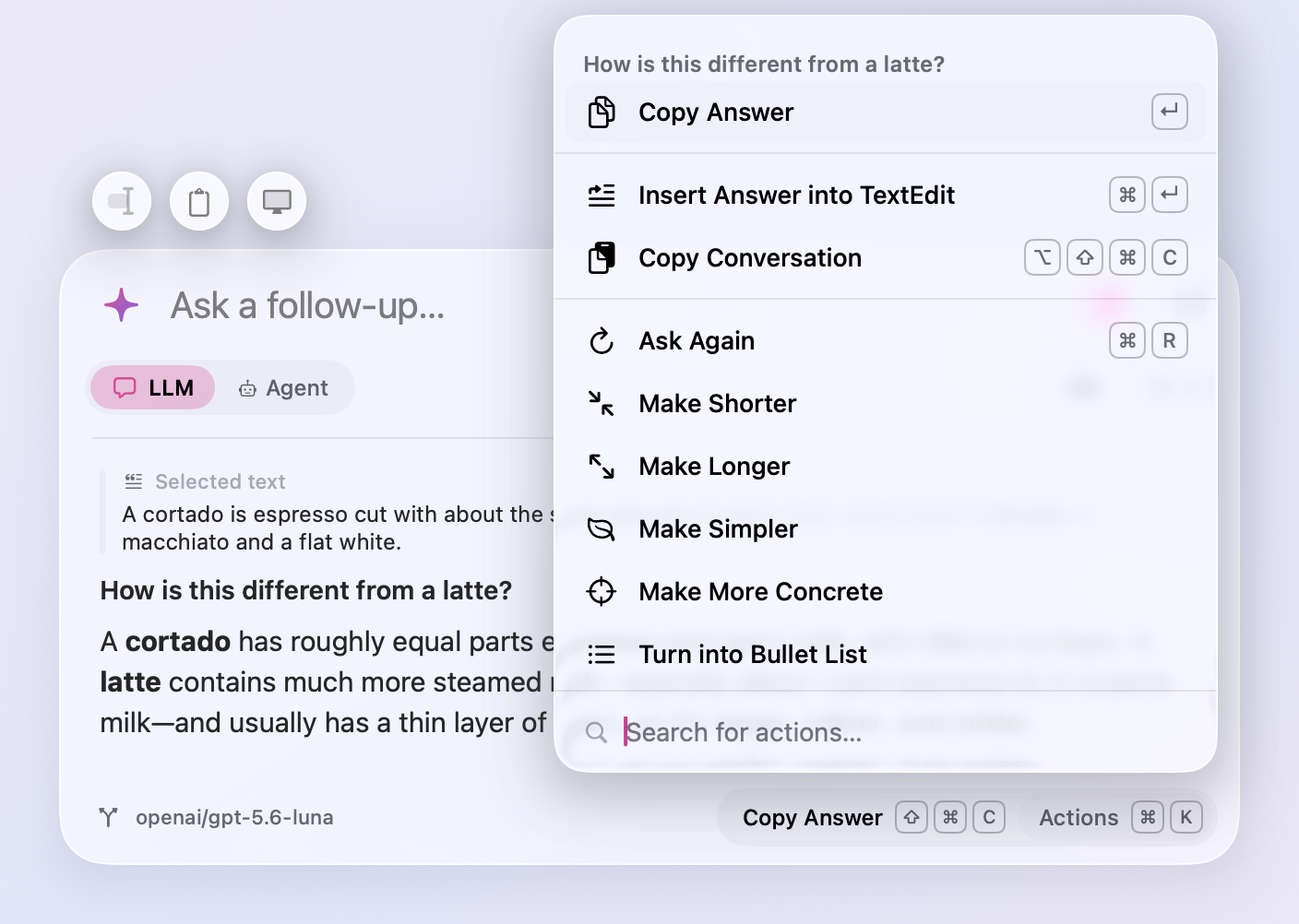
- Rewrite an answer. Actions (⌘K) under an answer now offer Make Shorter, Make Longer, Make Simpler, Make More Concrete, and Turn into Bullet List. The new answer replaces the old one under the same question, so rewrites stack (shorter, then a list) and a follow-up builds on what you see. If you stop the rewrite, or it fails, the old answer comes back.
- Insert the answer where you were. Press ⌘↵ under an answer, or pick Insert Answer from Actions (⌘K), and the window closes and pastes the answer at the cursor of the app you opened it over. Select a paragraph, press ⌥ Space, ask for it friendlier, press ⌘↵, and the new text replaces the old. Your clipboard is put back afterwards. While you type a follow-up, ⌘↵ leaves it alone. Pasting needs the same Accessibility access as reading a selection; without it, the answer is copied for you to paste.
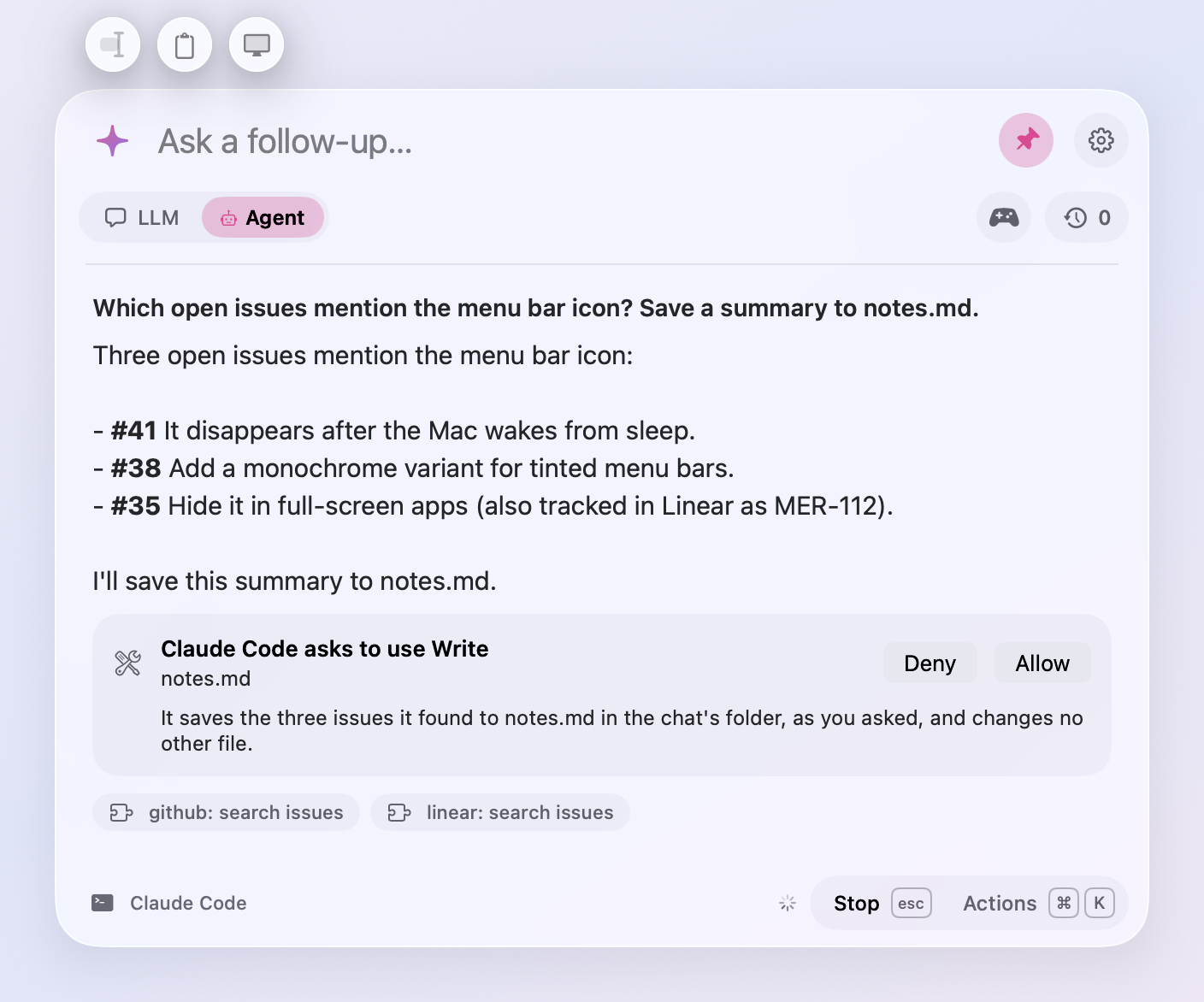
- Ask an agent why. When Claude Code asks to write a file, run a command, or use a skill, Why? beside Deny and Allow has it say in one line why it wants to, from your chat and what it is about to do. The reason comes from a quick run of Claude Code's small model with no tools, in a few seconds, and goes when you answer.
- More to automate.
meraline://asktakesclipboard=1andscreen=1, which add the clipboard and a screenshot as the buttons above the window do, so a Shortcut can ask "What's wrong here?" about your screen in one step. Withsend=1the question waits for the screenshot.agent=1oragent=0picks the mode for the question.meraline://play?game=oddOneOutstarts a game (meraline://playalone shows them all), andmeraline://mode?agent=1switches to Agent.
Privacy
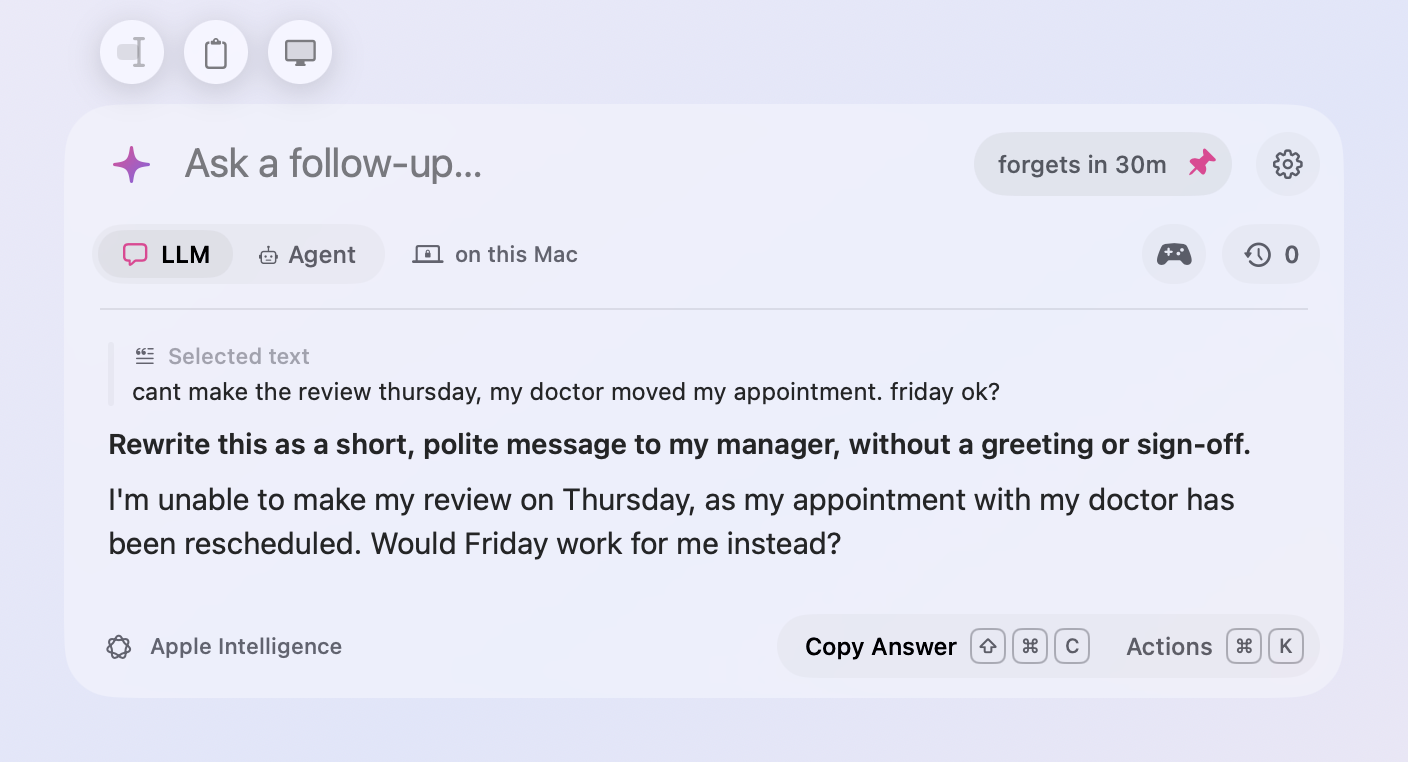
- See when a chat moves on. A pinned window left on screen now counts down on its pin, "forgets in 28m", to the moment its chat moves to Recent Chats and the next question starts fresh. An anonymous chat is forgotten. Come back to the window and the clock stops. The clock now runs while a pinned window sits in the background as well as while the window is hidden, and it moves the chat on at that moment instead of the next time the window opens. Settings › General › Privacy sets how long, or Never.
- On this Mac. While Apple Intelligence answers, or Ollama with a model on this Mac, a quiet "on this Mac" sits beside the mode toggle, and the sparkle's panel says the same under those providers. Ollama's cloud models, a server on another machine, and Custom servers don't get it, since what you ask leaves the Mac.
- Hide from screen sharing. Turn it on in the sparkle's panel or Settings › General › Privacy, and Meraline asks macOS to leave the window out of screen sharing, recordings, and screenshots. A crossed-out eye beside the mode toggle shows it's on. It's off unless you turn it on. Apps that record the whole display, such as QuickTime and some video-call apps, can still show the window, so try it with yours before a call where it matters.
Updates and diagnostics
- Updates under the window. What's New moves from beside the pin to a capsule under the window's bottom left, lined up with the buttons above it. When a new version is out, an Update Available capsule sits beside it, or Restart to Update once the update has downloaded. Each has a cross that hides it until the next update.
- Screenshots in What's New. The release notes in the window now show the pictures the release shows on GitHub. Click one to open it full size.
- Copy Diagnostics after a crash. If Meraline quits unexpectedly, the next time you open the window a Copy Diagnostics capsule under it copies a report of what went wrong to paste into a bug report: the error and where in the code it happened, read from the crash report macOS keeps, with no questions, answers, or keys. It shows once for each crash, and its cross hides it. Nothing is sent anywhere.
Fixes
- Claude Code's asks no longer turn themselves down a few seconds after they appear ("tool permission stream closed"). The card now waits for as long as you take.
All files, and how to verify them
| File | What it is | SHA-256 |
|---|---|---|
Meraline-1.5.0.dmg |
The installer | 2f9dcd8d6b4de709b6a4eef8f639b3310182b26c193533c36067102b0b682acf |
Meraline-1.5.0.zip |
The archive Sparkle installs as an update | b2892115ace58b0f3ef0377075ccf26cb771d89d3ca6657fb4f930d6d57815a9 |
Meraline-1.5.0-dSYMs.zip |
Debug symbols, for reading crash reports | c21f82e2d56fef5f04f9842666e1d4166e2f96d74aa2806a5b211b6f00d5e207 |
appcast.xml is the update feed that installed copies check once a day.
Every file was built by GitHub Actions from tag v1.5.0 and carries a signed provenance attestation:
gh attestation verify Meraline-1.5.0.dmg --repo Meldiron/meraline