Repository navigation
Meraline 1.6.0

Download Meraline-1.6.0.dmg, open it, and drag Meraline into your Applications folder. Meraline needs macOS 26 or later. Installed copies update themselves.
What's new
Ask
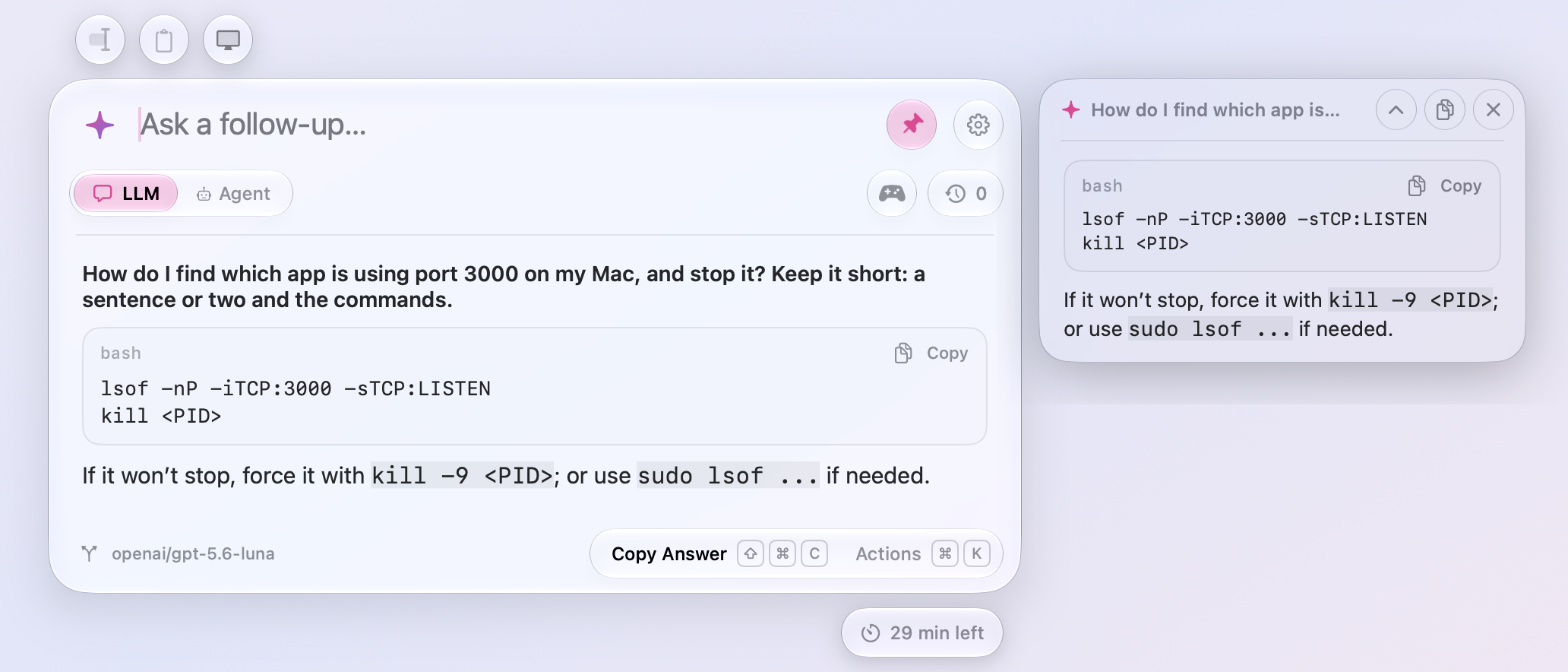
- Answers read like documents. Headings, lists, quotes, and tables show as they should, and code sits in a box with its language and a Copy button. Actions (⌘K) adds Copy Code Block for each block of code in the last answer.
- Tear off an answer. Tear Off Answer (⌘T) in Actions keeps an answer on screen in a small glass note beside the window, so a recipe or a list of steps stays in view while you work in another app. Drag it by its header or any empty space, resize it from its sides and bottom, and fold its question away with the chevron. It floats above other apps on every Space until its cross or Esc puts it away, and nothing of it is saved.
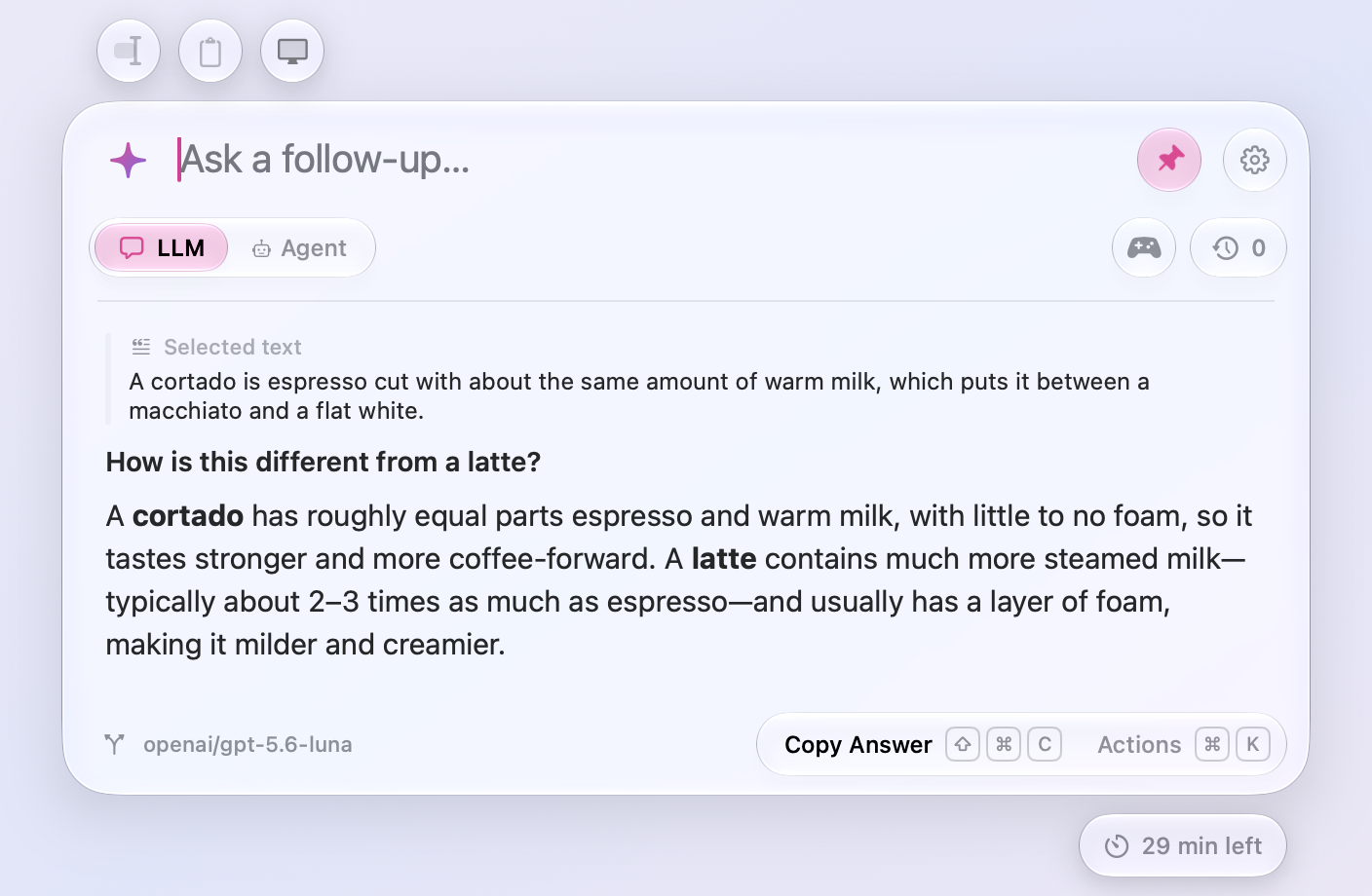
- Ask Again with another provider. Actions (⌘K) offers Ask Again with each of your other ready providers, and the one you pick answers your follow-ups too. Handy when one model turns a question down.
Agents
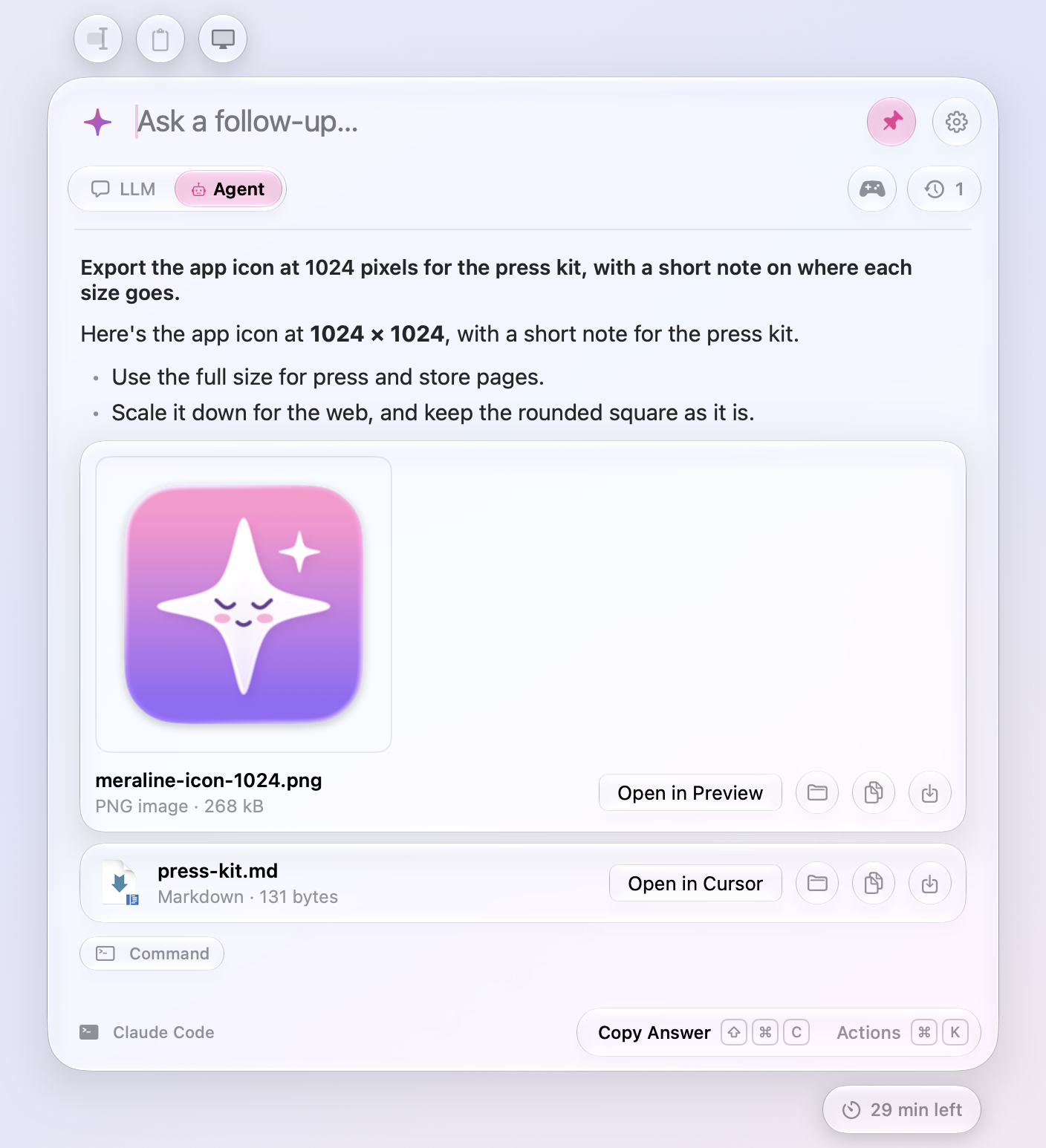
- Agents hand you files. When Claude Code, Codex, or OpenCode makes a file for you, a report, a chart, a spreadsheet, it hands it over with Meraline's own
present_filestool, and the file shows under the answer with its icon, kind, and size. A picture shows itself instead of its icon; click it to see it larger. Open it in its app, show it in Finder, copy it, save it to Downloads, or drag it anywhere. Actions (⌘K) offers the same, with ⌘O to open and ⌘S to save. Files stay in the chat's folder until you save or copy them, and Open never runs an app or a script.
- Agents answer sooner. Claude Code and Codex stay running for the chat, so a follow-up doesn't start them over, and they start as soon as the shortcut opens the window in Agent mode. Codex writes its answer word by word instead of all at once.
- A cleared folder doesn't stop the agent. macOS clears old files out of its temporary folder. If it cleared a chat's folder, Meraline makes a new one, the agent carries on, and a warning under your question says the earlier files are gone.
Privacy
- Every chat has 30 minutes. A capsule under the window's bottom right says how long the open chat has left, in minutes and then, in its last minute, seconds. Each message starts its 30 minutes over, and so does a click on the capsule. When the time runs out, the chat is deleted from memory with the files its agent worked on; whatever you'd typed stays in the input. Recent Chats no longer stops at your last five: a chat you close keeps counting down there, reopening it starts its time over, and an answer still arriving is never cut off. This replaces Settings › General › Start a new chat and the countdown on the pin.
- Limits on what chats hold. A chat holds up to 512 MB, pictures mostly, and a question that doesn't fit stays in the input and says why. Meraline keeps up to 1,000 chats, and an agent's folder for a chat takes in up to 20,000 files and folders from what you attach.
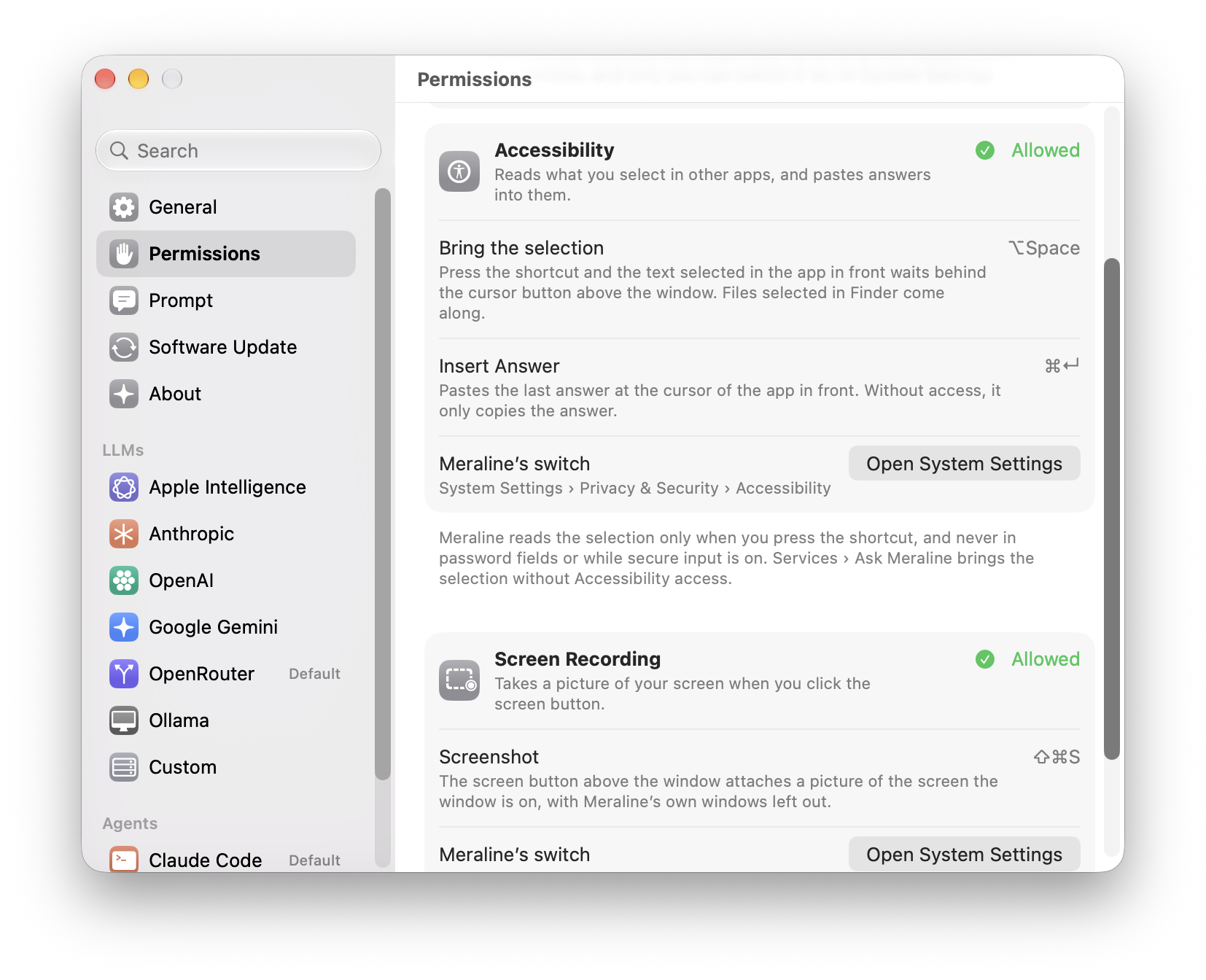
- Permissions in one place. Settings › Permissions lists what Meraline can ask macOS for, Accessibility and Screen Recording, with the features each one turns on and whether macOS allows it right now. Allow… asks macOS for it, and Open System Settings goes straight to the list with Meraline's switch. General no longer repeats the Accessibility row, and
meraline://settings?pane=permissionsopens the pane.
- No more "on this Mac" label. The badge beside the mode toggle and the note in the sparkle's panel are gone. Apple Intelligence and local Ollama models still answer without your question leaving the Mac.
Diagnostics
- More in Copy Diagnostics. The report says what the chats hold: how many there are and the memory they take, when the next one goes, the agents' folders on disk and their size, and how many agents are running, in counts and sizes only. It also says whether Meraline has Screen Recording access.
Fixes
- Dragging an empty part of the window moves it again on macOS 27, where the window had stopped moving.
All files, and how to verify them
| File | What it is | SHA-256 |
|---|---|---|
Meraline-1.6.0.dmg |
The installer | 99ff82aa9d0d74d92304c006e2b629ef8251da59883331bef7cffb77e3da8a67 |
Meraline-1.6.0.zip |
The archive Sparkle installs as an update | 450d84442253f7217cbb0d60f337cfef33e262ab3d111621222ebb0a8ec081da |
Meraline-1.6.0-dSYMs.zip |
Debug symbols, for reading crash reports | 56d701a8dec3e857ff5fde4138c2529160164ed7554377a556be8ba8c6326bde |
appcast.xml is the update feed that installed copies check once a day.
Every file was built by GitHub Actions from tag v1.6.0 and carries a signed provenance attestation:
gh attestation verify Meraline-1.6.0.dmg --repo Meldiron/meraline