Repository navigation
Meraline 1.7.0

Download Meraline-1.7.0.dmg, open it, and drag Meraline into your Applications folder. Meraline needs macOS 26 or later. Installed copies update themselves.
What's new
Usage
- Settings › Usage. A new pane counts how Meraline is used, by the hour, day, week, month, or year: questions and chats, answers and the words in them, tokens in and out with a chart along the span, and what they cost. Claude Code, OpenCode, and OpenRouter say what each answer cost; the rest is worked out from tokens at OpenRouter's public prices, and Apple Intelligence's answers are estimated from their length. Below, the models and what each cost, the agents' runs, tools, asks, and files handed over, what went with your questions, and habits: your busiest hour and weekday, days with Meraline and the longest streak, time spent waiting and reading, and answers copied, inserted, and torn off. The counts live in one file on your Mac, numbers only, never a word of what was asked or answered, and Clear Usage Data deletes it.
meraline://settings?pane=usageopens the pane.

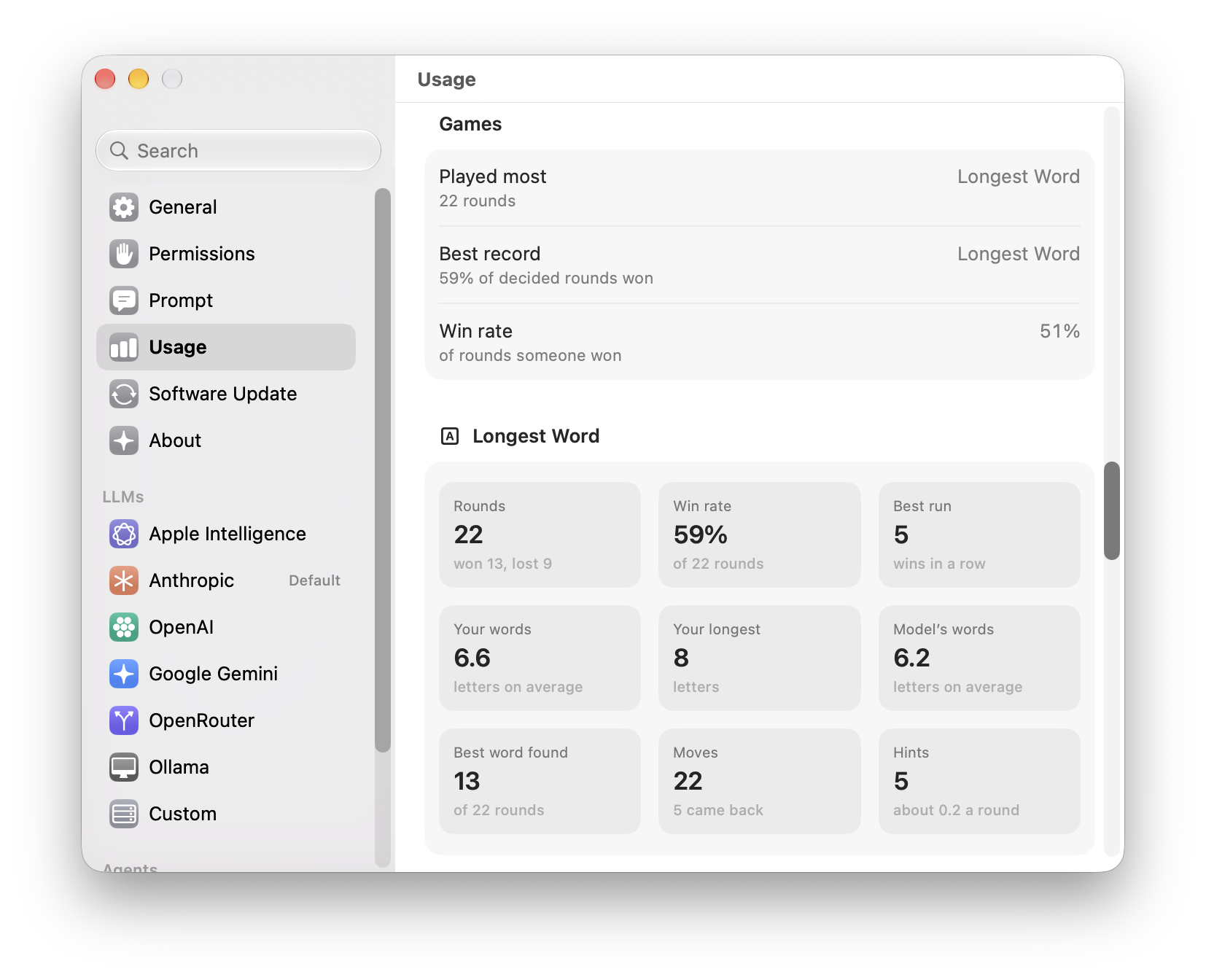
- Your games, in numbers. Each game you played gets a section of its own there, with its rounds, your win rate and best run of wins, and numbers of its own, such as Rhyme Duel's average score, the letters in your Longest Word words, or the typos you fixed in Fix the Typo.
Settings
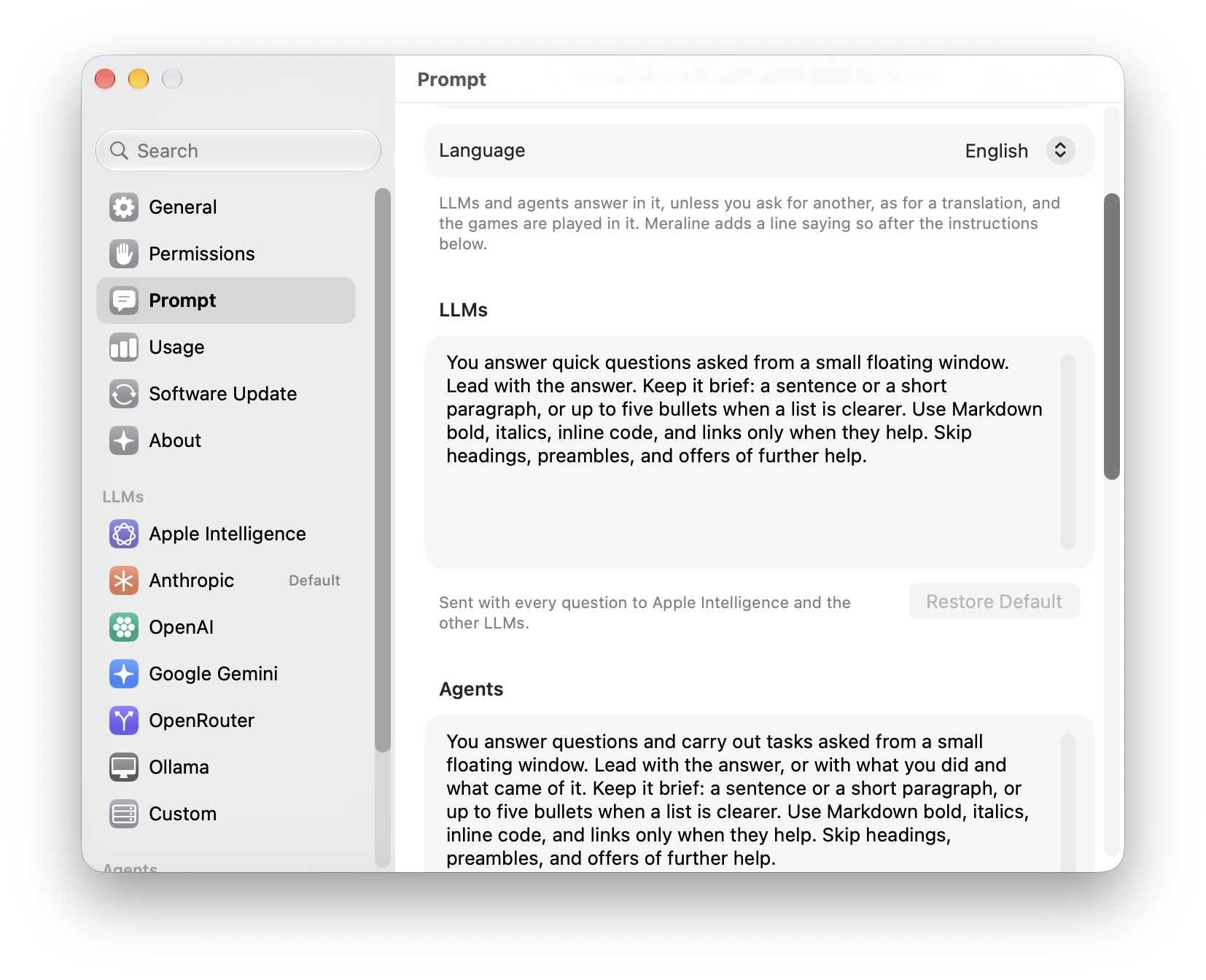
- Answers in your language. Settings › Prompt starts with Language: English, Czech, Slovak, and 22 more. LLMs and agents answer in it unless you ask for another, as for a translation, and the games are played in it. It's added after your instructions, so ones you changed keep it too.
- Instructions for LLMs and for agents. Settings › Prompt now keeps one set of instructions for LLMs and another for Claude Code, Codex, and OpenCode, so quick answers can stay short while an agent says what it did. Agents start from instructions of their own that lead with what they did and what came of it. If you had changed the prompt, your version carries over to both.
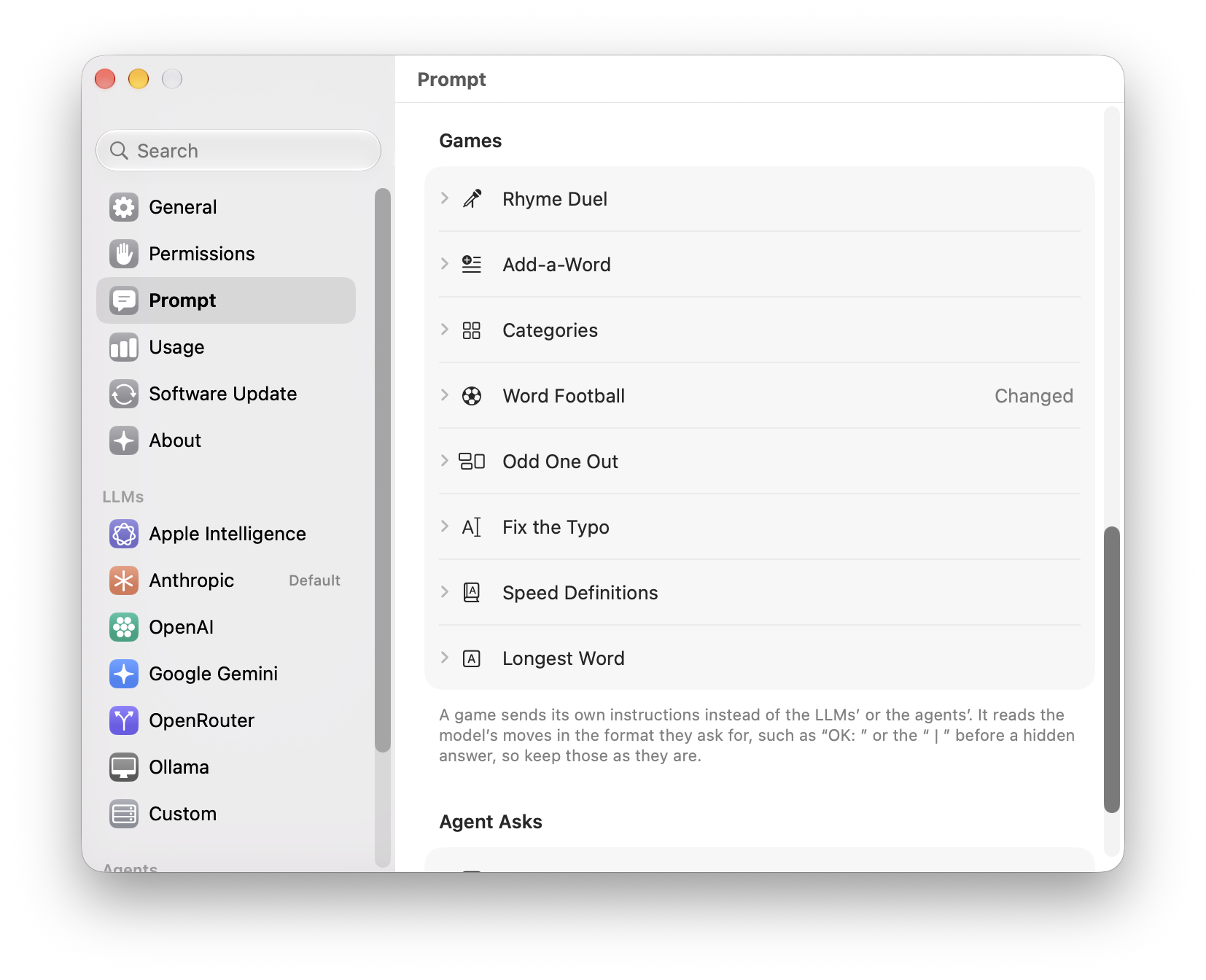
- Every prompt in one place. Below them are the rules of each of the eight games and the instructions Why? uses to explain an agent's ask. Each is folded under its name, says Changed once you edit it, and has Restore Default to go back. A game still reads the model's moves in the format its rules ask for, such as “OK: ” or the “ | ” before a hidden answer, so keep those as they are. Copy Diagnostics names the prompts you changed, never what they say.
Games
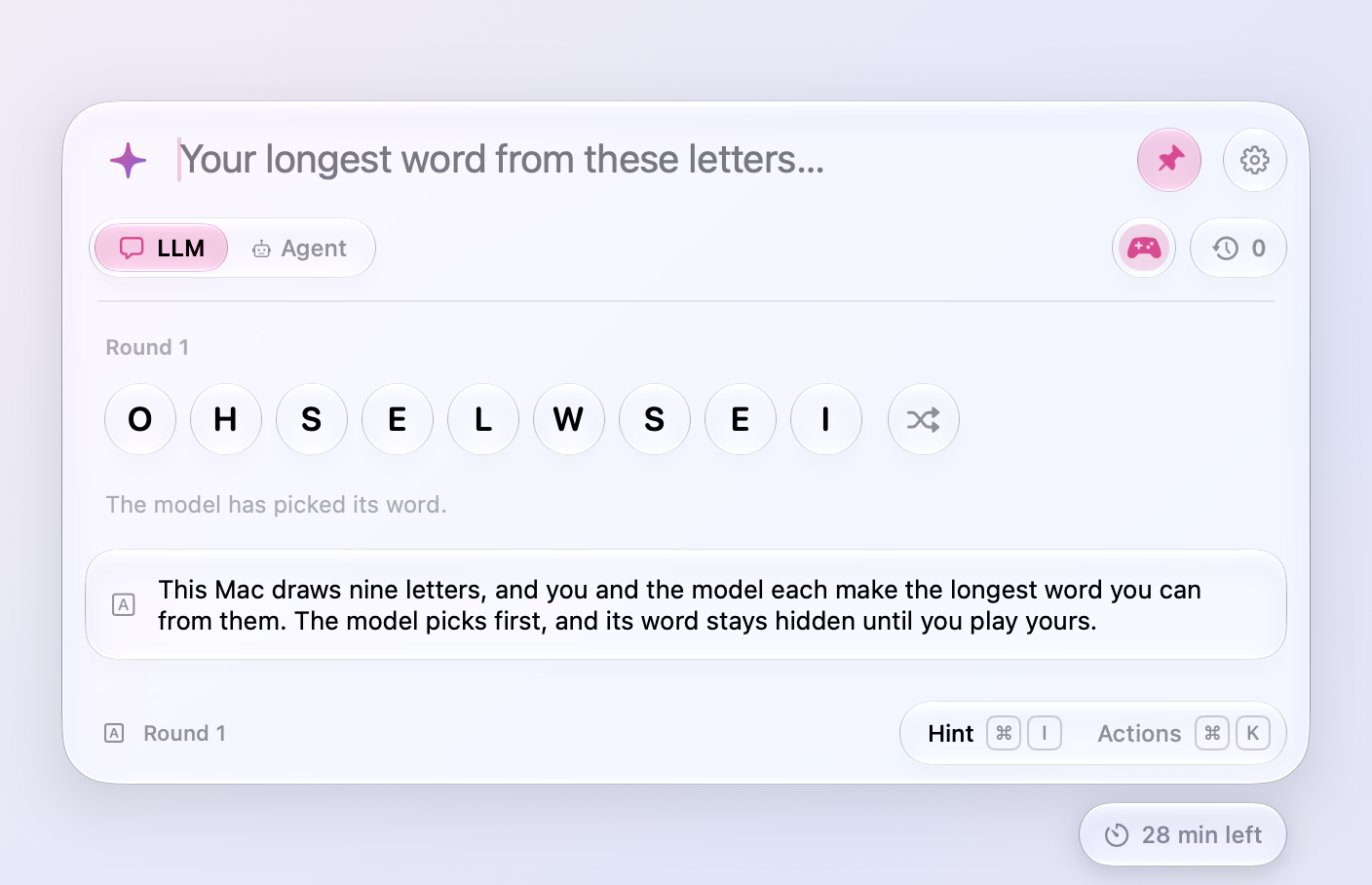
- Longest Word replaces Letter Auction. Your Mac draws nine letters, and you and the model each make the longest word you can. The model picks first and its word stays hidden until you play yours, so a round is quick and fair. The letters sit in glass bubbles, and the shuffle button beside them deals them out in a new order, hopping over and under each other, whenever you need a fresh look. Your Mac checks both words with macOS's dictionary, in your language, and afterwards shows a longer word when it knows one. Hint says how long a word hides in the letters and how it starts, and a word the dictionary doesn't know counts if you send it again. No prices to add up, no pool to keep track of. Links made for Letter Auction start Longest Word.
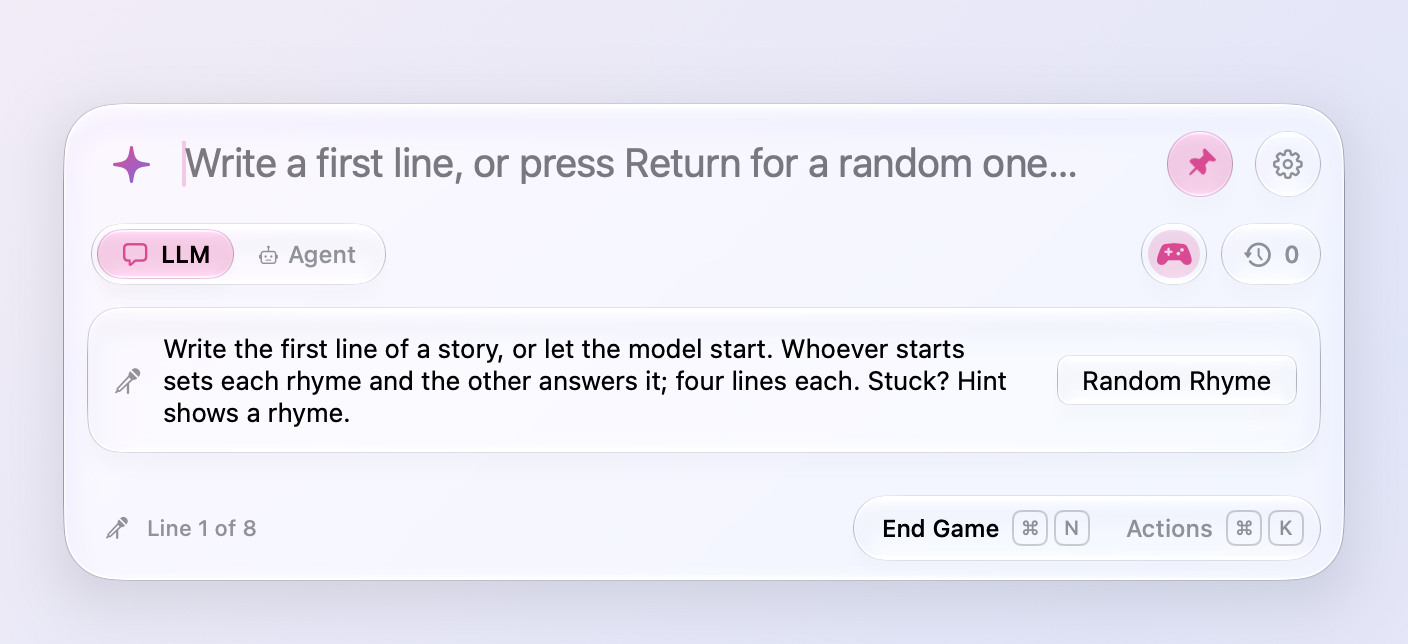
- Make the first move. Every game but Longest Word now waits for you to open it: write Rhyme Duel's first line, name a category, type the first word of an Add-a-Word sentence, kick off Word Football, or set the first Odd One Out puzzle. Or press Return, or the Random button in the game's card (Random Rhyme, Random Word, Random Category, Random Puzzle, or Random Sentence), to leave it to the model or the dice. Once a round is over, what you type opens the next one. In Rhyme Duel whoever opens sets each rhyme and the other answers it, so when you start, you pick the sounds and the model rhymes with you. In Categories the model always names the first thing, and a category it won't play comes back to you. In Odd One Out you take turns, so whoever starts sets rounds one, three, and five. A random kickoff in Word Football is never one of that chat's earlier matches while others are left.
- Stump the model in Fix the Typo. Type a sentence with one misspelled word, and the model hunts for it; tap It found it or It missed. Before each of the five sentences you choose again: type one of your own, or press Return (or Random Sentence) for one of the model's to fix, so a game can mix both. The footer counts what you fixed and what the model found, and the game goes to whoever won more sentences.
- Give the words in Speed Definitions. Type a word, and the model defines it in ten words or fewer; tap It got it or It missed. Start that way and you give all five words, or press Return (or Random Word) to define the model's as before.
- Rhyme Duel rates how you played. Once the eighth line is in, the model scores your lines out of 10 and gives one quick idea for your next duel, quoting your own words, such as trading “for goodness’ sake” for a fresher detail. The score and the tip show under the poem, and Play Again says the score. Copy still takes just the poem.
- Games play out differently every time. Asked the same thing, a model answers the same way, so Meraline now rolls the dice itself. Each Rhyme Duel gets a story drawn on your Mac, such as a retired pirate in a laundromat who loses a bet, and each of the model's lines ends on one of three words of a sound no line has used yet. Hint knows the other words of that sound, so it always has a rhyme to offer. In Word Football, each word the model plays leans toward a kind drawn for it, an animal, a tool, a feeling, so no two matches run alike. Categories draws its category from more than a hundred, never one you've played in that chat until they run out. Each Odd One Out puzzle the model sets gets a theme, from gemstones to pirates, and a way to link the two that belong, such as what they're made of or a word hidden inside them. Speed Definitions deals the model three of more than 300 words to pick from, so serendipity no longer opens every game.
- Speed Definitions mixes easy, medium, and hard words. Most words are medium, one in five is easy, like umbrella, and one in five is hard, like ephemeral. Each word's heading says which.
- Rhyme Duel lines are shorter. The model used to answer a line with a sprawling one that buried its rhyme. Its rules now ask for the line of nursery rhymes and ballads: four beats, about eight syllables, one plain thing said in the order you would speak it, landing on the rhyme word. Sonnet's openings came down from eleven or twelve syllables to eight. Settings › Prompt shows the rules, if you want to tune them.
- Hint shows more rhymes. In a Rhyme Duel, Hint (⌘I) now lists up to six rhymes at once instead of one, and the model keeps ten behind each of its lines instead of six, so a second press has others to show.
- Add-a-Word remembers the story. Each new sentence goes to the model with the sentences before it written out in full, not only as the words you traded one at a time, so the model carries the story on, and scores each sentence for how much sense it makes there.
- Games in your language. With another language than English in Settings › Prompt, every game is played in it: the model's lines, words, categories, and reasons, with the drawn stories and topics still keeping games fresh. Rhymes don't mind accents (“rád” answers “hrad”), Word Football chains “kůň” to a word starting with N, and Longest Word spends č as c.
- Restart a game with ⌘R. Restart in a game's actions (⌘K) starts it over from the beginning while you're still playing; the game so far goes to Recent Chats. Once a round is over, ⌘R is still Play Again.
Ask
- Buttons with nothing to add fade further. The selection, clipboard, and screenshot buttons above the window go much fainter when there is nothing they could add, so a glance tells which of them a click would do something with.
- Quoted text opens in full. The text a question went with, quoted above it, now says how many words it is, and when its two lines cut it short, a click on its header shows all of it and folds it back. Handy after copying a few long messages to ask about together. The card under the input offers its chevron only when its three lines really leave something out.
Privacy
- Reopening a chat keeps its time. A chat you reopen from Recent Chats comes back with the time it had left, instead of another 30 minutes. A message or a click on the timer still gives it 30 minutes again.
- The timer warns you. In a chat's last 5 minutes, the capsule under the window's bottom right turns pink, so a chat you still need doesn't go by surprise. Click it for another 30 minutes.
Fixes
- ⌘C copies again in the window, a torn-off answer, and Settings, and ⌘X, ⌘A, and ⌘Z work there too. The window takes the keyboard without making Meraline the app in front, and the shortcuts never reached the text.
- A game's name in the footer stays gray, as the provider's does, instead of turning pink on your move. The clock's Forgotten capsule now reads like the mode toggle's chosen segment, a pink clock with the word in black.
- Meraline no longer freezes when an update it found finishes downloading while the window is hidden. The shortcut then did nothing, and neither did opening the app, until it was force quit. The capsule under the window changes its label from Update Available to Restart to Update in place now, instead of fading one capsule into another, which macOS 27 never finished laying out.
All files, and how to verify them
| File | What it is | SHA-256 |
|---|---|---|
Meraline-1.7.0.dmg |
The installer | 74c785e239f7b8230f29594d5140f8928588ba41e1b9689b7e71d0e83d1c472d |
Meraline-1.7.0.zip |
The archive Sparkle installs as an update | bd4c93d1301d91d9d1d2e6940769196d5defecde8318ccec950976582ad8acbc |
Meraline-1.7.0-dSYMs.zip |
Debug symbols, for reading crash reports | 51f325bdaac88252e1cece68a21020fdcd1678f7fe943dc3daf32fa08842833a |
appcast.xml is the update feed that installed copies check once a day.
Every file was built by GitHub Actions from tag v1.7.0 and carries a signed provenance attestation:
gh attestation verify Meraline-1.7.0.dmg --repo Meldiron/meraline