Repository navigation
Meraline 1.9.0

Download Meraline-1.9.0.dmg, open it, and drag Meraline into your Applications folder. Meraline needs macOS 26 or later. Installed copies update themselves.
What's new
Ask
- Press Tab to add text to your question. Tab in the input opens a card for context written by hand, such as a quote, an email, or a snippet to work on, and it goes with your question in LLM and Agent modes the way selected or copied text does. ⌘Return sends from the card, and Return makes a new line there. Tab no longer sends, since Return already does. Add Text in the sparkle's panel opens the same card.
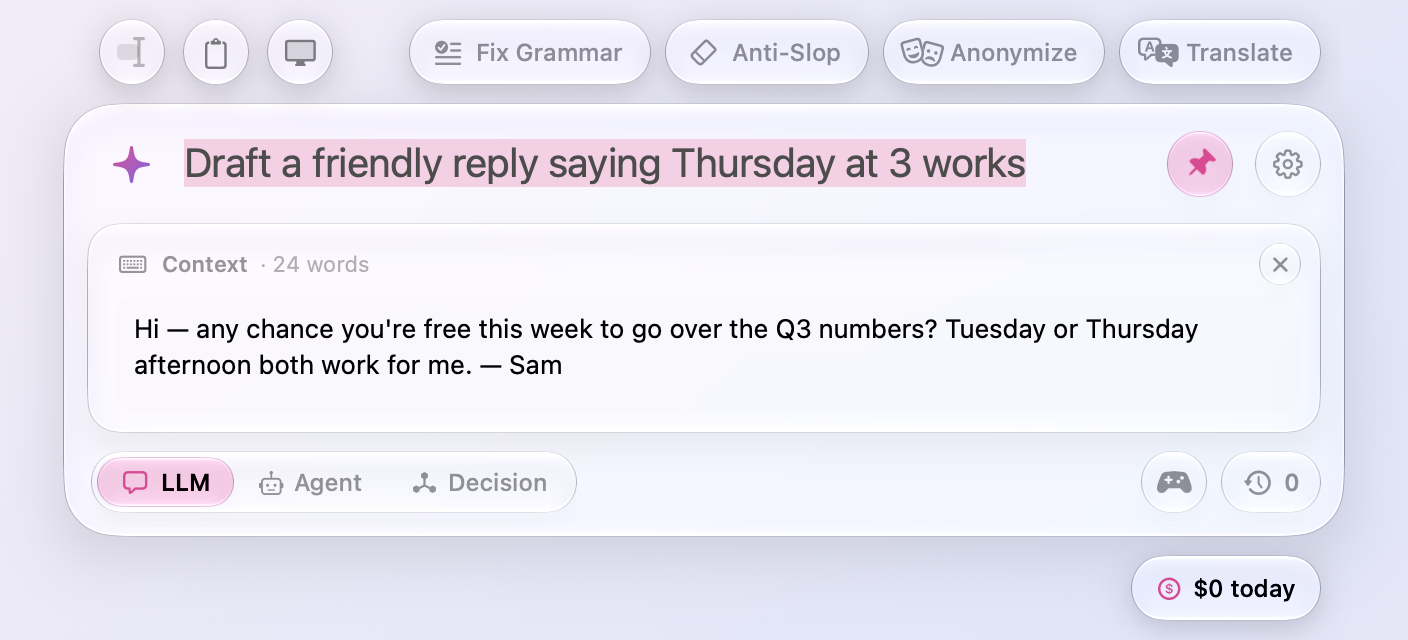
- Whole documents come along. Text you add from a selection, the clipboard, or the window used to stop at 20,000 characters. A long report or transcript now arrives in full, up to a million characters.
- Clearer placeholders. Each mode's empty input reads the same way: “Ask to get answer…” for LLMs, “Ask to do work…” for agents, and “Ask to make decision…” for Jev. Selected text and follow-ups still tailor it.
Decision
- Ask without context. A decision no longer needs text to decide about. Ask a question that stands on its own, such as “Is 17 prime?”, and Jev decides it as it is. The text you select, copy, or write still sharpens the call, and the row under the input suggests it, now as optional.
- A scale for levels in order. When a question names its answers in order (“How high a priority is this? Low < Medium < High”), Jev's answer shows on a scale: the levels from first to last, a marker where Jev placed the text, between two levels when it isn't sure, and each level's share beneath it.
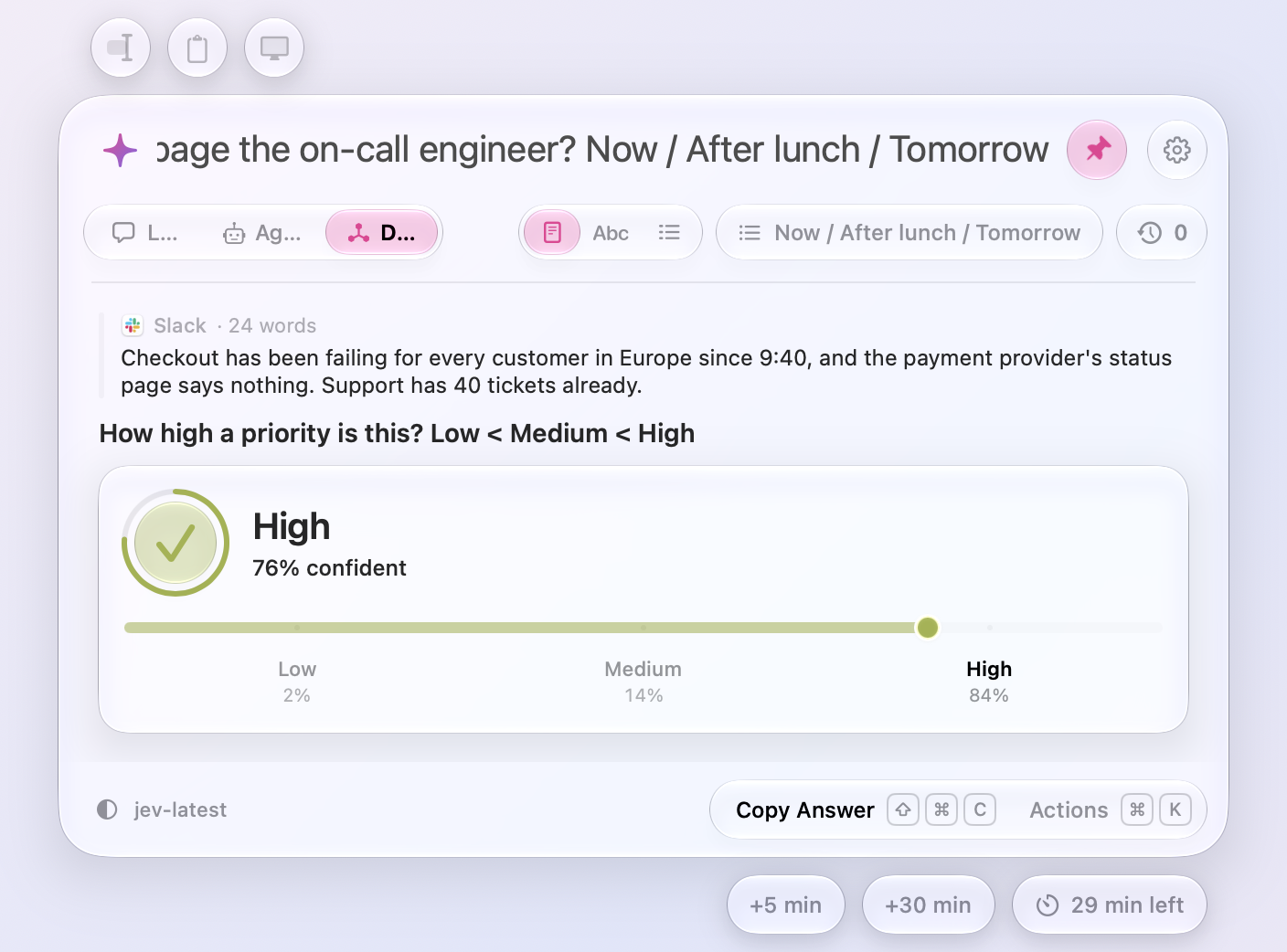
- Your own answers show how sure Jev is. For answers you named, a set with
/or levels with<, the disc, its ring, and the scale's meter turn green when Jev is very sure and amber when it's only moderately sure. Yes and No keep their green and red.
Speed
- The first open is as quick as the rest. Meraline builds and draws its window once, off screen, right after it launches, so the first ⌥ Space no longer waits for it.
- The window opens the moment you press the shortcut. Reading what you selected no longer holds it up. When an app has to be asked to copy, as browsers and editors do, that now happens after the window is up, and the selection is offered a moment later. Zed still reads first, since the ⌘C has to reach it.
Fixes
- New answers scroll into view again. After a few answers, the conversation stopped following along to the newest one.
- The cursor in the Context card sits on its first line. It blinked a line's gap above “Paste or type…”, and typing started there too. In LLM and Agent modes the hint now reads “Paste or type text to send with your question…” instead of asking for text to decide about.
All files, and how to verify them
| File | What it is | SHA-256 |
|---|---|---|
Meraline-1.9.0.dmg |
The installer | d8d1eea828545359260d273c18e1d6acab8d9fa13fa6321fb19e8e5c526582c1 |
Meraline-1.9.0.zip |
The archive Sparkle installs as an update | 8ae38abfdfb3b2999e3984d8df0a4973954c7939726f851dc06218dc029f1161 |
Meraline-1.9.0-dSYMs.zip |
Debug symbols, for reading crash reports | 8f02c57317104a471e5d13f64f9535c34e161cb5490b14e295b3f2bf395f781e |
appcast.xml is the update feed that installed copies check once a day.
Every file was built by GitHub Actions from tag v1.9.0 and carries a signed provenance attestation:
gh attestation verify Meraline-1.9.0.dmg --repo Meldiron/meraline