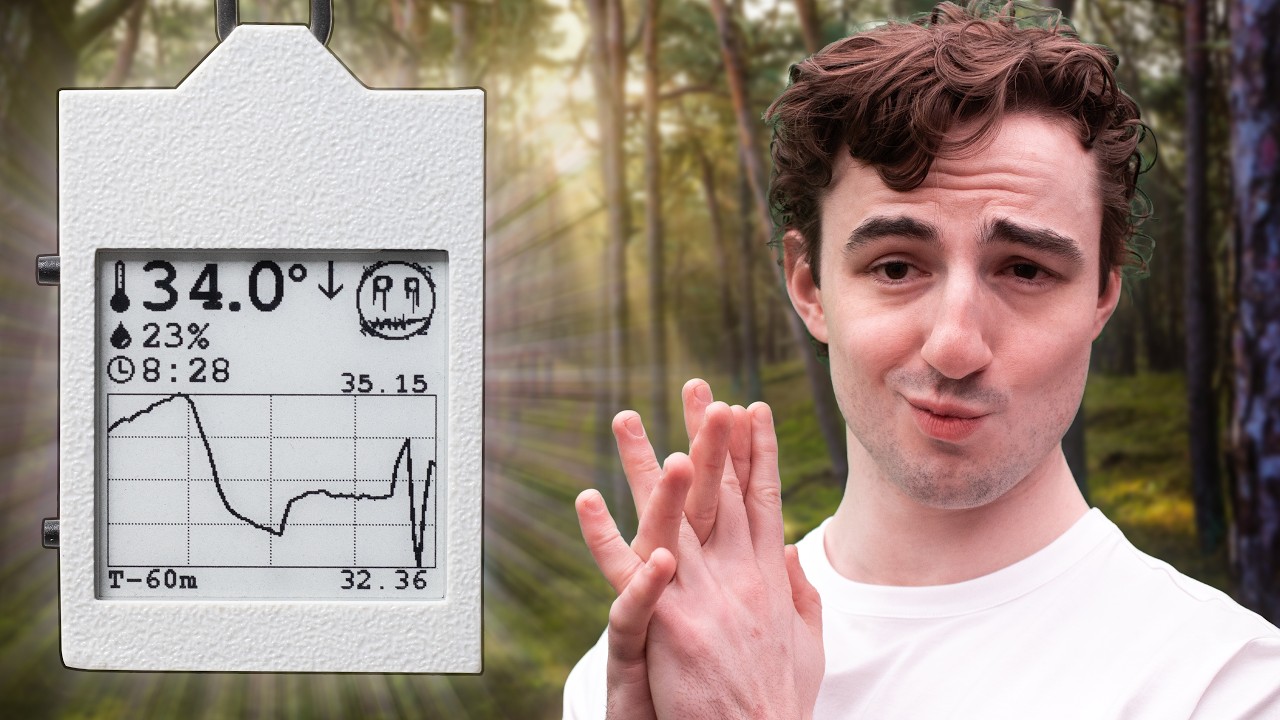
This project is an open-source, battery-powered temperature and humidity data logger with an always-on e-paper display. It records ambient conditions over time, stores readings in non-volatile memory, and displays current data along with a history graph. The device is designed for low power consumption, over 1 week of operation on a small Li‑Po battery.
Key features:
- ESP32-S3 with deep sleep & RTC timer to wake up
- Temperature and humidity sensor with external EEPROM for logging
- Accurate battery monitoring and charging management
- Power button controller to turn on/off
- 1.54‑inch e‑paper display
- Custom PCB & 3D‑printed case
The entire project is open source, including hardware schematics, PCB layout, firmware, and enclosure CAD files. A detailed build video is available on YouTube: E-Paper Climate Logger.


E-Paper-Climate-Logger/
├── CAD/                 # 3D case design (OpenSCAD source and STL exports)
├── PCB/                 # KiCad hardware design, schematics, datasheets, references
├── firmware/            # PlatformIO firmware (ESP32-S3, Arduino framework)
├── LICENSE              # License file
└── README.md            # This file
Contains the parametric OpenSCAD models for the front and back case halves, assembly files, and exported STLs for 3D printing. The design is fully parametric – dimensions can be adjusted by editing constants.scad.
All hardware design files for the custom mainboard (templog_mainboard). This directory includes:
- KiCad project files (
.kicad_sch,.kicad_pcb,.kicad_pro) - Schematic sheets for power management and display driver
- Component footprints and 3D models
- Datasheets for all major ICs (charger, fuel gauge, RTC, sensors, etc.)
- Reference schematics from SparkFun and Waveshare
To view or modify the PCB design, install KiCad 9 or later and open templog_mainboard.kicad_pro.
PlatformIO project for the ESP32‑S3 using the Arduino framework. It handles sensor reading, timekeeping, data logging to EEPROM, e‑paper display updates, button handling, and power management (deep sleep, wake sources). See firmware/README.md for detailed build and flashing instructions.
- Assembled E-Paper Climate Logger PCB (or a hand‑soldered prototype – note that many components are small and may require reflow soldering)
- 1.54‑inch e‑paper display (compatible with Waveshare pinout)
- 3D‑printed case (files in
CAD/export/) - Li‑Po battery (e.g., 400 mAh, single cell)
- USB‑C cable for charging and programming
-
Install PlatformIO Core (or use the PlatformIO extension in VS Code).
-
Navigate to the
firmwaredirectory. -
Connect the device via USB‑C.
-
Run:
pio run --target upload -
Monitor serial output (optional):
pio device monitor
For detailed firmware documentation, including folder structure, driver details, and low‑power operation, refer to firmware/README.md.
Print the STL files from CAD/export/ using a high‑resolution FDM printer (0.1 mm layer height recommended). The case uses M2 heat set inserts and M2 screws. Insert the PCB and battery, then screw the front and back halves together.
All I2C peripherals (SHT45, DS3231, 24LC512, BQ27441) share the same bus. The e‑paper display is driven via SPI, and the LTC2954 soft power button controls system power-off via the BQ24075.
For complete schematics and PCB layout, open the KiCad project in PCB/templog_mainboard/.
The device is designed to run for over 1 week on a small battery:
- In deep sleep, the ESP32‑S3 draws less than 20 µA. The DS3231 and BQ27441 remain active with negligible current.
- The DS3231 alarm wakes the ESP32 at a configurable interval (default: 1 minute). The ESP32 wakes, logs a reading (about 400 ms at 50 mA), updates the display, and returns to sleep.
- The LTC2954 provides a true on/off capability.
- Battery accuracy issues: In my testing, the reported battery state of charge is not accurate. I believe this is due to a misconfiguration BQ27441.
- Low battery issues: In my testing, when the battery is near depleted (3.4V), it can enter an unrecoverable state in which it cannot be powered back on. This can only be fixed by disconnecting the battery, externally recharging it, and reconnecting it. I think this may be caused by the cheap batteries I have been using from Aliexpress.
- Temperature accuracy during handling: The ESP32 generates heat when active, which can affect the SHT45 reading. The firmware reads the sensor immediately upon wake to minimise this error. Prolonged menu browsing or holding the device will skew the ambient reading for several minutes.
- Display low‑temperature limit: The e‑paper module is rated for operation above 0°C. Below freezing, the screen may not update reliably. Data logging continues in the background, and display functionality resumes when the temperature rises.
- No wireless connectivity: This version does not include Bluetooth or Wi‑Fi data export to maximise battery life. Data can be viewed only on the device screen.
Issues, pull requests, and suggestions are welcome. Please follow the existing code style and document any changes to the hardware or firmware.
Refer to the LICENSE file in the root directory for licensing terms (open source, permissive).
- SparkFun for the Battery Babysitter reference design
- Waveshare for e‑paper display modules and driver schematics
- The PlatformIO and GxEPD2 communities
For questions or discussions, open an issue on GitHub or visit the YouTube video comments.