C++ Intellisense detecting many (possibly unnecessary) problems #2786


Description

- OS and Version: Windows 10
- VS Code Version: 1.28.2
- C/C++ Extension Version: 0.20.1
- Other extensions you installed (and if the issue persists after disabling them): Many installed, disabling them does not help the issue.
I am having trouble with IntelliSense showing many "Problems" in the source code I am working with. The language I am primarily using is C++, and in one file I get the following errors multiple times:
"function call is not allowed in a constant expression" with errorSquiggle under __has_include (__has_include/__has_include__ is defined externally in a gcc library I believe):
#if __has_include(<string_view>) && defined(CATCH_CPP17_OR_GREATER)
"invalid second parameter type ("unsigned long") for literal operator; must be size_t" with errorSquiggle under operator:
inline auto operator "" _sr( char const* rawChars, std::size_t size ) noexcept -> StringRef { return StringRef( rawChars, size );
And this:
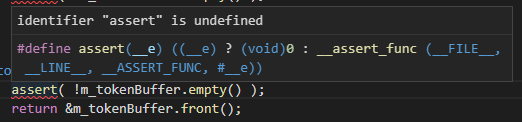
among a few others.
These errors all show up when I include catch.hpp from Catch2: ([https://github.com/catchorg/Catch2/blob/master/include/catch.hpp]) within the catch.hpp file. This further causes problems in my own source file with, for example, using the REQUIRE macro from Catch2.
"user-defined literal operator not found" with errorSquiggle under REQUIRE
REQUIRE(add(2, 2) == 4);
I do not believe this is a Catch2 problem, as everything compiles and runs without errors.
If it helps at all, my c_cpp_properties.json file looks like this:
{ "configurations": [ { "name": "Win32", "includePath": [ "${workspaceFolder}/**" ], "defines": [ "_DEBUG", "UNICODE", "_UNICODE" ], "compilerPath": "C:/tools/cygwin64/bin/g++.exe", "intelliSenseMode": "gcc-x64", "cppStandard": "c++17" } ], "version": 4 }
and changing the intelliSenseMode or the compilerPath (to another compiler) does not work.
Opening catch2.hpp alone (outside of any workspace/project folder) also produces these errors.