Django debug lines with breakpoints are not highlighted in UI #2568


Description

Environment data
- VS Code version: 1.27.1 & 1.27.2
- Extension version : 2018.7.1 & 2018.8.0
- OS and version: Windows 10 Enterpise & Windows 7 Ultimate
- Python version: 3.6.0 & 3.6.3
- Type of virtual environment used : virtualenv
Actual behavior
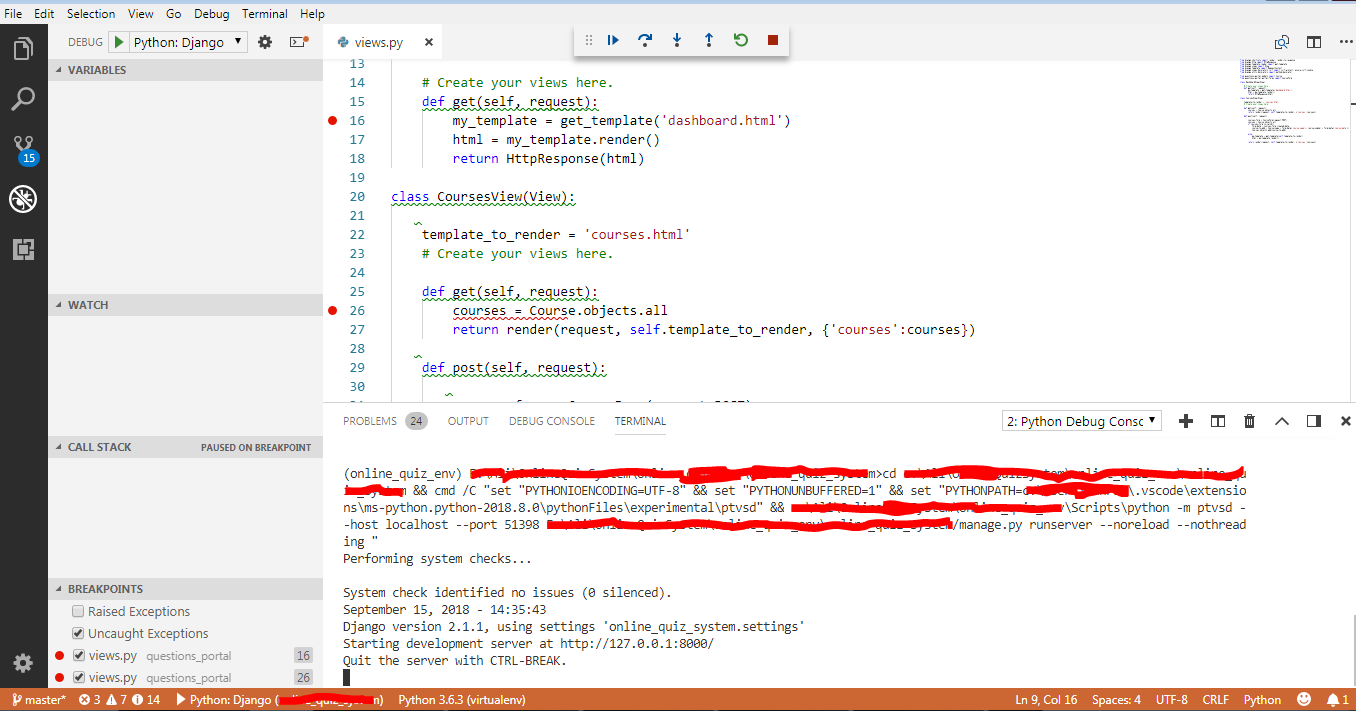
Application in browser pauses, but visual studio code is not activated as if nothing is attached, once it is navigated back to visual studio code, the debug tab is activated but no line is highlighted, continuing or jumping to other symbols is not reflected in UI, also variables information and call stack are not displayed.
Steps to reproduce:
1.Debug a Django project with some debug symbols on views.py
2.After the project runs successfully start navigating from your application to make some point attached
Screenshot with Terminal Output:
I tried installing version 1.25.1 to debug same project with same settings and reinstalled python extension to get everything working again as expected