- VSCode Version: Code - Insiders 1.14.0-insider (b508e11, 2017-06-26T05:16:29.957Z)
- OS Version: Windows_NT ia32 10.0.15063
- Extensions:
| Extension |
Author (truncated) |
Version |
| aurelia |
Aur |
0.3.4 |
| vscode-icontheme-nomo-dark |
be5 |
1.3.2 |
| path-intellisense |
chr |
1.4.2 |
| githistory |
don |
0.2.0 |
| vscode-generate-getter-setter |
DSK |
0.4.2 |
| vscode-babel-coloring |
dza |
0.0.4 |
| tslint |
eg2 |
0.15.0 |
| vscode-great-icons |
emm |
2.1.8 |
| vsc-material-theme |
Equ |
1.0.0 |
| prettier-vscode |
esb |
0.20.0 |
| code-runner |
for |
0.6.24 |
| beautify |
Hoo |
1.1.1 |
| rest-client |
hum |
0.14.5 |
| easy-icons |
jam |
0.3.1 |
| continuum |
jam |
1.2.0 |
| sublime-babel-vscode |
jos |
0.2.5 |
| vscode-icon-theme |
jtl |
1.5.0 |
| Lua |
key |
0.0.9 |
| vscode-simple-icons |
Lau |
1.3.1 |
| cpptools |
ms- |
0.12.0 |
| typescript-javascript-grammar |
ms- |
0.0.22 |
| debugger-for-chrome |
msj |
3.1.5 |
| color-highlight |
nau |
2.2.0 |
| material-icon-theme |
PKi |
2.0.9 |
| vscode-icons |
rob |
7.10.1 |
| code-settings-sync |
Sha |
2.8.1 |
| vscode-parinfer |
sha |
0.6.1 |
| bunker |
sld |
0.2.5 |
| guides |
spy |
0.8.3 |
| visualclojure |
sti |
0.0.2 |
| ayu |
tea |
0.4.0 |
| ReactSnippets |
xab |
1.4.0 |
| maple |
yjt |
1.1.6 |
| markdown-pdf |
yza |
0.1.7 |
(93 theme extensions excluded)
Steps to Reproduce:
- Not sure how to reproduce this. It just started happening after I updated tonight. I've been using VS Code Insiders for a really long time but have never seen this issue.
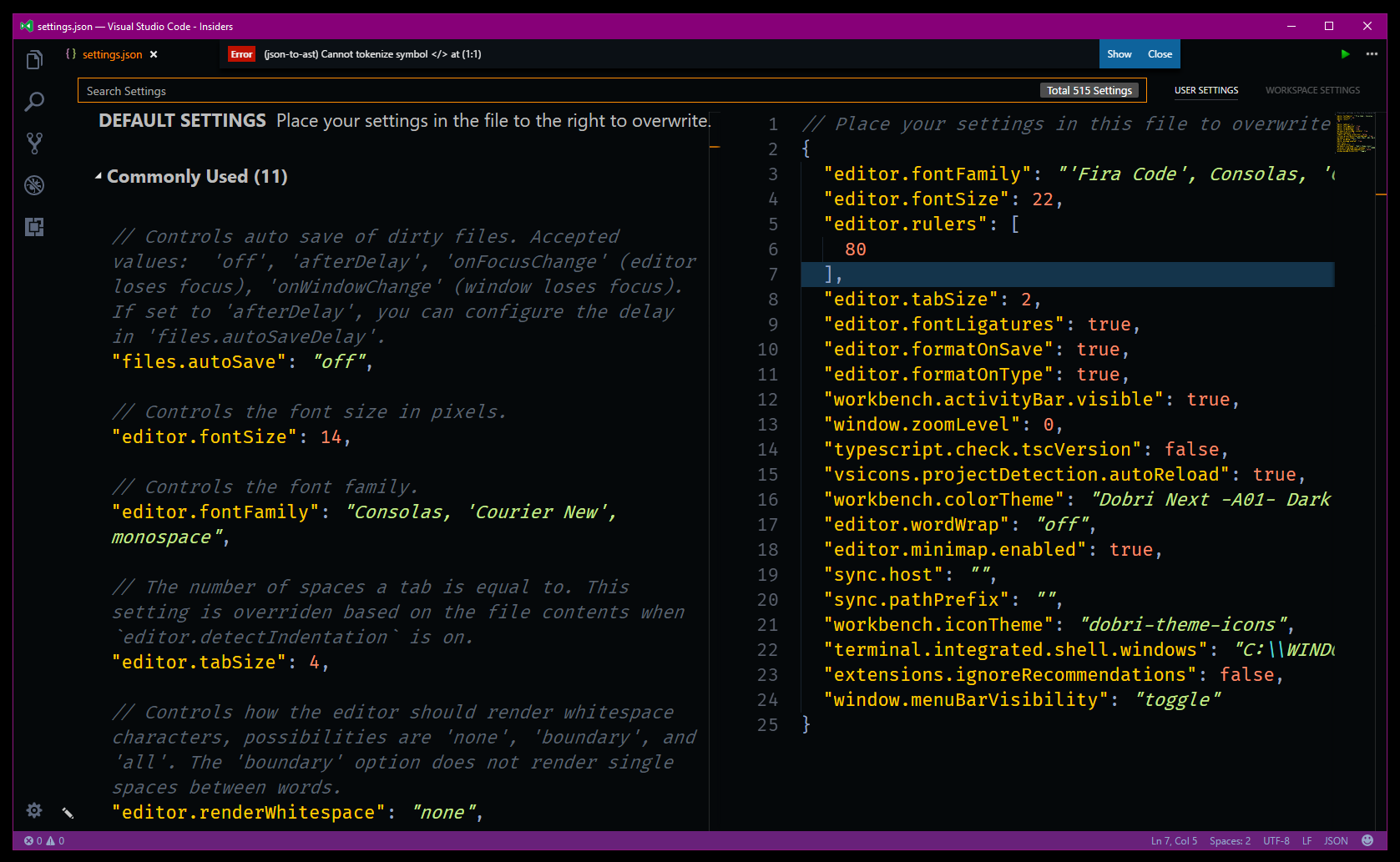
"(json-to-ast) Cannot Tokenize Symbol </> at (1:1)"

I get this error on my VS Code settings.json file.

(93 theme extensions excluded)
Steps to Reproduce:
"(json-to-ast) Cannot Tokenize Symbol </> at (1:1)"
I get this error on my VS Code settings.json file.