Operating System and version: Mac OS 10.13
VS Code version: 1.17.1
ms-vscode.cpptools: 0.13.1
mitaki28.vscode-clang: 0.2.2
jbenden.c-cpp-flylint: 0.2.7
The problem is that I do not see errors from two extensions-linter. I write the wrong code, and the linter from ms-vscode.cpptools highlights it, and both other extensions (of course, I include them separately from each other) are silent, as if everything is in order.
I can see the messages from jbenden.c-cpp-flylint on the "Output" tab by selecting the "C / C ++ Flylint" drop-down menu, but I do not see them on the "Problems" tab.
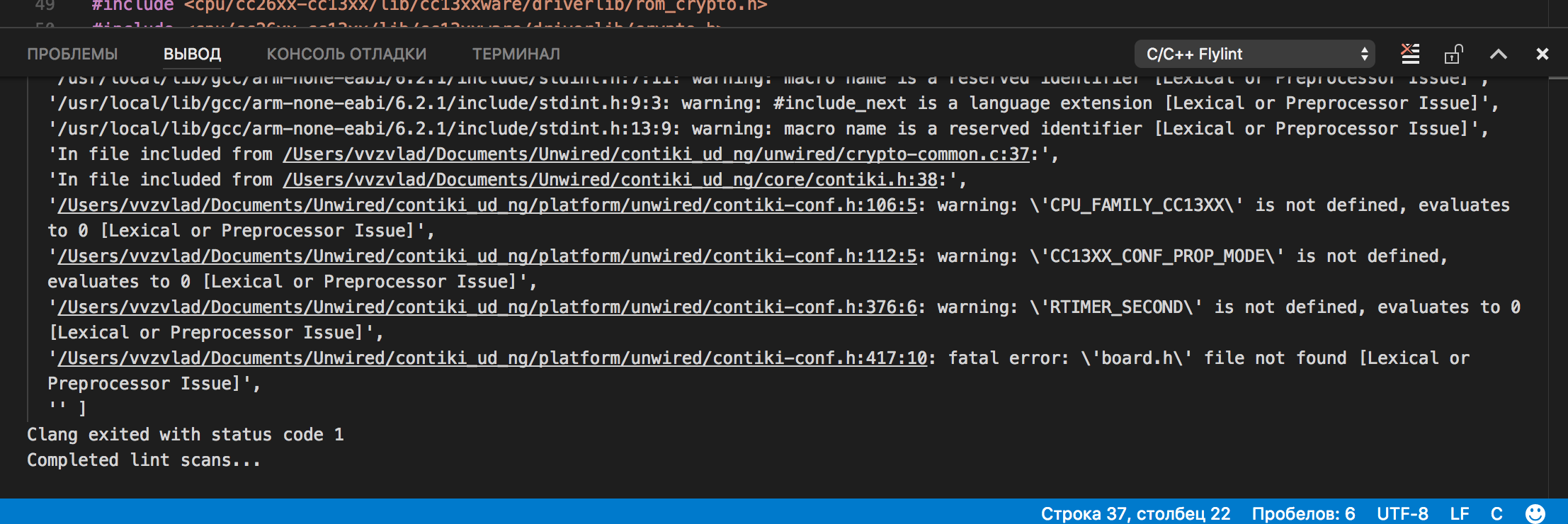
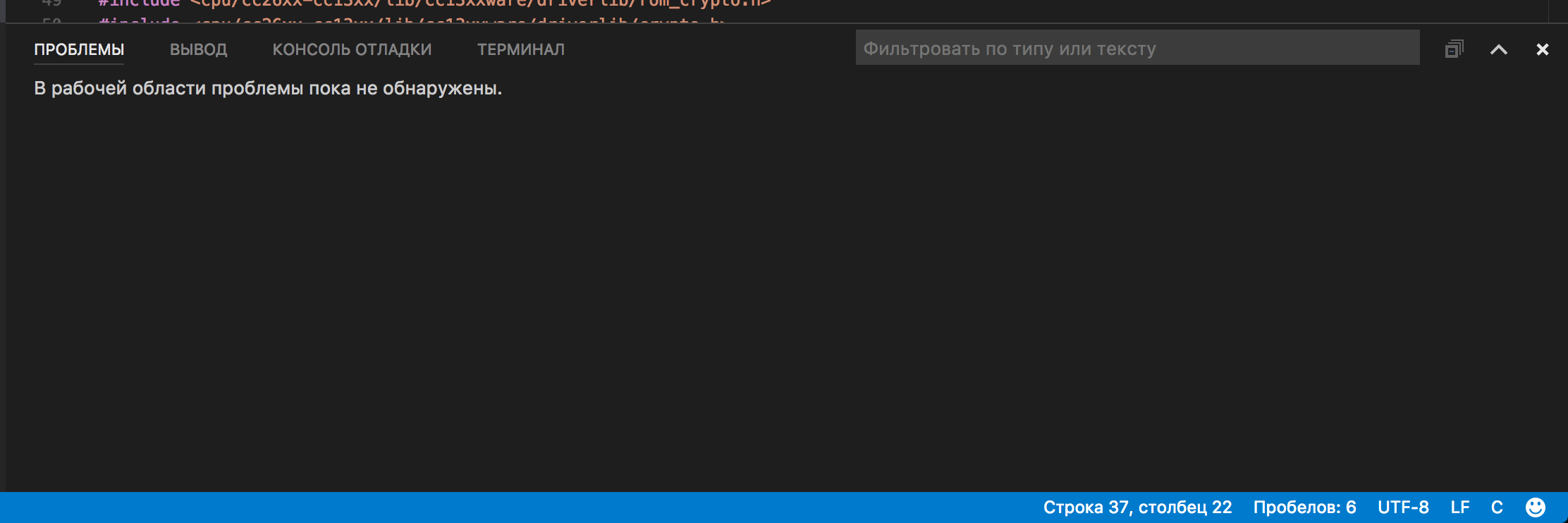
I think the code responsible for parsing the message from clang has broken.
Can you suggest further steps to test this theory?
settings.zip


Operating System and version: Mac OS 10.13
VS Code version: 1.17.1
ms-vscode.cpptools: 0.13.1
mitaki28.vscode-clang: 0.2.2
jbenden.c-cpp-flylint: 0.2.7
The problem is that I do not see errors from two extensions-linter. I write the wrong code, and the linter from ms-vscode.cpptools highlights it, and both other extensions (of course, I include them separately from each other) are silent, as if everything is in order.
I can see the messages from jbenden.c-cpp-flylint on the "Output" tab by selecting the "C / C ++ Flylint" drop-down menu, but I do not see them on the "Problems" tab.


I think the code responsible for parsing the message from clang has broken.
Can you suggest further steps to test this theory?
settings.zip