output got messy code #51541


Description

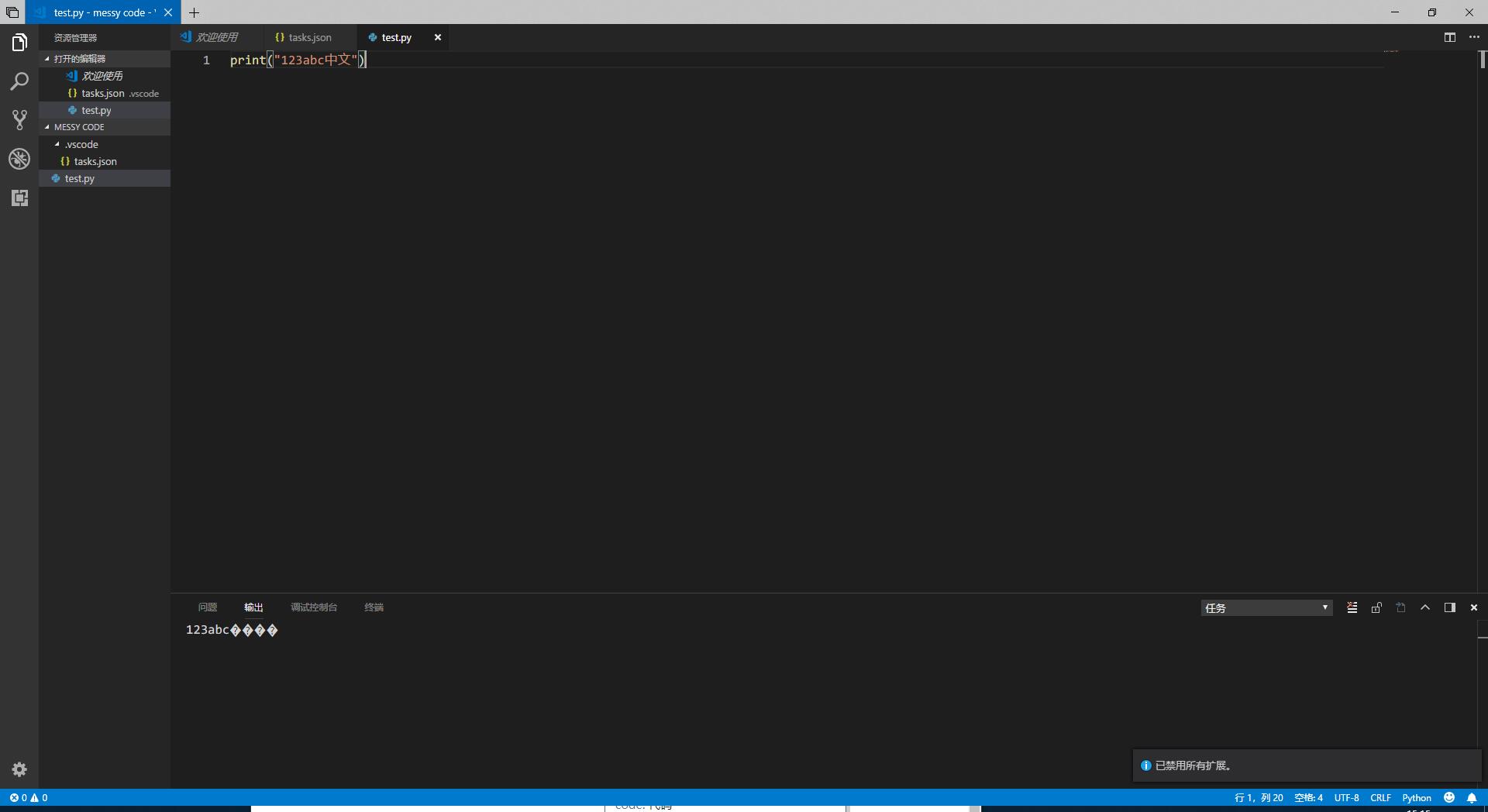
If I use python to run a file to show chinese in the task, it will output messy code in output.
And if I use javac to compile file in the task, it will output messy code in output.
I have read #50451 #38915 #35235, but it is no use.
It just occur when I use the third part program to output the chinese but not Windows command. And the terminal can run them without messy code.
The Python version is Python 3.6.0
May be the system language should be chinese
If my english is hard to understand, maybe use chinese is better.
使用Windows自带的指令输出中文内容没有乱码,但是task调用别的第三方应用再输出中文会乱码
这个问题只在output存在,在终端中正常
- VSCode Version: 1.24.0
- OS Version: Windows Insider Preview 17686.re_prerelease.180603-1447
Steps to Reproduce:
- tasks.json
{
    "version": "0.1.0",
    "tasks": [
        {
            "taskName": "test",
            "command": "echo",
            "args": [
                "中文"
            ]
        },
        {
            "taskName": "test2",
            "command": "cat",
            "args": [
                "${file}"
            ]
        },
        {
            "taskName": "test3",
            "command": "python",
            "args": [
                "${file}"
            ]
        }
    ]
}
- test.py
print("123abc中文")
- run tasks
testtest2test3 - got the output
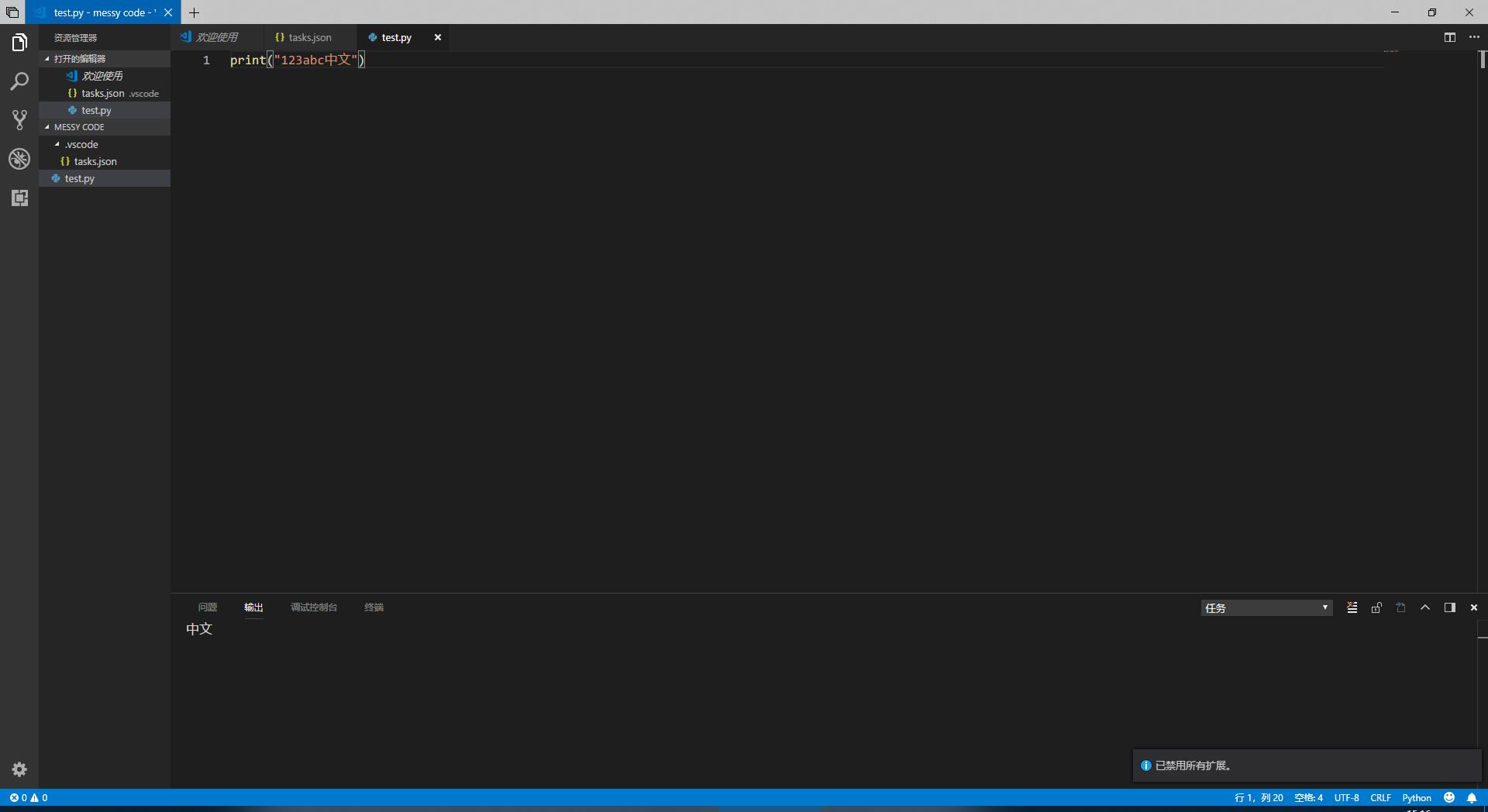
- test
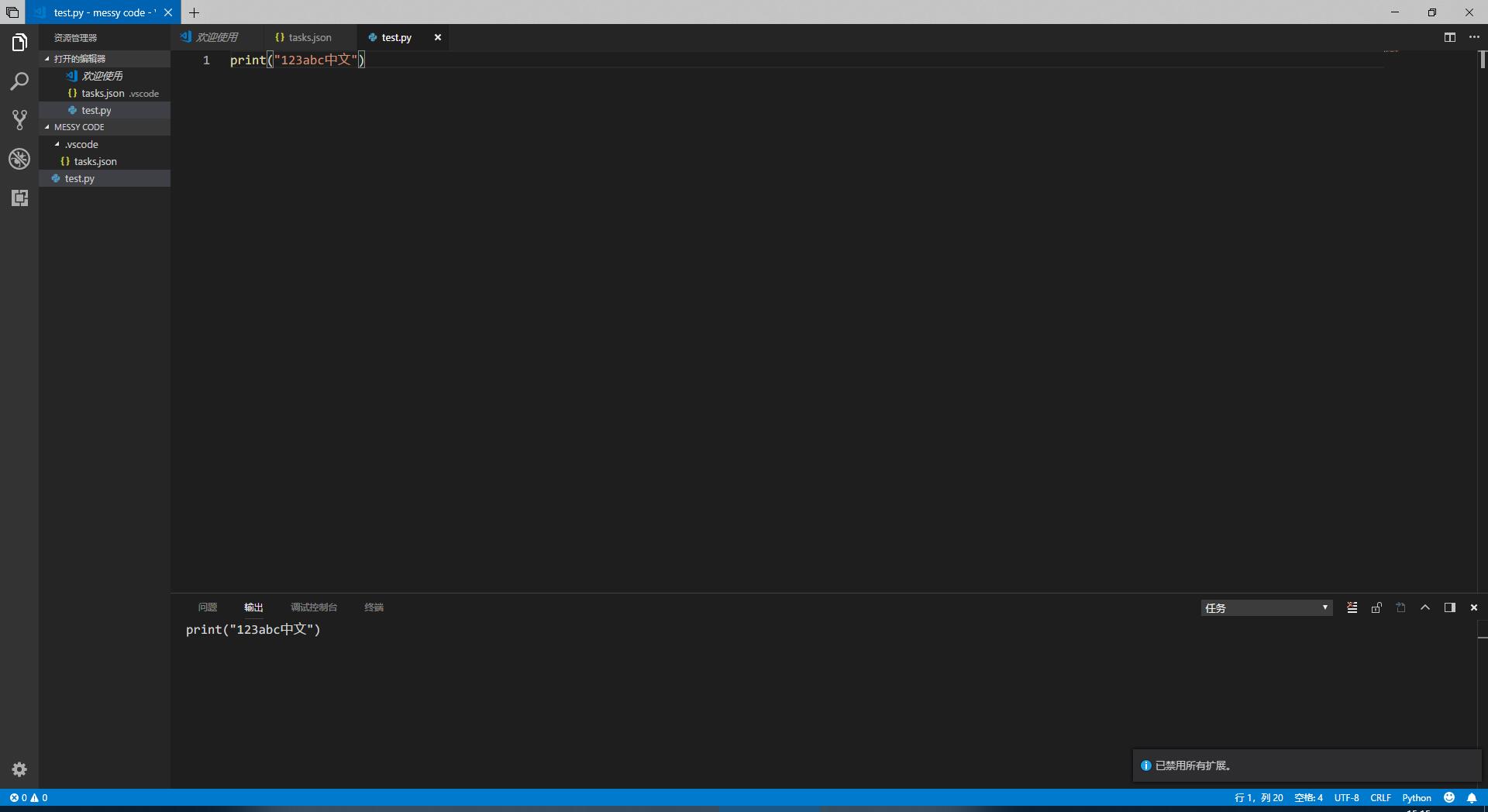
中文 - test2
print("123abc中文") - test3
123abc����
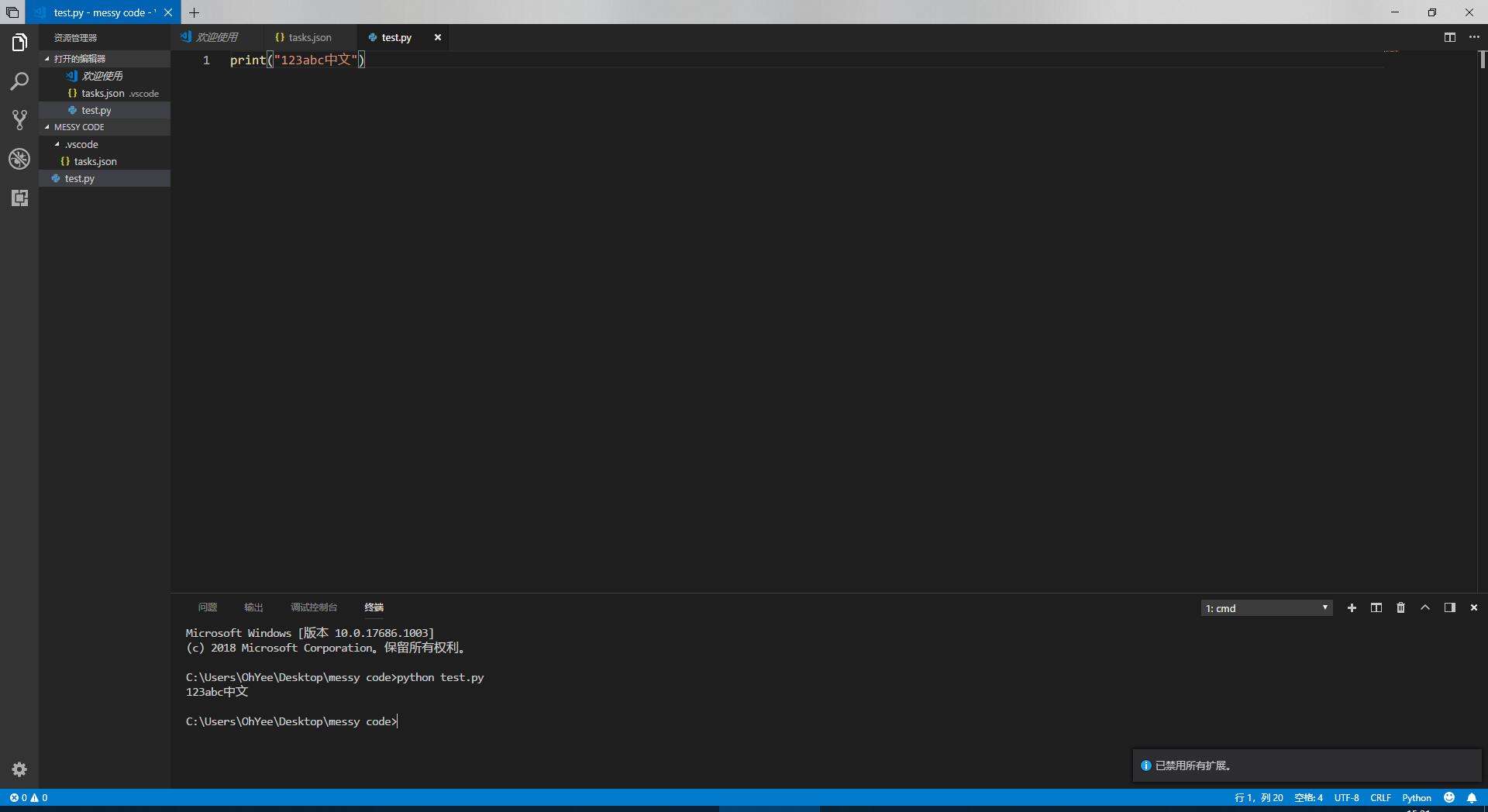
- use terminal to run the python file
python test.py, it run correctly
Does this issue occur when all extensions are disabled?: Yes
the screenshot:
- test
- test2
- test3
- terminal
Metadata
Metadata
Assignees
Labels
No labels