- VSCode Version: 1.29.1 (user setup)
- OS Version: Windows 10 1709
Steps to Reproduce:
- Search in files in workspace (the workspace is for c:\projects\foo, the workspace file is placed in c:\projects\foo\foo.code-workspace and the
folders: [{path: "."}]).
- Put
./foo/ in the includes and ./foo1/ (or ./foo/) (for example) in the excludes.
- Search.
Expected -
The search works and excludes that path from the results.
Actual -
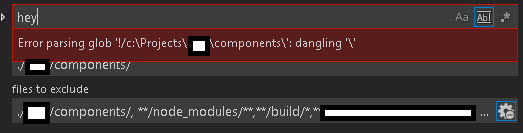
Error parsing glob '!/c:\Projects\foo1': dangling ''
Appending ** (./foo/**) fixes the error, but still does not exclude it.
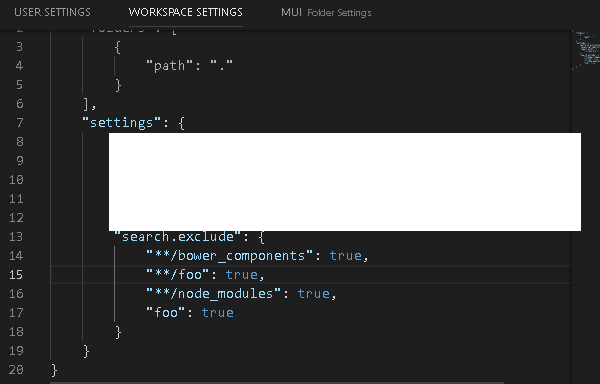
Also, might be related, the following glob patterns are simply ignored when placed under search.exclude -
foo
./foo
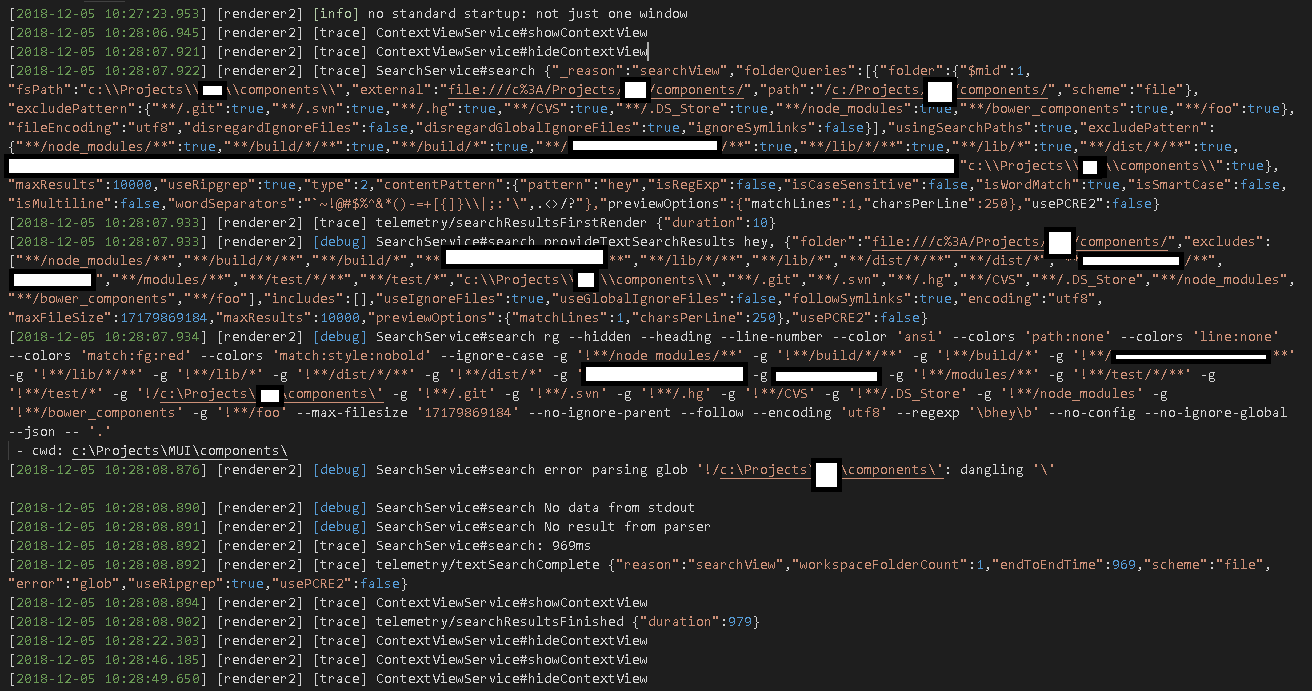
Only stuff that begins/ends with ** are appended for me in the trace. Only those that begin with **/ actually exclude. But I just want to exclude a three-level folder from my search (./foo/components/component1/). I cannot find a way.
Does this issue occur when all extensions are disabled?: Yes


Steps to Reproduce:
folders: [{path: "."}])../foo/in the includes and./foo1/(or./foo/) (for example) in the excludes.Expected -
The search works and excludes that path from the results.
Actual -
Error parsing glob '!/c:\Projects\foo1': dangling ''
Appending ** (./foo/**) fixes the error, but still does not exclude it.
Also, might be related, the following glob patterns are simply ignored when placed under
search.exclude-foo./foo
Only stuff that begins/ends with ** are appended for me in the trace. Only those that begin with **/ actually exclude. But I just want to exclude a three-level folder from my search (./foo/components/component1/). I cannot find a way.
Does this issue occur when all extensions are disabled?: Yes