In this document we will discuss a simple task to run a shell script that reads a file from a user and print out the header of the file, and the lines one by one. It also performs a calculation over a measure in the file and print the result to an output file. This is done using Ubuntu Version 22 VM using AWS, and PuTTy to connect to the VM. Also using csvkit and awk commands in the shell script for processing the data.
I have provided with some machine details like hostname, username, security key, and machine version. I was asked to connect to it using ssh, so I used PuTTy, which is an SSH and telnet client, developed originally by Simon Tatham for the Windows platform.
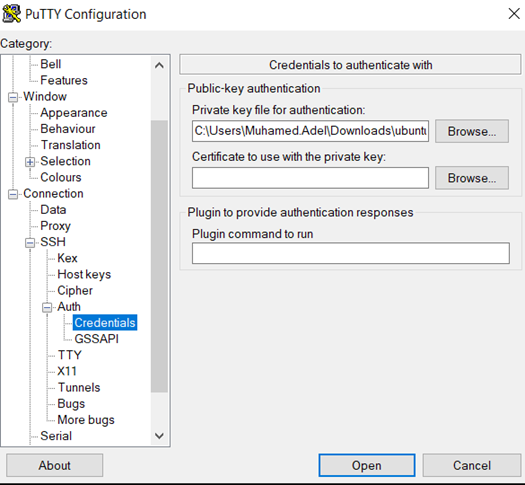
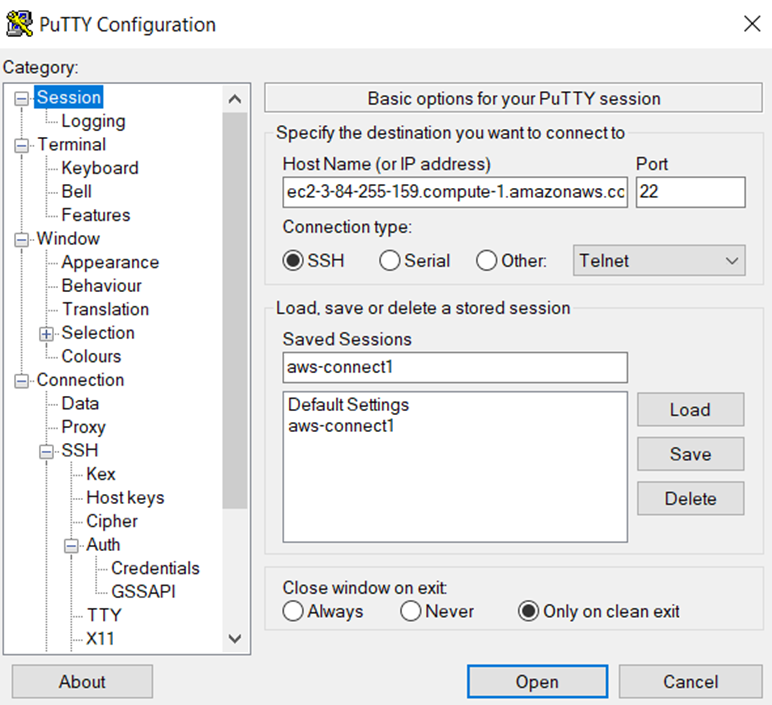
Second, I filled the session section with the host name and saved the connection info for later use as showed:
And after opening the terminal I was asked to provide the user name “ubuntu” and the I connected successfully as showed:

I created a directory called CSV_Files used command “curl” to download the sample csv file to the directory and called it sample.csv as Showed:

Second, I created a bash file called task_1.sh using “nano” command to create and open it. Then filled the file with the following code:
“””””””””””””””””””””””””””””””””””””””””””””””””””””””””””””””””””””””””””””””
head -n 1 $@ #print the header line
while read line #begin the while loop with read command and line variable do echo "Record is : $line" #printing the line done < $1 #taking the source file path as variable
csvformat -D "^" $1 | awk -F^ '{sum+=$6}END{print "The Sum of Values is:" sum}' > $2 #using csvformat from csvkit , we change the delimiter for the csv file from , to ^ because some columns contain a comma #and this may cause erros, after that we pipe to awk so sum the values in the 6th column and pipe the result to the target file path
“””””””””””””””””””””””””””””””””””””””””””””””””””””””””””””””””””””””””””””””

And saved and closed the file using ctrl+o >> enter >> ctrl+x
The final part was running the script, I used the following command:
‘’’’’’’’’’’’’’’’’’’’’’’’’’’’’’’’’’’’’’’’’’’’’’’’’’’’’’’’’’’’’’’’’’’’’’’’’’’’’’’’’’’’’’’’’’’’’’’’’’’’’’’’’’’’’’’’’’’’’’’’’’’’’’’’’’’’’
bash task_1.sh CSV_Files/sample.csv Results/Task_1.txt
‘’’’’’’’’’’’’’’’’’’’’’’’’’’’’’’’’’’’’’’’’’’’’’’’’’’’’’’’’’’’’’’’’’’’’’’’’’’’’’’’’’’’’’’’’’’’’’’’’’’’’’’’’’’’’’’’’’’’’’’’’’’’’’’’’’’’’
Which read the data from the sample.csv file in the CSV_Files directory and print the output as showed:
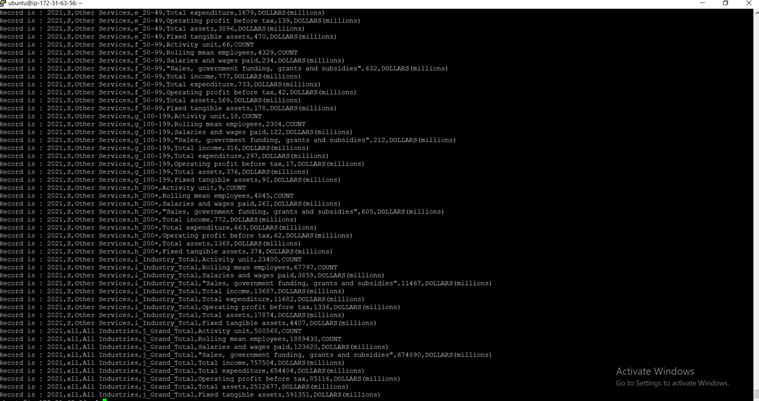
And the results will be printed in the Task_1.txt file in the Results Directory as showed:
