Repository navigation

·
2 commits
to release/1.0-beta6
since this release
MoonCast 1.0 beta 6. It installs over beta 5 (or earlier betas) and keeps your settings.
Screenshots (AYN Odin 2 Portal; all 8 are attached below)
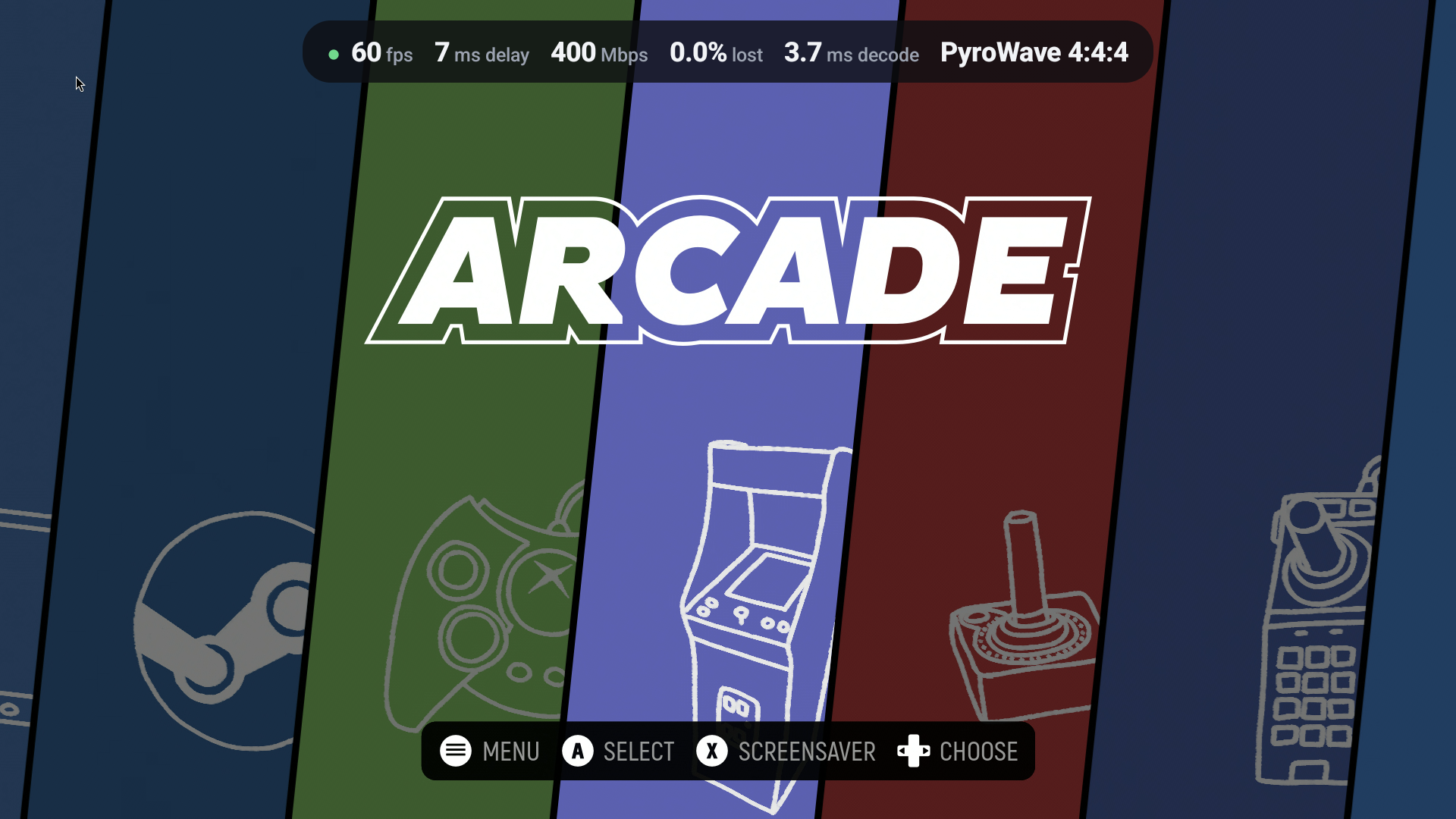 |
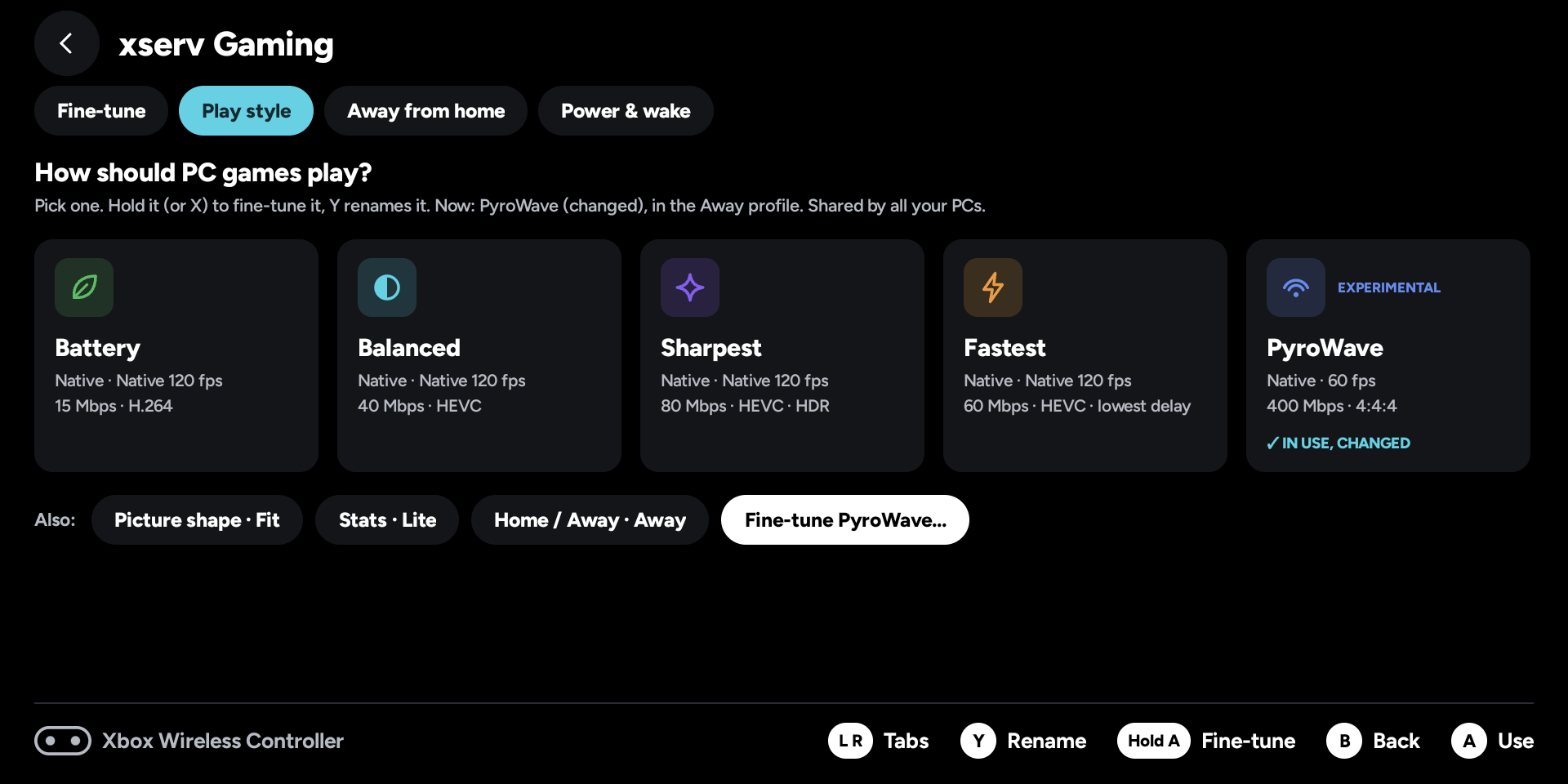 |
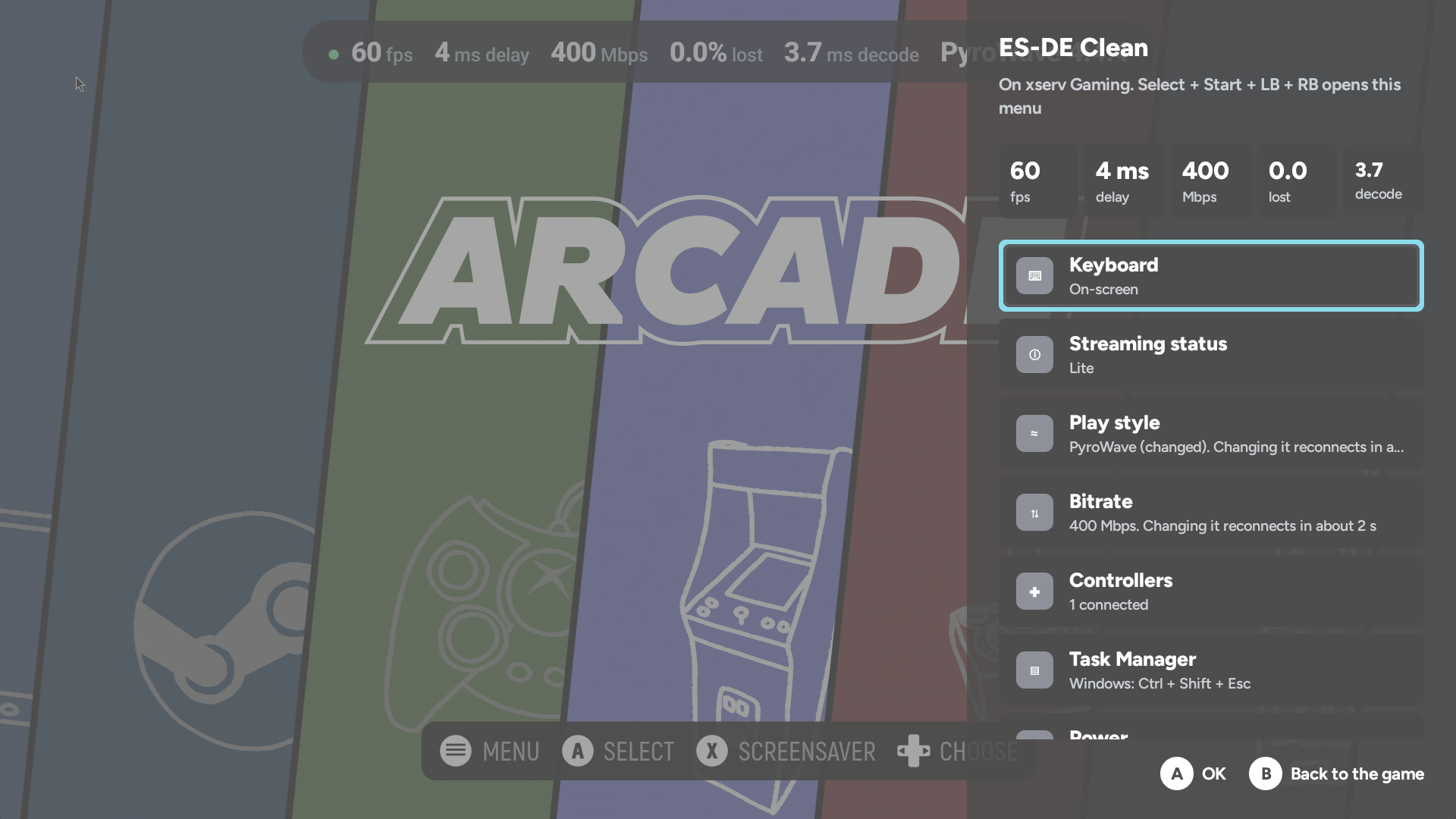 |
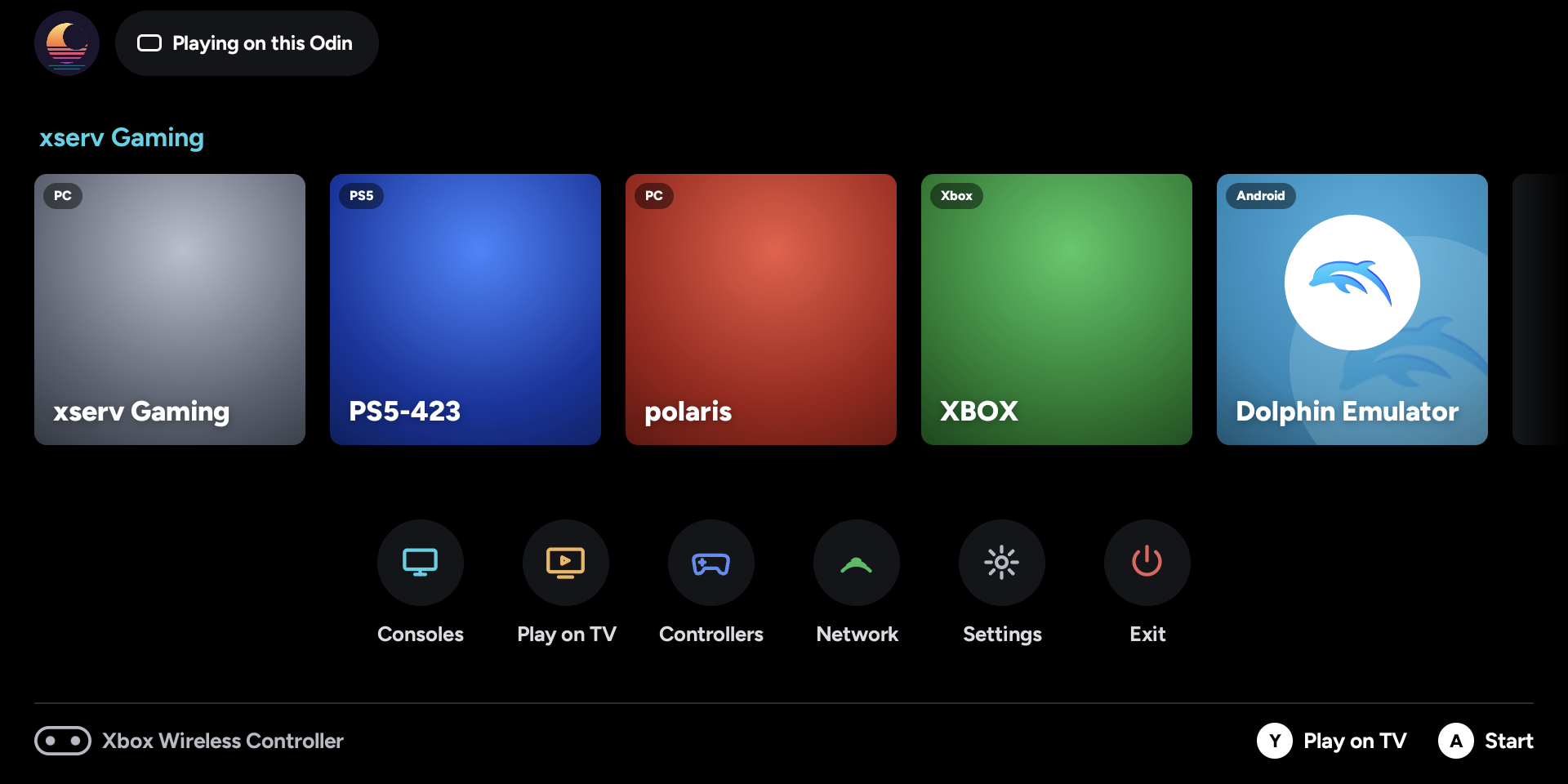 |
- MoonCast-1.0-beta6.apk: phones and handhelds.
- MoonCastTV-1.0-beta6.apk: Android TV / Google TV.
Beta 6: everything since beta 5, as tested up to test292 (release-signed, version code 996).
Home and the in-game Quick menu
- Home shows one tile per PC. It shows the PC's name, "Running" when a game is on, and "Offline" when it's off. Press it for that PC's games; long-press (or X) for Wake, Pair and Resume.
- Quick menu (Select + Start + L1 + R1, or Back on the TV remote):
- Bitrate: pick another bitrate while playing. It reconnects to the same game in about 2 seconds; the game keeps running.
- Play style: switch between Battery, Balanced, Sharpest, Fastest (and PyroWave where this device can decode it) without leaving the game.
- Play on TV: pick a MoonCast TV (the last one you used is on top) and the game moves there; this device becomes its controller.
- The bitrate tile is short enough for small screens.
- Picture in picture (Settings, Handheld; off by default). Going Home keeps PC, PS5 and Xbox games in a small window.
Settings
- One card per device: each PC, PlayStation, Xbox and this device has its own card.
- PC play styles: Battery, Balanced, Sharpest, Fastest and PyroWave. Each one can be renamed and given its own icon and colour. Hold A on a style to fine-tune its own values.
- Fine-tune is the PC card's first tab. It has quick on/off tiles and a list of values, with a bitrate slider (A types an exact value).
- Native resolution and frame rate match the screen you play on.
- Profiles are Home and Away only. The Custom 1–3 profiles are gone; their settings stay saved.
- YUV 4:4:4 now comes only with the PyroWave style.
- The PlayStation and the Xbox have their own picture settings: Super resolution, sharpening and picture shape, plus frame pacing on the PS5. They start as "Same as Picture".
- PC bitrate goes up to 1 Gbps (1000 Mbps), with a warning above 300 Mbps. The PS5 goes up to 100 Mbps.
- Stick deadzone has an "Off" choice for the PC and the Xbox.
- The stats dot turns amber when the delay is over 30 ms.
PyroWave (experimental)
- A new codec for PC streams, from Moonlight X. It needs a Sunshine/Polaris build with PyroWave and a fast cable or Wi-Fi link: hundreds of Mbps.
- HDR and 10-bit, 4:4:4, spatial dithering, front buffer and GPU boost.
- New defaults: 4:4:4 on, GPU boost on, dithering Low.
- The PyroWave style only appears on devices whose GPU can decode it.
- Its bitrate follows the resolution and frame rate (Recommended).
Automatic bitrate (off by default)
- Turn it on in Settings (the PC card's Fine-tune tile, Classic, or the TV's Video settings). It lowers the bitrate when the network drops packets, then raises it again once the network has been clean for a minute. It never goes above the bitrate you set.
- How changes apply: on Polaris it changes the bitrate live, without reconnecting. With other PCs it reconnects briefly (the game keeps running), at most twice a minute, and never while a menu is open.
- It remembers each network's limit for a day. X on the tile shows the limit, with "Forget this network's limit".
- Off means the bitrate is exactly what you set.
- Earlier test builds had it on by default.
- Updating switches it off once: if you want it, turn it on again.
Networks, Native and folding
- Automatic Away: a PC reached over the internet uses the Away settings: no PyroWave, and at most 100 Mbps. If Away was never set up, Home's values are used.
- Native is the exact screen size on Polaris. Folding or unfolding mid-game reconnects at the new size and Polaris resumes the game.
- Other PCs (Sunshine, GeForce Experience) are never quit or restarted when you fold. The picture re-fits the screen instead.
- Wake after Hibernate (TV, as on the handheld): Wake keeps trying until the PC answers, then resumes the game.
Controllers
- A DualSense or DualShock 4 on Android 11 and other older systems now works. On a TV without the PlayStation driver, such as the AQUOS, every button used to be shifted and the triggers were wrong. Cross, Circle, Square, Triangle, L1/R1, analog L2/R2, Create, Options, PS, L3/R3, the touchpad click and the right stick now reach the PC correctly. Android 11 sometimes reports the pad's buttons from a "virtual" device; those now go to the real pad too.
Streaming fixes
- Better recovery from lost frames: three upstream Moonlight fixes:
- no loss reports when reference-frame invalidation is off;
- a half-lost key frame;
- recovery after a multi-block frame loss.
- Smoother at high bitrates:
- a bigger video receive buffer;
- the receive thread runs at a higher priority;
- far fewer "Unrecoverable frame" log lines.
Credits
- PyroWave support is ported from Moonlight X (MoreOrLessSoftware/moonlight-android, GPL-3.0).
- The codec: PyroWave by Hans-Kristian Arntzen (MIT), with Granite and volk (MIT).
Source
App: branch release/1.0-beta6. Streaming library: MoonCastDev/moonlight-common-c branch mooncast-android. Clone with git submodule update --init --recursive.
SHA-256
3419fcf17c2fe340295fdfa5977925de1854e74ac020d654def624f087ed591a  MoonCast-1.0-beta6.apk
776fc7a67eb3b8bdd7d1d2dcec1991f03c2e22fdcfb1d3681a939cce6d054102  MoonCastTV-1.0-beta6.apk
Signed with the MoonCast release key (certificate SHA-256 ac7cce06b53c84cdfdaf7f05c29479e332b434bd5799dc5716cba632173dff07).