Repository navigation
ZoneLock v1.0.0

The first public release of ZoneLock: maximize and F11 fullscreen, kept inside your zones.
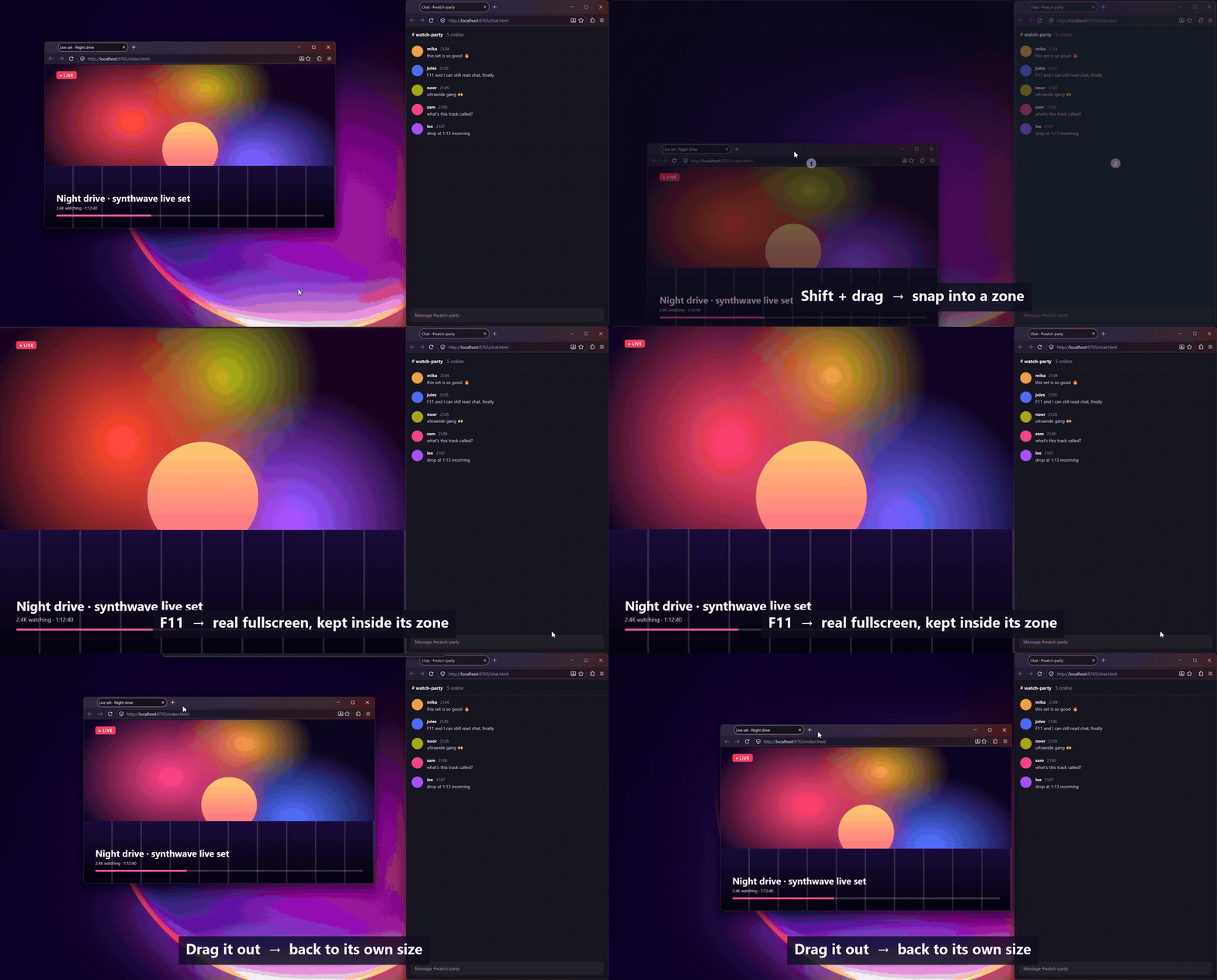
Highlights
- Maximize stays in its zone: the maximize button fills the zone, not the whole screen.
- Real F11 fullscreen inside a zone: browsers and video players hide their bars and stay in their zone, the rest of the screen keeps working. Per-app Stable mode for Chromium apps that flicker.
- A layout per display: built-in presets, your own presets (drawn in the zone editor), one click to switch.
- Shift + drag to snap, and drag out to get the window's size back.
- Zone shortcuts:
Win+Ctrl+Alt+→ / ←move the active window between zones. - Plans 1–9: save your open apps and where they sit, switch with
Alt+Shift+1…9; missing apps are launched and placed, even after a reboot.Ctrl+Alt+Shift+1…9saves (asks before overwriting). - Apps reopen where you left them, on the same display (or the main one if that display is gone).
- Resolution, scaling, taskbar and monitor changes: windows go back into their zones.
- Settings panel from the tray icon: instant apply, shortcuts recorded by pressing them on any keyboard layout.
Download
| File | |
|---|---|
zonelock-1.0.0-setup.exe |
Installer (recommended): per-user, no admin, optional start with Windows |
zonelock-1.0.0-win-x64.zip |
Portable: unzip and run zonelock.exe |
SHA256SUMS.txt |
Checksums |
Windows 10 / 11, 64-bit. ~1 MB, no network, no telemetry, no code injection.
SmartScreen: the exe is not code-signed yet, so Windows may show "Windows protected your PC". Click More info → Run anyway. This release was built from source by GitHub Actions.