- Description
- User Story
- Acceptance Criteria
- Installation
- Usage
- Contributing
- License
- Link to Video Walkthrough
- Technologies Used
- Credits
- Contact
This project is a logo maker application that utilizes object-oriented programming principles to generate SVG (Scalable Vector Graphics) logos. The application prompts the user for input regarding text, shapes, colors, and other design elements to create customized SVG logos. By leveraging object-oriented design, the application provides a flexible and scalable solution for logo creation.
AS a freelance web developer I WANT to generate a simple logo for my projects SO THAT I don't have to pay a graphic designer
GIVEN a command-line application that accepts user input
WHEN I am prompted for text
THEN I can enter up to three characters
WHEN I am prompted for the text color
THEN I can enter a color keyword (OR a hexadecimal number)
WHEN I am prompted for a shape
THEN I am presented with a list of shapes to choose from: circle, triangle, and square
WHEN I am prompted for the shape's color
THEN I can enter a color keyword (OR a hexadecimal number)
WHEN I have entered input for all the prompts
THEN an SVG file is created named logo.svg
AND the output text "Generated logo.svg" is printed in the command line
WHEN I open the logo.svg file in a browser
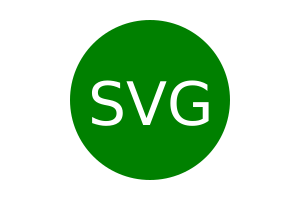
THEN I am shown a 300x200 pixel image that matches the criteria I entered
-
Clone the repository to your local machine using the following command:
-
Navigate to the project directory:
- cd svg-logo-maker
-
Install the necessary dependencies:
- npm install
-
Run the application from the command line:
- node index.js
-
Follow the prompts to customize your SVG logo with text, shapes, colors, and other design elements.
-
Once all inputs are provided, the application will generate an SVG file representing your logo.
-
Open the generated SVG file in a web browser to view your customized logo.
If you have suggestions or contributions to add, please follow the guidelines listed below. Pull requests will be reviewed in the order that they are received.
- Fork the repository.
- Create a new branch for your feature or bug fix.
- Make your changes and commit them.
- Push to the branch.
- Create a new Pull Request.
This challenge is provided under the MIT License. See the LICENSE file for details.
Please click the following link to view a video walkthrough of how to use the application:
JavaScript
Object-oriented Programming
Jest (For running the unit tests)
Inquirer (For collecting input from the user)
SVG (Scalable Vector Graphics)
Version Control: Git
Additional Tools: GitHub
Development was assisted by the following resources:
- Xpert Learning Assistant provided by the GWU Coding Boot Camp
- Project guidelines, initial screenshots, reference mock-up, and accepted terms of submission provided by GWU Coding Boot Camp
- Example of SVG Logo (https://static.fullstack-bootcamp.com/fullstack-ground/module-10/circle.svg)
- SVG Tutorial (https://developer.mozilla.org/en-US/docs/Web/SVG/Tutorial)
- SVG Tutorial - Basic Shapes (https://developer.mozilla.org/en-US/docs/Web/SVG/Tutorial/Basic_Shapes)
- SVG Tutorial - Text (https://developer.mozilla.org/en-US/docs/Web/SVG/Tutorial/Texts)
- SVG VS Code Extension (https://marketplace.visualstudio.com/items?itemName=jock.svg)
- Jest Test Tutorial (https://www.testim.io/blog/jest-testing-a-helpful-introductory-tutorial/)
- Reference for correcting the package.json file type (https://nodejs.org/api/packages.html)

To contact the owner of this repo, OrganicClick, please reach out via OrganicClick@exampleemail.com