Repository navigation
LabelScope 0.4.0

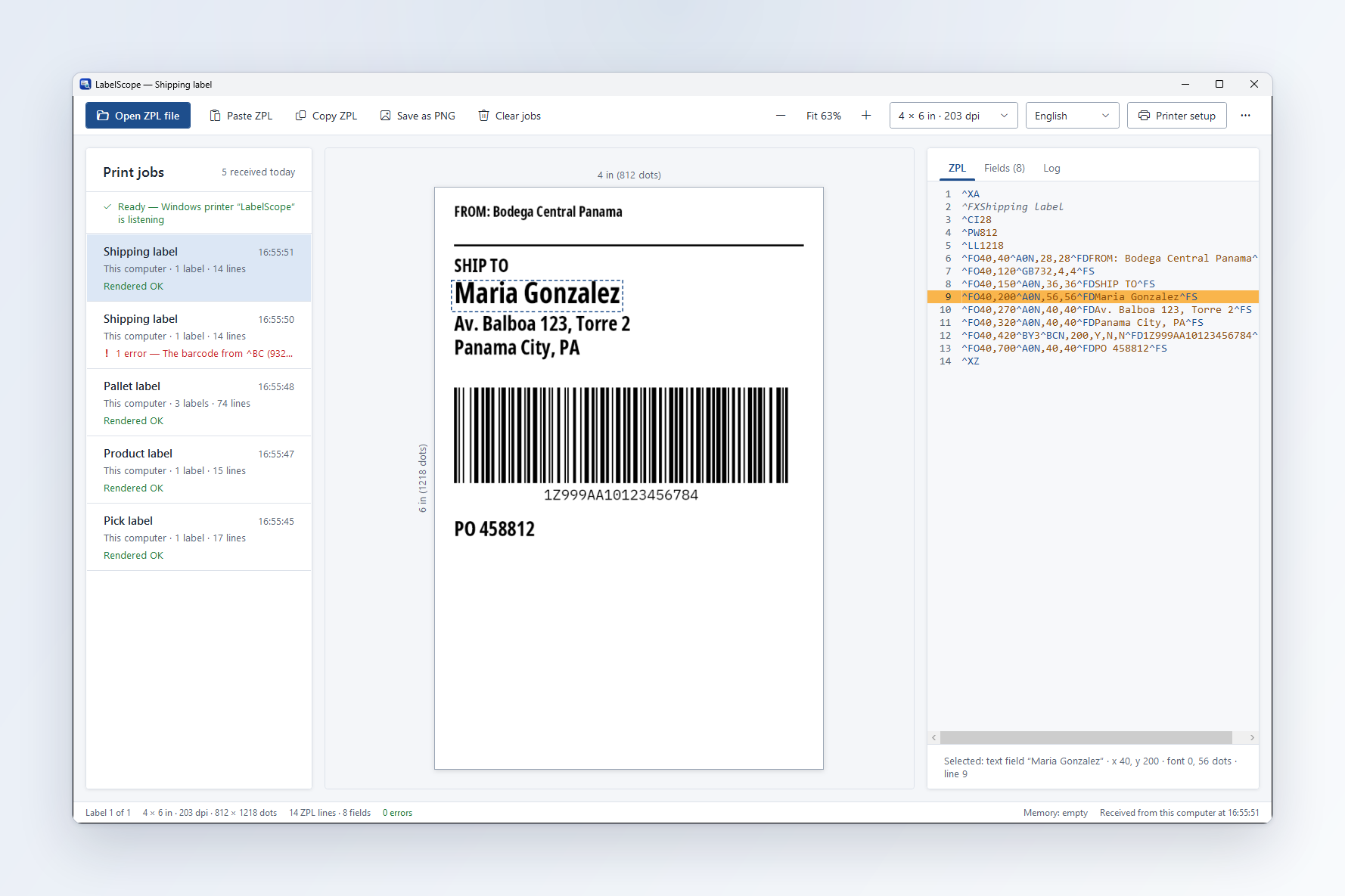
LabelScope 0.4.0 is a new window: see every field, catch barcodes that will not scan, and use it in Spanish.
New
- A redesigned window: print-job cards, the label on a canvas with its size in inches and dots, and the ZPL with coloured commands.
- Fields tab: every drawn field with its position, size, font or barcode type and ZPL line. Click a field on the label, a row or a ZPL line and LabelScope highlights it everywhere.
- Barcodes that will not scan get a red outline and a plain message telling you how to fix them.
- Full Spanish interface, including every warning. Choose it in the toolbar or in Printer setup.
- Printer setup screen: printer name, label size, print density, language, and job options — no settings file to edit.
- Open ZPL file and Paste ZPL, one card per print job, keep jobs after closing.
- The label size comes from the ZPL first; Printer setup's label size is used only when the ZPL does not say.
^CI28(UTF-8) labels draw cleanly.- Much faster: one send of 5,000 labels is drawn in about 16 seconds.
Install: download LabelScope-Setup.exe below and run it, or press "Check for updates" in LabelScope. Your settings are kept.