Repository navigation
PyroCade 0.4.0

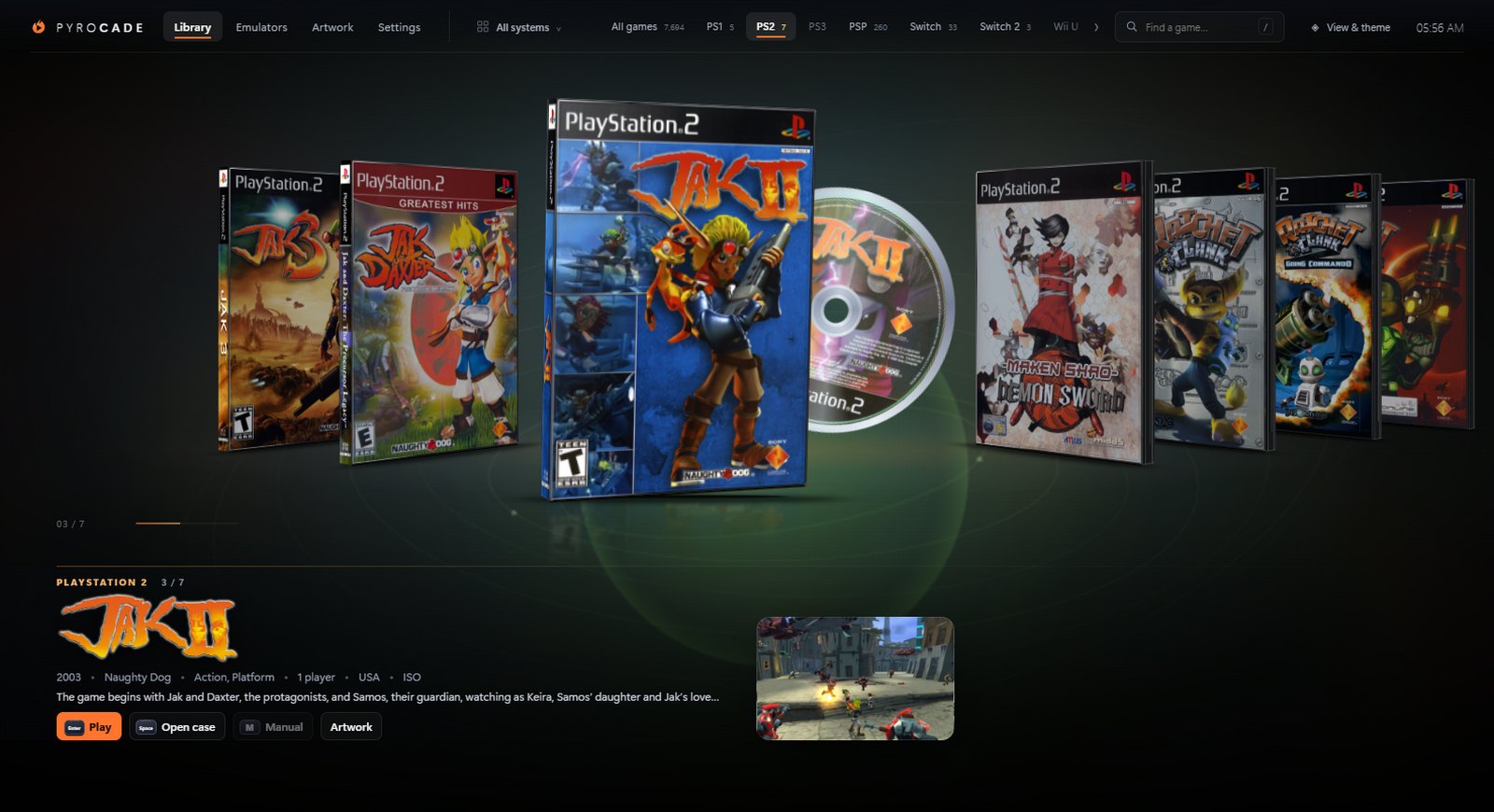
New ways to browse
- Bookshelf: your cases stand spine-out side by side, and the selected game slides out to show its cover.
- Spinner rack: a rotating store tower with three tiers of cases. Browsing turns the tower.
- Real-looking spines:
- Generated spines now follow each console's retail design: a red Switch band over a white spine, a green Xbox band, a blue Wii U band, and the PlayStation logo running down a black spine.
- Real spine scans are downloaded too.
Press Play
- Start animation: the disc spins into a drive slot, or the cartridge is pushed half-way into its slot, and then the game starts. You can turn it off in Settings.
Manuals
- Found automatically: manuals kept next to your ROMs (for example
00 Goodies\Manuals) are matched by title, even when the names differ slightly. - Find manuals in a folder… matches a whole folder of PDFs, and you can add one by hand.
- Read in PyroCade: manuals open in a full-screen PDF viewer with zoom, pages and search.
Artwork
- Game details: descriptions, years, developers, genres and player counts fill in automatically from the LaunchBox database.
- Logos and backgrounds: clear logos replace the game title, and background art appears behind the selected game.
- Other versions…: pick a different cover, spine, disc or logo when a match is wrong.
- Real cartridge labels for NES, SNES, N64, Genesis, DS and 3DS, on top of the Game Boy family.
- Much smaller files: images are capped and stored as JPEG, about 0.2–0.8 MB instead of 10–15 MB. Oversized images from 0.3.0 are shrunk once, in the background.
- Your own images are never replaced by the "sharper copies" option.
Interface
- One calm style across Library, Emulators, Artwork and Settings.
- Readable dropdown menus.
- A solid instruction booklet in the opened case.
Fixes
- Covers no longer turn blank after being upgraded to a sharper copy.
- An out-of-date LaunchBox database is never re-downloaded in the background. Library scans no longer wait for game details.
- The emulator Source form keeps what you typed during installs.
Full list of changes: CHANGELOG.md · compare v0.3.0...v0.4.0