Repository navigation
PyroCade 0.8.0

Two new layouts, a library that opens straight away, and faster browsing on big collections.
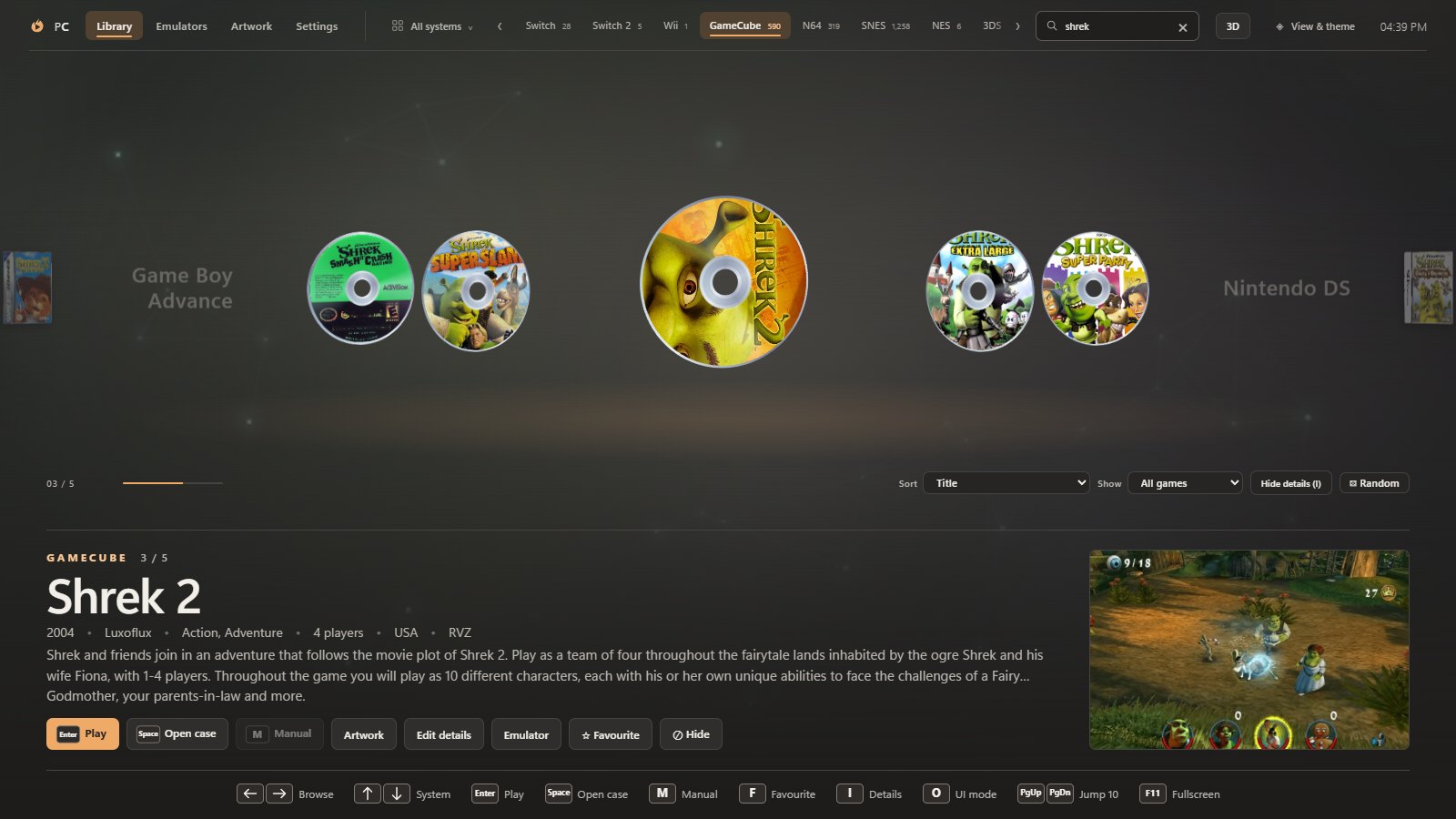
New
- Page turn layout. Cases swing across a spine like the pages of a book: the games you have passed lie open on the left, and the selected one stands open on the right.
- Media carousel layout. The games themselves instead of their cases: every disc, mini disc, UMD and cartridge on a carousel, with the selected disc spinning.
- Android: an updated experimental build is in the android-v0.8.0-experimental pre-release.
Faster
- The library opens straight away. PyroCade shows the library it found last time and rescans your folders in the background, redrawing only if something changed (0.8 s instead of 2.6 s on a 7,691-game library on a hard drive).
- Scans are about four times faster (about 0.6 s instead of 2.3 s): folders are read in parallel and listed once, and the file sizes used to choose between copies of a game are remembered. Save & rescan in Settings still reads them all again.
- Switching consoles is about twice as fast. Generated back covers for games without a scan are drawn in the background and filled in as they are ready.
Better
- A cartridge comes up out of its cardboard box in the case view and glides forward to rest in front of it, so the whole label shows.
- Super Famicom boxes keep their real proportions, the Bookshelf leaves room for the pulled-out case's disc, and hinged cases fold open around their spine.
- Spinner rack and Colour cards are replaced by Page turn and Media carousel. If one of them was your layout, PyroCade opens in its replacement.
Fixed
- Cartridge labels no longer go blank when a cartridge is seen at an angle.
- A turning case no longer shows its disc or cartridge on its back in Page turn.
- The cartridge no longer passes through the open flap of a Game Boy Advance box.
Full list: CHANGELOG.md
Downloads
- Windows:
PyroCade-Setup-0.8.0.exe(not code-signed yet: SmartScreen → More info → Run anyway). Installed copies update themselves. - macOS:
PyroCade-0.8.0-arm64.dmg(Apple Silicon) orPyroCade-0.8.0-x64.dmg(Intel). Not notarized yet: System Settings → Privacy & Security → Open Anyway. - Linux: AppImage (SteamOS and any distro),
.deb,.rpmand Arch.pkg.tar.zst.
🤖 Generated with Claude Code