Enhance R markdown support#429
Conversation


 renkun-ken
changed the title
renkun-ken
changed the title

|
I'm wondering if we already have a shortcut/command/snippet to insert an R code chunk like the following? I tried adding a snippet to |

|
I like the background highlighting, looks great. Would you consider an option to disable the text links? I like a really minimal editor layout, with things driven by keybindings. I usually program in 'zen mode'. Of course this is my selfish personal preference. I know many users would appreciate the links. |
By text links, do you mean the "Run Chunk" and "Run Above" CodeLens commands? You could disable CodeLens globally with the following settings: "editor.codeLens": falseor just disable it for Rmd: "[rmd]": {
"editor.codeLens": false
} |

Currently, we are using r markdown snippets by using markdown snippets and our snippets file is not working. |
|
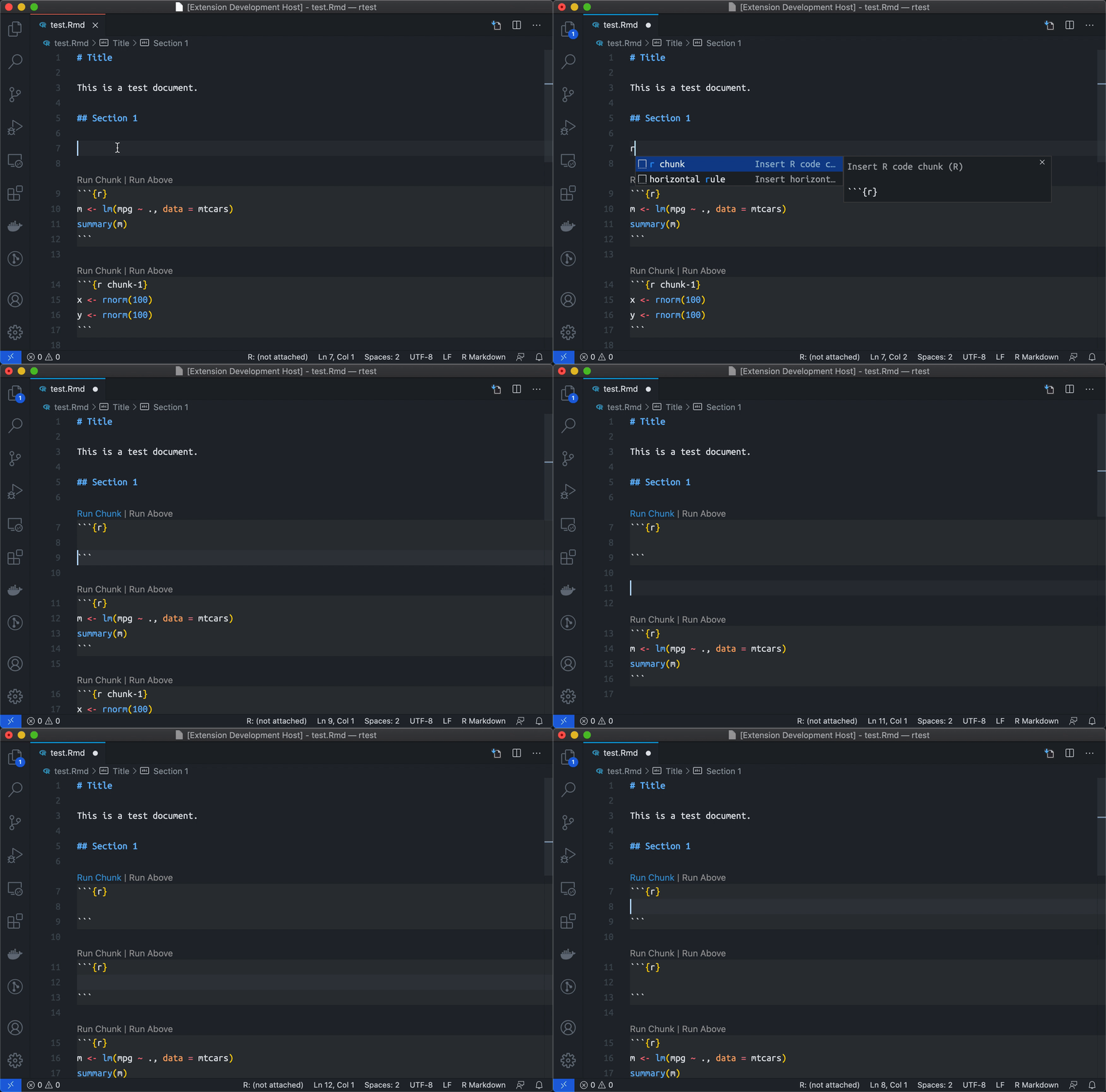
@Ikuyadeu Thanks! I've switched to our own snippets for rmd and it is much easier to insert an R chunk now.
|


|
@renkun-ken People (including me) have wanted these features for ages - thank you very much for this PR! |


4 participants


What problem did you solve?
Close #428, #49, #261
eval=FALSE)(If you have)Screenshot
How to test:
r chunksnippet)eval=FALSEthen Run Above will not include such chunks.R: Run Current Chunkand the chunk is sent to terminal.8R: Run Current Chunkand nothing happens.Ctrl+shift+entershould triggerR: Run Current Chunkby default (same as RStudio).{label}=to the editor.