Preview R Markdown files via background process#692
Preview R Markdown files via background process#692renkun-ken merged 21 commits intoREditorSupport:masterfrom ElianHugh:rmarkdown-preview
Conversation


- Preview rmd w/o blocking the terminal
- Fixed a bug that meant the side preview was incorrectly opening in the active column
- Fixed a bug that incorrectly caused show source to open the source doc in a new column
- Rename some commands and the PreviewProvider to be more in line with vscode's markdown preview names

|
It works quite nicely already. I wonder if it makes sense to create a |

- Moved refresh to overflow menu
- Change how 'Show Source' retrieves the original column
- 'R Markdown' output channel for stderr and stdout
- Better track and dispose of child processes
- Progress bar now stays for the duration of loading
- Now tells the user when the document failed to knit
- Kill processes that error *after* knitting
- Fix refresh bug that caused panel to go blank
- Knitting can now be cancelled, and the process is properly killed
- Can no longer spam the preview button of the same document while knitting, preventing duplicate webviews
|
It looks like the shiny app started by |
|
Another approach to avoid this is to only use "rmarkdown::render()" or any other engine that is able to produce an HTML file. And we could use |

|
I suppose using |
- busyUri probably makes more sense as a set, rather than an array
- Show rmarkdown output on error
- change return values for RMarkdownChildStore methods to what is expected of a set<T>
Exactly. Both mathjax and syntax highlighting should work after reload.
I think there should not be a significant performance difference compared with rendering from a shiny app. |
Changes preview engine to rmarkdown::render, and relies on fs.watch to check for updates.

This is a pretty messy implementation, and will be cleaned up shortly
|
I've added a super messy implementation of the document file watcher, which appears to function as expected. Will be cleaned up shortly |

|
I move |
Thanks! Works quite nicely - I've also removed references to |
- CSS can now be toggled between vscode theme and base doc theme
- Changed store from set to map
- now cache html in RMarkdownChild, so that toggling doesn't require a re-read of the source html
- Ensure output is html
- Refactor is ongoing
|
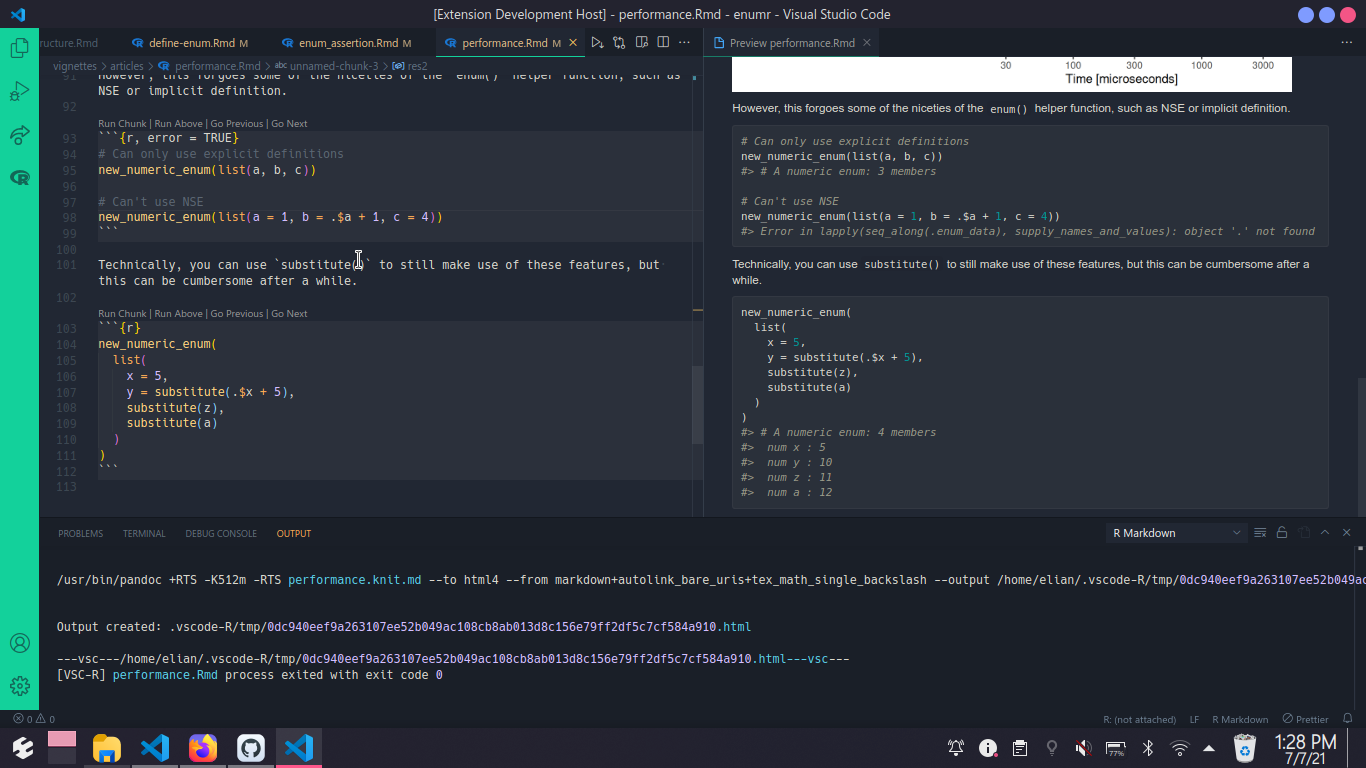
Latest push now has a 'toggle style' button similar to the plot viewer:
Refactor from set to map is ongoing - RMarkdownChild will have the input uri removed soon as its now superfluous |
|
The dark theme looks good, but the output is almost invisible under many dark themes.
|
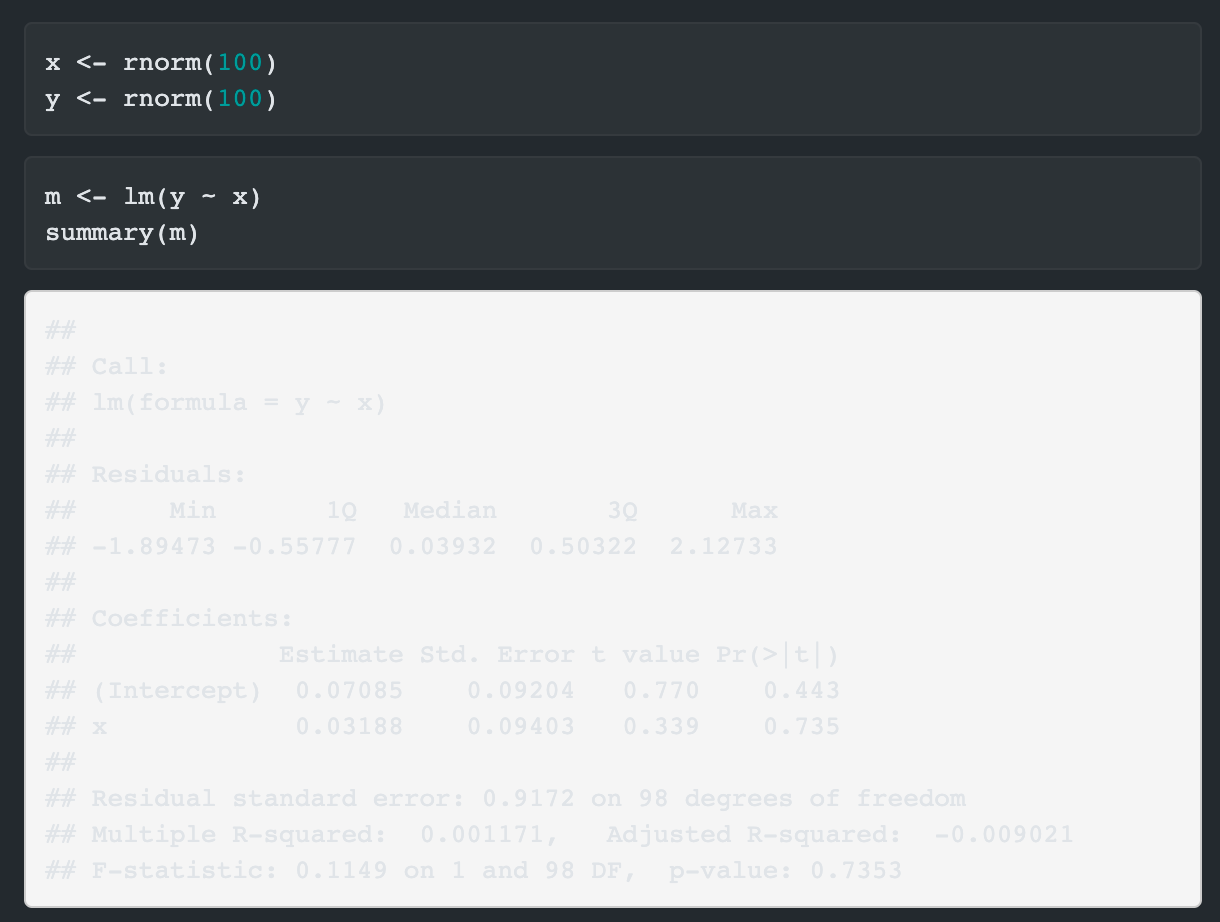
Improve styling so as to not create unreadable text
Don't see the problem here 😅 Should be fixed following last push! |
|
The theming looks good now. And |
|
Makes sense to me! I had a quick look into scroll syncing and it gave me a headache. I think if we are happy with the current features then we can save that for a later date, and just iterate on the current codebase |

 renkun-ken
changed the title
renkun-ken
changed the title
|
There's one more thing. I think we need to add a setting (e.g. Anyway, we can merge this nice PR and implement it later. |
|
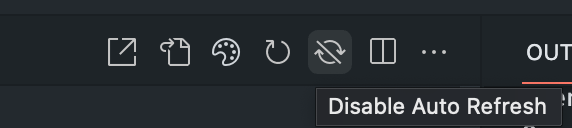
"Enable/Disable Auto Refresh" commands and
User could control whether to auto-refresh for each preview now. |
|
Awesome, thanks for the great work! I wonder if it's worth thinking about forcing or having an option for granular caching, particularly one of the lower settings (i.e. |
Should the rmd author control the cache level or should we have control on it? |
|
Hmm, after some testing, it probably shouldn't be forced, even in a document preview. There are a few situations which can be confusing if caching is forced globally: Even if chunk 1 is changed later, chunk 2 will print 10. |
|
@ElianHugh Do you have anything to add? If not, I'll merge this PR. |
|
No - looks good to me! |


| { | ||
| "command": "r.markdown.showPreviewToSide", | ||
| "title": "Open Preview to the Side", | ||
| "icon": "$(open-preview)", | ||
| "category": "R" | ||
| }, | ||
| { | ||
| "command": "r.markdown.showPreview", | ||
| "title": "Open Preview", | ||
| "icon": "$(open-preview)", | ||
| "category": "R" | ||
| }, | ||
| { | ||
| "command": "r.markdown.preview.refresh", | ||
| "title": "Refresh Preview", | ||
| "icon": "$(refresh)", | ||
| "category": "R" | ||
| }, | ||
| { | ||
| "command": "r.markdown.preview.openExternal", | ||
| "title": "Open in External Browser", | ||
| "icon": "$(link-external)", | ||
| "category": "R" | ||
| }, | ||
| { | ||
| "command": "r.markdown.preview.showSource", | ||
| "title": "Show Source", | ||
| "icon": "$(go-to-file)", | ||
| "category": "R" | ||
| }, | ||
| { | ||
| "title": "Toggle Style", | ||
| "category": "R", | ||
| "command": "r.markdown.preview.toggleStyle", | ||
| "icon": "$(symbol-color)" | ||
| }, | ||
| { | ||
| "title": "Enable Auto Refresh", | ||
| "category": "R", | ||
| "command": "r.markdown.preview.enableAutoRefresh", | ||
| "icon": "$(sync)" | ||
| }, | ||
| { | ||
| "title": "Disable Auto Refresh", | ||
| "category": "R", | ||
| "command": "r.markdown.preview.disableAutoRefresh", | ||
| "icon": "$(sync-ignored)" | ||
| }, |

There was a problem hiding this comment.
I'd suggest using "category": "R Markdown" for (most of) these commands, otherwise it's not quite obvious what they do, when invoking them from the command palette
| import { RMarkdownPreviewManager } from './rmarkdown/preview'; | ||
|
|
||
| // global objects used in other files | ||
| export const extDir: string = path.join(os.homedir(), '.vscode-R'); |
There was a problem hiding this comment.
Should we give this a slightly longer/more descriptive name? For local variables, these short names are fine, but global variables should be clear without having to "look them up" in a different file
| import { config, doWithProgress, getRpath, readContent, setContext, escapeHtml } from '../util'; | ||
| import { extensionContext, tmpDir } from '../extension'; | ||
|
|
||
| class RMarkdownPreview extends vscode.Disposable { |
There was a problem hiding this comment.
Personally, I find it easier to just give the class a dispose() method, instead of inheriting from vscode.Disposable (afaik, there is no difference in behaviour)
| this.cp?.kill('SIGKILL'); | ||
| this.panel?.dispose(); | ||
| this.fileWatcher?.close(); | ||
| fs.removeSync(this.outputUri.path); |
There was a problem hiding this comment.
Also applies to some other places: vscode.Uri has a fsPath property which is more robust regarding windows drive letters, backslashes etc.
| this.startFileWatcher(RMarkdownPreviewManager, uri); | ||
| } | ||
|
|
||
| public styleHtml(themeBool: boolean) { |
There was a problem hiding this comment.
E.g. useDarkTheme is more descriptive than themeBool

|
@renkun-ken @ElianHugh Apologies if this is a very silly question.
|
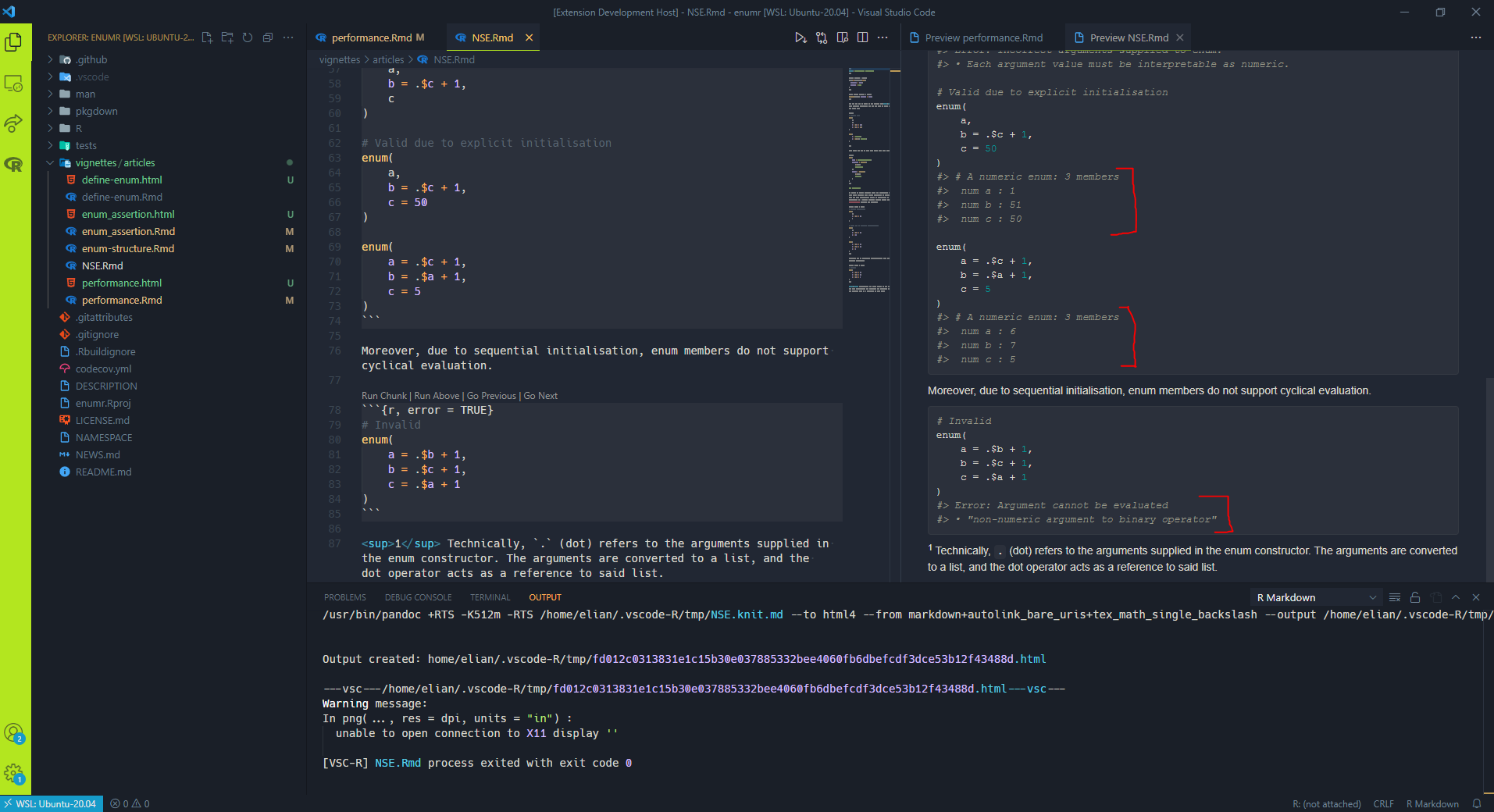
Hi @DonJayamanne, not a silly question at all :) The current preview implementation executes all code cells, so that the output html file is essentially what the final .rmd output would be. E.g., here I have a .rmd file on the left, and the preview on the right, executed parts of the cells in poorly scribbled red:
Apologies, but I'm not super familiar with the Notebook UI, so @renkun-ken would probably have a better answer re: using it for previews |
|
Thanks for the prompt response.
Awesome. |
I don't quite understand the question. The rendering is all done by This is a just equivalent of RStudio feature. |
Thats fine. But that's not the case, hence we can consider my question resolved. Thanks |
4 participants


What problem did you solve?
Improves previewing rmd files, as per some discussion in #103. Not quite the same experience as vscode's markdown preview, but is a little less cumbersome than running rmarkdown::run manually.
The preview "engine" is controlled through a configuration setting, and currently supportsrmarkdown::runorxaringan::infinite_moon_reader.Some stuff that I think would be neat to have at some point:
2. get the document's http content (similar to how the help provider functions), meaning that the iframe isn't neededScreenshot