Repository navigation
Yonder 1.0.0

Look up. Look far. Get back to it. The first release of Yonder, a tiny, free and open-source break reminder for Windows, macOS and Linux.
Highlights
- Breaks that respect your flow. Balanced (20 min / 20 s), Deep Focus, Eye Care and Wellness presets or your own timing, with optional long breaks.
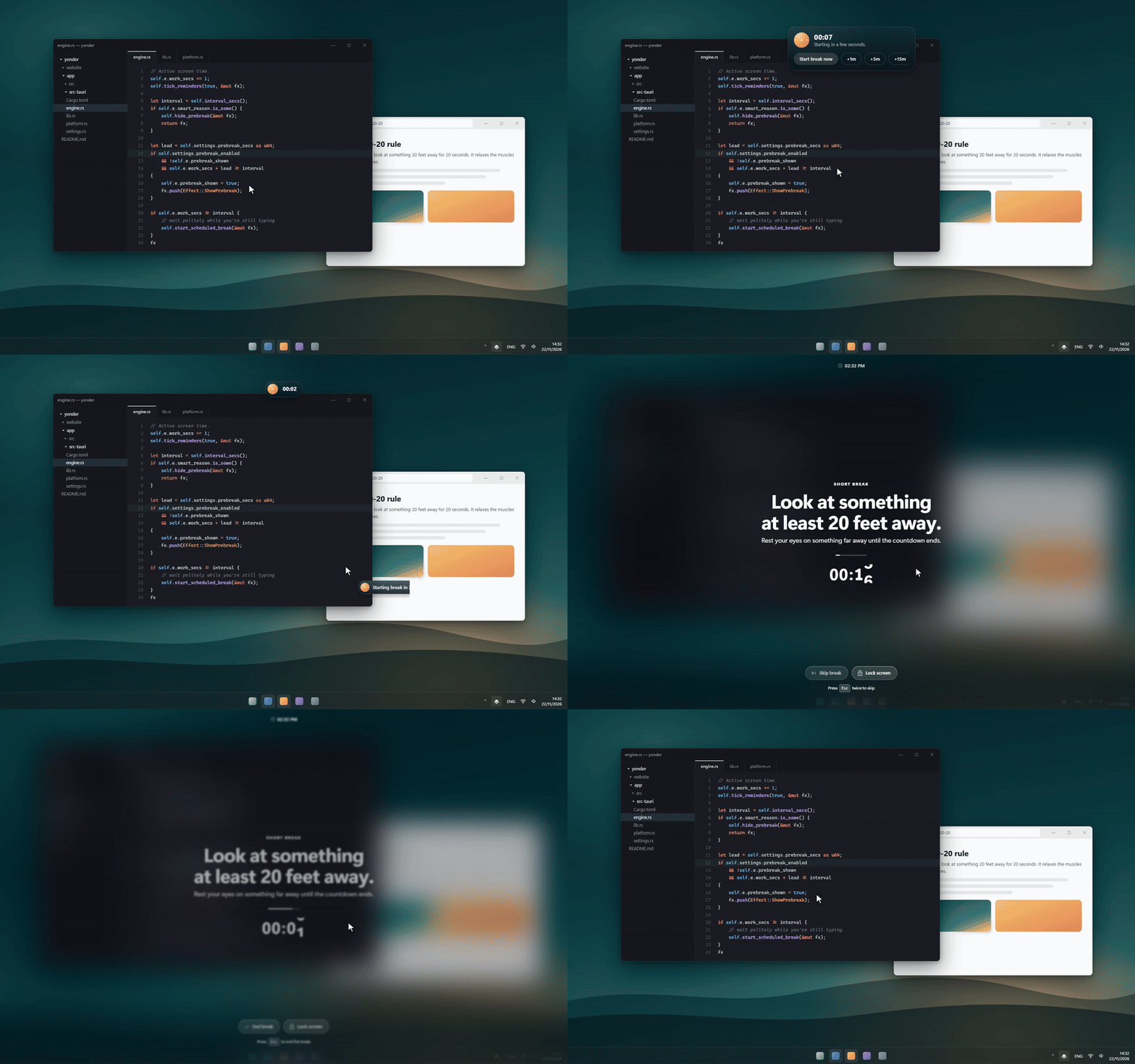
- A heads-up before every break. Start now, +1m, +5m or +15m, then a small countdown that follows your cursor for the last five seconds.
- Calm break screens. Blurred desktop, split screen with textures, animated Aurora / Nebula / Ripple, gradients or your own image, with a rolling countdown and your own messages.
- Smart pause. Holds breaks while you type, during calls, in fullscreen apps (Windows) and in the focus apps you choose; time away from the computer counts as a break.
- Posture and blink reminders, plus up to five custom reminders with their own icon, interval and sound.
- Skip difficulty, office hours, planned breaks, global shortcuts and shell hooks.
- Private by design: no account, no telemetry, everything stays on your machine.
Install
| Platform | Download |
|---|---|
| macOS (Apple silicon and Intel) | brew tap rmoura98/yonder https://github.com/RMoura98/yonder && brew install --cask yonder, or Yonder_1.0.0_universal.dmg below |
| Windows 10 / 11 | Yonder_1.0.0_x64-setup.exe (or the .msi) |
| Linux | .AppImage, .deb or .rpm |
Heads-up: this release isn't code-signed yet.
- macOS: the Homebrew cask handles it for you. If you open the
.dmgdirectly, right-click Yonder.app → Open the first time. The blurred and split break styles need Screen Recording permission. - Windows: SmartScreen may say it doesn't recognize the app. Choose More info → Run anyway.
Known limitations
- Fullscreen detection is Windows-only for now; on macOS and Linux, add apps under Smart Pause → Focus apps.
- Blurred-desktop and split-screen breaks aren't available on Linux yet.
Yonder is free forever. If it helps you, you can sponsor its development. Found a bug? Open an issue.