Repository navigation
Yonder 1.0.1

Yonder now speaks five languages, tells you when an update is out, and has a cleaner heads-up card.
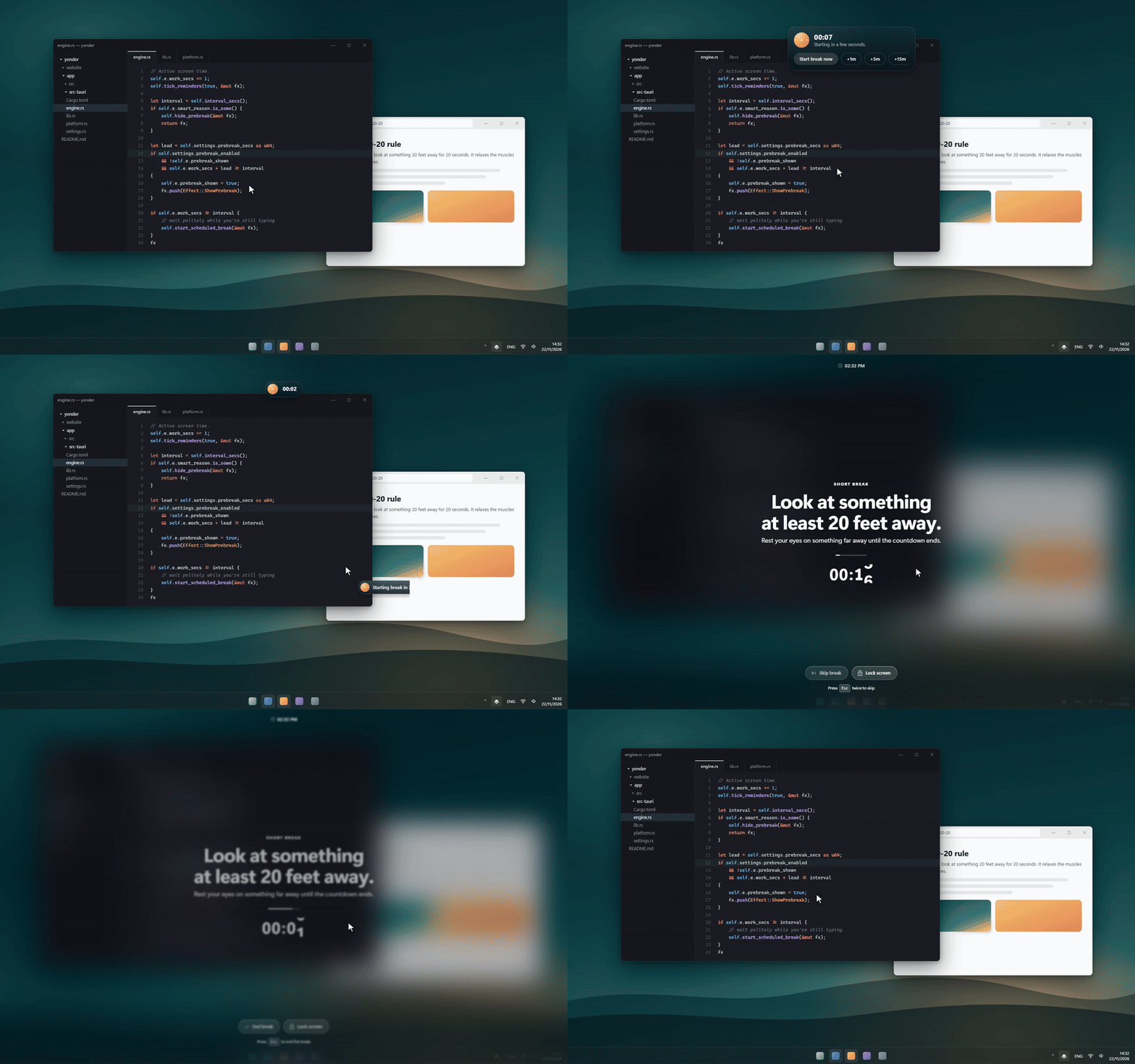
What's new
- Five languages. English, Português, Español, Français and Deutsch, including the tray menu and status line. Yonder follows your system language, or pick one in Settings → General. Built-in break messages and reminders are translated too; anything you wrote yourself stays as you wrote it. (#7)
- Update notifications. Yonder checks GitHub Releases a few times a day and shows a tray entry and a banner in Settings → About when a new version is out, with the Homebrew command on macOS. Check manually, skip a version, or turn it off with the toggle. The check is the only network request Yonder makes.
- Redesigned heads-up card. A watch-face badge whose hand sweeps as the break approaches, lighter glass, and simpler buttons. The cursor countdown matches it, and both windows now appear only once they're fully drawn.
- One-color tray icon. The horizon glyph follows your taskbar theme (black or white on Windows, a template icon on macOS) and dims while paused.
Fixes
- Break screen: Skip, End break and Lock screen no longer show at the same time.
- Split-screen breaks keep the countdown readable on light textures.
- Fullscreen detection on Windows no longer mistakes a maximized borderless window (like a terminal) for a game or video.
- External links in Settings always open in your browser.
Install
| Platform | Download |
|---|---|
| macOS (Apple silicon and Intel) | brew upgrade --cask yonder, or for a new install brew tap rmoura98/yonder https://github.com/RMoura98/yonder && brew install --cask yonder; or the .dmg below |
| Windows 10 / 11 | Yonder_1.0.1_x64-setup.exe (or the .msi) |
| Linux | .AppImage, .deb or .rpm |
Builds still aren't code-signed: on Windows choose More info → Run anyway; on macOS the Homebrew cask handles Gatekeeper (or right-click the app → Open the first time).
Coming from 1.0.0? 1.0.0 had no update checker, so install this version manually once. From here on, Yonder will tell you about new releases itself.
Thanks to everyone trying Yonder! Questions and ideas are welcome in Discussions, and if it helps you, you can sponsor its development.