Repository navigation
Yonder 1.0.4

Softer breaks, set up in a minute, and now in Chinese and Japanese.
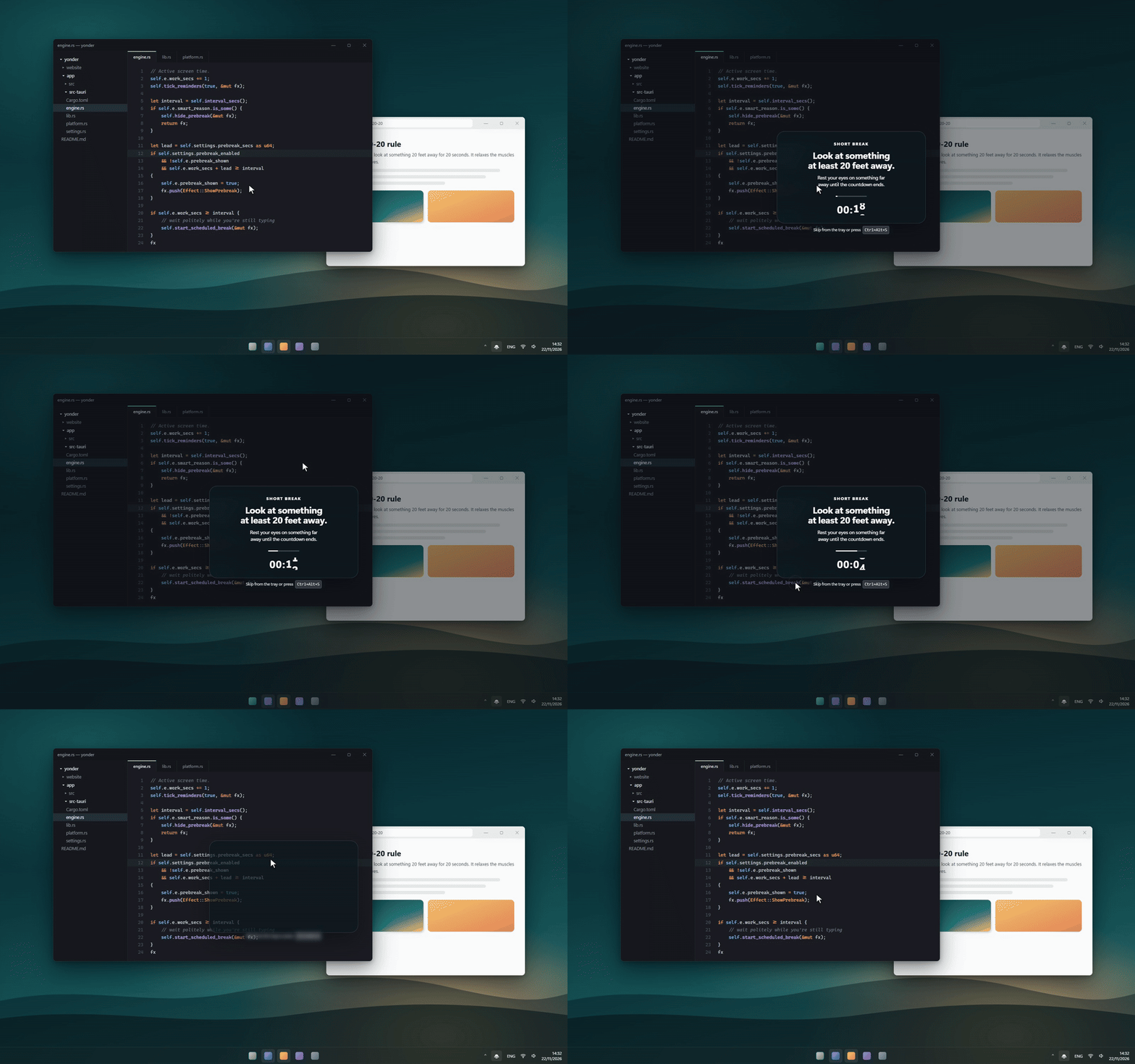
New
- Gentle break style. No takeover: every display dims around a small countdown and clicks pass through, so a call, a video or a game keeps going underneath. The break never takes keyboard focus; skip it from the tray or with the skip shortcut (Ctrl+Alt+S by default). Pick it in Settings → Break Screen. (#34)
- Pause music and video during breaks. Optional (Settings → Screen Breaks → More). When a break starts Yonder pauses what's playing and resumes it afterwards, and only resumes what it paused. Uses the system media controls on Windows, Music and Spotify on macOS, and
playerctlon Linux. (#20) - First-run setup in three steps. Language, rhythm (Balanced, Deep Focus, Eye Care, Wellness) and skip difficulty, then break style and smart pause. Skip it anytime. (#36)
- 简体中文 and 日本語. Yonder now speaks seven languages. Native speakers, corrections are very welcome. (#29)
- Checksums and a portable Windows zip. Every release now has
SHA256SUMS.txtandYonder_<version>_x64-portable.zip(justyonder.exe, no installer). See Verify a download. (#30)
Fixes
- Smart pause can't hold a break forever. If a call, a fullscreen window or a focus app keeps smart pause on, the heads-up now comes anyway after an hour ("You've been busy for a while. A short break?"). Choose 30 minutes, 1 hour, 2 hours or never in Settings → Smart Pause. (#33)
Install
| Platform | How |
|---|---|
| macOS | brew install --cask rmoura98/tap/yonder (or brew upgrade --cask yonder), or the .dmg below |
| Windows | scoop install yonder/yonder after scoop bucket add yonder https://github.com/RMoura98/scoop-bucket, Yonder_1.0.4_x64-setup.exe, or the portable zip below |
| Debian / Ubuntu | the signed apt repository, then sudo apt install yonder |
| Other Linux | .AppImage, .deb or .rpm below |
On 1.0.1 or later, Yonder will tell you about this update itself.
Ideas welcome in Discussions, and there are good first issues if you'd like to contribute.