Repository navigation
Yonder 1.0.5

Focus sessions, a tray popover, and breaks that know when you're busy.
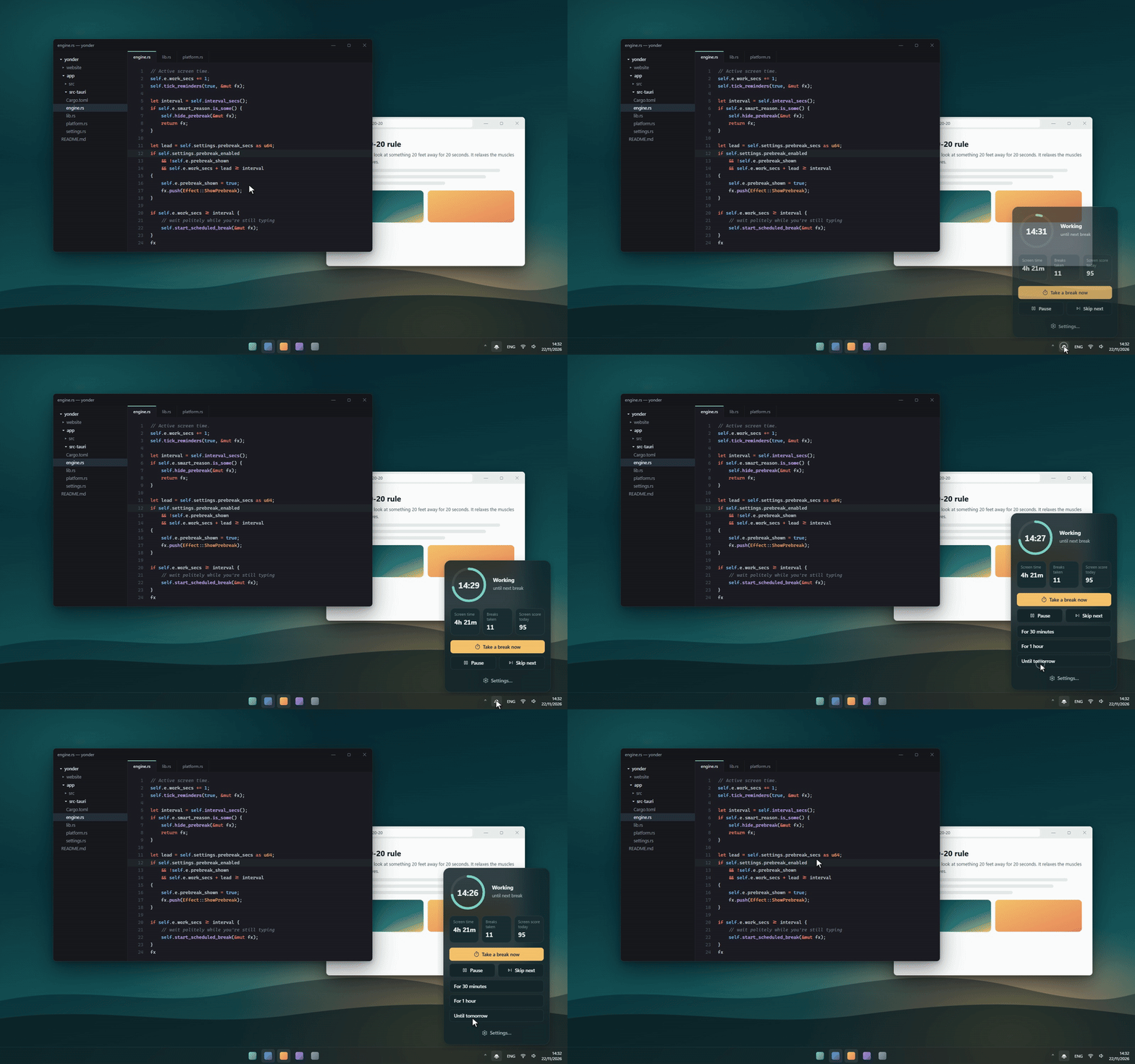
New
- Focus sessions (Pomodoro). 25 min focus, 5 min break, a long break after the fourth period, all adjustable. Start one from the tray or the Today page. Eye breaks that would land within a few minutes of a focus break are folded into it, so you're never interrupted twice in a row. (#27)
- Tray popover. Click the tray icon for a live countdown ring, today's screen time, breaks and score, and quick actions: take a break, pause, skip, settings. Right-click keeps the menu; on Linux there's a Show status menu entry instead. (#23)
- Notification only break style. No window at all: a desktop notification and a chime. (#34)
- Firm skip difficulty. Hold Skip (or Esc) for two seconds to skip, so a reflex click doesn't end the break. (#26)
- Back up and restore settings. Export everything, including custom sounds and your break background, to one file and import it on another computer (Settings → About). (#18)
- Hide the tray countdown next to the icon, where your system shows one (macOS menu bar, some Linux panels). (#24)
Smarter pauses
- Do Not Disturb / Focus. Breaks wait while Windows Do not disturb, GNOME Do Not Disturb or KDE's notification inhibit is on; macOS Focus where Yonder can read it. Windows' automatic full-screen/game rule is left to the separate Fullscreen apps setting. (#15)
- Screen sharing and recording. Breaks wait while a screen recorder such as OBS is open, while displays are mirrored, or during PipeWire screen sharing on Linux. (#21)
- Calls on macOS. Any app using the microphone or camera now counts as a call, not just Zoom. (#10)
- The countdown survives a restart. Restart Yonder (an update, a crash) within ten minutes and it picks up where it left off. (#31)
- Wayland idle detection on GNOME and KDE Plasma, so time away counts as a break there too. Sway and Hyprland aren't supported yet. (#12)
Install
| Platform | How |
|---|---|
| macOS | brew install --cask rmoura98/tap/yonder (or brew upgrade --cask yonder), or the .dmg below |
| Windows | scoop install yonder/yonder after scoop bucket add yonder https://github.com/RMoura98/scoop-bucket, Yonder_1.0.5_x64-setup.exe, or the portable zip below |
| Debian / Ubuntu | the signed apt repository, then sudo apt install yonder |
| Other Linux | .AppImage, .deb or .rpm below |
Verify downloads with SHA256SUMS.txt. On 1.0.1 or later, Yonder will tell you about this update itself.
The new macOS and Linux detection was written without a Mac or a Wayland desktop at hand. If something misfires, please open an issue. Ideas welcome in Discussions.