Repository navigation

Guided eye exercises for long breaks.
New
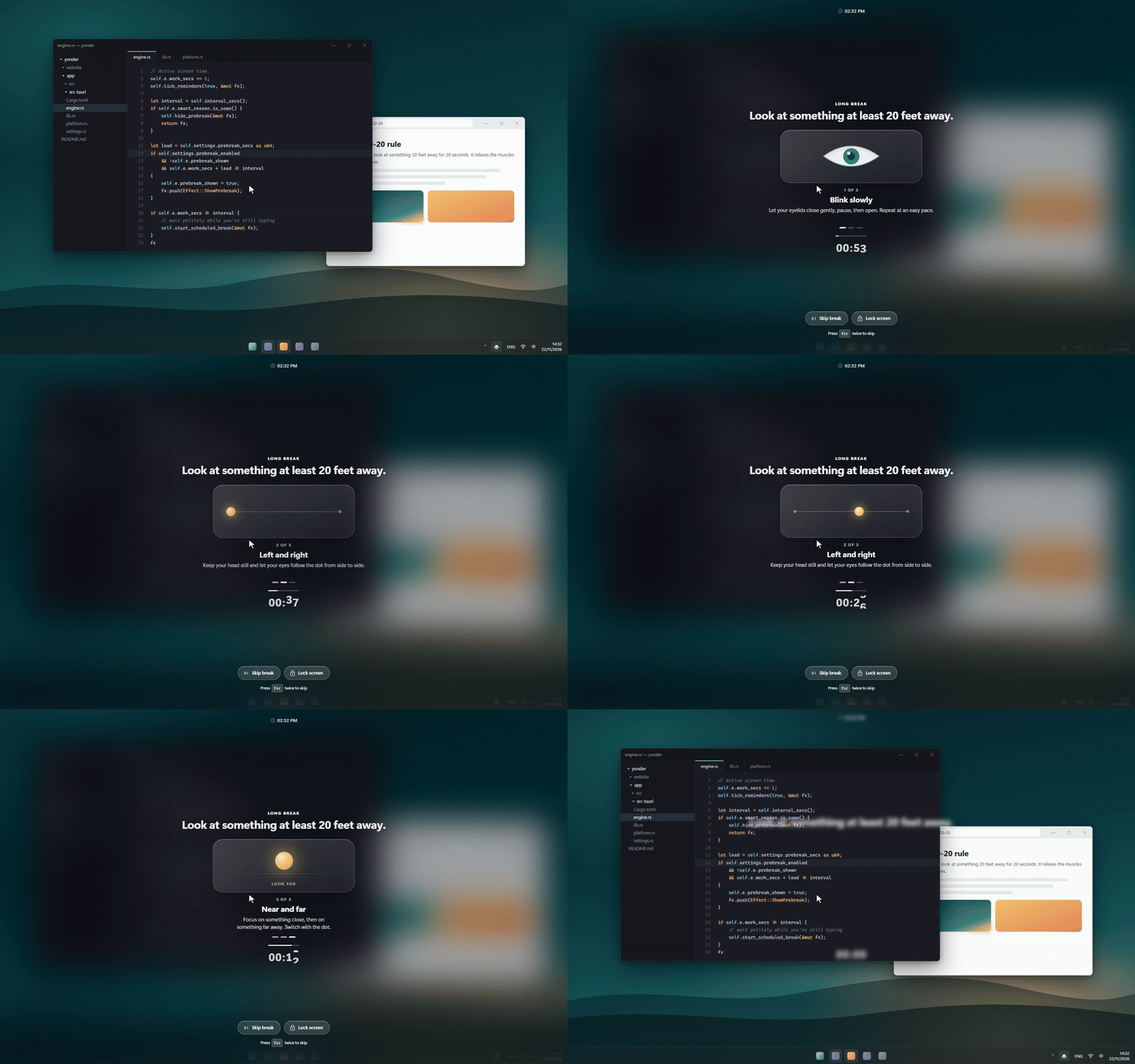
- Guided exercises (optional). Long, planned and focus breaks can show a calm routine to follow while you rest (#13):
- Blink slowly, with an animated eye
- Left and right, up and down and a figure eight: follow the dot with your eyes, head still
- Near and far: switch focus as the dot grows and shrinks
- Neck stretch and shoulder rolls
- Palming: warm palms over closed eyes, with a soft chime when it's time to open them
- The routine is fitted to the break length, works on all monitors in sync, and switches to still illustrations if your system prefers reduced motion. You can also turn on a short eye-only routine for regular 20-second breaks.
- Off by default. Turn it on in Settings → Break Screen → Exercises. It appears on the full-screen and split-screen styles; Gentle and Notification breaks stay exercise-free.
Exercise ideas come from Workrave, Safe Eyes and Stretchly; the wording and illustrations are Yonder's own. These are gentle suggestions, not medical advice.
Install
| Platform | How |
|---|---|
| macOS | brew install --cask rmoura98/tap/yonder (or brew upgrade --cask yonder), or the .dmg below |
| Windows | scoop install yonder/yonder after scoop bucket add yonder https://github.com/RMoura98/scoop-bucket, Yonder_1.0.7_x64-setup.exe, or the portable zip below |
| Debian / Ubuntu | the signed apt repository, then sudo apt install yonder |
| Other Linux | .AppImage, .deb or .rpm below |
Verify downloads with SHA256SUMS.txt. On 1.0.1 or later, Yonder will tell you about this update itself.
Translations of the new exercise texts are fresh; corrections from native speakers are very welcome. Ideas in Discussions.