Repository navigation
0.12.0


Download
| System | File |
|---|---|
| Windows 10 or 11 x64 | DisruptorRecomp-win-Setup.exe installs the launcher that updates itself |
| Windows, without installing | DisruptorRecomp-win-Portable.zip the launcher that updates itself, no install |
| Linux x64, glibc 2.35 or newer | DisruptorRecomp.AppImage the launcher that updates itself |
In this release
| Change | |
|---|---|
| Vertical mouse look | No longer experimental, smooth, with Auto-aim on/off and a crosshair |
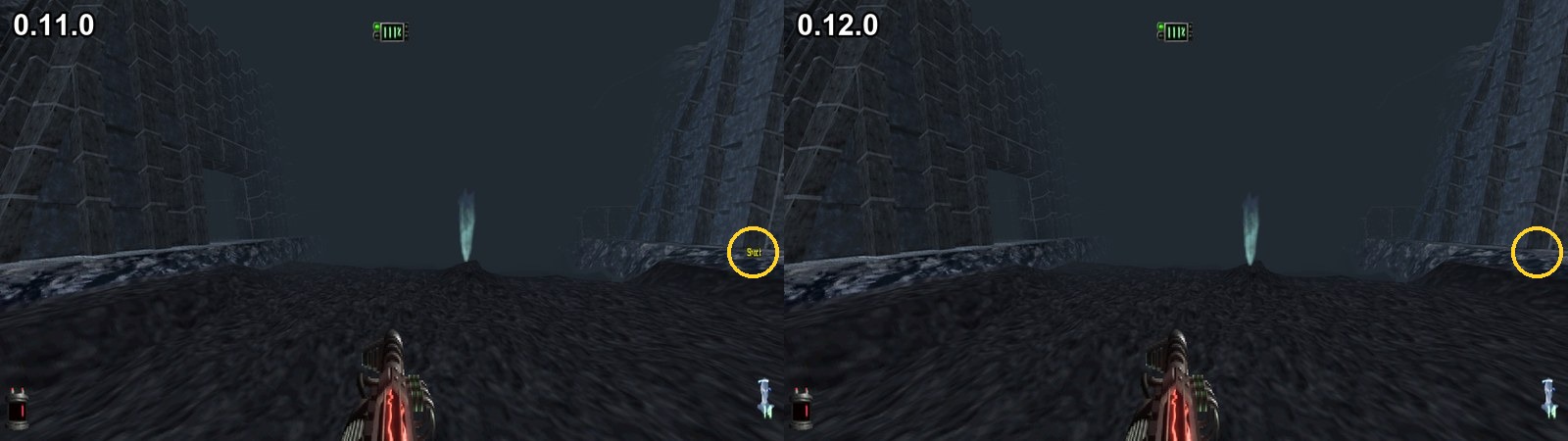
| Fixes | Items and enemies shaking while you look up or down with free look, a weapon's or power's name alone at the screen's side |
Note
Before you update
- With Vertical mouse look on, shots go where you look now, 0.11.0 raised them to the enemy the game picked
- Auto-aim under Vertical mouse look brings that back
- Save states, settings, keys and memory cards stay as they are
Vertical mouse look
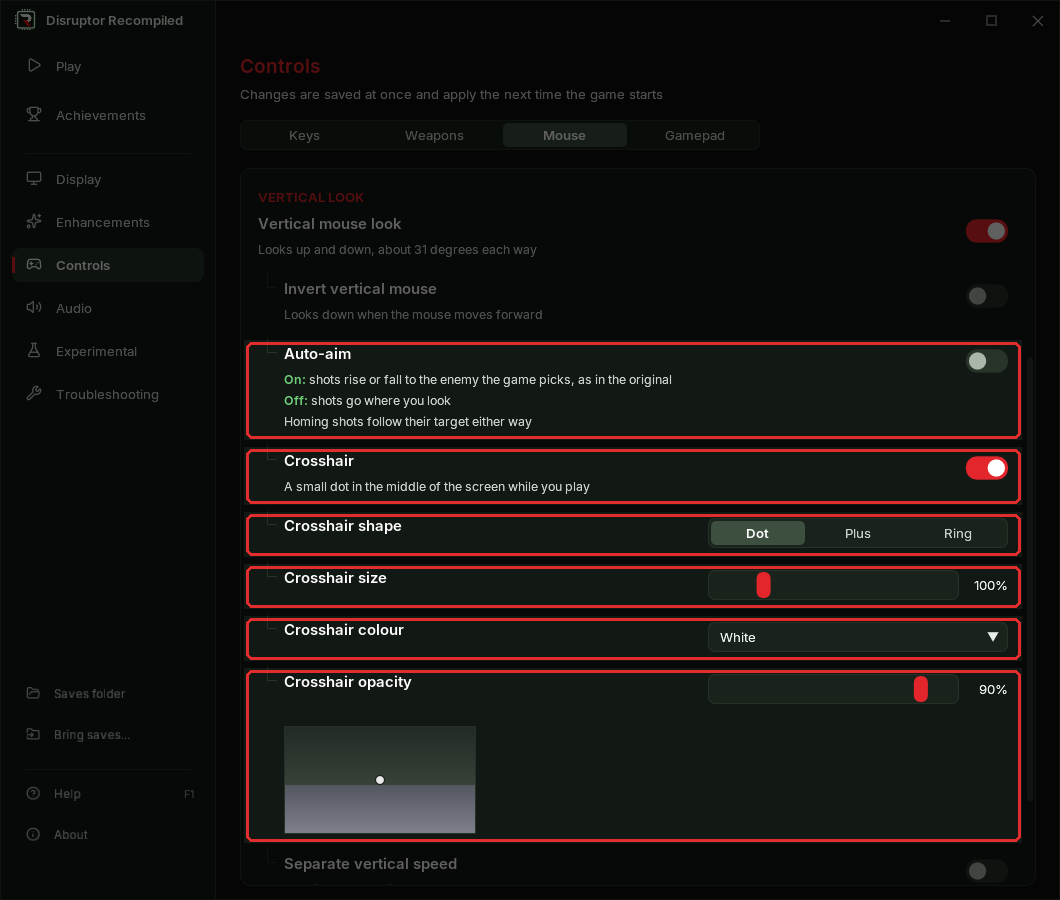
| Setting | Where | Default |
|---|---|---|
| Vertical mouse look | Controls, Mouse tab | Off |
| Auto-aim | Under Vertical mouse look | Off |
| Crosshair | Under Vertical mouse look | Off |
| Crosshair shape, size, colour, opacity | Under Crosshair | Dot, 100%, White, 90% |
The Mouse tab of the Controls page:
Vertical mouse look
- No longer experimental
- Looking up and down is smooth now, 0.11.0 moved the view in steps
Auto-aim
- Off: a shot goes where you look
- On: a shot rises or falls to the enemy the game picks, as in the original
- Homing shots follow their target either way
Crosshair
- A dot, a plus or a ring in the middle of the screen, shown only while you play
- The Controls page shows how it will look

Fixes
Vertical mouse look
- Items, bodies and enemies no longer shake while you look up or down and move
- A shadow on the floor keeps its shape when you look up or down
Weapon and psionics lists
- A weapon's or power's name no longer shows alone at the side of the screen for a frame after its list closes
Install
Your own Disruptor (USA, SLUS-00224) disc image is needed
Windows 10 or 11 x64
- Download DisruptorRecomp-win-Setup.exe and run it
- It installs the game into
%LocalAppData%\DisruptorRecomp, with shortcuts on the desktop and in the Start menu - Your files are kept in
%LocalAppData%\DisruptorRecompData - Or, without installing, unpack DisruptorRecomp-win-Portable.zip into a folder of its own and run
Disruptor Recompiled.exe - The portable copy needs the Microsoft Visual C++ x64 Redistributable
- The portable copy keeps your files in its
datafolder
Linux x64, glibc 2.35 or newer
- Download DisruptorRecomp.AppImage
- Make it executable:
chmod +x DisruptorRecomp.AppImage - Run it
- Your files are kept in
~/.local/share/DisruptorRecompData