Repository navigation
Dynamic Hitboxes
Adding dynamic hitboxes to your entity requires the following steps:
- Creating your hitbox.json file
- Linking to your Entity
- Creating a Hitbox Linker class
- Registering the Hitbox Linker class
This step requires you to install the Blockbench plugin to help visualize the hitboxes.
The first step is to create a locator. Make sure its name starts with "hitbox_", otherwise, it will not be recognized by the plugin.
Next step, click on "Tools > Edit Hitboxes". It will then open the following popup:
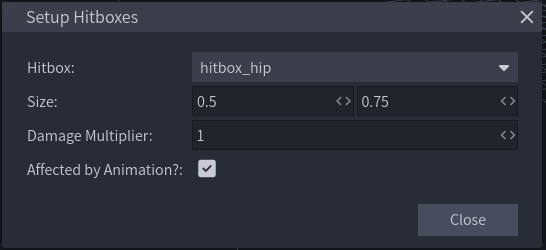
- Hitbox refers to the hitbox to be edited
- Size refers to the width and height of the hitbox
- Damage Multiplier refers to by how much will the damage received be multiplied if the entity is hit by a player there
- Affected by Animation refers to if the hitbox can or cannot be moved from animations
The positions of the hitboxes will depend on the positions of the locators.
Here's what editing them should look like:
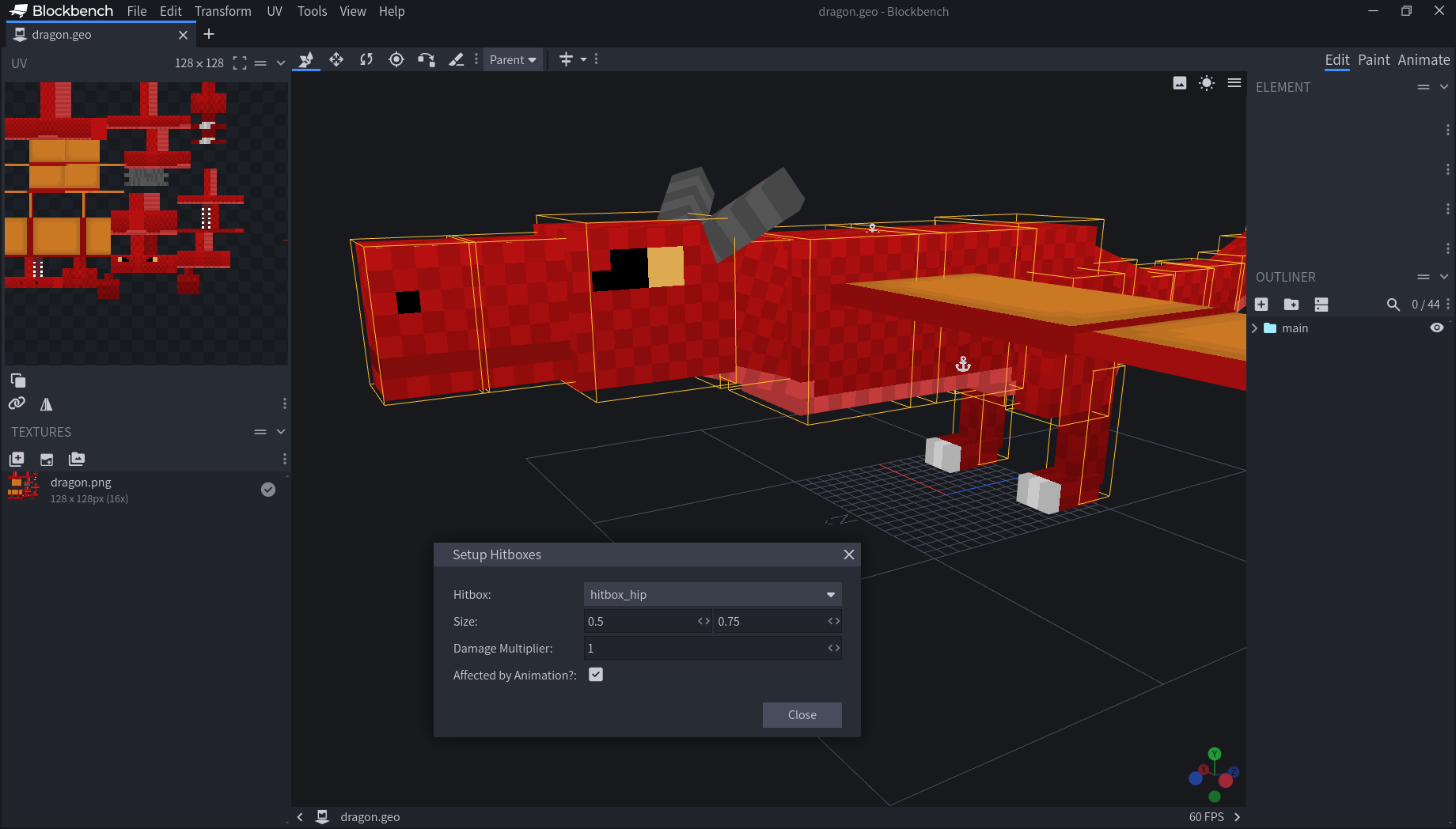
Once you're happy with your hitboxes, make sure to export them by clicking on "Tools > Export Hitboxes" to the hitboxes folder in your resource pack.
If you want to edit your hitboxes further, click on "Tools > Import Hitboxes"
-
The first step to linking hitboxes to your entity is to make them implement
IMultiHitboxUserandIAnimatable. -
In the constructor, add
this.initializeHitboxes(this). This method fromIMultiHitboxUseris what links the hitboxes to the entity. -
Add a global
Entity[]variable. The entitys hitboxes will be stored in this array. -
In a method that updates every tick, preferrably
onUpdate()oronLivingUpdate(), addthis.updateParts(). This method fromIMultiHitboxUserupdates the positions of the hitboxes every tick based on the parent entitys position and look direction, as well as delete the hitboxes when the parent dies. -
Finally, make
getMultiHitboxUser()return the entity,getParts()return the globalEntity[]variable mentioned in step 3,setParts(Entity[] hitboxes)containthis.hitboxes = hitboxes, andgetWorld()returnthis.world. They may seem redundant, but they're crucial parts of how hitboxes are managed.
Here's an example class that shows the result:
public class ExampleEntity extends EntityLiving implements IAnimatable, IMultiHitboxUser {
        private final AnimationFactory factory = new AnimationFactory(this);
        private Entity[] hitboxes = {};

        public ExampleEntity(World world) {
            super(world);
            this.setSize(1f, 1f);
            this.initializeHitboxes(this);
        }

        @Override
        public void onLivingUpdate() {
            super.onLivingUpdate();
            this.updateParts();
        }

        @Override
        public Entity getMultiHitboxUser() {
            return this;
        }

        @Override
        public Entity[] getParts() {
            return this.hitboxes;
        }

        @Override
        public void setParts(Entity[] hitboxes) {
            this.hitboxes = hitboxes;
        }

        @Override
        public World getWorld() {
            return this.world;
        }

        @Override
        public void registerControllers(AnimationData data) {}

        @Override
        public AnimationFactory getFactory() {
            return this.factory;
        }
}A Hitbox Linker is where the hitbox is linked to the entity. It must extend EntityHitboxLinker<T extends IAnimatable & IMultiHitboxUser>. It must implement the following methods:
getModelLocation(T entity)
This method should return the ResourceLocation path to your .geo.json model file for this animatable.
getHitboxFileLocation(T entity)
This method should return the ResourceLocation path to your .json hitboxe file for this animatable.
Here's an example class that shows the result:
public class ExampleEntityHitboxLinker extends EntityHitboxLinker<ExampleEntity> {
    @Override
    public ResourceLocation getModelLocation(ExampleEntity entity) {
        return new ResourceLocation(RiftLib.ModID, "geo/example.geo.json");
    }

    @Override
    public ResourceLocation getHitboxFileLocation(ExampleEntity entity) {
        return new ResourceLocation(RiftLib.ModID, "hitboxes/example.json");
    }
}In the FMLPreInitializationEvent event, add this method:
RiftLibLinkerRegistry.registerEntityHitboxLinker(ExampleEntity.class, new ExampleEntityHitboxLinker());This is where the hitbox linker class is registered.
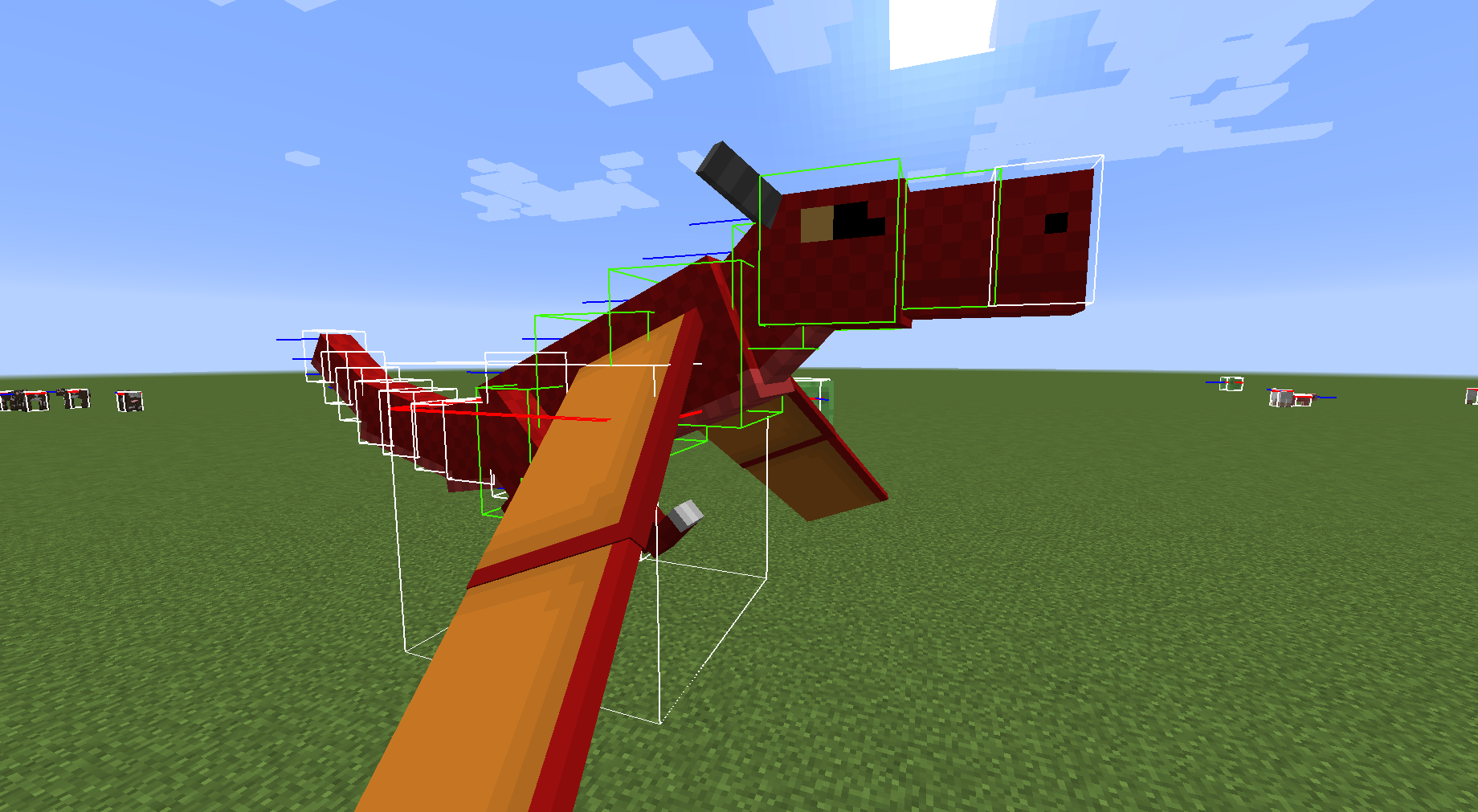
If you followed the above steps properly, you should get an entity whose hitboxes move dynamically based on animations!
By default, if HWYLA is in your mods folder, it will also show information about the parent entity, but the information shown will be similar to how info for vanilla mobs is displayed. If your entity has a custom HWYLA handler and you want the hitboxes to be similar to its custom HWYLA handler, you can override the hitboxUseHWYLA() method in the entity class and make it return false.