Repository navigation
Getting Started
- Foundry → Add-on Modules → Install Module.
- Paste the manifest URL and install:
https://github.com/Rutz179/rutz-pf2e-gacha/releases/latest/download/module.json - Open a Pathfinder 2e world → Manage Modules → enable Rutz's PF2e Gacha.
Requirements: Foundry VTT v13–v14 and the PF2e system.
- The interface follows Foundry's language (English or Korean).
- Items come from PF2e's equipment compendium — the Korean copy when a PF2e Korean translation module provides one.
- After Rest for the Night — one Search the campsite card in chat for everyone who rested (Rules tab: Chance after rest).
- From the GM — the 🎁 Treasure wheel (gacha) button in the token controls. See Chance cards.
- After combat (Plus) — the player characters who fought get a Search the battlefield card (Rules tab: Loot after combat, off by default).
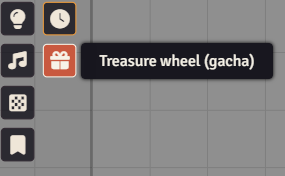
- The 🎁 button sits at the bottom of the first token-controls group (and in the Rutz toolkit group).
- Players see it only while their character has a chance. To show it always, turn on Players always see the button in the Rules tab.
- For a player it opens their own waiting chance.
- A chance stays on the character until it's used: closing a window or logging out loses nothing, and the player is reminded on login.
The GM sets everything in the gacha manager. Open it from either place:
- Configure Settings → Rutz's PF2e Gacha → Gacha manager
- the Gacha manager button in the 🎁 window
The defaults work as they are. See Settings (gacha manager).
Next: Chance cards