Repository navigation
Star Haven v1.2.7

- The HOME Menu banner shows its whole title on a console (#30, #32). The title texture was 256x244; the 3DS needs power-of-two texture sizes, so a console only drew the top half of the letters. It is now 256x128. If the banner still looks cut off after updating, reboot once in case the HOME Menu kept the old one.
- Randomizer: items in bushes and trees no longer vanish (#31). Most bush and tree drops mark their spot as taken the moment they appear and blink out after a few seconds, so a key item that wasn't grabbed in time was lost for good. A randomized drop now stays until it's picked up and only counts as taken then. Shaking the bush again doesn't drop a second one.
You need your own Paper Mario ROM (EU or US). Put it on the SD card as /3ds/StarHaven/baserom.z64. Star Haven contains no game data.
-
StarHaven.cia: install with FBI, or scan this with FBI → Remote Install → Scan QR Code: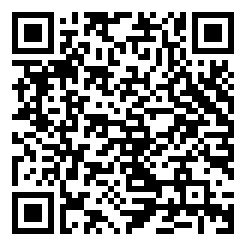
-
StarHaven.3dsx: for the Homebrew Launcher (New 3DS family)
Runs on every 3DS: 60 fps on the New 3DS family; on the original 3DS and 2DS (CIA) about 20-30 fps depending on the area.
Coming from 1.0.0 or 1.0.1? 1.0.2 changed the title ID, so delete the old Star Haven icon after installing (FBI → Titles, or System Settings → Data Management). Saves are kept.
Full instructions: port/3ds/RELEASE_README.md
Join the Star Haven 3DS Discord: https://discord.gg/zHq9tH49Z for help, news and bug reports.