Repository navigation
Releases: SecondaryLifer/StarHaven
Release list
Star Haven v1.0.9

- US ROM: no more crash after the veranda scene. Falling into the forest below Goompa's house crashed on 1.0.8 with a US ROM. Springs and blocks on the US version read the wrong data for their animation; that also explains springs drawn without their top. EU ROMs were not affected.
- Original 3DS and 2DS: save blocks and other blocks have their shadow again. Enemies and NPCs still have none there, to keep the frame rate up.
You need your own Paper Mario ROM (EU or US). Put it on the SD card as /3ds/StarHaven/baserom.z64. Star Haven contains no game data.
-
StarHaven.cia: install with FBI, or scan this with FBI → Remote Install → Scan QR Code: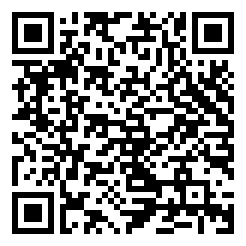
-
StarHaven.3dsx: for the Homebrew Launcher (New 3DS family)
Runs on every 3DS: 60 fps on the New 3DS family, about 30 fps on the original 3DS and 2DS with the CIA.
Coming from 1.0.0 or 1.0.1? 1.0.2 changed the title ID, so delete the old Star Haven icon after installing (FBI → Titles, or System Settings → Data Management). Saves are kept.
Full instructions: port/3ds/RELEASE_README.md
Star Haven v1.0.8
- Original 3DS and 2DS: the CIA starts again. 1.0.6 and 1.0.7 crashed HOME Menu when you launched them there. Star Haven now uses the 80 MB memory mode instead of 96 MB, and needs less memory overall.
- Update notice: when Star Haven starts, it asks GitHub whether a newer version is out and says so on the bottom screen. It downloads and installs nothing. Skip stops it mentioning that version, and Options → Update check turns it off.
You need your own Paper Mario ROM (EU or US). Put it on the SD card as /3ds/StarHaven/baserom.z64. Star Haven contains no game data.
-
StarHaven.cia: install with FBI, or scan this with FBI → Remote Install → Scan QR Code:
-
StarHaven.3dsx: for the Homebrew Launcher (New 3DS family)
Runs on every 3DS: 60 fps on the New 3DS family, about 30 fps on the original 3DS and 2DS with the CIA.
Coming from 1.0.0 or 1.0.1? 1.0.2 changed the title ID, so delete the old Star Haven icon after installing (FBI → Titles, or System Settings → Data Management). Saves are kept.
Full instructions: port/3ds/RELEASE_README.md
Star Haven v1.0.7
- Battle move icons fixed: the icons next to partner moves (Tattle's blue orb, Charge, Multibonk and the others) showed as garbage. They were read from the wrong place in your ROM.
- Key items fixed: the first time you opened the Items tab, key items showed as gift boxes without names until you switched to Items and back.
- Choice boxes are white again: the Save / Don't save box and every other choice box were cream.
You need your own Paper Mario ROM (EU or US). Put it on the SD card as /3ds/StarHaven/baserom.z64. Star Haven contains no game data.
-
StarHaven.cia: install with FBI, or scan this with FBI → Remote Install → Scan QR Code:
-
StarHaven.3dsx: for the Homebrew Launcher (New 3DS family)
Runs on every 3DS: 60 fps on the New 3DS family, about 30 fps on the original 3DS and 2DS with the CIA.
Coming from 1.0.0 or 1.0.1? 1.0.2 changed the title ID, so delete the old Star Haven icon after installing (FBI → Titles, or System Settings → Data Management). Saves are kept.
Full instructions: port/3ds/RELEASE_README.md
Star Haven v1.0.6
- Original 3DS and 2DS: about 30 fps (was about 15), and the game runs at full speed even when a frame comes late. To get there, a few extras are off on those consoles: no reverb on music and sounds, no 3D, and shadows only under Mario and your partner.
- Faster on every 3DS: the renderer and the sound mixer do much less work per frame.
- Circle Pad drift fixed: a Circle Pad that rests slightly off-center no longer walks Mario slowly.
- 3D: battles stay at a steady 30 fps with the 3D slider up instead of switching between 30 and 60.
You need your own Paper Mario ROM (EU or US). Put it on the SD card as /3ds/StarHaven/baserom.z64. Star Haven contains no game data.
-
StarHaven.cia: install with FBI, or scan this with FBI → Remote Install → Scan QR Code:
-
StarHaven.3dsx: for the Homebrew Launcher (New 3DS family)
Runs on every 3DS: 60 fps on the New 3DS family, about 30 fps on the original 3DS and 2DS with the CIA.
Coming from 1.0.0 or 1.0.1? 1.0.2 changed the title ID, so delete the old Star Haven icon after installing (FBI → Titles, or System Settings → Data Management). Saves are kept.
Full instructions: port/3ds/RELEASE_README.md
Star Haven v1.0.5
- 3D depth setting: Options → 3D depth, from Low to Deepest.
- 60 fps with the 3D slider up: with Frame rate on 60, the 3D view now runs at 60 fps wherever there is time to draw both eyes twice, and drops to 30 only in heavy places (before, 3D was always 30).
- Battles load faster: starting a battle and going back to the field no longer get slower the longer you play. On the New 3DS the map you left is also still in memory when the battle ends.
You need your own Paper Mario ROM (EU or US). Put it on the SD card as /3ds/StarHaven/baserom.z64. Star Haven contains no game data.
-
StarHaven.cia: install with FBI, or scan this with FBI → Remote Install → Scan QR Code:
-
StarHaven.3dsx: for the Homebrew Launcher (New 3DS family)
Runs on every 3DS: full speed on the New 3DS family, slowly (about 15 fps) on the original 3DS and 2DS with the CIA.
Coming from 1.0.0 or 1.0.1? 1.0.2 changed the title ID, so delete the old Star Haven icon after installing (FBI → Titles, or System Settings → Data Management). Saves are kept.
Full instructions: port/3ds/RELEASE_README.md
Star Haven v1.0.4
- Shops work again: buying, selling and the item storage froze right after the yes/no box, in every shop (#6).
- Flashing colors fixed: Bob-ombs about to explode flash red again instead of green/purple, and status colors, hit flashes and Watt's glow look right too (#7).
You need your own Paper Mario ROM (EU or US). Put it on the SD card as /3ds/StarHaven/baserom.z64. Star Haven contains no game data.
-
StarHaven.cia: install with FBI, or scan this with FBI → Remote Install → Scan QR Code:
-
StarHaven.3dsx: for the Homebrew Launcher (New 3DS family)
Runs on every 3DS: full speed on the New 3DS family, slowly (about 15 fps) on the original 3DS and 2DS with the CIA.
Coming from 1.0.0 or 1.0.1? 1.0.2 changed the title ID, so delete the old Star Haven icon after installing (FBI → Titles, or System Settings → Data Management). Saves are kept.
Full instructions: port/3ds/RELEASE_README.md
Star Haven v1.0.3
- Runs on the original 3DS and 2DS now (thanks to the tip about the 96 MB memory mode). It's slow there, about 15 fps, because the older CPU can't keep up, but the whole game works. Use the CIA: the
.3dsxdoesn't get enough memory on an Old 3DS. 60 fps mode starts switched off there. - Nothing changes on the New 3DS family.
You need your own Paper Mario ROM (EU or US). Put it on the SD card as /3ds/StarHaven/baserom.z64. Star Haven contains no game data.
-
StarHaven.cia: install with FBI, or scan this with FBI → Remote Install → Scan QR Code:
-
StarHaven.3dsx: for the Homebrew Launcher (New 3DS family)
Coming from 1.0.0 or 1.0.1? 1.0.2 changed the title ID, so delete the old Star Haven icon after installing (FBI → Titles, or System Settings → Data Management). Saves are kept.
Full instructions: port/3ds/RELEASE_README.md
Star Haven v1.0.2
- New title ID. The old one (
0xF3D50) was also used by other homebrew (Morrowind 3DS among them), so installing one removed the other. Star Haven now installs as00040000092B9900. After updating you'll see two Star Haven icons: delete the old one in FBI (Titles) or System Settings → Data Management. Your saves are on the SD card and are kept. - The big PAPER MARIO logo after the prologue's Star Rod scene shows again (it was a white box).
- Sushie's Tidal Wave ripples the screen like on the N64 instead of only tinting it blue.
You need your own Paper Mario ROM (EU or US). Put it on the SD card as /3ds/StarHaven/baserom.z64. Star Haven contains no game data.
-
StarHaven.cia: install with FBI (New 3DS family only), or scan this with FBI → Remote Install → Scan QR Code:
-
StarHaven.3dsx: for the Homebrew Launcher
Full instructions: port/3ds/RELEASE_README.md
Star Haven v1.0.1
Bug fix: the game no longer crashes with the 3D slider up. In busy scenes (for example the Star Spirits after Mario's fall) v1.0.0 could stop with "An exception occurred … prefetch abort (svcBreak)", and a save made there crashed again when loaded. Saves from v1.0.0 load fine with this version.
You need your own Paper Mario ROM (EU or US). Put it on the SD card as /3ds/StarHaven/baserom.z64. Star Haven contains no game data.
-
StarHaven.cia: install with FBI over the old version (New 3DS family only), or scan this with FBI → Remote Install → Scan QR Code:
-
StarHaven.3dsx: for the Homebrew Launcher
Full instructions: port/3ds/RELEASE_README.md
Star Haven v1.0.0
First release.
You need your own Paper Mario ROM (EU or US). Put it on the SD card as /3ds/StarHaven/baserom.z64. Star Haven contains no game data.
-
StarHaven.cia: install with FBI (New 3DS family only), or scan this with FBI → Remote Install → Scan QR Code:
-
StarHaven.3dsx: for the Homebrew Launcher
Features: EU and US in one package, 60 fps, fast-forward, faster text, touch bottom screen (stats, map, party, items, battle menus), Original/Fill/Wide screen, remappable buttons, and a randomizer you pick when starting a new file.
Full instructions: port/3ds/RELEASE_README.md