Repository navigation
Star Haven v1.2.9

- Turbo A: hold ZL and A is pressed for you, about 15 times a second: running away, mashing action commands, without wearing out your thumb. Put it on any button under Options → Controls. (If you changed your controls before, your ZL keeps what you set; pick Turbo A there.)
- Options → Heart & flower drops: turn the hearts and flowers enemies drop off for a harder game (#39). The Heart Finder and Flower Finder badges still work.
- Super Block upgrades, Watt's glow and some splashes showed black squares (#40, #49). Those effects copy the picture on screen, which lives on the 3DS's GPU; they now get it.
- Characters standing close together no longer flicker at 60 fps (the Clubbas in Tubba's castle, General Guy's machine, #47, #48).
- Loading a quick save puts Mario back exactly where you saved (#37). A map entered swimming on Sushie used to load you on top of the water.
- Found tab: items that grow back (Oasis lemons and limes, the Goomnut tree, Koopa Leaf bushes, Shiver City's iced potato) no longer count, so 100% is reachable (#41). Items in crates and the Super Blocks now count (#43, #44).
- The battle target picture follows the target, also when a move targets Mario or the partner and when a Paratroopa was knocked down (#42).
- Original 3DS: a looping sound could keep playing after it should have stopped (#38, #46).
- The /3ds/StarHaven folder is created on the first start, so you know where the ROM goes (#50).
You need your own Paper Mario ROM (EU or US). Put it on the SD card in /3ds/StarHaven/ (any file name; .z64, .n64 and .v64 all work). Star Haven contains no game data.
-
StarHaven.cia: install with FBI, or scan this with FBI → Remote Install → Scan QR Code: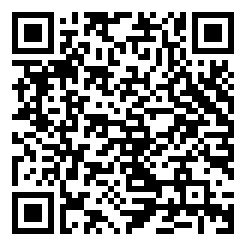
-
StarHaven.3dsx: for the Homebrew Launcher (New 3DS family)
Runs on every 3DS: 60 fps on the New 3DS family; on the original 3DS and 2DS (CIA) about 20-30 fps depending on the area.
Coming from 1.0.0 or 1.0.1? 1.0.2 changed the title ID, so delete the old Star Haven icon after installing (FBI → Titles, or System Settings → Data Management). Saves are kept.
Full instructions: port/3ds/RELEASE_README.md
Join the Star Haven 3DS Discord: https://discord.gg/zHq9tH49Z for help, news and bug reports.