Repository navigation
Engram 憶跡 1.4.0

 正體中文 |
 English |
對話回顧:拿對話紀錄驗證記憶。 記憶寫錯了,或專案改了做法卻沒更新,Claude 還是會一直讀到、一直相信。依 Anthropic〈Components of agent memory〉的研究,這一版讓 Claude 回頭拿原始對話當證據,逐筆檢查記憶;同時讓每次對話都會載入的內容更精簡、更可信。
Conversation review: check memories against your conversations. When a memory is wrong, or a project changed how it does something and nobody updated the memory, Claude keeps reading it and believing it. Based on Anthropic's research in "Components of agent memory", this release has Claude go back to the original conversations as evidence and check memories one by one, and it keeps what loads in every conversation smaller and more trustworthy.
更新/Upgrade:在 Engram 資料夾 git pull(或下載新的 ZIP 覆蓋舊資料夾),然後執行 engram update,已開著的 Claude Code 對話執行 /reload-plugins。每台電腦都要更新;讀取次數要等所有電腦都更新到 1.4.0 才會用來排序索引。
Run git pull in your Engram folder (or download a new ZIP over the old folder), run engram update, then /reload-plugins in any open Claude Code conversation. Update every computer; read counts are used to order the index only once every computer runs 1.4.0.
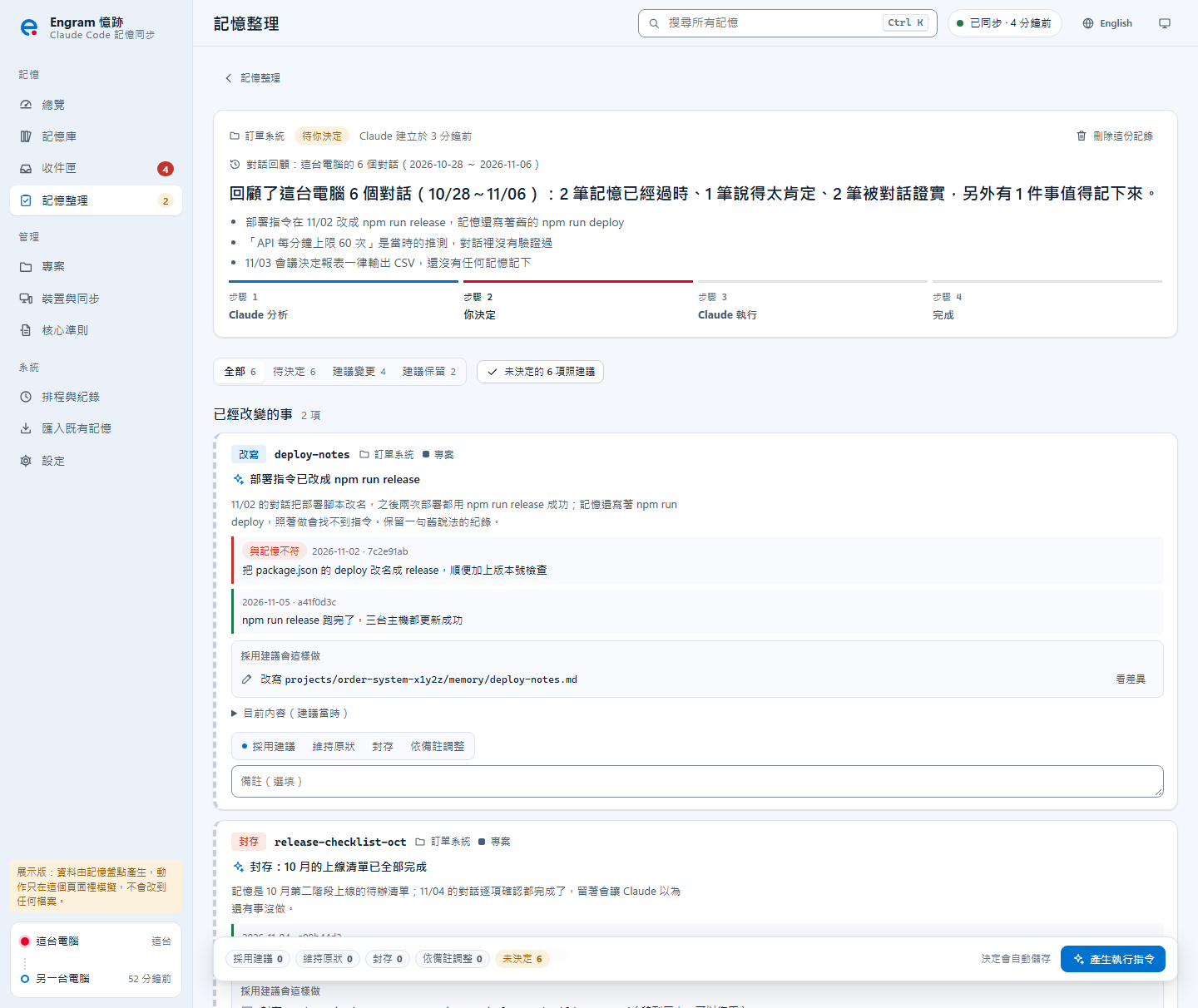
對話回顧
| 在哪裡 | 做什麼 | |
|---|---|---|
| 1 | Claude Code,或管理介面「記憶整理」 | 輸入 /engram:dream(或在記憶整理頁選專案、選「對照對話紀錄」,複製指令) |
| 2 | Claude Code | Engram 把這台電腦上這個專案還沒回顧的對話轉成精簡的文字(疑似金鑰先遮蔽);每一份交給一個只有讀取工具的子代理,拿對話當證據檢查每一筆記憶:被證實、已經改變或過時、說得太肯定、互相矛盾,以及值得新增的事 |
| 3 | 管理介面 | 和記憶整理相同,逐項決定;每一項附對話原文引句與日期,引句找不到原文的會標出來 |
| 4 | Claude Code | 貼上 /engram:tidy-apply … 執行,每一項都能復原 |
- 新的整理動作「確認仍正確」:只記下驗證日期,內容不變(只用在容易過時或超過 30 天沒確認的記憶)。
- 對話紀錄不會同步,也不會上傳到 GitHub;轉出來的文字在整理記錄建立後就刪除。回顧過的對話不再分析,之後又接著聊的只分析新增的部分。
- Claude Code 預設只保留 30 天的對話,未回顧的對話快被清除時,收件匣會提醒你回顧。
每次都會載入的記憶
- 待你確認:Claude 自己寫入全域記憶、單機記憶或核心準則時,收件匣請你看差異,確認、編輯或退回。你在管理介面改的、記憶整理頁採用建議的、
/engram:save同意寫入的都算確認過。 - 讀取統計:從對話紀錄算出每筆記憶近 90 天被打開幾次,兩台電腦合計;很少用到或只在一個專案用到的全域記憶會提醒你。索引放不下時,先列釘選的、最近新增或修改的,再列常用的。
- 連結斷了:
[[名稱]]指向已經合併或封存的記憶時,一鍵改連到合併後的記憶。 - 核心準則建議更新:記憶寫入協定加入「記憶的用途」與「註明怎麼確認的」,由你在核心準則頁決定要不要加入;載入預算新增大小。
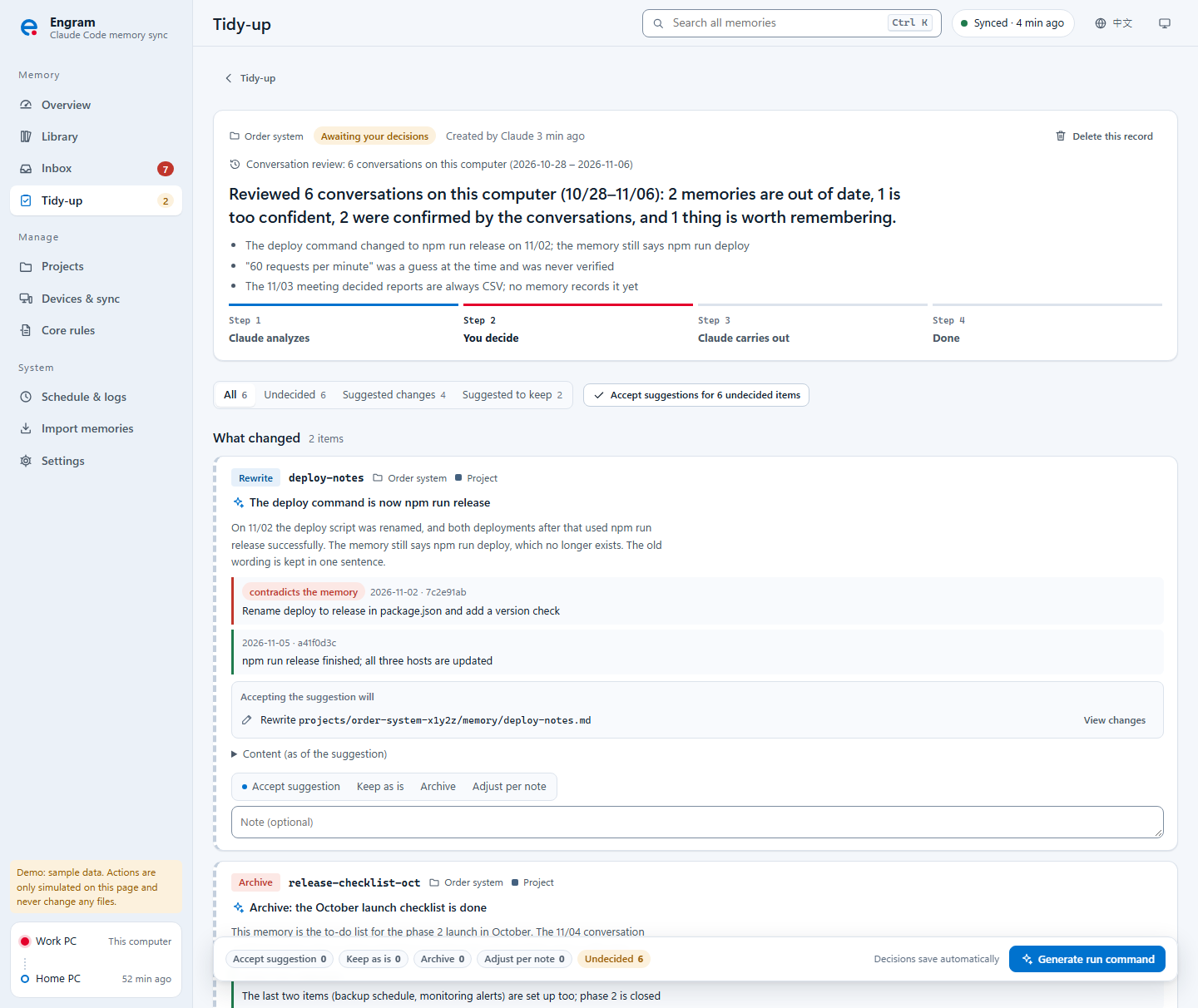
English summary
| Where | What happens | |
|---|---|---|
| 1 | Claude Code, or Tidy-up in the dashboard | Type /engram:dream (or pick a project on the Tidy-up page, choose Check against conversations, and copy the command) |
| 2 | Claude Code | Engram turns this project's not-yet-reviewed conversations on this computer into compact text (possible secrets masked first). Each piece goes to a subagent with read-only tools that uses it as evidence to check every memory: confirmed, changed or out of date, too confident, contradictory, and worth adding |
| 3 | The dashboard | Decide on each item, just as in a tidy-up. Each item quotes the conversation with its date, and quotes that can't be found in the conversation are flagged |
| 4 | Claude Code | Paste /engram:tidy-apply … to carry it out; every item can be undone |
- New action Still correct: records only the date it was checked, without changing the content (used only for memories that go out of date easily or haven't been checked for over 30 days).
- Conversations aren't synced or uploaded to GitHub, and the exported text is deleted as soon as the tidy-up record is created. Reviewed conversations aren't analyzed again; for one you resume later, only the new part is analyzed.
- Claude Code keeps conversations for only 30 days by default, so the inbox reminds you when unreviewed conversations are about to be deleted.
- Waiting for your review: when Claude writes global memories, machine memories, or core rules on its own, the inbox asks you to look at the changes and confirm, edit, or go back. Edits in the dashboard, items you accepted as suggested in Tidy-up, and
/engram:savewrites you agreed to count as reviewed. - Read statistics: how often each memory was opened in the last 90 days, added up across your computers; rarely used global memories, or ones used in only one project, are flagged. When the index runs out of room, pinned and recently changed memories come first, then the most-used ones.
- Broken links: one-click relink when a
[[name]]points to a memory that was merged or archived. - Suggested core-rule updates: the memory-writing protocol now says what memory is for and asks to note how a rule was confirmed; you decide on the Core rules page whether to add them. The load budget now shows size too.
See Conversation review in the user guide and the changelog.