Repository navigation
0.5.0: I just checked in, to see what state your state was in.


New in 0.5.0
-
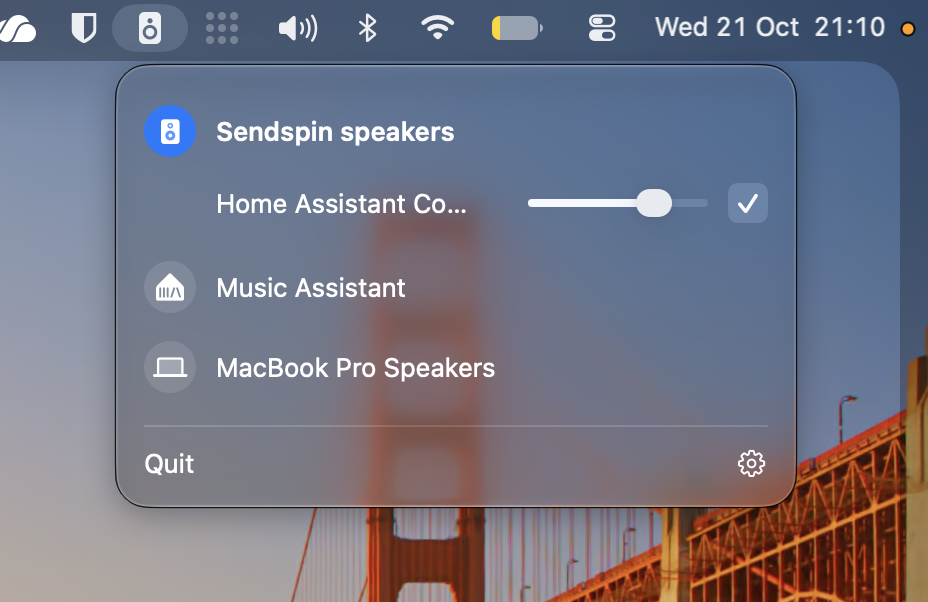
Playing shows on the menu bar icon. The speaker icon fills while your Mac's sound is playing, on your speakers or through Music Assistant. The menu itself only speaks up when something needs you: a speaker that's gone, or a step left to set up.
-
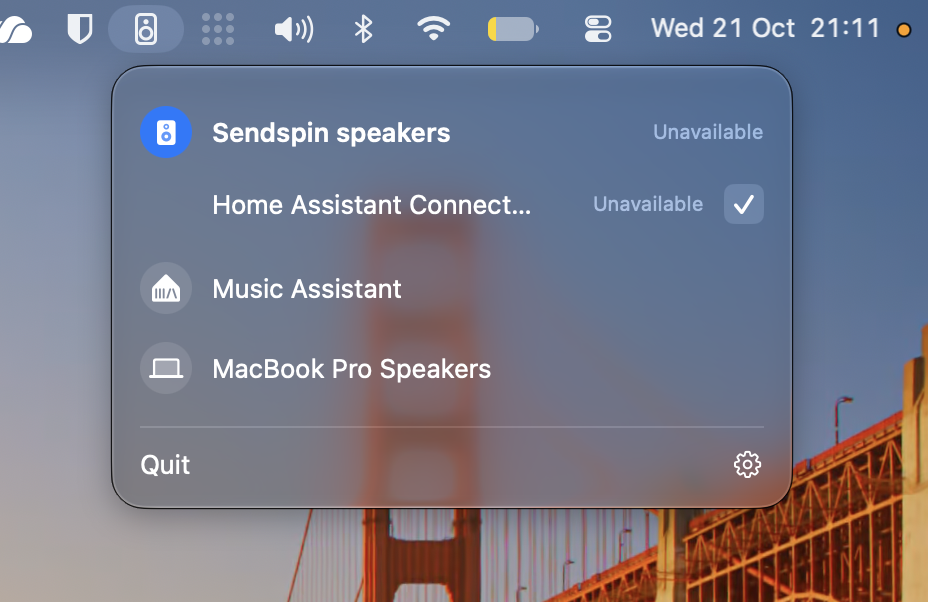
Speakers that drop off the network. A ticked speaker that loses power or Wi-Fi shows Unavailable within seconds, and plays again by itself when it's back, also after it was switched off properly. A speaker you didn't tick just leaves the list.
-
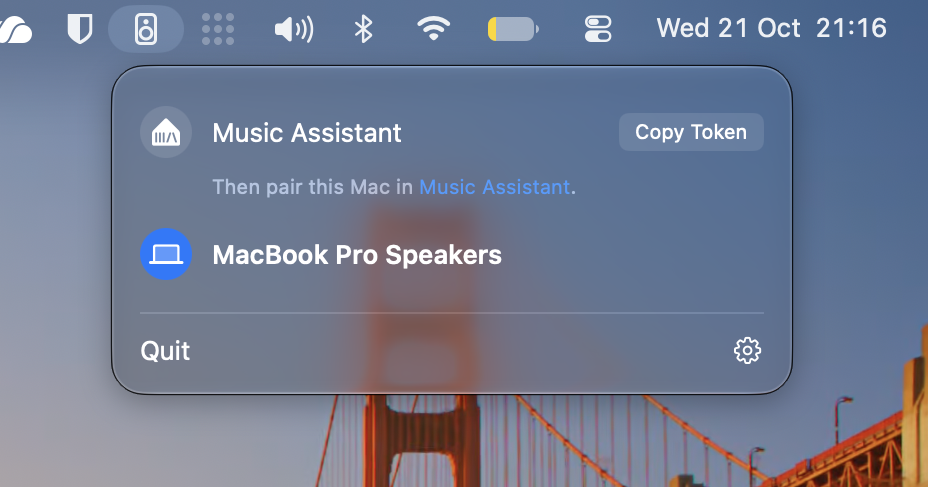
Easier pairing with Music Assistant. Its own logo, one line to follow, and a link straight to the page in Music Assistant where you paste the token. Clicking Copy Token again copies it again, with a little bounce to show it did. Once paired, the link under it takes you to where you select your Mac as an input source.
-
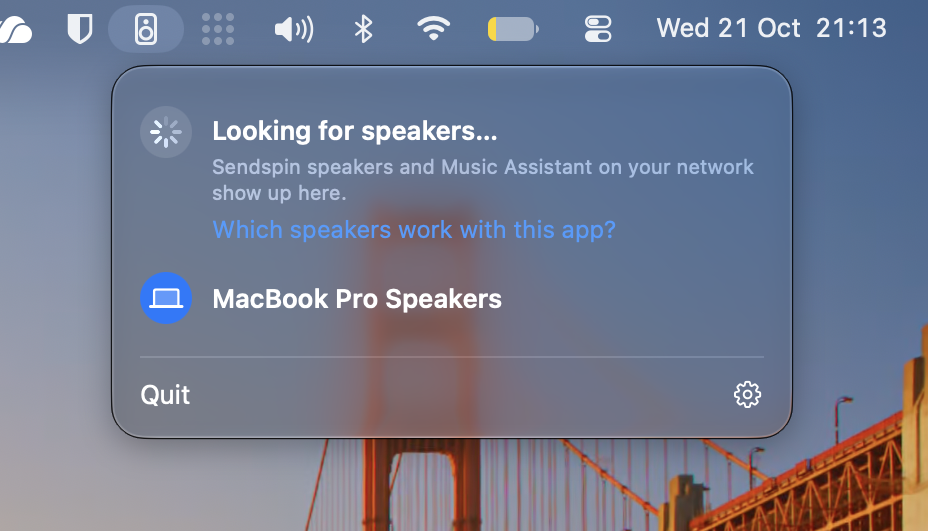
A friendlier first start. Until a speaker or Music Assistant is found, the menu says what it's looking for, with a link to which speakers work with the app. Sendspin speakers appears once there's a speaker, listing what it found; with only one, choosing Sendspin speakers ticks it for you. The welcome window no longer waits for a speaker to be found.
-
Speakers keep their full name while they're unticked or away.
-
Hovering a playing speaker's name shows the format it receives, without the row jumping.
-
Upgrading: drag the new app to Applications (replace the old one) and open it. The audio driver hasn't changed, so no password is needed.
Full Changelog: v0.4.2...v0.5.0