Repository navigation
0.8.0: Come together, right now


New in 0.8.0
-
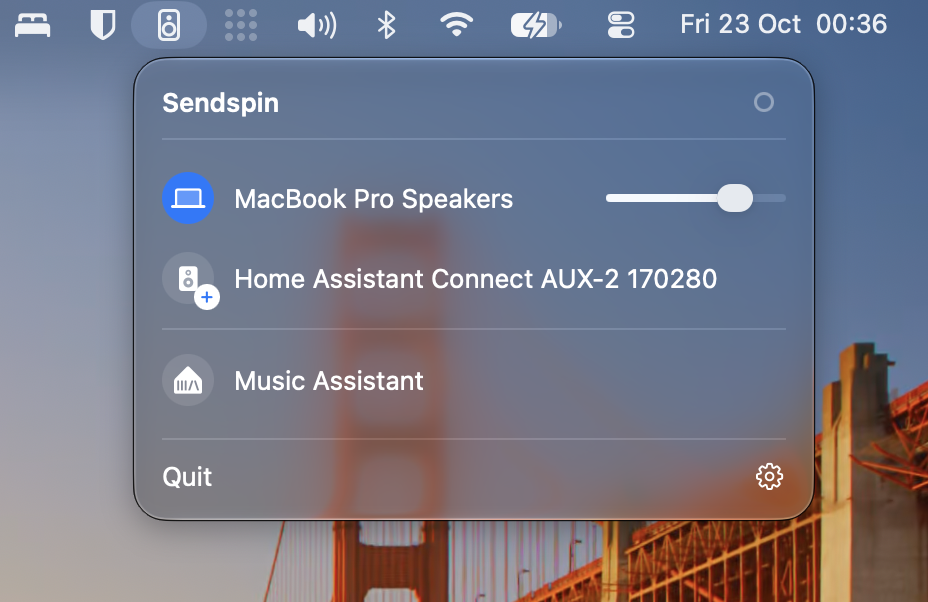
Your Mac plays along. Your MacBook's speakers, or the AirPods or headphones you use, now play together with your Sendspin speakers, in sync.
-
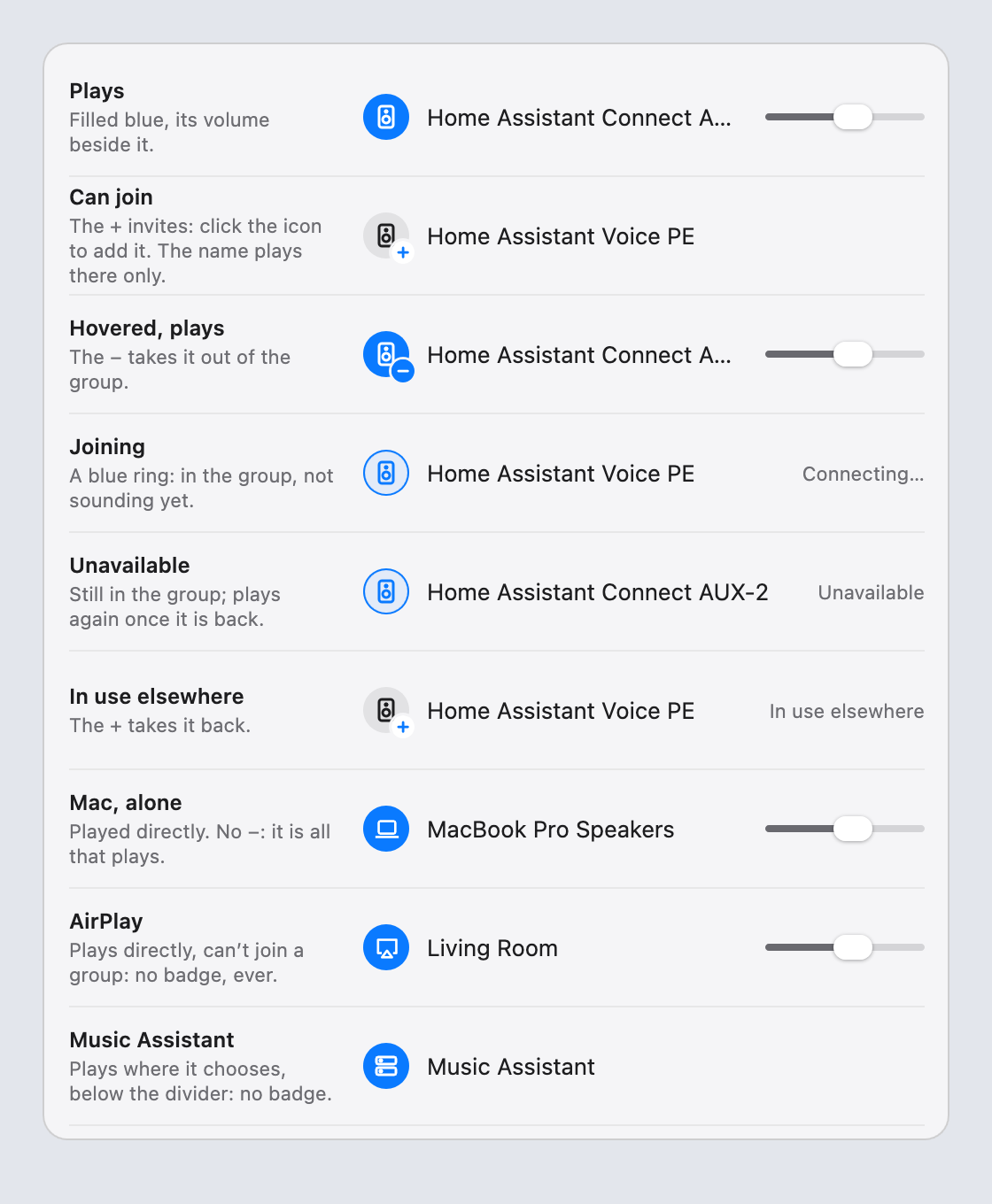
Choose by the icons. Every speaker shows its icon. Click its + to add it to what's playing; point at one that plays and click − to take it out; click a name to play only there. Music Assistant sits below a divider: it plays wherever it chooses, so speakers don't join it.
-
No delay on your Mac alone. With only your Mac's own speakers, it plays them directly, without Sendspin's delay. The dot next to Sendspin shows when Sendspin is in use.
-
Headphones take over. Plug in headphones and they play instead of the Mac's speakers, as macOS does.
-
AirPlay plays directly. It can't join your Sendspin speakers: macOS only keeps an AirPlay speaker while it's the Mac's output.
-
Upgrading: drag the new app to Applications (replace the old one) and open it. The audio driver hasn't changed, so no password is needed.
Full Changelog: v0.7.1...v0.8.0