Repository navigation
0.9.0: Every little thing she does is magic


Pre-release. This version changes how you choose speakers, and it's still being tested with more of them. Feedback is welcome.
New in 0.9.0
-
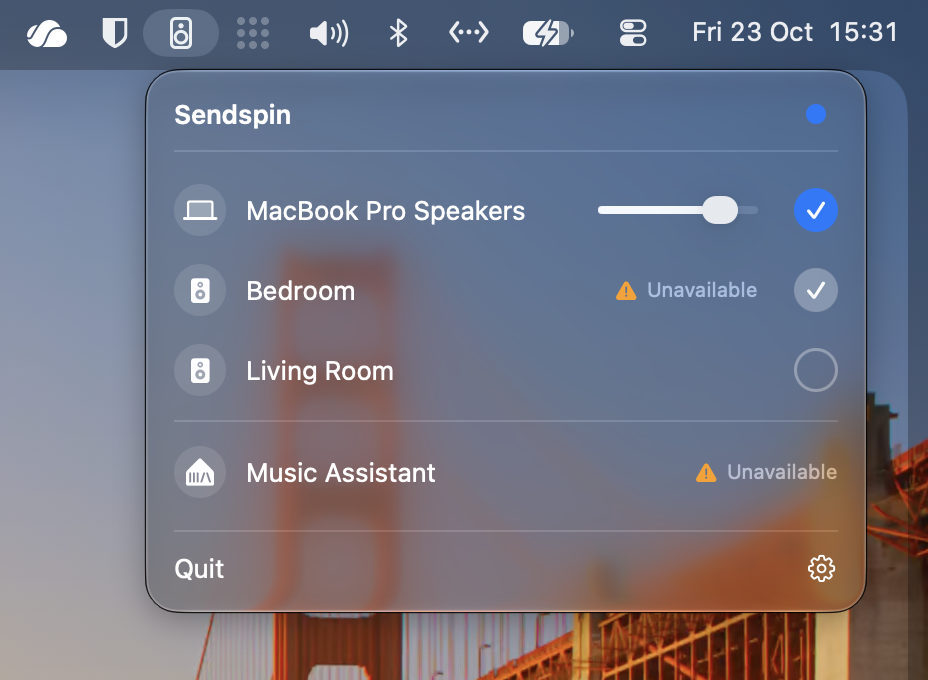
Group like AirPlay. Each speaker has a round check on the right, as in Apple's AirPlay picker: check it to add it to what's playing, uncheck it to take it out. Clicking a name still plays only there. Your Mac's own speakers always step in when nothing else is left.
-
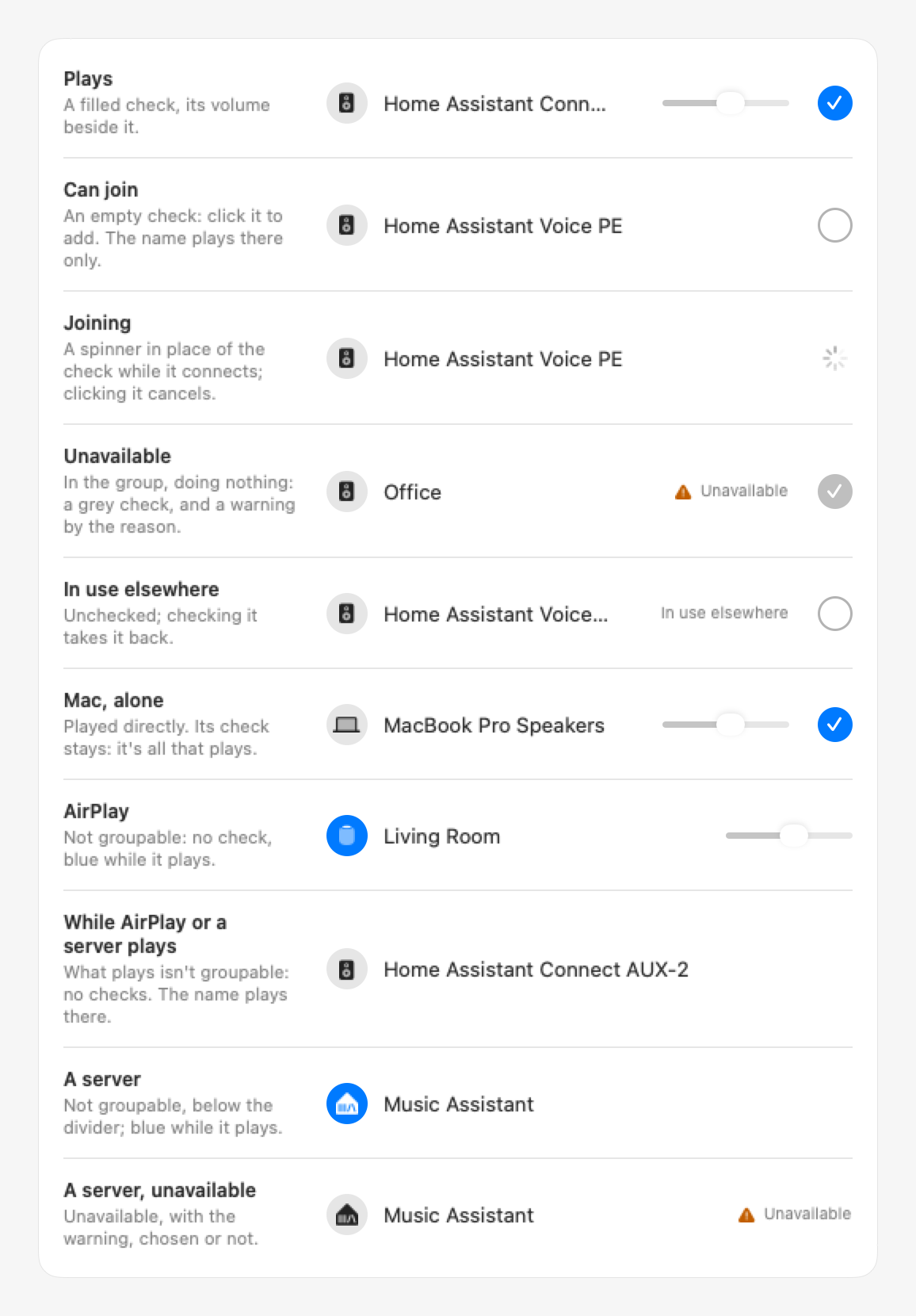
See what's going on. A spinner while a speaker connects. A grey check, with a warning by its status, when a speaker you added is unavailable: it plays again by itself once it's back. Music Assistant shows the same warning when it can't be reached.
-
Only what can be grouped gets a check. Your Sendspin speakers and your Mac's own speakers or headphones play together. An AirPlay speaker and Music Assistant can't: choosing one ends the group, and while one plays, click a name to play there instead.
-
A slightly wider menu, so speaker names fit next to their volume slider.
-
Upgrading: drag the new app to Applications (replace the old one) and open it. The audio driver hasn't changed, so no password is needed.
Full Changelog: v0.8.0...v0.9.0