Repository navigation
Feature Tour
A walkthrough of the web workspace, panel by panel. Every screenshot comes from a real run on the synthetic quotation example.
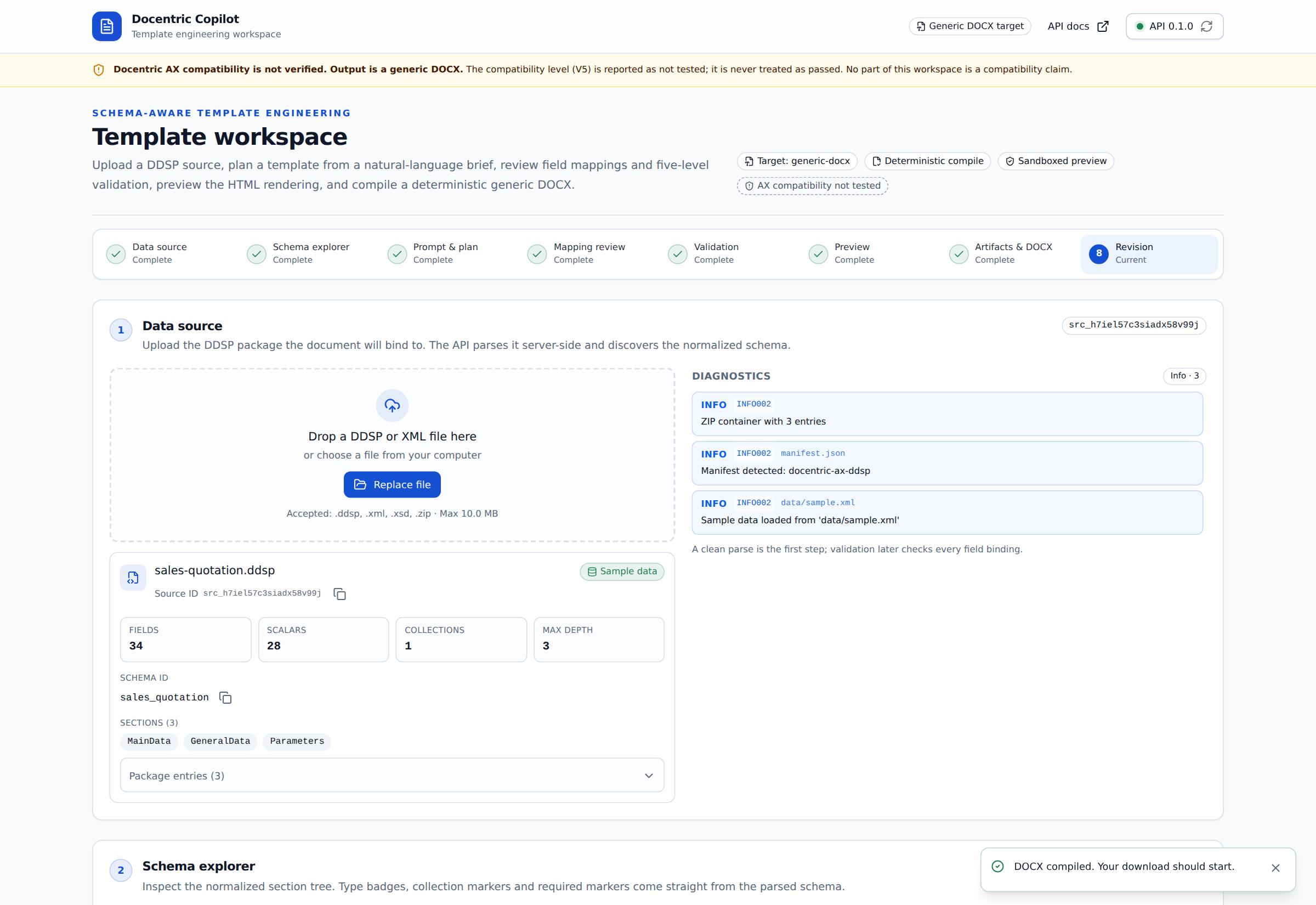
The workspace follows the natural order of the work: source → schema → brief → mapping → validation → preview → download → revision. The stepper at the top turns green as each stage completes.
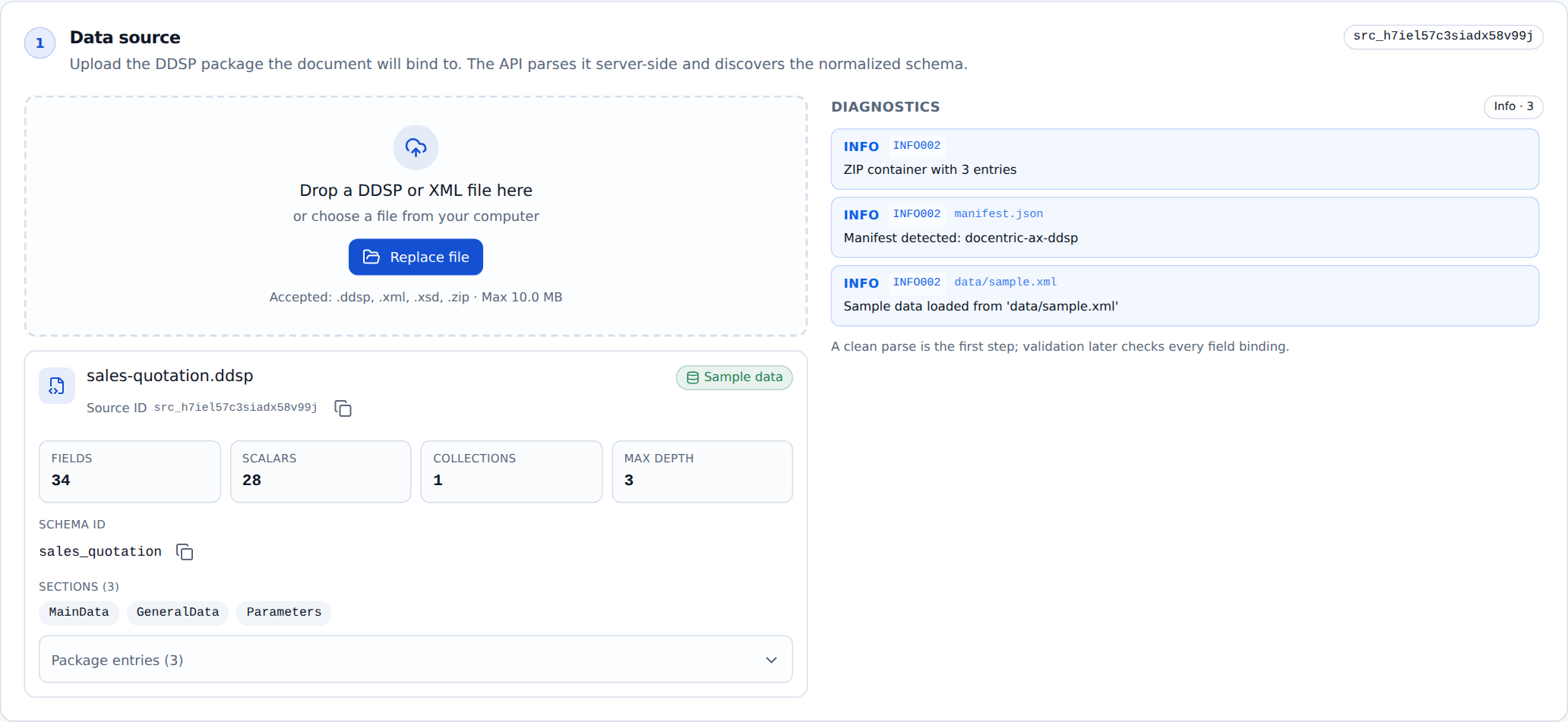
Upload a DDSP package (or a plain XML/XSD file). The API parses it server-side and returns:
- schema id, sections and field counts (34 fields · 28 scalars · 1 collection · depth 3 for the example);
- a diagnostics feed with severity, stable codes and the exact location inside the package;
- a flag telling you whether sample data is available for preview.
A clean parse is the first line of defence: if the file is corrupt, hostile or unsupported, the panel says so before any model is involved.
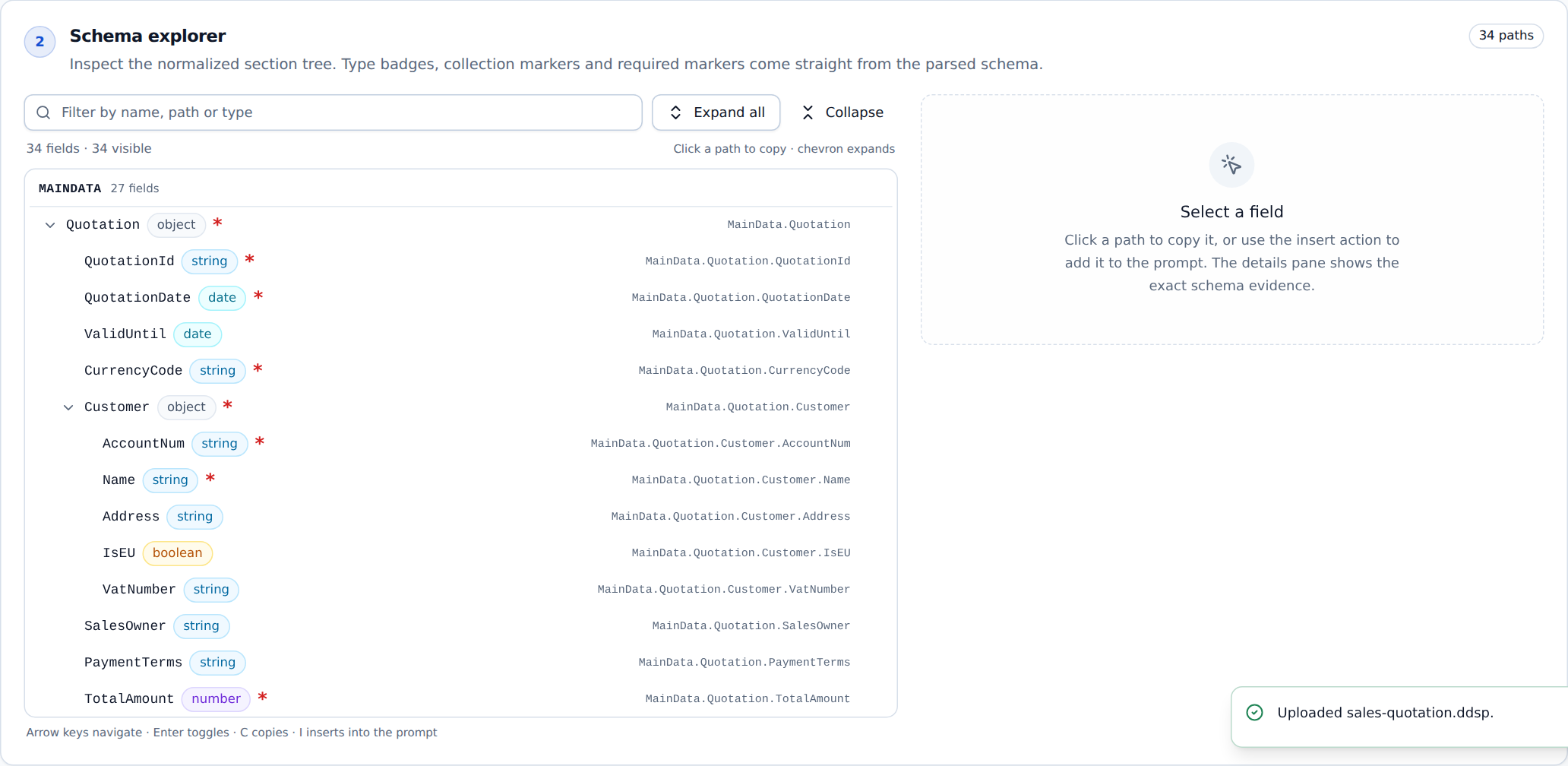
The normalized schema is the source of truth for every binding.
| Capability | Detail |
|---|---|
| Type badges |
string, number, boolean, date, image, collection, object
|
| Markers |
required, collection ([]), inherited depth |
| Search | filter by path or type |
| Keyboard |
↑/↓ move, → expand, ← collapse, Enter select, C copy path, I insert into brief |
| Evidence | selecting a field shows its full path, type and where it came from |
Paths inserted from the explorer are appended to the brief, so a non-technical author can point at a field without knowing the schema syntax.
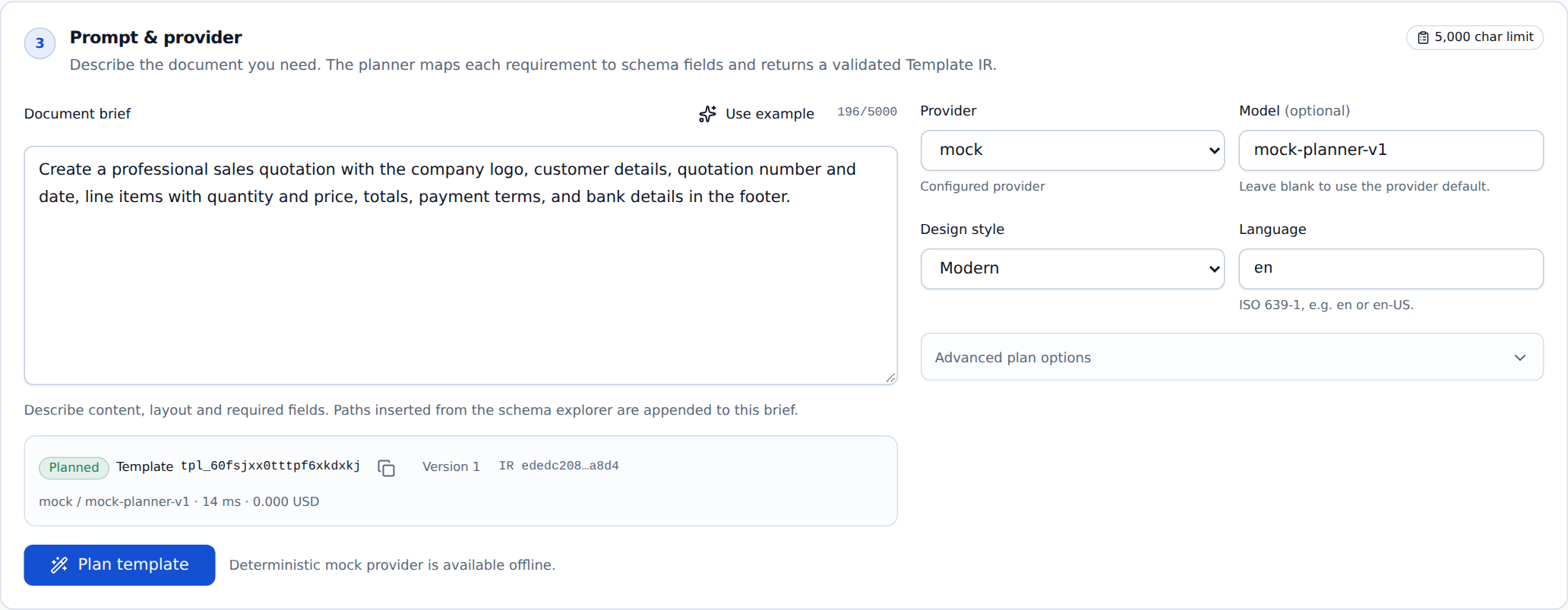
Write the requirement the way you would explain it to a colleague. Choose a provider and, optionally, a model. Design style and language affect the generated layout and document metadata.
The panel also exposes advanced plan options: strict validation (reject a plan that fails V1–V3), a cost cap in USD, and the number of automatic repair attempts.
mock is always available and produces deterministic output offline — ideal for demos, tests and CI.
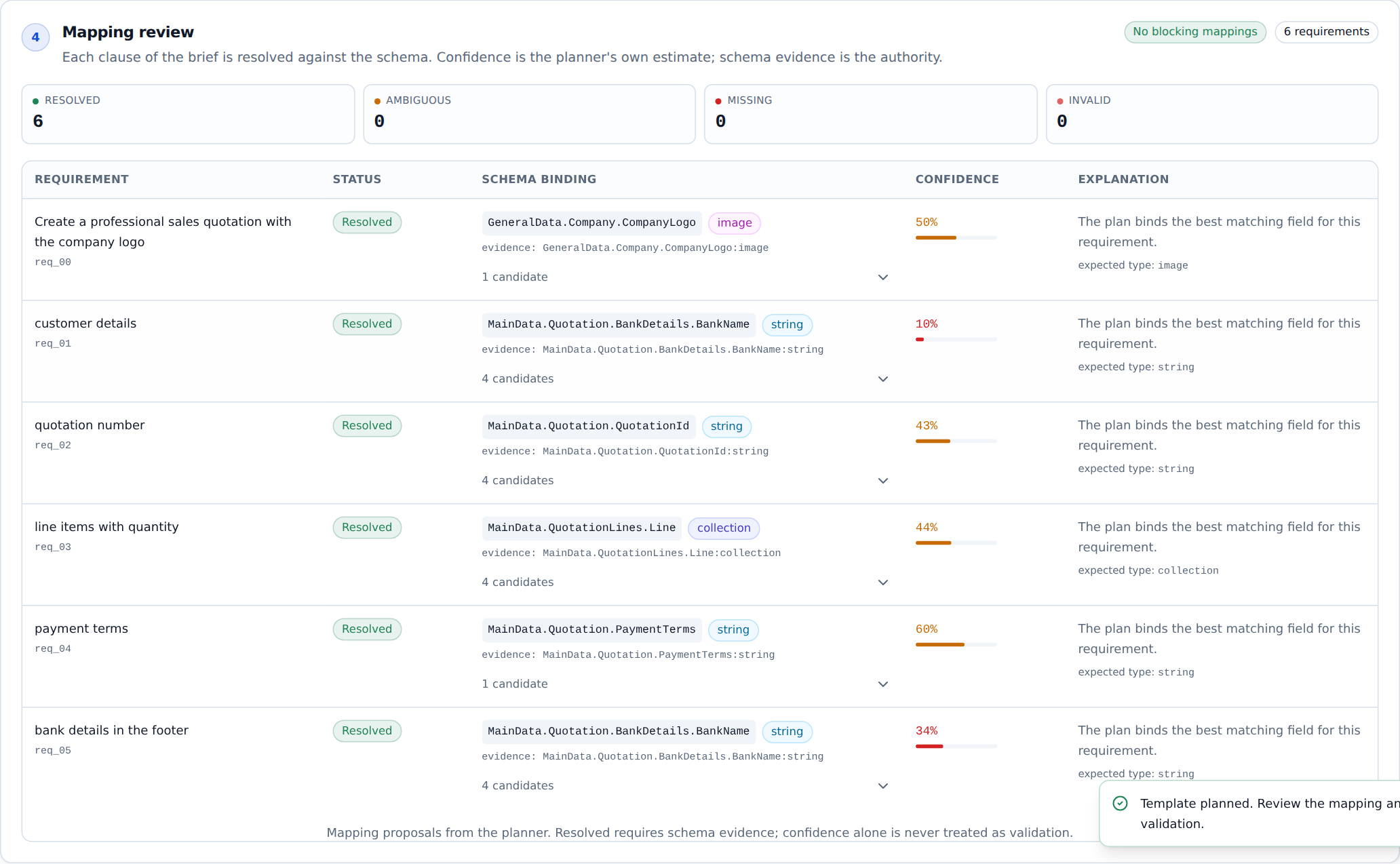
Every clause of the brief becomes a row:
| Column | Meaning |
|---|---|
| Requirement | The clause extracted from your brief |
| Status |
resolved · ambiguous · missing · invalid
|
| Schema evidence | The field actually bound, with its type |
| Candidates | Alternatives the engine considered |
| Confidence | The planner's own estimate — never treated as proof |
| Explanation | Why this decision was made |
This is the heart of the product: a reviewer can see exactly what the AI decided, and why, before any document exists.
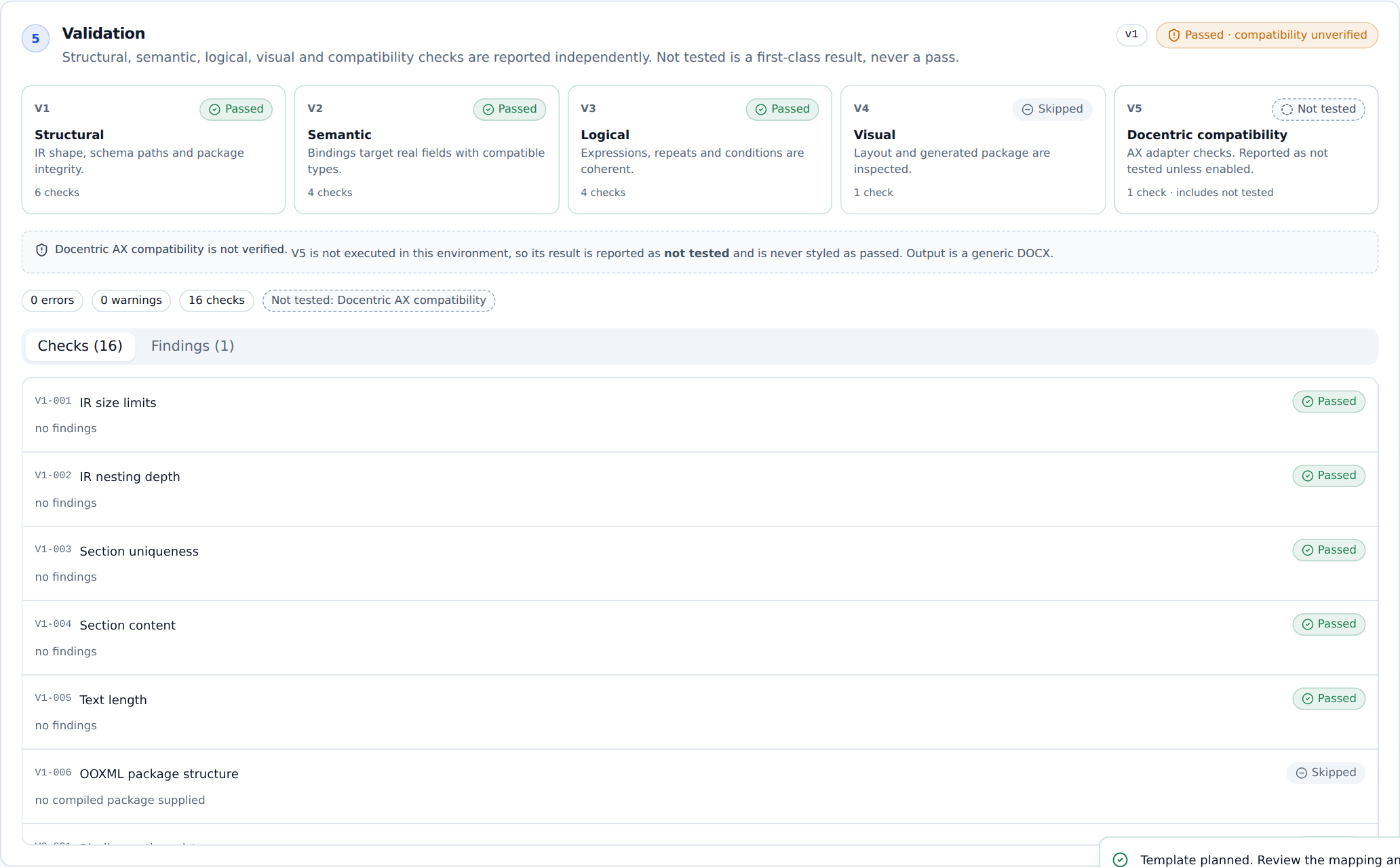
Five levels, reported independently:
| Level | Checks | Typical result |
|---|---|---|
| V1 Structural | IR shape, limits, section uniqueness, OOXML package | passed |
| V2 Semantic | every binding exists and has a compatible type | passed |
| V3 Logical | repeats iterate collections, conditions are type-correct | passed |
| V4 Visual | layout fits the page (requires sample data) |
passed / skipped
|
| V5 Compatibility | execution inside a licensed Docentric AX environment | not_tested |
not_tested is rendered with a dashed neutral badge, never green. Details: Validation Model.
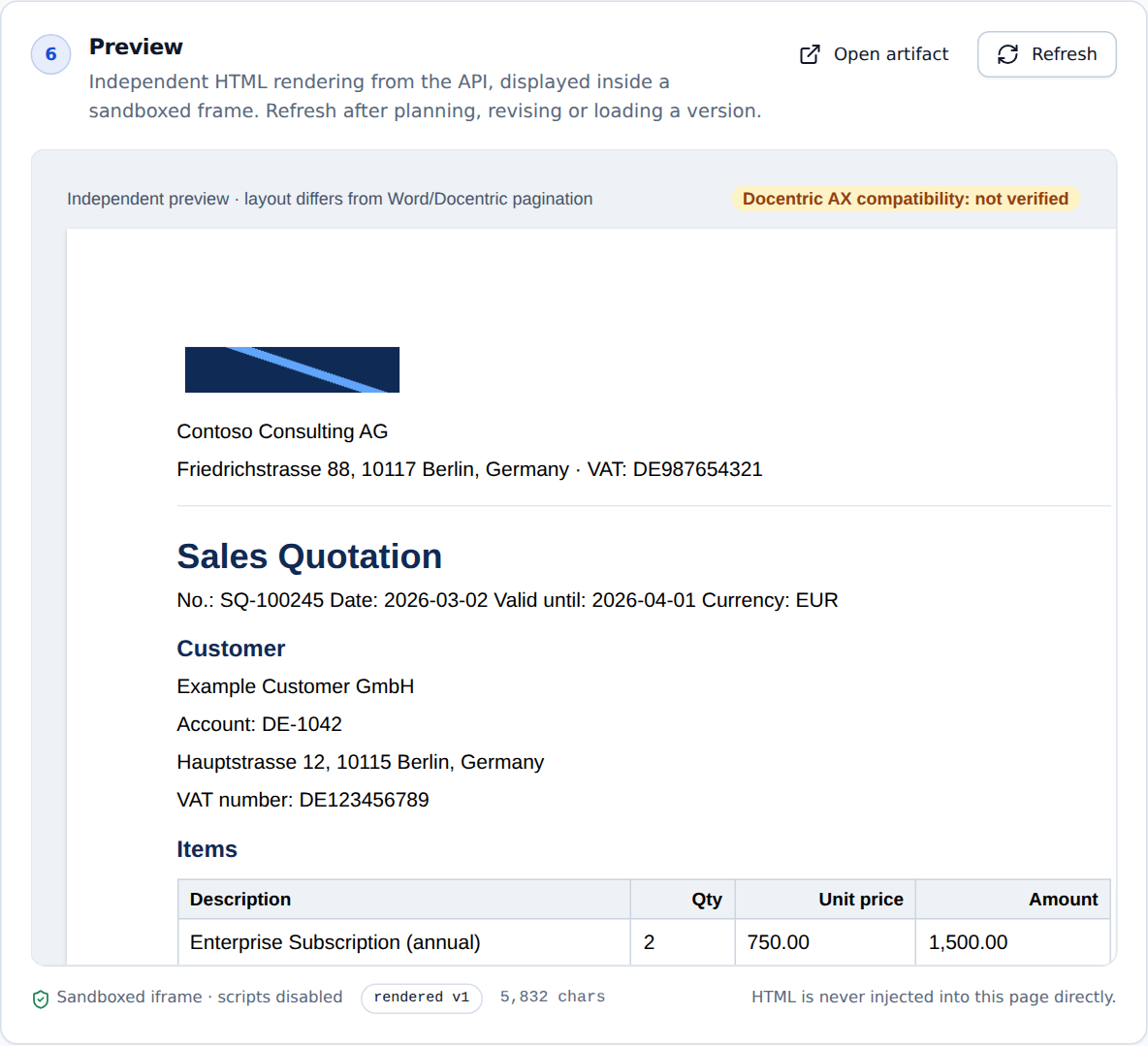
A sandboxed HTML rendering of the plan with the source's sample data: logo, header, customer block, item table, totals, conditional notice and footer.
The preview is explicitly not a Word or Docentric layout simulation — pagination and font substitution will differ. It exists to review content and bindings, quickly.
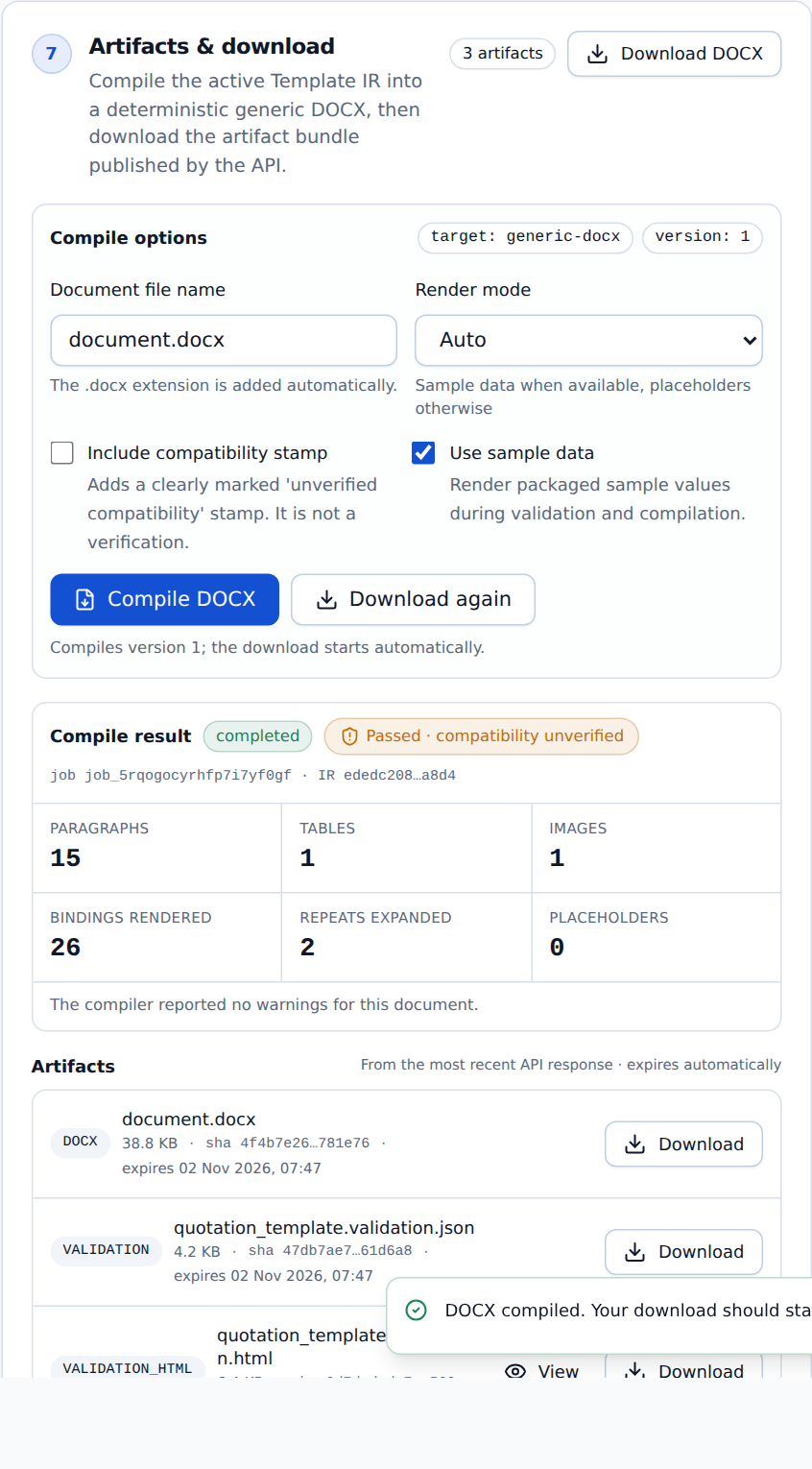
One click compiles the generic DOCX and publishes the artifact bundle:
-
document.docx— the compiled document; -
*.ir.json— the canonical Template IR that produced it; -
*.mapping.json— the requirement-to-field report; -
*.validation.json/*.validation.html— machine and human readable validation; -
*.preview.html— the rendered preview.
Artifacts expire after a configurable TTL (one hour by default) and are served with a SHA-256 digest header.
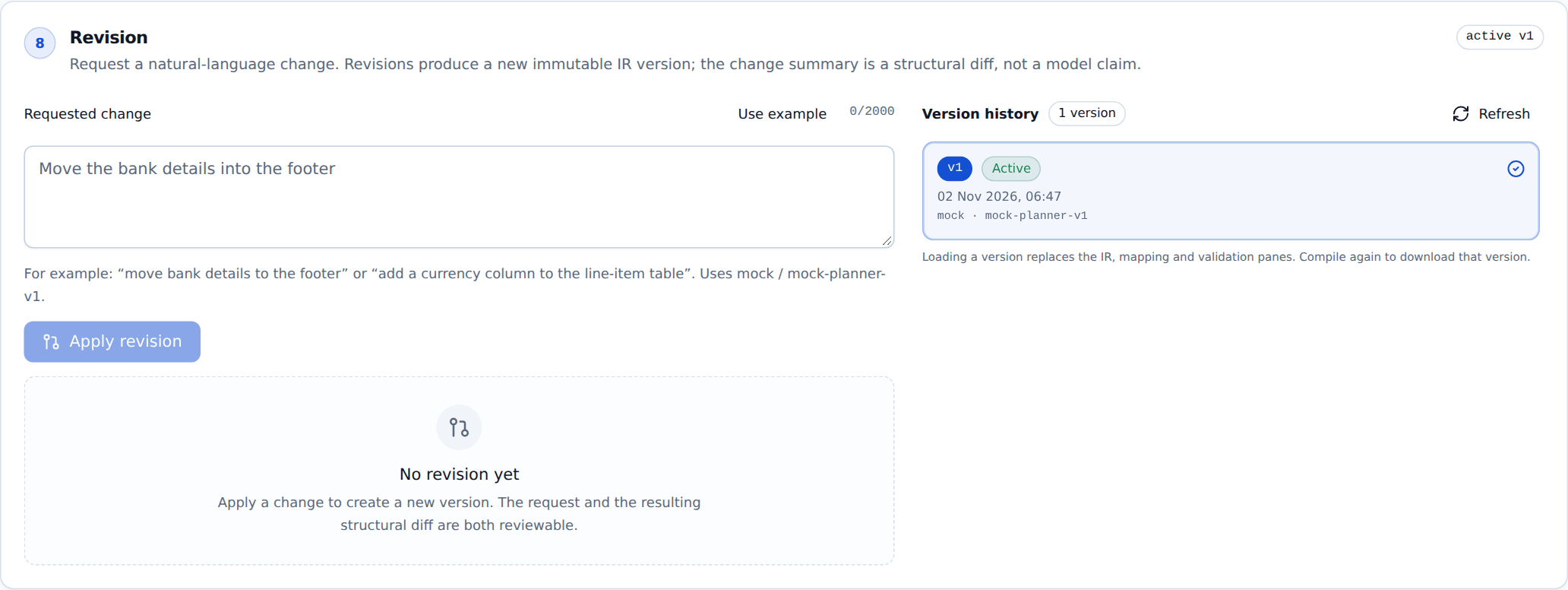
Request a change in natural language — “move the bank details to the footer and make the table compact”. The system produces a new IR version, shows a structural diff (added / removed / changed), and keeps the previous version loadable. Documents are never edited in place.
- CLI parity — every workspace action exists as a command, with stable exit codes.
- Deterministic output — identical input produces identical bytes, verified in tests.
- Accessibility — keyboard operation, labelled controls, visible focus, no colour-only status.
- Honest UI — the amber banner about unverified compatibility is always visible and cannot be dismissed.