Repository navigation
Quick Start
A validated DOCX from a synthetic data source in under five minutes — no API key required.
- Docker, or
- Python 3.12+ (CLI and API) and Node.js 22+ (web workspace)
git clone https://github.com/SergeyGer/Docentric-Copilot.git
cd Docentric-Copilot
docker compose up --build| Service | URL |
|---|---|
| Web workspace | http://localhost:3000 |
| API + interactive docs | http://localhost:8000/docs |
| Health check | http://localhost:8000/health |
The stack ships with the deterministic mock planner enabled, so nothing leaves your machine.
python3.12 -m venv .venv
source .venv/bin/activate
pip install -e ".[dev]"

docentric-copilot version
# docentric-copilot 0.13.1 (IR 1.2)docentric-copilot inspect examples/quotation/sales-quotation.ddspSchema: sales_quotation
Sections: MainData, GeneralData, Parameters
Fields: 34 nodes · 28 scalars · 1 collections · depth 3
Sample data: yes
docentric-copilot plan \
  --ddsp examples/quotation/sales-quotation.ddsp \
  --prompt-file examples/quotation/prompt.txt \
  --output plan.json --mapping mapping.json
IR written to plan.json (9f8d8ad173de)
Validation: {'structural': 'passed', 'semantic': 'passed', 'logical': 'passed',
'visual': 'skipped', 'docentric_compatibility': 'not_tested'}
Mapping: {'resolved': 11, 'ambiguous': 0, 'missing': 0, 'invalid': 0}
docentric-copilot validate --ddsp examples/quotation/sales-quotation.ddsp --plan plan.json --report report.html
docentric-copilot compile  --ddsp examples/quotation/sales-quotation.ddsp --plan plan.json --output quotation.docx
docentric-copilot preview  --ddsp examples/quotation/sales-quotation.ddsp --plan plan.json --output preview.html
quotation.docx is a complete document: company logo, customer block, item table with two lines, totals,
conditional VAT notice and bank details in the footer.
# terminal 1 — API
pip install -e ".[dev]"
uvicorn docentric_copilot.api.main:app --reload --port 8000

# terminal 2 — web
cd apps/web
npm ci
npm run dev            # http://localhost:3000
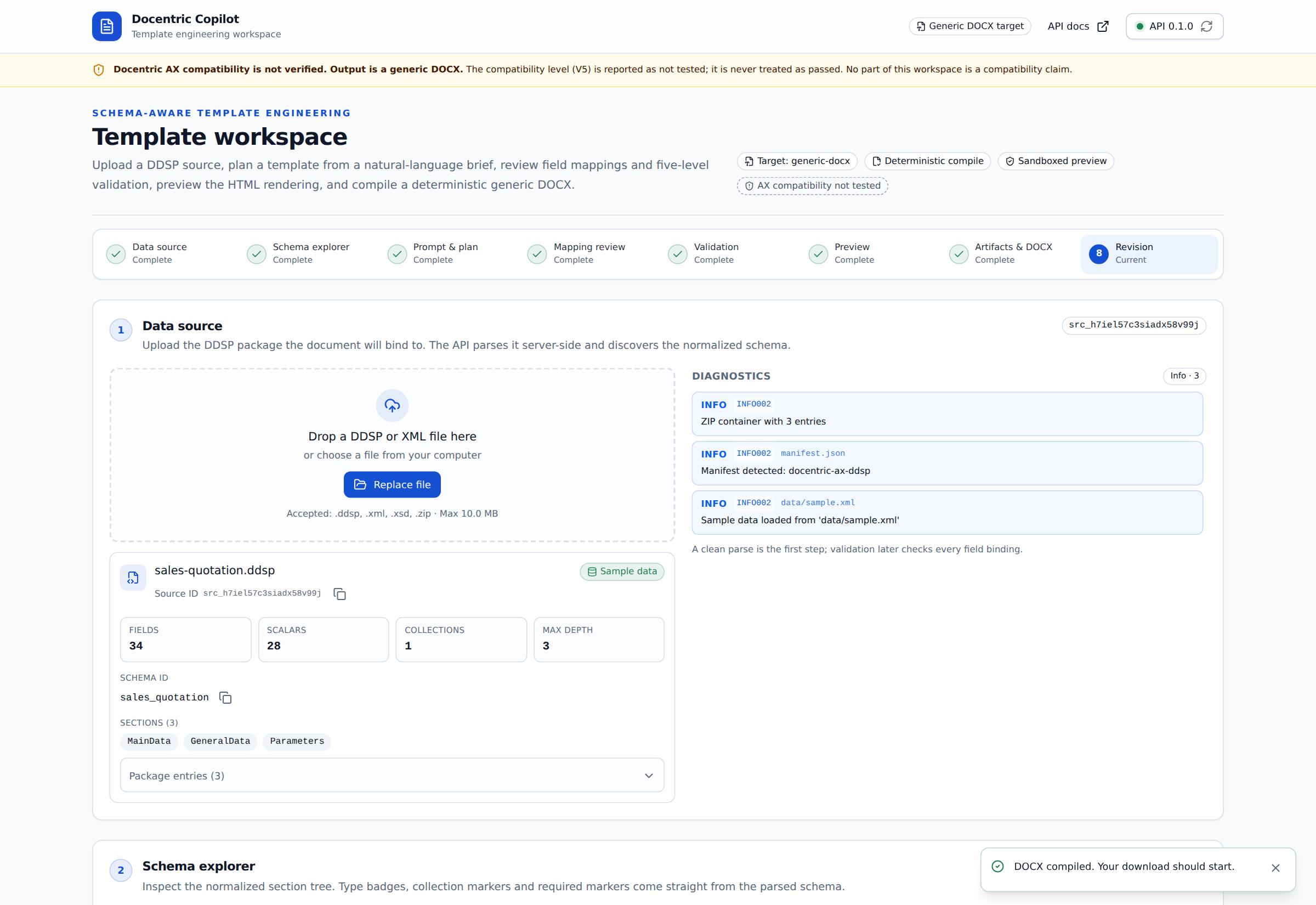
The workspace reads NEXT_PUBLIC_API_BASE_URL (default http://localhost:8000). The API allows
http://localhost:3000 by default; change DC_CORS_ORIGINS if you use another port.
SID=$(curl -s -F "file=@examples/quotation/sales-quotation.ddsp" \
  http://localhost:8000/api/v1/sources | jq -r .source_id)

curl -s -X POST http://localhost:8000/api/v1/templates/plan \
  -H "Content-Type: application/json" \
  -d "{\"source_id\":\"$SID\",\"prompt\":\"Create a professional sales quotation\",\"provider\":\"mock\"}" \
  | jq '{validation, template_id, version}'
Full contract: API Reference.
export OPENAI_API_KEY=...
export DC_OPENAI_MODEL=gpt-4o-mini

docentric-copilot plan --ddsp examples/quotation/sales-quotation.ddsp \
  --prompt-file examples/quotation/prompt.txt \
  --provider openai --model gpt-4o-mini --output plan.json
Anthropic and Gemini are selected the same way (--provider anthropic|gemini). Keys are read from the
environment only; they are never written to logs, the database or the browser.
Privacy note: when you select a cloud provider, the brief and a minimal schema fragment are sent to that provider. Sample values are not sent by default. Use the
mockprovider for fully offline work.
| Symptom | Cause | Fix |
|---|---|---|
provider_not_configured |
No API key for the selected provider | export the key or use --provider mock
|
| Browser shows a network error | API not running or CORS mismatch | start the API; align DC_CORS_ORIGINS with the web origin |
target_unsupported |
Asked for docentric-ax
|
expected: the AX adapter is gated, see Docentric AX Compatibility |
SSL/proxy issues with npm |
Corporate proxy | configure npm config set proxy / https-proxy
|
No installation required: open https://docentric-copilot-bqpx8652tmmliwk9c2d5rq.streamlit.app and pick a bundled package. The demo runs on the deterministic provider and makes no external model calls.