Repository navigation
ViewLight v1.2.0 - a cloud backup, and nothing to install
Pre-release
A safety net for the data, profiles that keep up with you, and a launcher with nothing left to install.
This build adds the cloud backup, makes the profile and achievement screens update as you play instead of
after a restart, counts the creatures you beat, and carries the .NET runtime it used to ask you for.
Download ViewLight-win-x64.zip, unpack it anywhere and run ViewLight.exe. Nothing has to be
installed first this time - the runtime the launcher's own notes run in is inside the zip, so a machine
that has never seen .NET is fine, and no administrator rights are needed. (The previous build asked you to
install that runtime; if you did, nothing here minds.)
 |
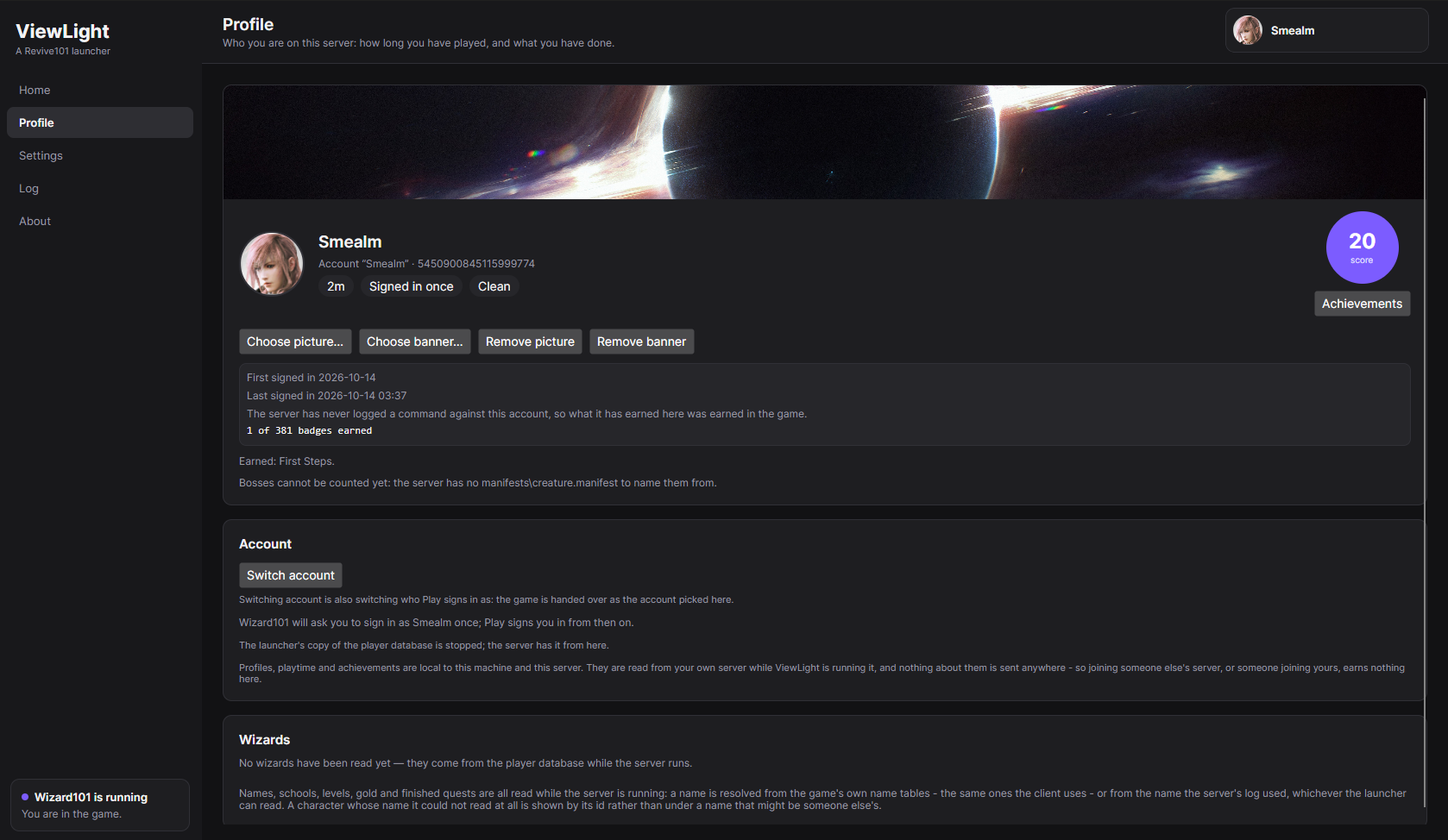 |
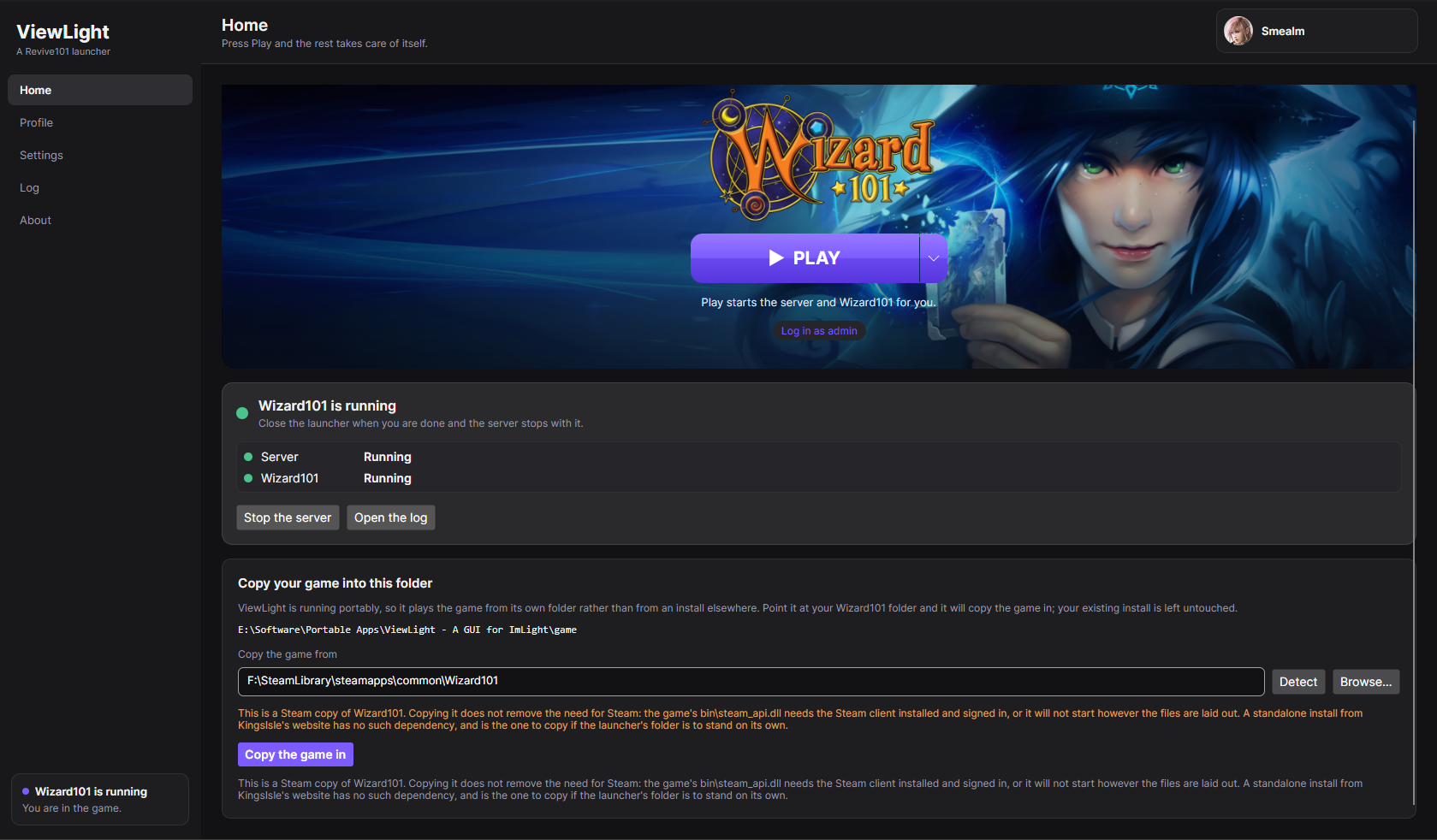
| Home. The game's banner, the Play button, and one quiet strip for the server underneath it - now with a row for the patch server. | Profile. The account Play signs in as, its playtime, its standing, and the score circle its achievements open from. |
 |
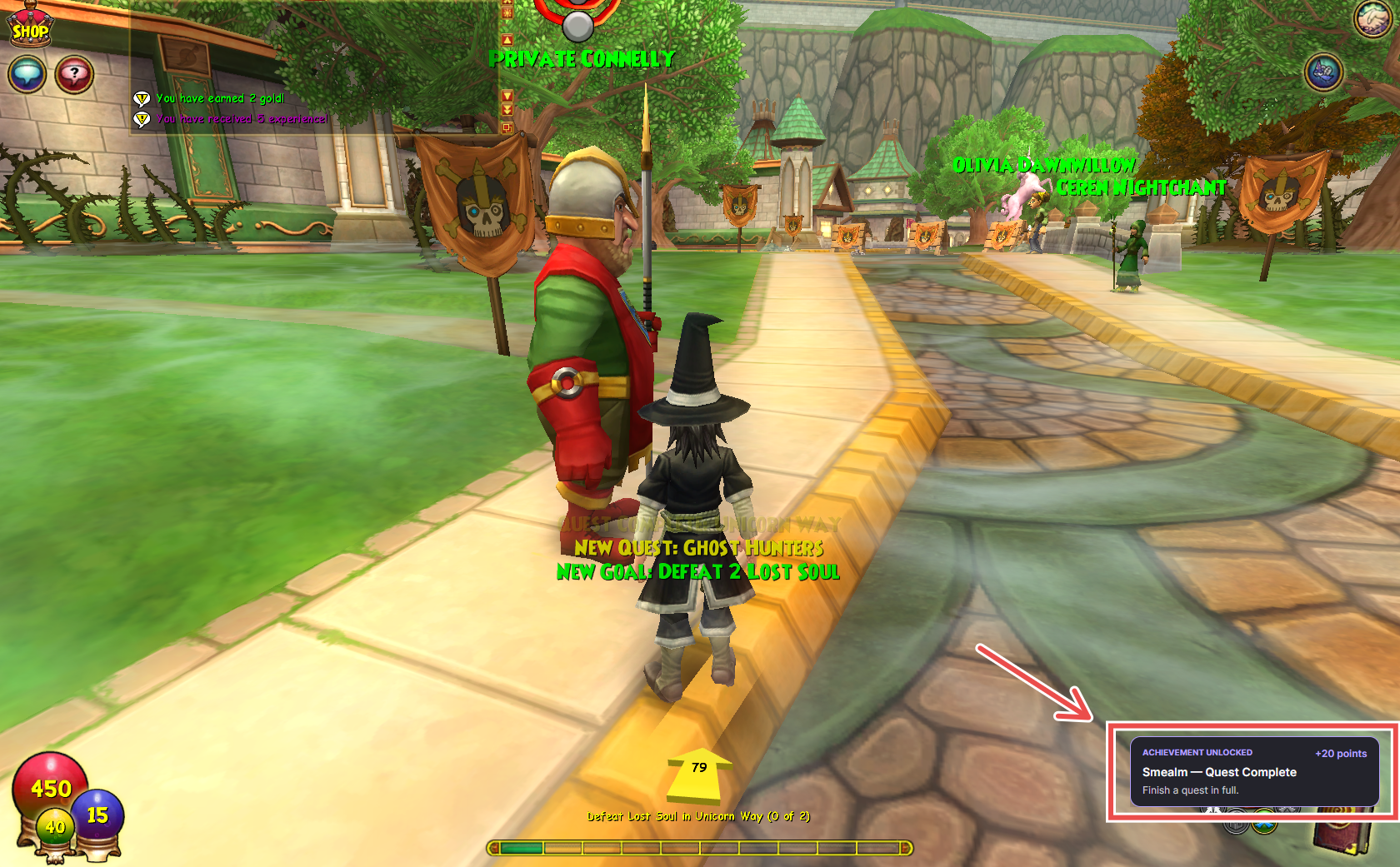 |
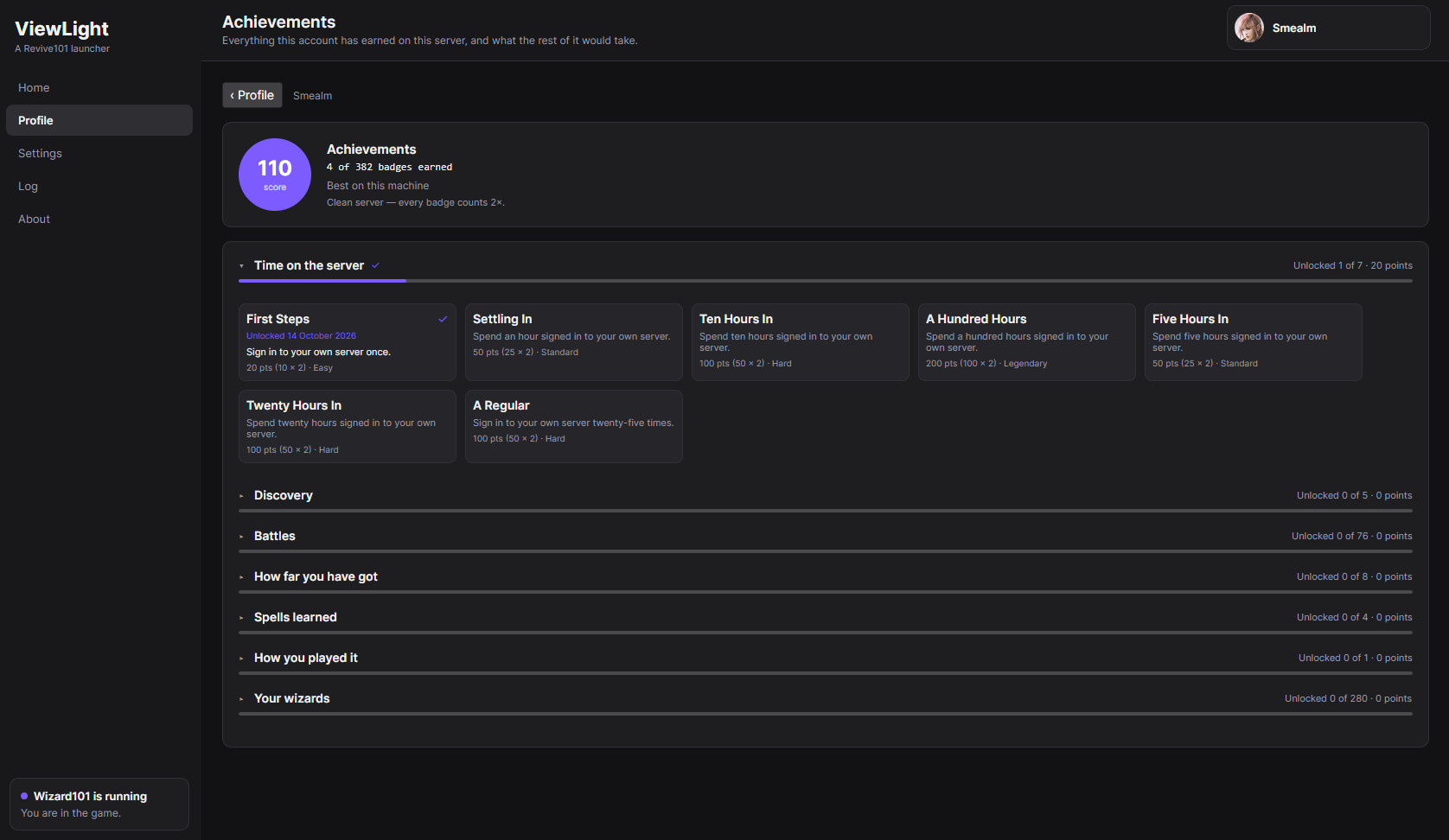
| Achievements. Grouped by category and scored, with one milestone card per ladder. | Earned. A badge announced over the game as it happens. |
New in this build
- A cloud backup of the things nothing can give back. Your accounts, wizards, profiles, playtime and
badges live in two folders that no amount of reinstalling can recreate. Settings → Cloud backup signs
in to your own Google Drive and keeps a copy of them in a private folder nobody else can see, and puts
them back on a machine that has lost them. It saves and restores by itself: one side changed means that
side moves, neither changed means nothing happens and nothing is said, and only a genuine conflict stops
and asks. The dangerous case is handled first - a new machine takes the cloud's copy rather than writing
its own empty database over it, so signing in on a fresh install cannot destroy the backup that was the
reason to sign in. Your game's files, your client, your builds and your server's configuration are all
deliberately left out, because those can be fetched or re-made. - Everything on the profile and achievement screens updates as you play. A picture or banner shows the
moment you choose it rather than after a restart; a wizard made while the launcher is open appears, and a
level, a school, a gold total or a finished quest moves as it happens. The count on each achievement
category - "unlocked 3 of 40" - and its progress bar follow the badges instead of freezing at whatever they
were when you opened the screen. - Creatures you beat are counted. The creature ladder moves now, read from the duels your own server
logs: a duel you win leaves one creature beaten per creature slot your spells reached. It is a count of
kills, so the same creature twice counts twice. Bosses are the one thing still waiting, and the profile
says why rather than counting nothing quietly. - A wizard's school is detected. It used to read "School not read" on a real server - the server writes
the school as a name and the launcher was only reading numbers - which also stopped that school's level
ladder from ever progressing. - Time played is a ladder now, not five fixed badges. Half an hour, an hour, then five hours at a time
up to a thousand, every rung worth more than the last. The final rung is a badge of its own:
Wizard of a Thousand Hours. - A portable launcher can bring its own copy of the game up to date. Portable mode plays the game out of
its own folder, so a Steam or KingsIsle update leaves that copy behind. Every start compares the two, and
Home offers to close the gap - either by writing only the files that differ, or by copying the game in
fresh. Neither runs without you asking. - A first run asks one more question: whose patch server. Imlight loads the game's files from a patch
server and cannot start without one, so a session always has one - the only question is whose. Running one
on your own PC is the recommended answer, because it is the one that lets you play with no internet at all;
the public instance is there too, with what it costs spelled out. - Updating the server can no longer fail because of the launcher. The launcher used to run its own notes
out of the database files inside the server's folder, which meant an update collided with the launcher
itself. It now keeps its own copy of the small database engine it needs, well away from the server.
It does not modify anything
No patch, no hook, no injection, no memory editing, and the server is not modified either. Accounts,
characters, sign-ins, zones, duels and creature kills are all read from the server's own player database and
log, and automatic sign-in uses the session key the server already holds for this machine - which is exactly
what the client's -U argument is designed to receive. Reading what a server writes down is the whole
technique, so there is nothing here that could get an account banned.
Read this before your first run
- Accounts are made by the server, in the game. Nothing in this launcher writes into the server's player
data. The server's own way of making an account is.account create $username $password, typed by the
admin account inside the client, and Settings → Making another account has the two steps. It does mean
a server that has never booted has no accounts at all - Profile says No profile until it has run
once, so press Play first. - The first server run is slow, and can crash once. It downloads its assets (a few hundred megabytes) and
warms up, which takes minutes. Once that finishes the server can still stop by itself for a reason nobody
has pinned down yet - press Play again and it starts normally. It has not been seen to happen again
after a first successful boot. - A patch server has to fetch the game's files before it can serve any. Aurorium answers within seconds
and then downloads that version from Wizard101's own patch server - thousands of files, about 18 GB - so
leave it running: it only advances while the process is alive, and ViewLight no longer stops one that has
not finished when the server stops. Handing it the files your own game already has is most of that, and the
only way the largest files arrive at all. - A new zone can load slowly on the public patch server. Zone assets come from the patch server, and the
Revive101 one is a community machine rather than KingsIsle's infrastructure. The server is local; the
assets are not. Running your own patch server is what fixes it. - Five playtime badges were replaced by the ladder. The hours are not lost - they are what the ladder is
measured in - but an existing profile is rescored once against the new rungs.
Windows only. Your own Wizard101 install is required - Imlight is BYOD and ships no game files, and neither
does this.
Full instructions, everything the launcher writes, and how to read what it tells you:
readme.md.
Every build in plain language: CHANGELOG.md.
Why things are the way they are, including what has been measured on a real install:
docs/design-notes.md.