Repository navigation
ViewLight v1.3.0 - watching the patch server, and waiting for it
Pre-release
The patch server becomes something you can watch, wait for, and keep in step. This build says which file
the patch server is downloading and how big it is, waits for the one file your server's boot needs before
starting it, reports a server that is asking for a version the patch server does not have, keeps the two on
the same version by default, and clears out the versions nobody is using any more.
Download ViewLight-win-x64.zip, unpack it anywhere and run ViewLight.exe. Still self-contained -
nothing to install first, no administrator rights.
 |
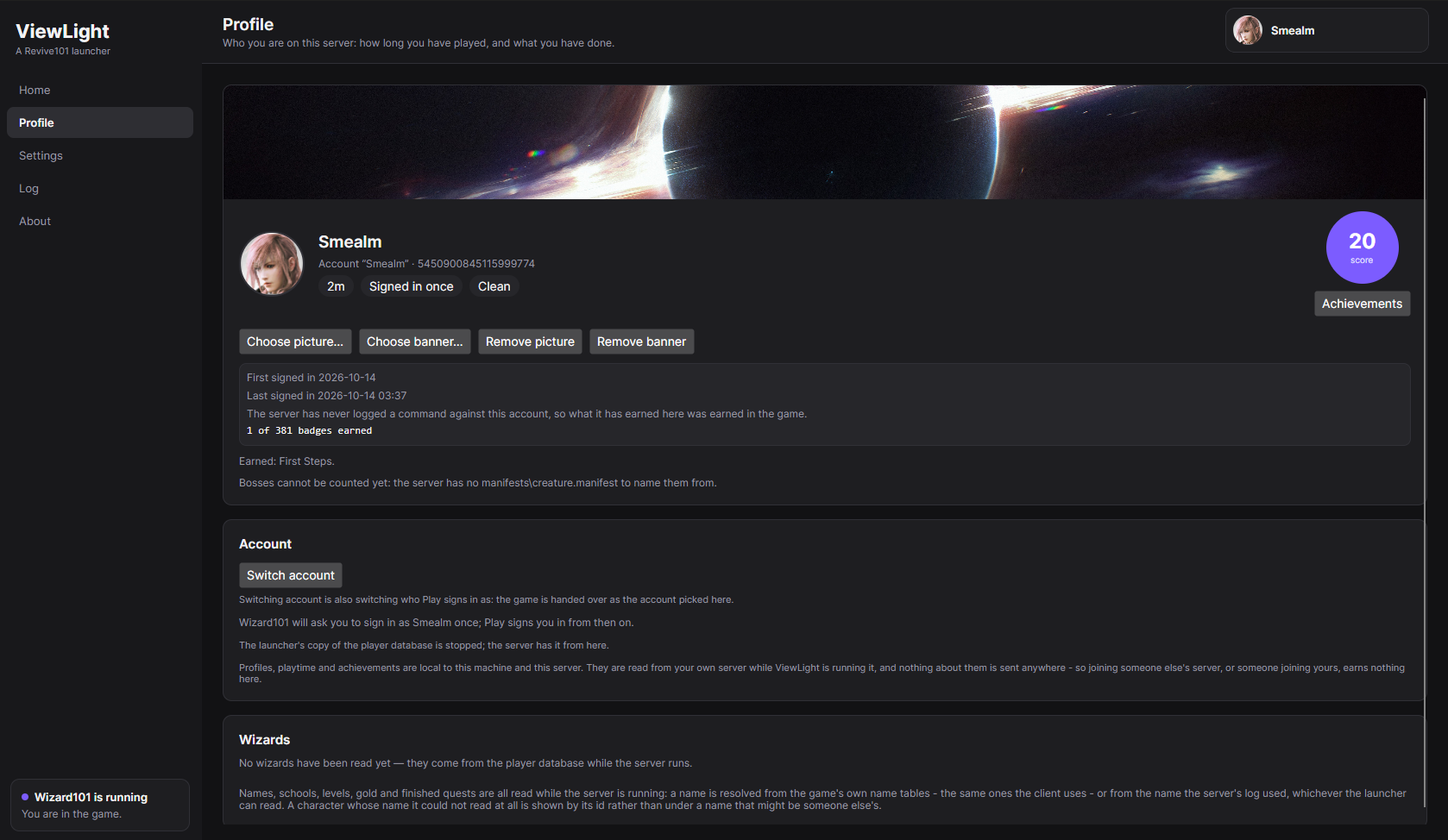 |
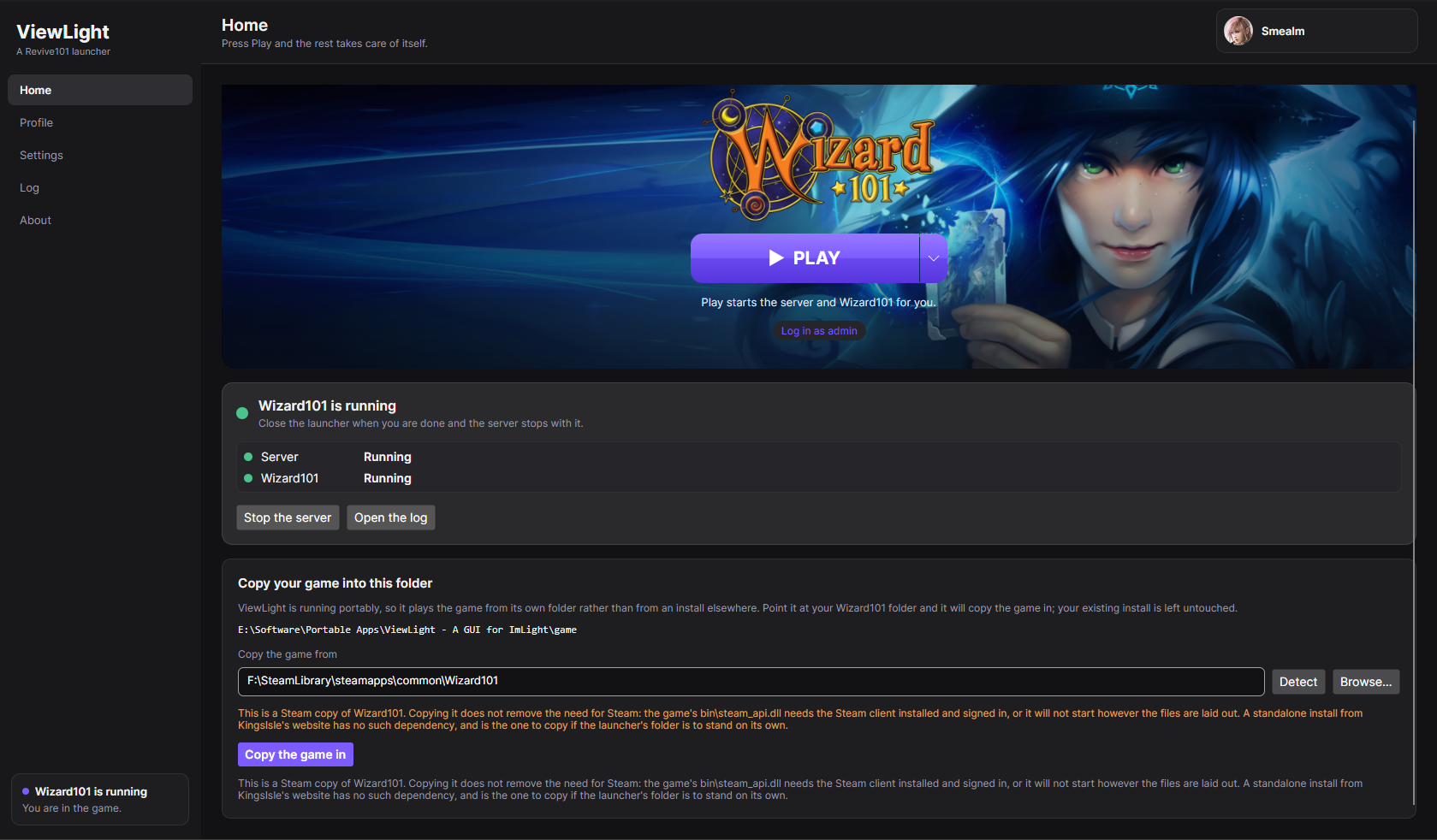
| Home. The game's banner, the Play button, and one quiet strip underneath it for the patch server, the server and the game. | Profile. The account Play signs in as, its playtime, its standing, and the score circle its achievements open from. |
 |
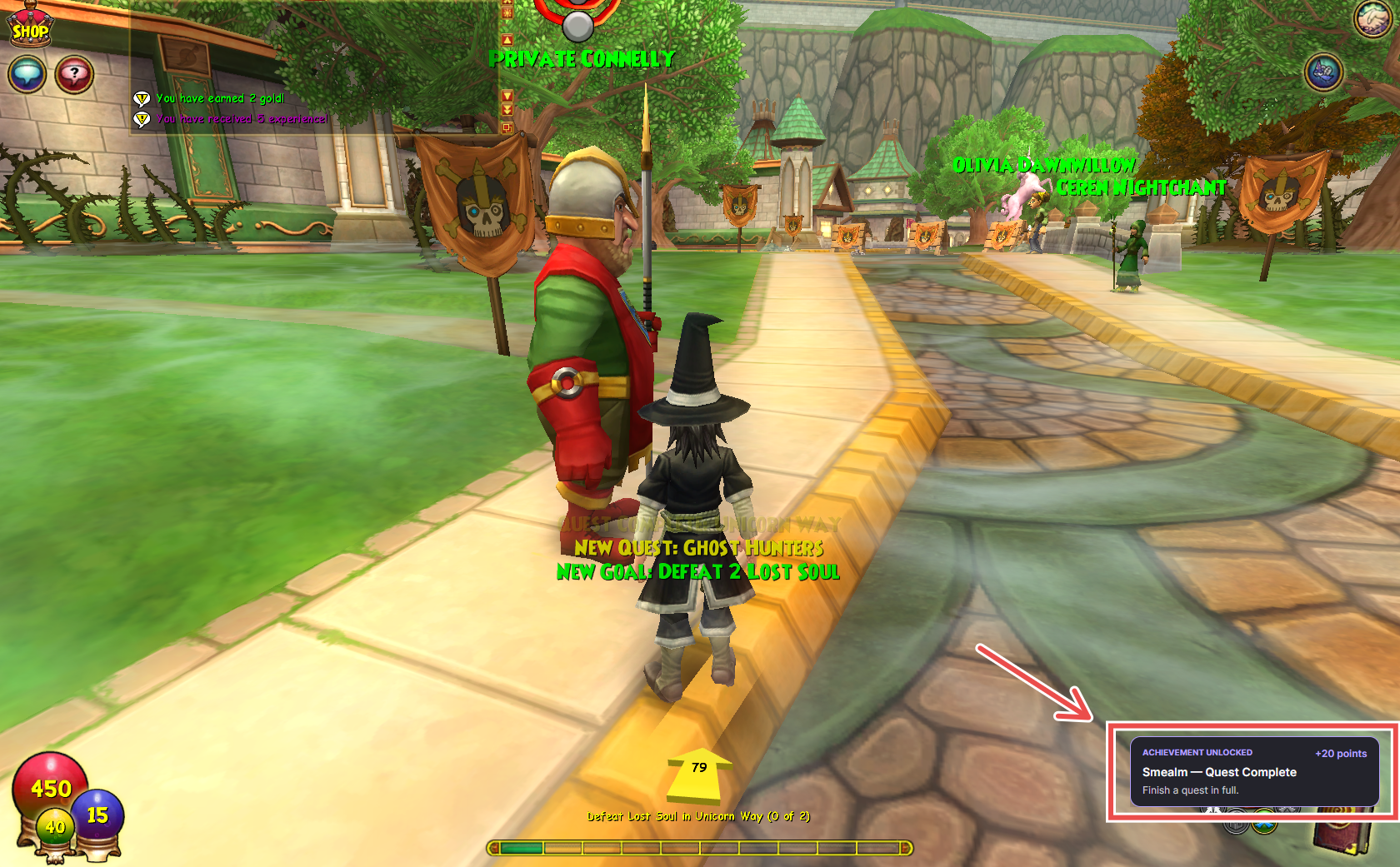 |
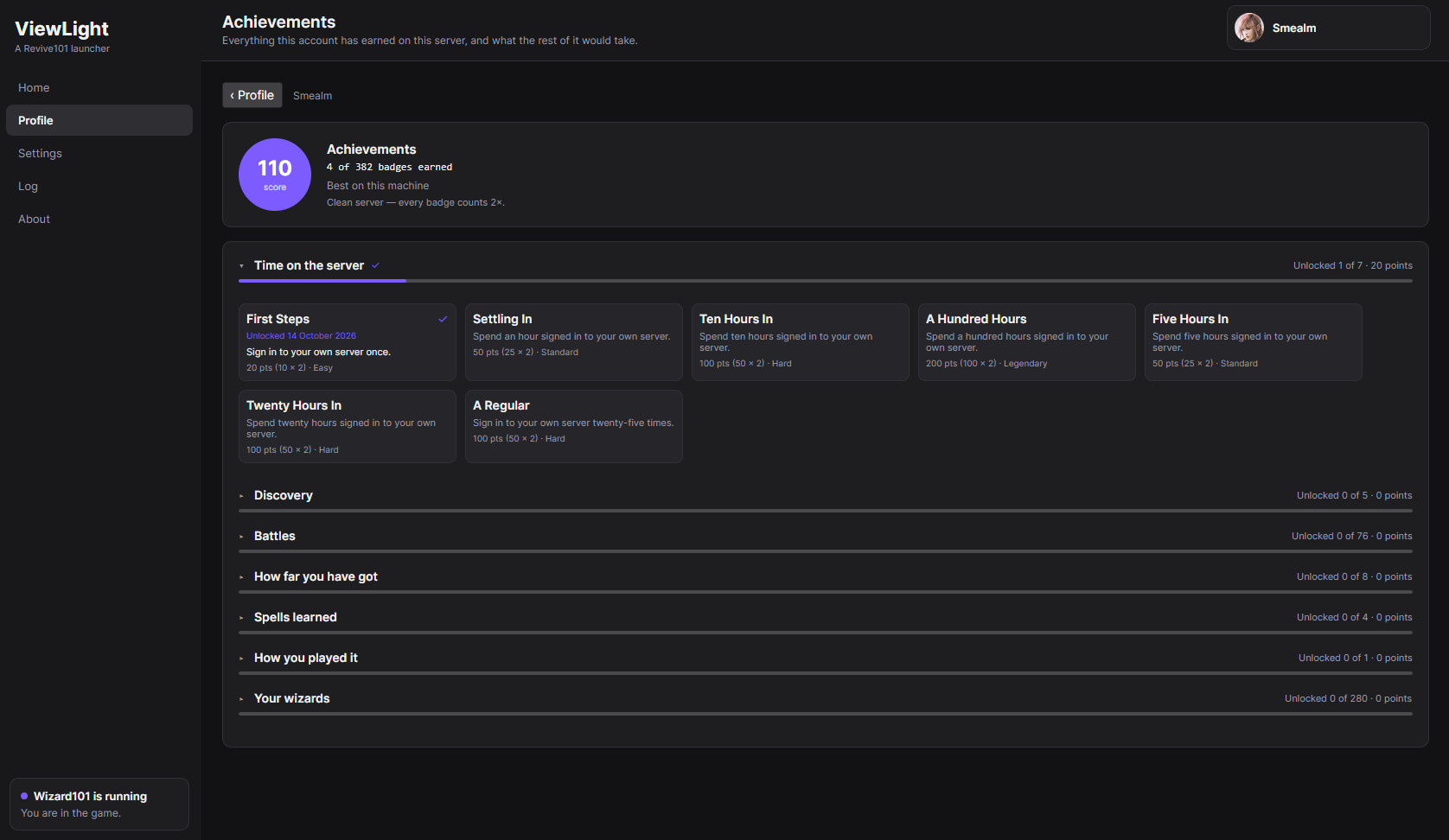
| Achievements. Grouped by category and scored, with one milestone card per ladder. | Earned. A badge announced over the game as it happens. |
New in this build
- You can finally see what the patch server's download is doing. The line under its row on Home - and in
its card in Settings - now names the file it is on and how big that file is
(Equipment-WorldData.wad (12.3 MB of 281.4 MB)), how many files are arriving at once, which version it is
fetching, and whether that version is the one your server asks it for. The Log keeps the same line as the
download moves from file to file, so a first fetch that takes hours leaves behind a record of what it did.
All of it is measured off the disk the patch server is writing to, never asked of the patch server itself,
so watching it cannot disturb it - and a download that has genuinely stopped moving says so instead of
showing a countdown nobody should believe. - You are not made to wait for it. The server cannot finish warming up without the file its own boot asks
the patch server for first, so ViewLight now waits for that one file rather than starting a server that
will 404 - and on a first run that wait is hours, so Play anyway on Home starts the session immediately.
The Log says what that means either way: nothing is blocked, and a patch server that has the file gets you
the right behaviour without a word. - A server that cannot load its own files now says so instead of sitting at "warming up" forever. When
Imlight asks the patch server for a version it does not have, it writes the404in its own log and then
retries until somebody notices. ViewLight reads it and puts it on Home, naming the version the server asked
for and the version the patch server actually holds - which is the whole of what to do about it. - Your server and your patch server are kept on the same version. The switch at the bottom of the patch
server card - Sync the patch server's revision with the server's accepted client revision - is on by
default now, and it is applied every time a patch server starts: the version the patch server actually
holds is written intoGameRevision. The server then asks for files the patch server has, and accepts the
client your game was just updated to. Switching it off puts the value your config had back. - Old versions are tidied up instead of piling up. Each revision is around 18 GB, and a patch server
keeps everything it has ever served. Automatic cleanup now keeps the newest version and removes the older
ones - the previous rule also kept whichever version your game happened to be on, which on a machine that
has not been patched to the current version was a second 18 GB held for nothing. Nothing your server asks
for by name, and nothing being downloaded, can be removed. - The warning in front of the revision switch is gone. It guarded an arrangement that is now the default,
and the switch says what it does in plain words instead.
It does not modify anything
No patch, no hook, no injection, no memory editing, and the server is not modified either. Its revision
sync writes one line of Imlight's own configuration, the same line you would edit yourself. Accounts,
characters, sign-ins, zones, duels and creature kills are all read from the server's own player database and
log, and automatic sign-in uses the session key the server already holds for this machine - which is exactly
what the client's -U argument is designed to receive. Reading what a server writes down is the whole
technique, so there is nothing here that could get an account banned.
Read this before your first run
- A patch server has to fetch the game's files before it can serve any. Aurorium answers within seconds
and then downloads that version from Wizard101's own patch server - thousands of files, about 18 GB, hours
on a slow line. Leave it running: it only advances while the process is alive, and ViewLight does not stop
one that has not finished when the server stops. Home now shows exactly what it is doing, and waiting
is what Play does by default until the one file the server's boot needs is there. - The largest files cannot arrive from the download at all. Aurorium gives up on any single file that
takes more than two minutes, and the biggest assets of a version take longer than that, so handing it the
files your own Steam or KingsIsle install already has - Copy the game's files in, under the patch
server card in Settings - is the only way those arrive. It is also minutes instead of hours. - The first server run is slow, and can crash once. It downloads its assets (a few hundred megabytes) and
warms up, which takes minutes. Once that finishes the server can still stop by itself for a reason nobody
has pinned down yet - press Play again and it starts normally. It has not been seen to happen again
after a first successful boot. - A new zone can load slowly on the public patch server. Zone assets come from the patch server, and the
Revive101 one is a community machine rather than KingsIsle's infrastructure. The server is local; the
assets are not. Running your own patch server is what fixes it.
Windows only. Your own Wizard101 install is required - Imlight is BYOD and ships no game files, and neither
does this.
Full instructions, everything the launcher writes, and how to read what it tells you:
readme.md.
Every build in plain language: CHANGELOG.md.
Why things are the way they are, including what has been measured on a real install:
docs/design-notes.md.