Public Field Console
The community-facing site. Overview is public; every other tab is gated behind Login with Discord.
🌐 See it live: scum.playhub.cz (the author's own server).

| Tab | Access | Content |
|---|---|---|
| Overview | Public | Server card (name, connect address, FPS, status), next restart, in-game time/weather, counts, top squads, online players (toggleable), and category leaders — the #1 player of every leaderboard category, click → that category |
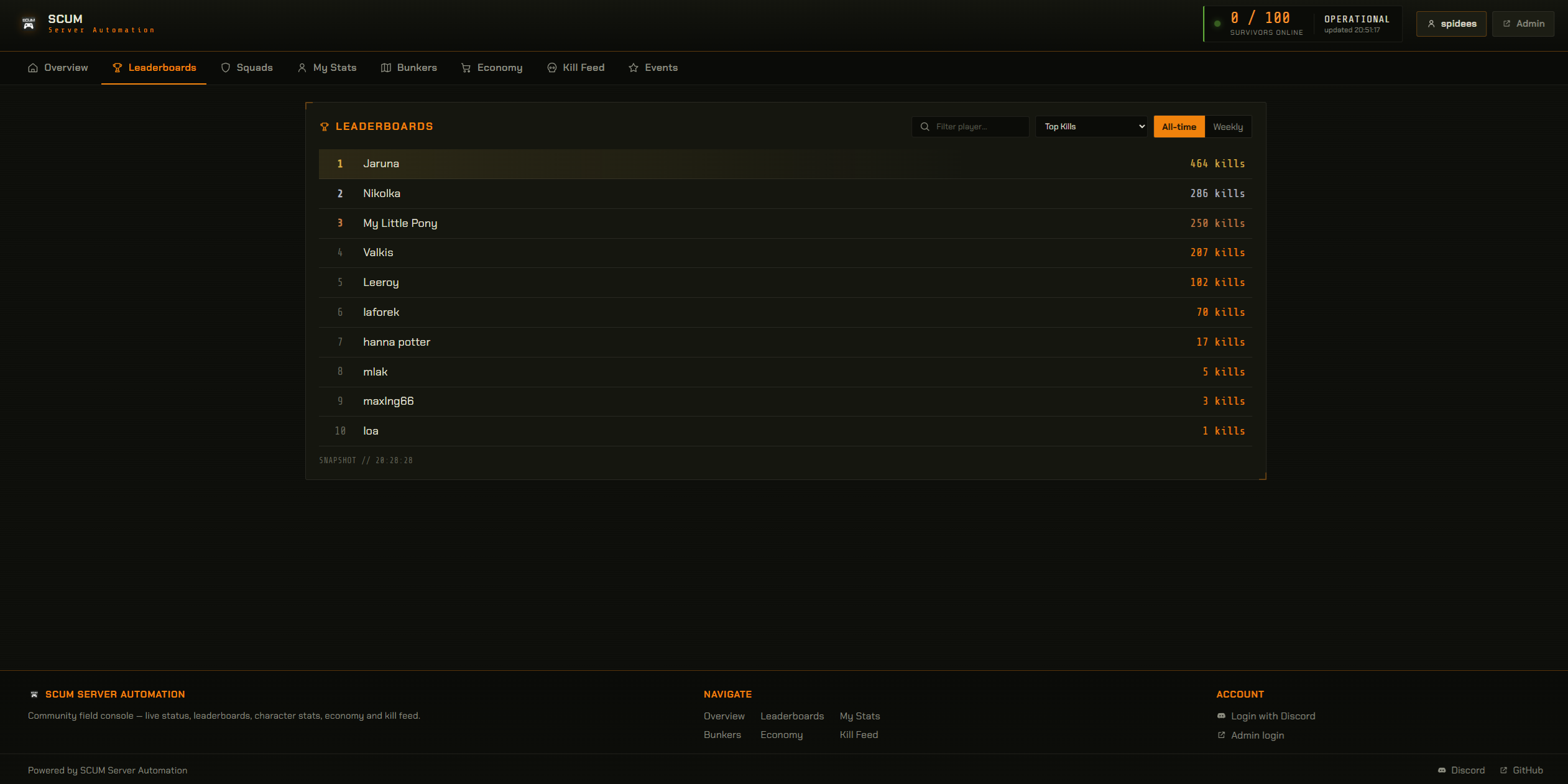
| Leaderboards | Login | All categories, all-time & weekly, live name filter; click a player → their stats |
| Squads | Login | Squad list (name / members / score); click → squad detail (members + ranks) |
| My Stats | Login + linked | Full character sheet (Combat / Survival); Skills & attributes grouped by attribute, each with a value ring (attributes are read from the character template); Bank — balance, gold, cash, account number, and your cards (image, reveal-on-click PIN, daily limits, renewals); leaderboard ranks (click → category); your squad; DM-alert settings + sent history |
| Bunkers | Login | Abandoned-bunker status (active / locked + timers) |
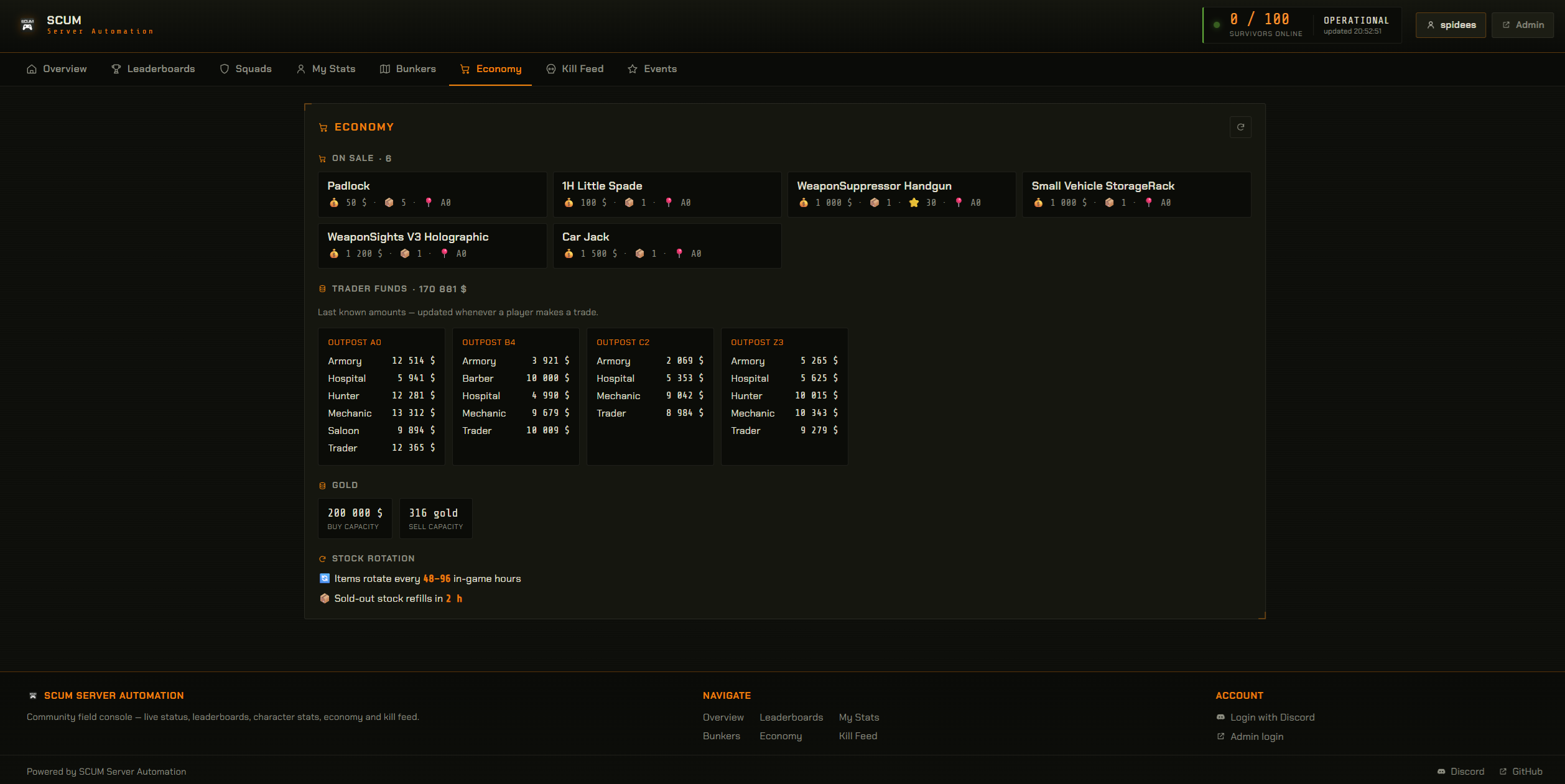
| Economy | Login | Special deals & market activity (recent trades, hot items — with item images & names from scum_items.json), trader funds per outpost, gold capacity, and economy timing (rotation, restock, trader-funds refill, price re-roll, resets) — mirrors the Discord economy embed |
| Kill Feed | Login | Recent kills (killer → victim, weapon, distance) |
| Events | Login | Event ranking board (from event_rankings_cached); empty until an event runs |
Player names are clickable wherever they appear (leaderboards, squad rosters, My Stats, category leaders, online players) and open that player's profile in a modal. Profiles never expose Steam IDs, IPs, or per-member online/last-seen — except that squadmates can see each other's skills.
web.fieldConsole in config/config.json (editable from the admin Settings screen) toggles the
online-players list and each tab (leaderboards / squads / myStats / bunkers / economy /
killFeed / events). Disabled tabs are hidden from the nav and footer, and disabling the online list
also stops the server from sending names. Everything defaults to on.

Set up an OAuth2 app and fill DISCORD_CLIENT_ID, DISCORD_CLIENT_SECRET, DISCORD_OAUTH_REDIRECT
in .env (see Configuration). Then:
- Discord Developer Portal → your application → OAuth2 → add the redirect URI exactly equal to
DISCORD_OAUTH_REDIRECT, e.g.https://your-domain/api/auth/discord/callback. - Copy the Client ID and create a Client Secret into
.env. - Restart. The Login with Discord button appears; without these values it stays disabled.
Returning players are logged in without the consent screen (the app uses prompt=none and only
falls back to the consent screen the first time). The scope requested is just identify.
Discord login identifies the user; to see My Stats they must also link a SCUM character.
You can link right from the web — the My Stats tab shows a Link my SCUM account button that
gives you a connect:XXXXXX code to type in the in-game chat; the page links you automatically once
you do (it polls and reloads). The Discord /link-account command does the same thing. Logged-in-
but-unlinked users can still browse the other tabs.
If web.publicUrl is set, the live server status / leaderboards / economy / bunker embeds and
the account-linking panel include a button/field linking to the Field Console.
- Leaderboards are served from an in-memory snapshot (rebuilt lazily, max once per 60 s) — viewing
never hammers
SCUM.db. - The overview is cached ~15 s; squad/player lookups are memoized.
- Public APIs are rate-limited per IP. Profiles omit raid-sensitive data (no member online times).
Next: Exposing to the Internet