
Welcome to Unitree Sim Web, the most advanced browser-based simulation platform for the Unitree G1 humanoid robot, developed by STrike Robot. Built on MuJoCo WASM, this project brings professional-grade physical simulation directly to your browser without the need for complex GPU installations or heavy backend software.
- High Performance: Leverages WebAssembly to run MuJoCo physics directly in the browser with ultra-low latency.
- Real-time Joint Control: Intuitive interface for controlling individual joint groups (Limb-based control).
- Keyframe Recording: Record pose sequences, play them back, and export high-quality
.webmvideos. - No Backend GPU Required: All physics calculations are performed on the client-side for seamless accessibility.
- Developer Ready: Includes built-in user guides and pose-tips for the Unitree G1 model.
A major breakthrough we are excited to showcase is the platform's support for Humanoid Policy Integration. This feature allows researchers and developers to load pre-trained control policies (e.g., from Reinforcement Learning) and observe their performance in a realistic physics environment.
Take a look at the demo video below to see the humanoid policy in action:
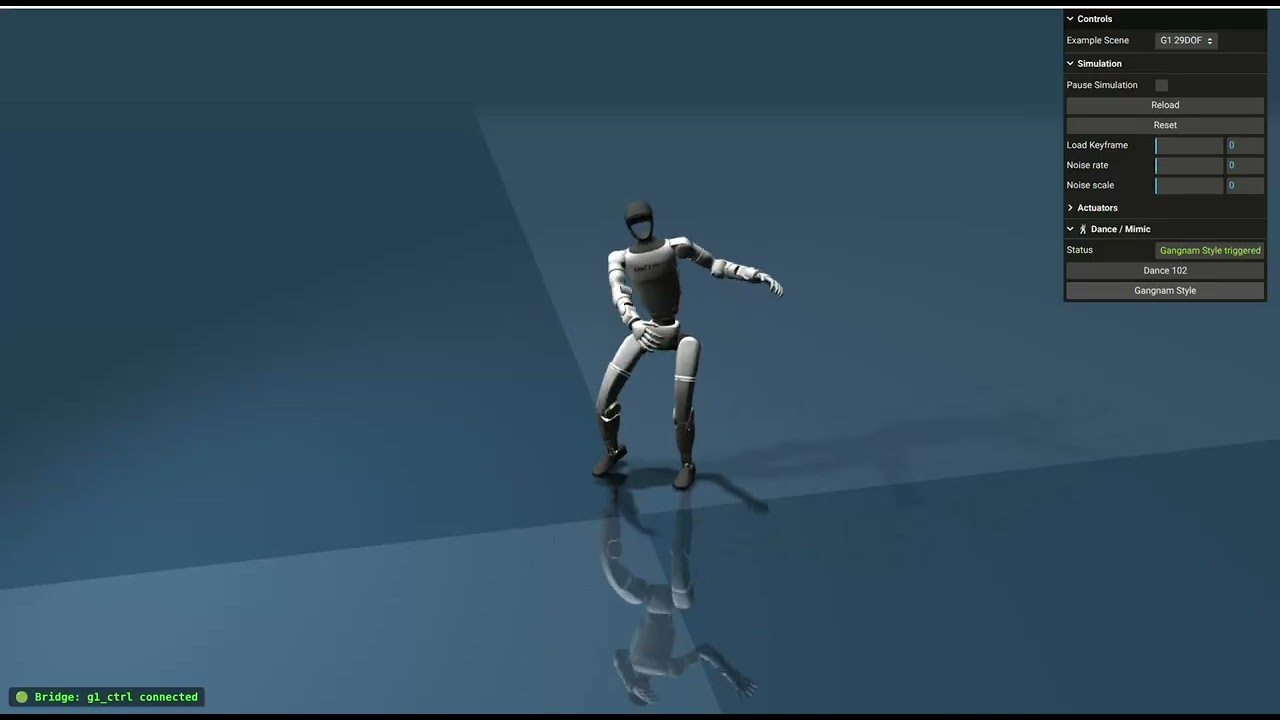
Video: Demo of Unitree G1 Humanoid Policy Integration (Click to watch on YouTube)
This feature bridges the gap between algorithm development and physical experimentation, providing a powerful sandbox for robot control testing.
| Tool | Version |
|---|---|
| Node.js | ≥ 18 |
| Python | ≥ 3.10 |
Follow these steps to set up and run the simulation locally:
-
Install dependencies:
npm install
-
Build the frontend bundle:
npm run build
-
Start the secure HTTP server:
python3 run_server.py
Once the server is running, open http://localhost:8000 in your browser (Chrome or Edge recommended for optimal performance).
Important
Technical Note: You must use run_server.py instead of the standard python -m http.server. This server is specifically configured with CORP and COEP security headers required for SharedArrayBuffer (essential for MuJoCo WASM).
For a consistent and stable environment, we recommend using Docker Compose:
docker compose up -dThe application will be available at port 8000.
Unitree_Sim_web/
├── src/                # Core logic (Three.js scene, MuJoCo Utils)
├── assets/             # Robot models (XML, STL, Textures)
├── images/             # Media assets (Images and Videos)
├── run_server.py       # Secure HTTP server implementation
├── Dockerfile          # Container configuration
└── start.sh            # Quick startup script
| Key | Action |
|---|---|
Space |
Pause / Resume simulation |
Backspace |
Reset robot to initial state |
Ctrl + L |
Reload the active XML scene |
K |
Save Keyframe (during recording session) |
Thanks to everyone who has contributed to this project!
| Avatar | Name | Role |
|---|---|---|
 |
bendsc-cmd | Maintainer |
 |
cuongtdm | Contributor |
 |
thanhnguyencanh | Contributor |
Want to contribute? Check out the Quick Start guide and open a Pull Request!
Developed with ❤️ by STrike Robot. Feel free to explore and share your feedback! 🚀