Repository navigation
Releases
Anger Foot VR 1.2: The Immersion Update

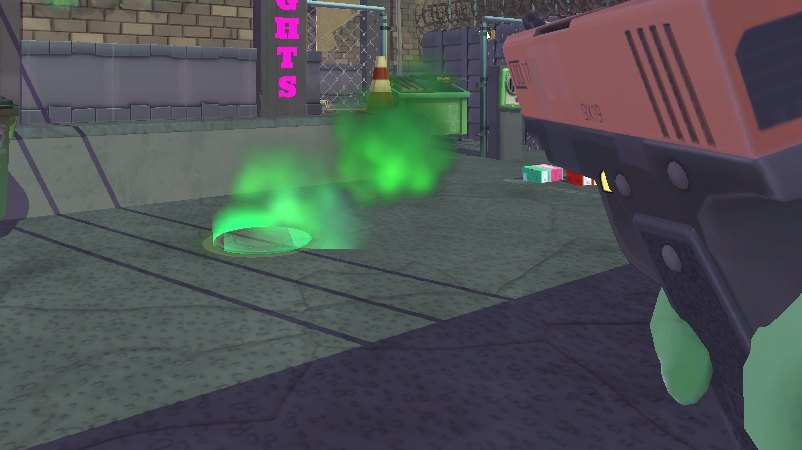
Anger Foot VR 1.2: The Immersion Update. Guns that sit in your hands like real ones, wounds you can see into, and a round of fixes. Free, by StrikeZoneVR.
Guns and hands
- Fingers that really hold: each finger takes the game's own pose for that gun and closes onto the gun's surface. Your index rests on the frame until you touch the trigger.
- Two hands on a pistol, the Glock or the Uzi: cup it with your other hand to steady your aim and take some of the kick.
- Two-handed guns: your front hand takes the game's own front-hand pose and rides the shotgun's pump.
- Throw with your hand: hold the grip, swing and let go. The gun flies the way your hand went, as hard as you threw it. THROW HELP guides near misses onto enemies.
- Grab a gun within reach: reach down and squeeze. Hand it over from one hand to the other.
- Seated play (PLAY MODE SEATED): press the grip and your gun flies at the enemy you point at. GUN HAND sets which hand your guns start in.
- GUN GRIP ADJUST: set how each gun sits in your hand, live.
- LASER SIGHT (off by default): a red dot, or a beam and dot, where your shots land.
- Solid guns: they stop at walls, and the heavy ones swing heavier in one hand.
- Muzzle flashes and casings in VR.
Gore
- Real wounds: every shot leaves a wound on the goon's own body. Big ones go right through and you see inside.
- Bleeding: blood runs down the way gravity pulls, drips, pools, and arteries pump.
- Wounds on you: where you're hit, your body is wounded the same way (WOUNDS ON YOU in the settings).
- More blood on you from close kills.
Comfort and settings
- VIEW HEIGHT: be 10 or 20 cm taller if the game makes you feel small.
- The game's screen effects now cover your eyes: level fades, explosion white-outs and the hit flash. You feel hits in both hands, and HIT FLASH can be turned off.
- BEHIND YOU spectator view: your whole body over your shoulder, for streaming.
- Safer controller rumble.
Fixes
- The game no longer closes to the desktop on PCs with lots of memory (going into the next level, or after a big explosion). The mod's memory guard, meant only for its developer's test runs, was closing the game at 9 GB. Thanks ArmoredArtist for the detailed report (#1).
- Kicks no longer stop working partway through a level.
- Walking over guns picks them up again after a throw.
Install or update
- Download AngerFootVR-v1.2.0.zip below.
- Unzip it into your Anger Foot folder (Steam: right-click Anger Foot > Manage > Browse local files). Already on 1.1 or 1.0? Unzip over it and say yes to replacing the files.
- Run Anger Foot VR.exe and press PLAY IN VR (it updates the mod first). Your saves and settings are kept.
The full guide is in the zip (INSTALL GUIDE - Anger Foot VR.txt) and in the README.
You need: Anger Foot on Steam and a PC VR headset. PC VR only: it doesn't run standalone on a Quest.
Found a bug? Open an issue with your log (launcher: VR CHECK > GAME LOG).
Unofficial and fan-made; not affiliated with Free Lives or Devolver Digital. No game files are included: you need your own copy of Anger Foot.
Anger Foot VR 1.1: The Gore Update
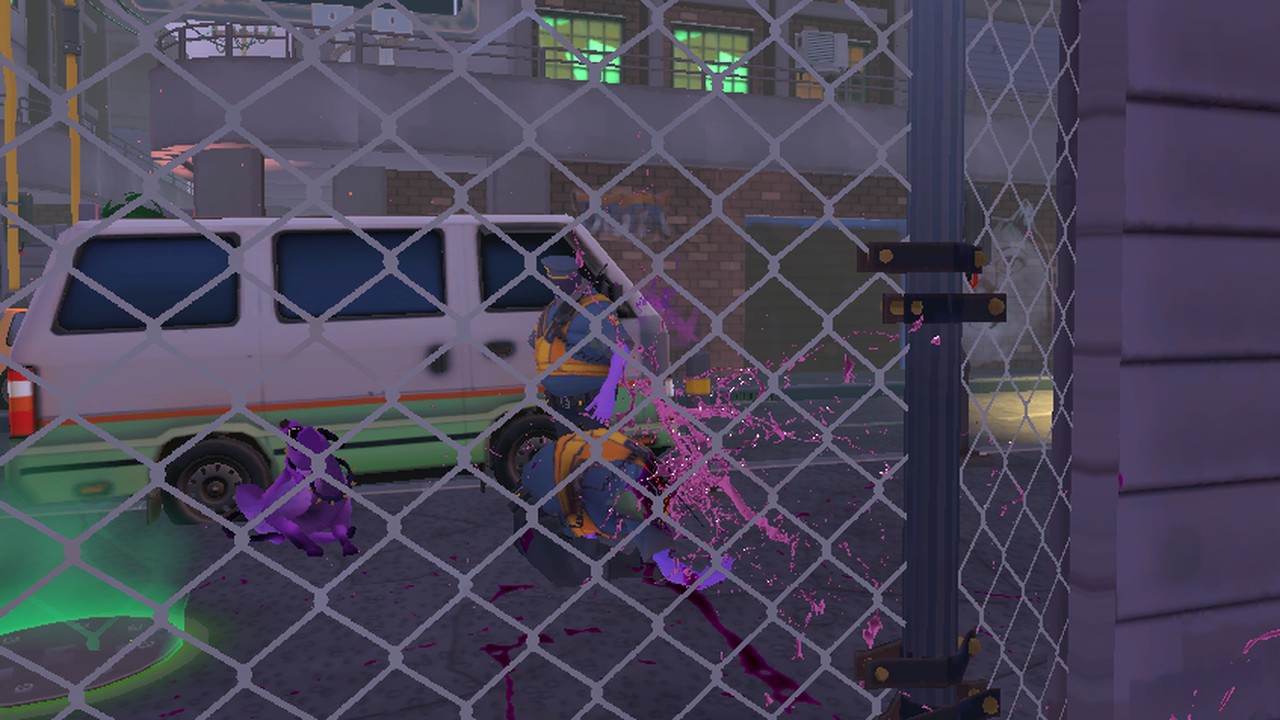
Anger Foot VR 1.1: The Gore Update. More blood, built from the game's own, plus a round of fixes. Free, by StrikeZoneVR.
Gore
A new GORE setting (in the game's SETTINGS, VR tab, and in the launcher's OPTIONS): EXTRA (the default), GAME (the game's own blood as it is) or OFF. EXTRA adds:
- Kicks splatter the wall behind the goon, and kicking a body makes it bleed.
- Headshot kills pop heads, with a fountain from the neck (not bosses, and not the goons whose heads are special).
- Bullet wounds spurt and stay on the goon, going down with them.
- Bodies leave smears where they slam into walls and floors, and pools stain the bodies lying in them.
- Explosions spray blood all round.
- Blood on you: a bloody kick leaves it on your shoe, a close kill on your gun hand. It dries off after a while.
- BLOOD COLOUR: the game's own pink, or red.
The game's own Show Blood setting still decides whether there's any blood at all.
Fixes
- Guns sit in your hand. Your arm could stretch out to a gun after picking it up (worse on slower PCs). The gun now sits on your hand's grip every time.
- The right hand and arm no longer go missing after a level ends.
- The level card in the car shows its star goals and your best time again (and the level complete screen's star stays in view). Want the goals on screen while you play too? Turn on the game's own Show Goals (SETTINGS, Gameplay).
- Your head now shows in your shadow.
- A note in the log whenever the game stalls for a moment, to help track down stutters.
Install or update
- Download AngerFootVR-v1.1.0.zip below.
- Unzip it into your Anger Foot folder (Steam: right-click Anger Foot > Manage > Browse local files). Already on 1.0? Unzip over it and say yes to replacing the files.
- Run Anger Foot VR.exe and press PLAY IN VR (it updates the mod first). Your saves and settings are kept.
The full guide is in the zip (INSTALL GUIDE - Anger Foot VR.txt) and in the README.
You need: Anger Foot on Steam and a PC VR headset. PC VR only: it doesn't run standalone on a Quest.
Found a bug? Open an issue with your log (launcher: VR CHECK > GAME LOG).
Unofficial and fan-made; not affiliated with Free Lives or Devolver Digital. No game files are included: you need your own copy of Anger Foot.
Anger Foot VR 1.0
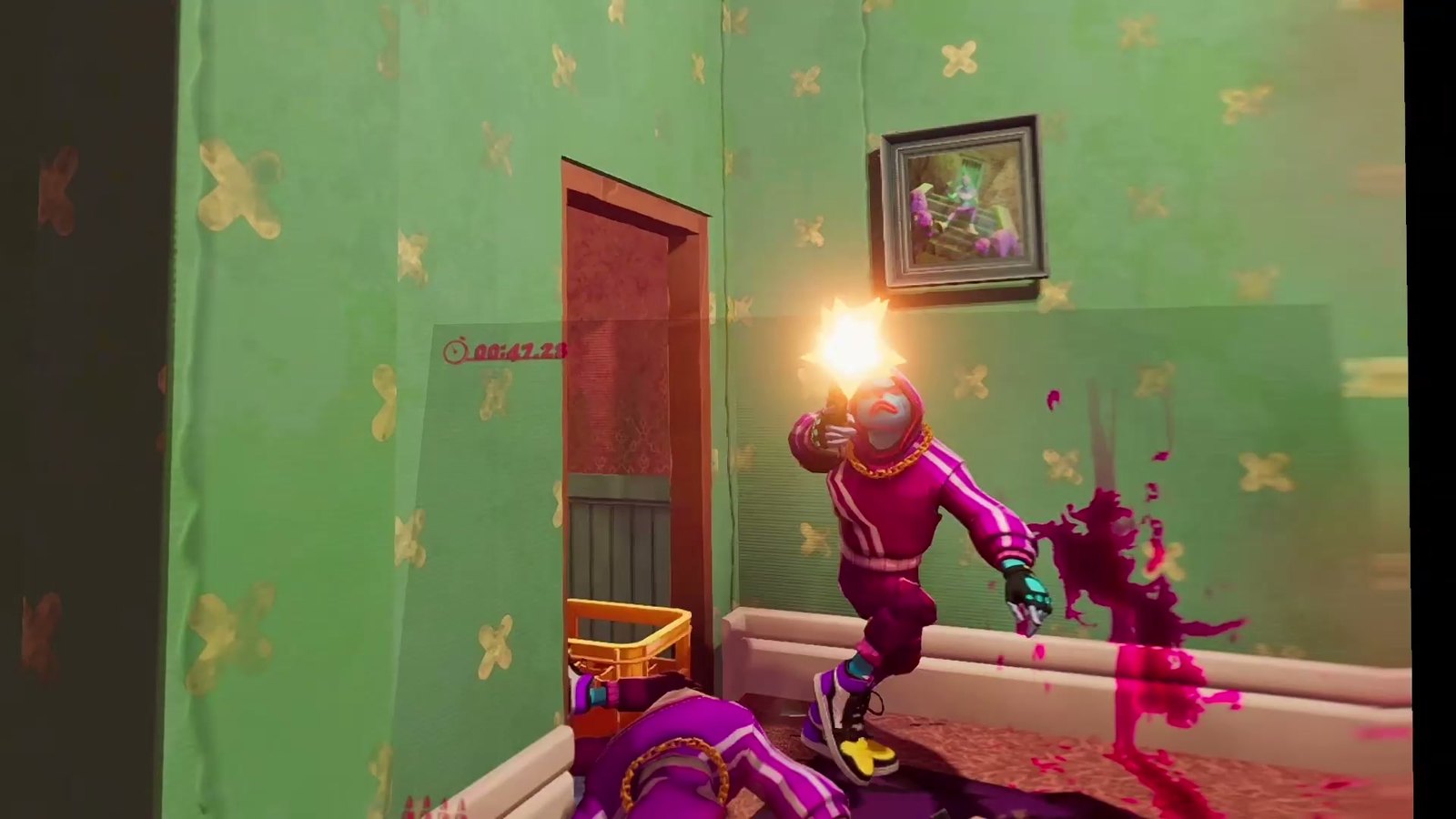
Anger Foot VR 1.0 is out. The whole game in VR: your own body, your own kicks, guns in your hands, and a neon movie house to hang out in between levels. Free, by StrikeZoneVR.
What's in it
- Your body: Anger Foot's own hero model, head to feet, fingers following your controllers. Click the right stick to flip enemies off (they come for you).
- Kicks: B or X, head-high like the game's own. Jump and kick on the move for the flying double kick, in place for a roundhouse, look down to stomp.
- Guns in your hands: gripped the way the game's own hand holds them, aimed with your controller. Two-handed guns, dual pistols, a working sniper scope, an ammo count on every gun.
- Throw for real: hold the grip and let go; it flies the way and as hard as you threw it.
- Your hands: reach for drinks, bottles and doors, and drink for real.
- The Movie House: menus on the big screen with a laser, the Hall of Fame, and the RAGE ROOM behind the padded doors.
- The level select in the car, with the map book on your lap.
- A VR tab in the game's own SETTINGS, snap or smooth turning, a steady spectator view for streaming.
Install
- Download AngerFootVR-v1.0.0.zip below.
- Unzip it into your Anger Foot folder (Steam: right-click Anger Foot > Manage > Browse local files).
- Run Anger Foot VR.exe, start your VR app (Virtual Desktop, Quest Link / Air Link, Steam Link or SteamVR) and press PLAY IN VR.
The full guide is in the zip (INSTALL GUIDE - Anger Foot VR.txt) and in the README.
You need: Anger Foot on Steam and a PC VR headset. PC VR only: it doesn't run standalone on a Quest.
Found a bug? Open an issue with your log (launcher: VR CHECK > GAME LOG).
Unofficial and fan-made; not affiliated with Free Lives or Devolver Digital. No game files are included: you need your own copy of Anger Foot.