Repository navigation

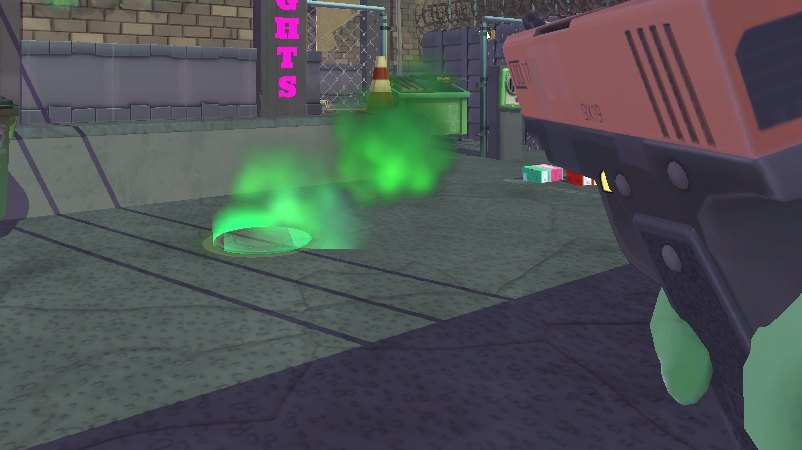
Anger Foot VR 1.2: The Immersion Update. Guns that sit in your hands like real ones, wounds you can see into, and a round of fixes. Free, by StrikeZoneVR.
Guns and hands
- Fingers that really hold: each finger takes the game's own pose for that gun and closes onto the gun's surface. Your index rests on the frame until you touch the trigger.
- Two hands on a pistol, the Glock or the Uzi: cup it with your other hand to steady your aim and take some of the kick.
- Two-handed guns: your front hand takes the game's own front-hand pose and rides the shotgun's pump.
- Throw with your hand: hold the grip, swing and let go. The gun flies the way your hand went, as hard as you threw it. THROW HELP guides near misses onto enemies.
- Grab a gun within reach: reach down and squeeze. Hand it over from one hand to the other.
- Seated play (PLAY MODE SEATED): press the grip and your gun flies at the enemy you point at. GUN HAND sets which hand your guns start in.
- GUN GRIP ADJUST: set how each gun sits in your hand, live.
- LASER SIGHT (off by default): a red dot, or a beam and dot, where your shots land.
- Solid guns: they stop at walls, and the heavy ones swing heavier in one hand.
- Muzzle flashes and casings in VR.
Gore
- Real wounds: every shot leaves a wound on the goon's own body. Big ones go right through and you see inside.
- Bleeding: blood runs down the way gravity pulls, drips, pools, and arteries pump.
- Wounds on you: where you're hit, your body is wounded the same way (WOUNDS ON YOU in the settings).
- More blood on you from close kills.
Comfort and settings
- VIEW HEIGHT: be 10 or 20 cm taller if the game makes you feel small.
- The game's screen effects now cover your eyes: level fades, explosion white-outs and the hit flash. You feel hits in both hands, and HIT FLASH can be turned off.
- BEHIND YOU spectator view: your whole body over your shoulder, for streaming.
- Safer controller rumble.
Fixes
- The game no longer closes to the desktop on PCs with lots of memory (going into the next level, or after a big explosion). The mod's memory guard, meant only for its developer's test runs, was closing the game at 9 GB. Thanks ArmoredArtist for the detailed report (#1).
- Kicks no longer stop working partway through a level.
- Walking over guns picks them up again after a throw.
Install or update
- Download AngerFootVR-v1.2.0.zip below.
- Unzip it into your Anger Foot folder (Steam: right-click Anger Foot > Manage > Browse local files). Already on 1.1 or 1.0? Unzip over it and say yes to replacing the files.
- Run Anger Foot VR.exe and press PLAY IN VR (it updates the mod first). Your saves and settings are kept.
The full guide is in the zip (INSTALL GUIDE - Anger Foot VR.txt) and in the README.
You need: Anger Foot on Steam and a PC VR headset. PC VR only: it doesn't run standalone on a Quest.
Found a bug? Open an issue with your log (launcher: VR CHECK > GAME LOG).
Unofficial and fan-made; not affiliated with Free Lives or Devolver Digital. No game files are included: you need your own copy of Anger Foot.