Repository navigation
HTML Frontmatter 0.1.1

Documentation update for the Obsidian community directory review. Plugin behavior and runtime source are unchanged from 0.1.0.
- English README with dedicated Installation and Usage sections.
- Simplified Chinese documentation remains available in README.zh-CN.md.
- Existing demo GIF and known limitations remain documented.
Vibe-coded preview: developed through human-AI collaboration and AI-assisted coding. Supports desktop Obsidian 1.14.4 only; verified on Windows. See the repository's verification record for actual checks and limits.
Installation and usage
Download html-frontmatter-0.1.1.zip below, extract it, and copy the entire html-frontmatter folder into your vault's .obsidian/plugins/ directory. Restart Obsidian, enable HTML Frontmatter under Community plugins, and enable the core Properties view plugin.
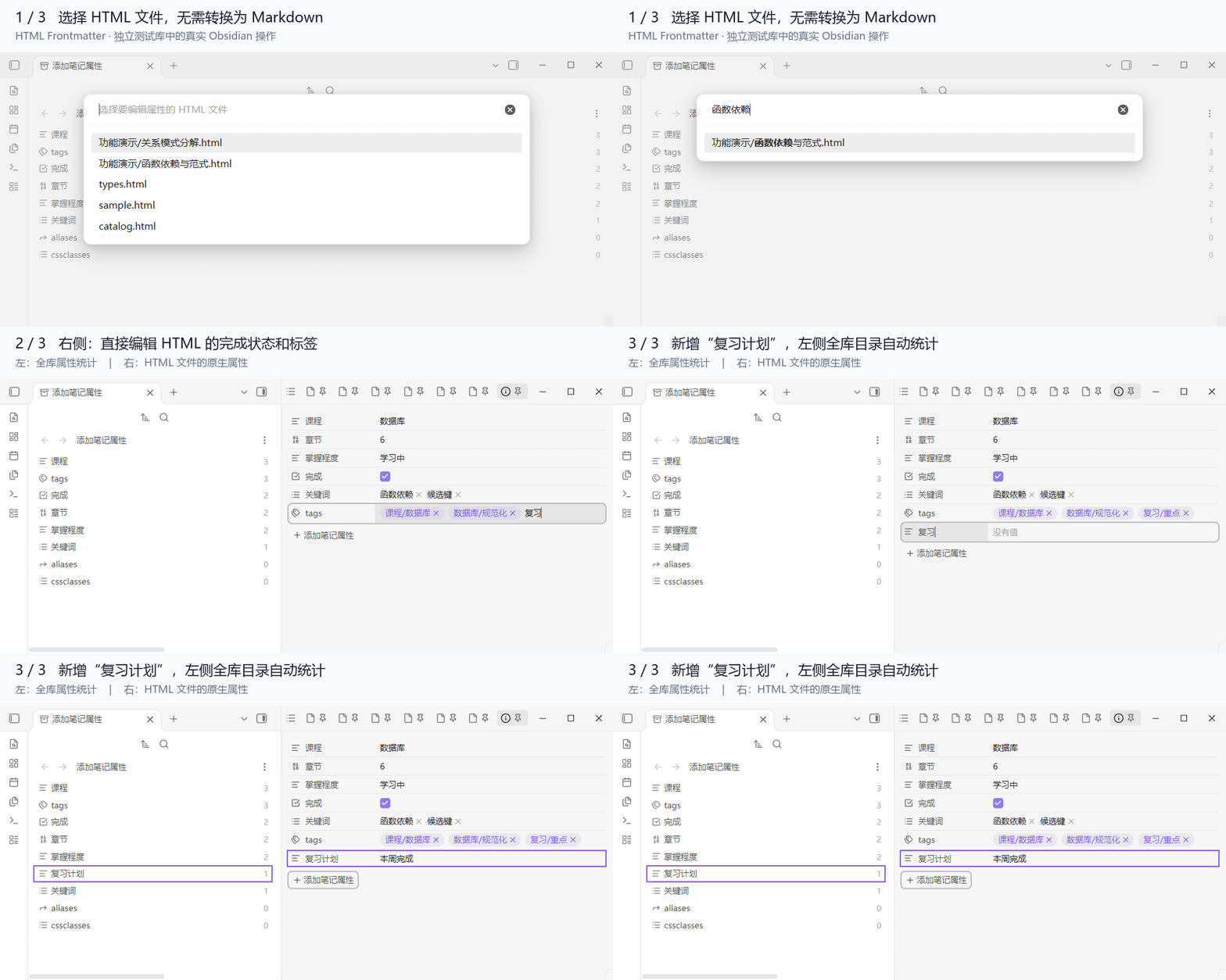
Open the command palette, search for HTML Frontmatter, run "HTML Frontmatter: 编辑 HTML 属性" (Edit HTML properties), and choose an HTML/HTM file. Edit its properties in the native sidebar. Use "Show all properties" to view the vault-wide property catalog.
Full installation and usage guide · 中文说明
Released under MIT; bundled dependencies retain their own license notices.