
TagSpaces is an open-source, privacy-focused file management system designed to help users organize, explore, and connect digital content through tags rather than traditional folder structures. Unlike conventional file managers, TagSpaces places tagging at the core of its functionality, enabling users to create flexible, multi-dimensional categorization for documents, images, videos, and notes.
TagSpaces operates entirely on local storage, ensuring complete data ownership without reliance on external clouds or proprietary databases. The application supports a wide range of file formats, including Markdown, HTML, images, and office documents. With TagSpaces, users can add custom tags directly to filenames or leverage sidecar files, making the organization future-proof and portable across any operating system.
TagSpaces is ideal for researchers, developers, writers, and knowledge workers who need a robust system to manage large collections of information. TagSpaces also offers advanced features like geo-tagging for images, markdown note-taking, and integrated file previews. Whether you are organizing personal documents or building a professional knowledge base, TagSpaces provides the flexibility and control you need.

- Launch TagSpaces from the portable folder or installed location.
- Define your local directories to begin organizing with TagSpaces.
- Start tagging files using the intuitive tagging sidebar in TagSpaces.
- Create custom tag groups and color-coded labels within TagSpaces.
- Explore advanced TagSpaces features such as markdown editing and file geolocation.
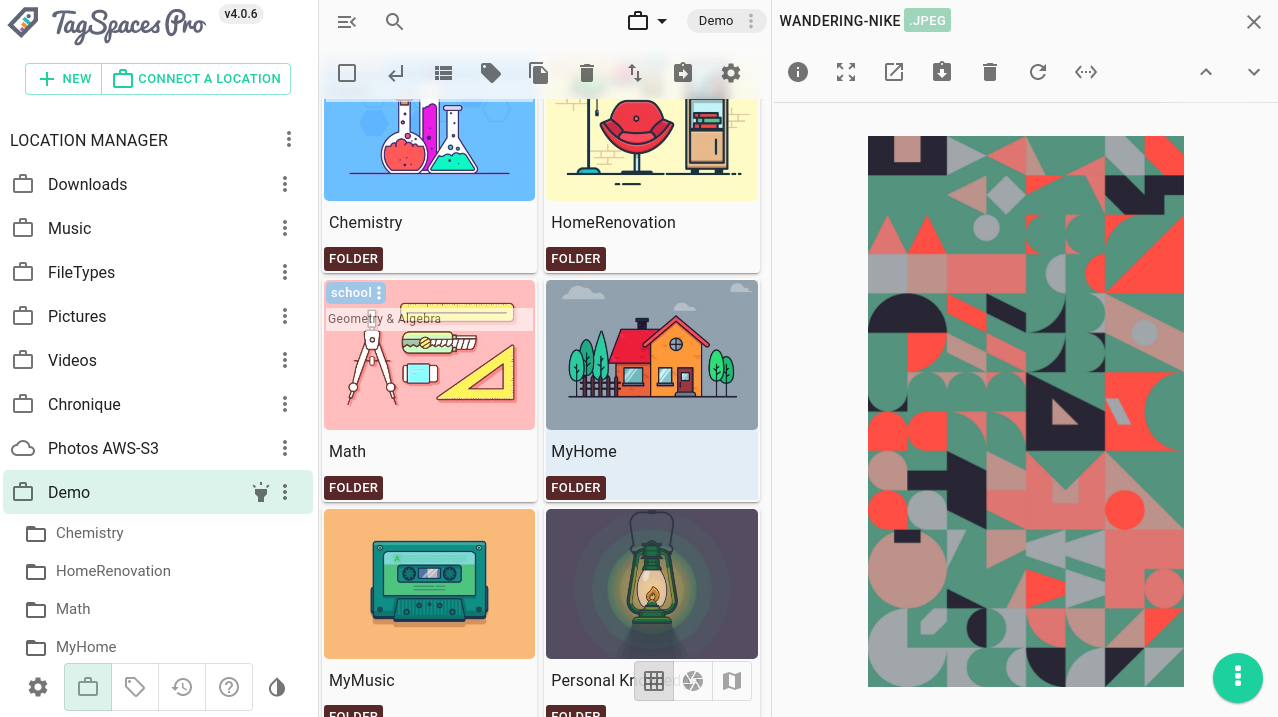
- Tag-Based File Organization – TagSpaces replaces rigid folder hierarchies with flexible tagging, allowing multiple categories per file.
- Cross-Platform Support – TagSpaces runs seamlessly on all major operating systems, ensuring consistent workflows.
- Markdown Note-Taking – Take rich notes directly inside TagSpaces with full markdown support and preview.
- Geo-Tagging Integration – TagSpaces automatically detects and displays location data for images and media files.
- Custom Tag Groups – Organize tags into logical groups using TagSpaces' powerful tag management system.
- File Previews – TagSpaces provides built-in previews for over 20 file types, including PDFs, images, and text files.
- Advanced Search – Quickly locate files using tag combinations, filenames, and metadata within TagSpaces.
- Non-Locking Architecture – TagSpaces stores tags directly in filenames or sidecar files, ensuring data longevity.
- Privacy-First Design – TagSpaces works entirely offline without telemetry or mandatory cloud connections.
- Extensible with Extensions – Enhance TagSpaces functionality with community-developed extensions.
- Instant tag suggestions based on existing TagSpaces libraries
- Background indexing for rapid file discovery in TagSpaces
- Keyboard shortcuts optimized for power users of TagSpaces
- Multi-directory connectivity without file duplication in TagSpaces
- Shared tag structures compatible with team workflows in TagSpaces
- Portable configuration for syncing TagSpaces settings across devices
- Export and import tag schemas between TagSpaces installations
- Comment support within markdown notes in TagSpaces
| Component | Minimum | Recommended |
|---|---|---|
| OS | Windows 10 / Linux / ChromeOS | Windows 11 / Ubuntu 22.04 |
| Processor | Dual-core CPU | Quad-core CPU |
| RAM | 4 GB | 8 GB |
| GPU | Integrated graphics | Dedicated GPU for media previews |
| Storage | 200 MB free space | SSD for faster indexing |
TagSpaces • file organizer with TagSpaces • tag-based file management TagSpaces • open-source TagSpaces • TagSpaces file tagging • cross-platform TagSpaces • TagSpaces note taking • TagSpaces markdown editor • TagSpaces geo-tagging • TagSpaces privacy-first • TagSpaces local file manager • TagSpaces portable workflow • TagSpaces for researchers • TagSpaces knowledge base • TagSpaces extension system • TagSpaces metadata tool • TagSpaces file explorer • TagSpaces multi-tag search