Repository navigation
Releases
SecTrustKey v1.2.1: new contact details

cbdc363  TakMashhido
Koustav Kumar Mondal
New contact details on the device. The About page shows koustavmondal.com and koustav@koustavmondal.com, and its QR code opens the new website. Everything else is the same as v1.2.0.
📖 Docs: https://koustavmondal.com/SecTrustKey/ · Firmware build #9
What's new
- About page: website koustavmondal.com, email koustav@koustavmondal.com, QR code to the new site
- Includes everything from v1.2.0: the clock under Settings → Clock (Wi-Fi or typed), and Linux login with
pamu2fcfg
Tested on a Cardputer ADV: full erase, install, FIDO2.
Note
After a fresh install that erases the device (M5Burner, or esptool with --erase-all), unplug and replug the Cardputer once before using GnuPG or PIV. Until then the smart-card interface may not respond. FIDO2 works straight away.
Update
| You use | Do this | Keys |
|---|---|---|
| M5 Launcher | Install SecTrustKey v1.2.1 from the online list, or copy sectrustkey-v1.2.1-cardputer-adv.bin to the SD card, then SD → the file → Install |
kept |
| M5Burner | Burn SecTrustKey v1.2.1 for the Cardputer ADV | replaced (burning erases the device; make an SD backup first) |
| esptool, already on SecTrustKey | esptool.py --chip esp32s3 --baud 921600 --after watchdog_reset write_flash 0x20000 sectrustkey-v1.2.1-app.bin |
kept |
| esptool, first install | esptool.py --chip esp32s3 --baud 921600 --after watchdog_reset write_flash --erase-all 0x0 sectrustkey-v1.2.1-cardputer-adv.bin |
new device |
Caution
In M5 Launcher, never delete a SecTrustKey entry unless you mean to erase your keys: Launcher removes the key storage together with the app.
Files
| File | Use |
|---|---|
sectrustkey-v1.2.1-cardputer-adv.bin |
Everything: esptool, browser, M5Burner, M5 Launcher |
sectrustkey-v1.2.1-app.bin |
Firmware only, 0x20000: updates of esptool installs |
bootloader.bin, partition-table.bin, ota_data_initial.bin |
Separate parts (0x0, 0x8000, 0xF000) |
stk-time.py |
Optional: sets the clock from a computer |
SHA256SUMS.txt |
Checksums |
Checksums (SHA-256)
75bec4df75b186074c6e5c14a91d6efcbb94635e1952d8ef221247335190fe7d  sectrustkey-v1.2.1-cardputer-adv.bin
4c02765bfe5e8ba41a079826f6387db2f1397a95afd525edcb8a8f8a04327c9f  sectrustkey-v1.2.1-app.bin
8abc16eeeffdead17fab10ec5cee283dbdcc0cc89ff5bf1e65b23889a5bd0ccd  bootloader.bin
5b163efbc4be83f2fa03b1afe9fea69b6eda17da5ea27f917d3a1e7175f989cd  partition-table.bin
7d2c7ac4888bfd75cd5f56e8d61f69595121183afc81556c876732fd3782c62f  ota_data_initial.bin
a8f4b716baa7bf4c18f9af84b759b86fc8327fd8acd0e93bdfe565e0e07c48da  stk-time.py
Built from commit cbdc363 with ESP-IDF v5.5.3. Licensed under the GNU AGPL v3.0.
SecTrustKey v1.2.0: clock on the device, Linux login
The Cardputer now sets its own clock, and Linux login works with the stock tools. On-screen one-time codes no longer need a script on your computer.
📖 Docs: https://koustavmondal.com/SecTrustKey/ · Firmware build #6
What's new
- Settings → Clock: sync the time over Wi-Fi, or type it on the keyboard
- Pick a network from a scan, type a hidden network's name, or forget the saved one
- Sync at start (optional): sets the clock after power-up when the time is unknown; DEL skips it
- Time zone for the status-bar clock and for typed times (UTC−12:00 to UTC+14:00)
- The time now survives the restarts into backup, passphrase and clock screens
- Linux login:
pamu2fcfg1.1 (Ubuntu 24.04, Debian 12) now accepts SecTrustKey. It used to stop withfido_cred_verify (-7) FIDO_ERR_INVALID_ARGUMENT - Health → Memory also shows the free stack of the screen task
- The website is now koustavmondal.com (About page, QR code and every link); the docs moved to https://koustavmondal.com/SecTrustKey/
How Wi-Fi is used: only for the clock, and only in the restart the Clock screen does before USB starts. When the clock is set, the device restarts again, so Wi-Fi is never on while the key answers your computer. WPA2 and mixed WPA2/WPA3 networks work, which covers most routers and phone hotspots; WPA3-only networks do not. The network name and password are stored on the device without encryption, like the other settings. Use a phone hotspot if that matters to you.
Linux login: registrations for pam:// now carry the device's attestation certificate, which older pamu2fcfg requires. Websites still get self attestation, which cannot link your accounts across sites.
Tested on a Cardputer ADV: FIDO2 and OpenPGP, switching between FIDO and smart-card use under pcscd, stock pamu2fcfg, a Wi-Fi sync, and the time zone. stk-time.py still works if you prefer it.
Update
| You use | Do this | Keys |
|---|---|---|
| M5 Launcher | Copy sectrustkey-v1.2.0-cardputer-adv.bin to the SD card, then SD → the file → Install. Start the new SecTrustKey entry. |
kept |
| M5Burner | Burn SecTrustKey v1.2.0 for the Cardputer ADV | replaced (burning erases the device; make an SD backup first) |
| esptool, already on SecTrustKey | esptool.py --chip esp32s3 --baud 921600 --after watchdog_reset write_flash 0x20000 sectrustkey-v1.2.0-app.bin |
kept |
| esptool, first install | esptool.py --chip esp32s3 --baud 921600 --after watchdog_reset write_flash --erase-all 0x0 sectrustkey-v1.2.0-cardputer-adv.bin |
new device |
Caution
In M5 Launcher, never delete a SecTrustKey entry unless you mean to erase your keys: Launcher removes the key storage together with the app. Installing the new version adds an entry that shares the same keys.
Files
| File | Use |
|---|---|
sectrustkey-v1.2.0-cardputer-adv.bin |
Everything: esptool, browser, M5Burner, M5 Launcher |
sectrustkey-v1.2.0-app.bin |
Firmware only, 0x20000: updates of esptool installs |
bootloader.bin, partition-table.bin, ota_data_initial.bin |
Separate parts (0x0, 0x8000, 0xF000) |
stk-time.py |
Optional: sets the clock from a computer |
SHA256SUMS.txt |
Checksums |
Checksums (SHA-256)
7bd8c7a5bf0ff1147914d3452d270e231b3558c13d9155dbba2a28b378b349e6  sectrustkey-v1.2.0-cardputer-adv.bin
6ed22bdce30f21f99ab126cab95a1f50ca32634be46218c2e318a2f9828feddf  sectrustkey-v1.2.0-app.bin
8abc16eeeffdead17fab10ec5cee283dbdcc0cc89ff5bf1e65b23889a5bd0ccd  bootloader.bin
5b163efbc4be83f2fa03b1afe9fea69b6eda17da5ea27f917d3a1e7175f989cd  partition-table.bin
7d2c7ac4888bfd75cd5f56e8d61f69595121183afc81556c876732fd3782c62f  ota_data_initial.bin
a8f4b716baa7bf4c18f9af84b759b86fc8327fd8acd0e93bdfe565e0e07c48da  stk-time.py
Built from commit e80de29 with ESP-IDF v5.5.3. Licensed under the GNU AGPL v3.0.
SecTrustKey v1.1.1: startup passphrase fix
Fixes the startup passphrase. On v1.0.0 and v1.1.0, the device restarted as soon as you approved the passphrase warning, so no passphrase was saved. Everyone should update.
📖 Docs: https://koustavmondal.com/SecTrustKey/ · Firmware build #4
What's fixed
- Setting, changing and removing the startup passphrase work again
- Unlocking at power-up has enough memory for the key decryption
- Tested on a Cardputer ADV under M5 Launcher 3.0: set a passphrase, restart, unlock, Health shows the passphrase as On
Cause: the background task that shows the progress bar had an 8 KB stack, while these key-store steps keep whole 4 KB key pages on the stack (up to about 20 KB). It overflowed and the chip restarted. The task now has 32 KB. Your keys were not at risk: the key store only replaces a record after writing and checking the new one.
Everything from v1.1.0 is included: install and update from M5 Launcher, one image for M5Burner, esptool and the browser flasher, and keys that survive Launcher updates and app switches.
Update
| You use | Do this | Keys |
|---|---|---|
| M5 Launcher | Copy sectrustkey-v1.1.1-cardputer-adv.bin to the SD card, then SD → the file → Install. Start the new SecTrustKey entry. |
kept |
| M5Burner | Burn SecTrustKey v1.1.1 for the Cardputer ADV | replaced (burn erases the device; make an SD backup first) |
| esptool, already on SecTrustKey | esptool.py --chip esp32s3 --baud 921600 --after watchdog_reset write_flash 0x20000 sectrustkey-v1.1.1-app.bin |
kept |
| esptool, first install | esptool.py --chip esp32s3 --baud 921600 --after watchdog_reset write_flash --erase-all 0x0 sectrustkey-v1.1.1-cardputer-adv.bin |
new device |
Caution
In M5 Launcher, never delete a SecTrustKey entry unless you mean to erase your keys: Launcher removes the key storage together with the app. Installing the new version adds an entry that shares the same keys.
Files
| File | Use |
|---|---|
sectrustkey-v1.1.1-cardputer-adv.bin |
Everything: esptool, browser, M5Burner, M5 Launcher |
sectrustkey-v1.1.1-app.bin |
Firmware only, 0x20000: updates of esptool installs |
bootloader.bin, partition-table.bin, ota_data_initial.bin |
Separate parts (0x0, 0x8000, 0xF000) |
stk-time.py |
Sets the clock for on-screen TOTP codes |
SHA256SUMS.txt |
Checksums |
Checksums (SHA-256)
815238846eeaa02cd89d3a6fa833d79f88c1cb4ba19267e60c830e9339b03205  sectrustkey-v1.1.1-cardputer-adv.bin
d6856ca7d5adeb61b7f968b6c30706ef685aac26696e95203969a3f9790706b8  sectrustkey-v1.1.1-app.bin
df2770c75f4f7b3e2130dcc0bf068de5885ef1558aeae38dd1f6e0e925c8386a  bootloader.bin
5b163efbc4be83f2fa03b1afe9fea69b6eda17da5ea27f917d3a1e7175f989cd  partition-table.bin
7d2c7ac4888bfd75cd5f56e8d61f69595121183afc81556c876732fd3782c62f  ota_data_initial.bin
a8f4b716baa7bf4c18f9af84b759b86fc8327fd8acd0e93bdfe565e0e07c48da  stk-time.py
Built from commit ef261aa with ESP-IDF v5.5.3. Licensed under the GNU AGPL v3.0.
SecTrustKey v1.1.0: M5 Launcher and M5Burner
Important
Superseded by v1.1.1. In this version, setting the startup passphrase restarts the device and nothing is saved. Please update; your keys are kept.
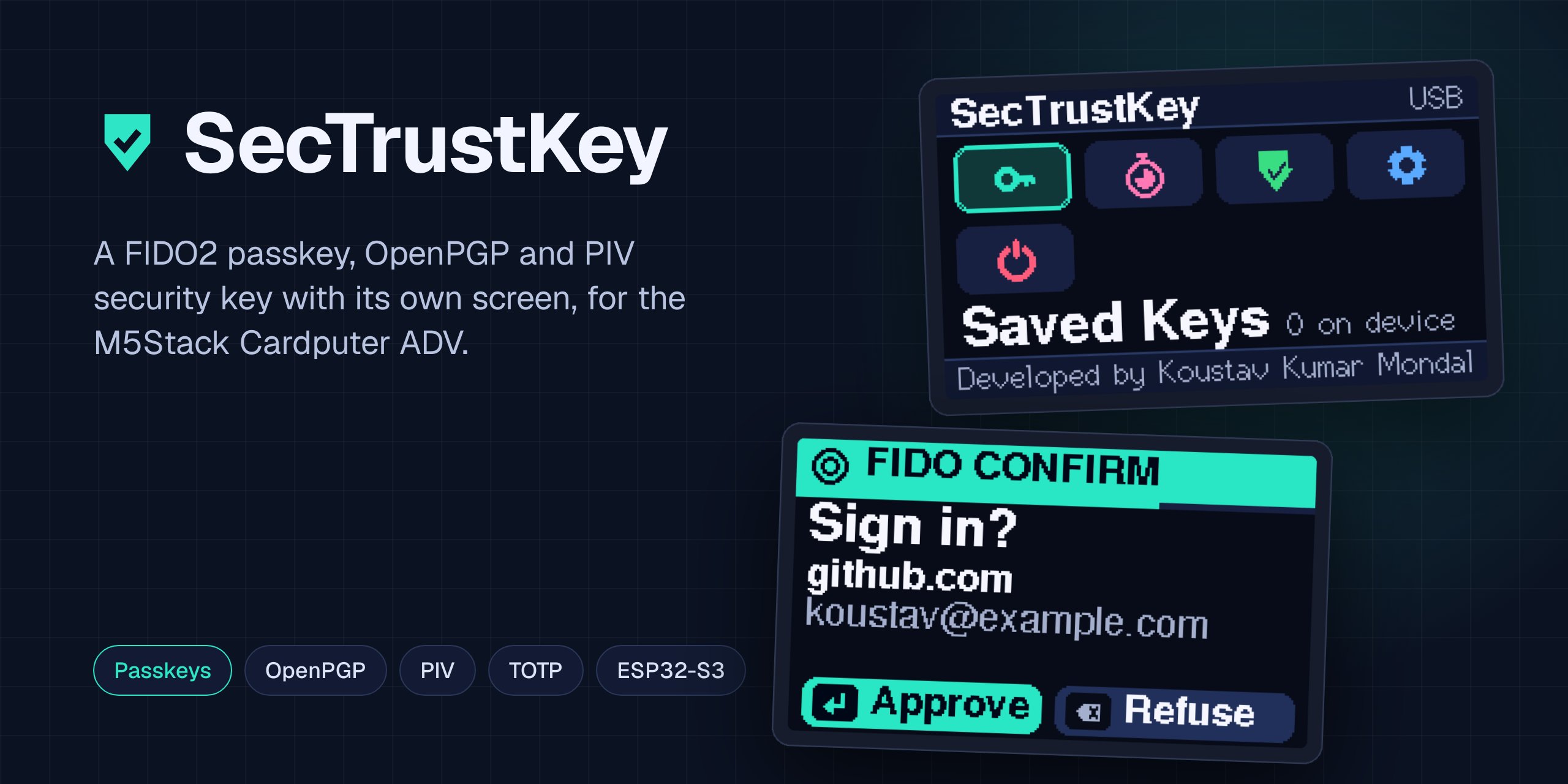
SecTrustKey now installs and updates from M5 Launcher, next to your other Cardputer apps, and the same image flashes with esptool, the browser flasher and M5Burner.
📖 Guide: M5 Launcher and M5Burner · Firmware build #3
What's new in v1.1.0
🚀 M5 Launcher and M5Burner
- Install SecTrustKey from Launcher's SD menu; it sits next to your other apps
- Your keys survive Launcher updates, switching to other apps, and Launcher's flash compaction when other apps are deleted
- One image,
sectrustkey-v1.1.0-cardputer-adv.bin, for esptool, the browser flasher, M5Burner and Launcher -
scripts/make-image.shbuilds that image from source
🔒 Storage
- New key storage partition
stk_storewith a 4 KB installer pad: installers create it at full size and only ever rewrite the pad, never the keys - Set up storage? on the first start when the storage area still holds another app's data, instead of a dead end
- Erasing a store that once held keys asks twice
- v1.0 devices keep their
fido_storepartition and update normally
✅ Tested on a Cardputer ADV with Launcher 3.0
- v1.0 device, app-only update: passkey kept
- Install from Launcher's SD menu: storage created at full size, passkey registers and signs in
- Install and run another app, return: passkey kept
- Update through Launcher: passkey kept
- Delete another app (flash compaction moves apps): passkey kept
- Full image flashed over old data without erasing: asks Set up storage?, then works
Install
| You use | Do this |
|---|---|
| M5 Launcher | Copy sectrustkey-v1.1.0-cardputer-adv.bin to the SD card, then SD → the file → Install |
| esptool | esptool.py --chip esp32s3 --baud 921600 write_flash --erase-all 0x0 sectrustkey-v1.1.0-cardputer-adv.bin (download mode: power off, hold G0, plug in, release G0) |
| Browser | esptool-js: Erase Flash, then program the image at 0x0 |
| Upgrade from v1.0 | esptool.py --chip esp32s3 --baud 921600 --after watchdog_reset write_flash 0x20000 sectrustkey-v1.1.0-app.bin (keeps your keys) |
Caution
In M5 Launcher, never delete a SecTrustKey entry unless you mean to erase your keys: Launcher removes the key storage together with the app (it asks Delete … + SPIFFS?). To update, install the new file; it shares the same keys.
Files
| File | Use |
|---|---|
sectrustkey-v1.1.0-cardputer-adv.bin |
Everything: esptool, browser, M5Burner, M5 Launcher |
sectrustkey-v1.1.0-app.bin |
Firmware only, 0x20000: updates of esptool installs |
bootloader.bin, partition-table.bin, ota_data_initial.bin |
Separate parts (0x0, 0x8000, 0xF000) |
stk-time.py |
Sets the clock for on-screen TOTP codes |
SHA256SUMS.txt |
Checksums |
Checksums (SHA-256)
fa8fbc502e1e3f45abee7cc45ea976f431be3ef52f2d963b7b976dcc9094a615  sectrustkey-v1.1.0-cardputer-adv.bin
99055a80ae4a56d89f34dff030d6d54787885a98d34ea257b79d23d7a54294e3  sectrustkey-v1.1.0-app.bin
df2770c75f4f7b3e2130dcc0bf068de5885ef1558aeae38dd1f6e0e925c8386a  bootloader.bin
5b163efbc4be83f2fa03b1afe9fea69b6eda17da5ea27f917d3a1e7175f989cd  partition-table.bin
7d2c7ac4888bfd75cd5f56e8d61f69595121183afc81556c876732fd3782c62f  ota_data_initial.bin
a8f4b716baa7bf4c18f9af84b759b86fc8327fd8acd0e93bdfe565e0e07c48da  stk-time.py
Built from commit 85a94ab with ESP-IDF v5.5.3. Licensed under the GNU AGPL v3.0.
SecTrustKey v1.0.0
Important
Superseded by v1.1.1. In this version, setting the startup passphrase restarts the device and nothing is saved. Please update; your keys are kept.
The first public release of SecTrustKey: open-source FIDO2 passkey, OpenPGP, PIV and TOTP security key firmware for the M5Stack Cardputer ADV (ESP32-S3). Every request is shown on the device's own screen and approved with Enter.
📖 Documentation: https://koustavmondal.com/SecTrustKey/ · Firmware build #2 (shown under Health and About)
What's in v1.0.0
🔑 FIDO2 and passkeys
- CTAP 2.0 to 2.3 and U2F over USB HID, no drivers needed
- Ed25519, ES256, ES384 and ES512
- Resident passkeys, credential management and FIDO PIN
-
hmac-secret,credProtect,credBlob,largeBlobKey,minPinLength - Site and account shown on screen for every registration and sign-in
✍️ OpenPGP, PIV and OATH
- OpenPGP card with on-device key generation: Curve25519, RSA 2048 to 4096, NIST P-256/384/521, secp256k1, Brainpool
- Per-key touch policy with an on-screen OpenPGP confirm prompt; works with
gpg, SSH and Git signing - PIV with PIN, PUK and management key (
ykman, OpenSC) - OATH TOTP/HOTP and Yubico OTP
- Resetting one application never touches the others
📟 On the device
- Home screen with Saved Keys, Codes, Health, Settings and Power Off
- Live TOTP codes with a countdown; touch-only accounts revealed on Enter
- Health check that flags factory PINs, a missing FIDO PIN, passphrase or backup, without using a PIN try
- Progress bars for every long operation, animated boot screen, About page with QR code
🔒 Protecting your keys
- Optional startup passphrase sealing the master keys at rest (PBKDF2-HMAC-SHA256, AES-256-GCM)
- Wrong passphrases only add a growing delay (up to 5 minutes), never a wipe
- Encrypted microSD backup, verify and restore (PBKDF2 600,000 rounds, AES-256-GCM) in a
SecTrustKeyfolder - Power-cut safe key store and backups
🛠️ Building
- Reproducible build in the pinned ESP-IDF v5.5.3 container
- Custom USB vendor ID, product ID and names with
-DUSB_VID,-DUSB_PID,-DUSB_MANUFACTURER,-DUSB_PRODUCT - Crash-dump debug build
Install
| File | Use it for |
|---|---|
sectrustkey-v1.0.0-cardputer-adv.bin |
First install: one image for address 0x0 |
sectrustkey-v1.0.0-app.bin |
Updates: firmware only, for address 0x20000; keeps your keys |
bootloader.bin, partition-table.bin, ota_data_initial.bin |
The separate parts (0x0, 0x8000, 0xF000) |
stk-time.py |
Sets the device clock for on-screen TOTP codes |
SHA256SUMS.txt |
Checksums |
Put the Cardputer in download mode (power off, hold G0, plug in USB, release G0), then:
pip install esptool
# first install: erases the whole chip, back it up first if it holds anything you want
esptool.py --chip esp32s3 --baud 921600 --after watchdog_reset write_flash --erase-all 0x0 sectrustkey-v1.0.0-cardputer-adv.bin
# update from an earlier SecTrustKey: keeps your keys
esptool.py --chip esp32s3 --baud 921600 --after watchdog_reset write_flash 0x20000 sectrustkey-v1.0.0-app.bin
No Python? Use Espressif's browser flasher: Erase Flash, then program the full image at 0x0. Step by step: Install from a release.
After flashing
- Change the OpenPGP PINs (factory
123456/12345678) - Change the PIV PIN, PUK and management key
- Set a FIDO PIN
- Consider a startup passphrase
- Make and verify an SD backup
- Keep a second authenticator on every account that matters
See First steps.
Known limitations
- The ESP32-S3 is not a secure element, and Secure Boot and flash encryption are not enabled: without a startup passphrase, someone who can read the flash can copy the keys. Read the security model.
- The clock is lost at power-off; run
stk-time.pyto see codes on screen. - OpenPGP and PIV have been tested on Linux; on Linux,
pcscdneeds the device's USB ID added once.
Checksums (SHA-256)
371bd3e5a4879ab498664fa10d498ad945acf91a5c0c2428702c53c43029eba4  sectrustkey-v1.0.0-cardputer-adv.bin
1d85fa3f93562c347275628118fadd1d731e37cb350a910cafc04c3c22918046  sectrustkey-v1.0.0-app.bin
df2770c75f4f7b3e2130dcc0bf068de5885ef1558aeae38dd1f6e0e925c8386a  bootloader.bin
f0c9ecd573c003b76e205bedfff011133bfc813ab65018d30c5adc633ea665e5  partition-table.bin
7d2c7ac4888bfd75cd5f56e8d61f69595121183afc81556c876732fd3782c62f  ota_data_initial.bin
a8f4b716baa7bf4c18f9af84b759b86fc8327fd8acd0e93bdfe565e0e07c48da  stk-time.py
Built from commit c53fa8a with ESP-IDF v5.5.3. Licensed under the GNU AGPL v3.0. Built on Pico FIDO, Pico OpenPGP and the Pico Keys SDK by Pol Henarejos, and the Cardputer ADV port by lessucettes.