Repository navigation
Devdevian CLI v0.6.1 — First combined public alpha
Pre-release
Devdevian now has a dedicated terminal workspace. Use the same forum account, conversations and community permissions from your editor, a terminal window or an SSH session.
This is the first combined Devdevian CLI public alpha release, collecting the individually documented npm versions 0.1.0-alpha.1 → 0.6.1-alpha.1.
Install and connect
Requires Node.js 24+ and a terminal at least 60 columns × 18 rows.
npm install -g @tenyokjs/devdevian-cli@alpha
devdevian tui
Use devdevian open for a separate supported desktop terminal window. Sign in on the website, compare the device code, then authorize the terminal. Google/GitHub credentials stay in the browser. Connected terminal sessions can be revoked in Settings.
A live workspace, in your terminal
- An alternate-screen interface with keyboard navigation, paginated feeds and Inbox, search, private communities, writing forms and explicit publication previews.
- Questions, discussions, Show & tell, human code reviews, ordinary/nested replies, accepted solutions and owner-scoped edit/delete actions.
- A workspace file explorer, selected line ranges and read-only staged/unstaged Git diffs or individual hunks. Files remain local until you select and confirm what to publish.
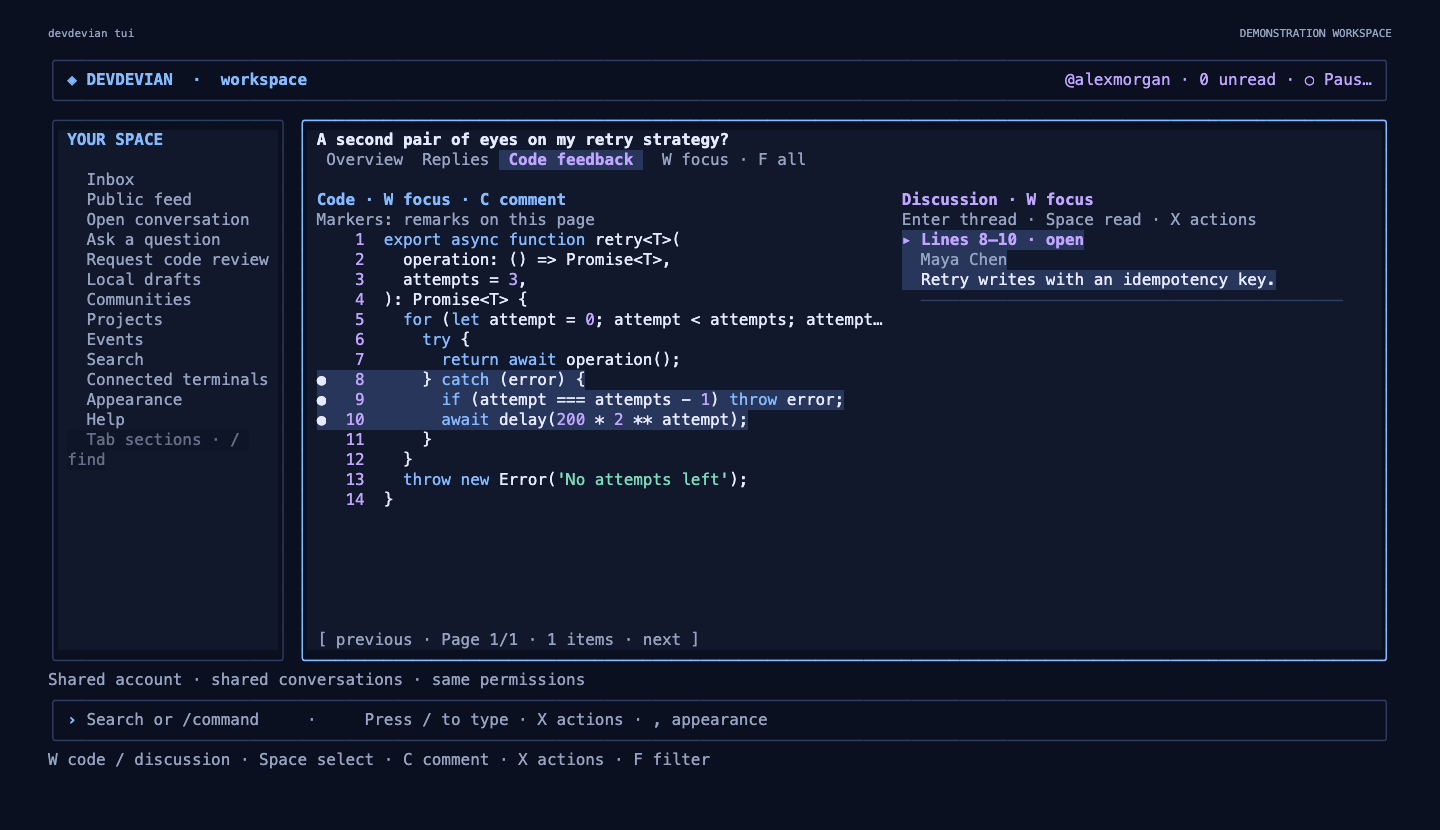
- A split code/feedback workspace with line comments, threads, open/resolved filters and a compact layout on smaller terminals.
- Exact reply notification links, bounded live Inbox polling, local drafts scoped to account/server/workspace, and external editor support through
VISUAL/EDITOR. - Four themes, accent colors, comfortable/compact density, navigation and review layouts, rounded/straight frames and reduced motion. Local appearance settings are independent of credentials.
- Meet Devi: a terminal-native ASCII mascot with English greetings, real loading states and useful empty-state prompts.
Projects and Events
Browse, search, filter and paginate projects/events without leaving the workspace. Create or edit your own publications, select project logos/screenshots and event banners through the file picker, add project teams and links, and open the linked project conversation.
Events show both viewer and organizer timezones. Join/leave with confirmation, export a new .ics file, and cancel/restore your own event. Meeting links follow the same server permissions as the browser.
Final polish in 0.6.1
- Large DEVDEVIAN wordmark and selective blue/violet accents in terminal
--help, with compact, plain-output andNO_COLORfallbacks. - A prominent CLI introduction on the landing page, actual terminal screenshots, copyable commands and links to the GitHub guide.
- An animated public-conversation counter with visible-only refreshes and bounded caching. Private-community and removed posts are excluded.
- Updated README, CLI guide and per-version history. Screenshot generation uses a disposable local database, never production data.
Compatibility and validation
The CLI has its own version; the web/API package remains 0.1.6. This release does not reset production data or require a database schema migration. Existing browser accounts, terminal credentials, drafts and appearance preferences remain compatible.
Validated with 110 automated tests, real pseudo-terminal regressions, installed-package checks and browser checks covering desktop/tablet/mobile layouts. Unknown publication outcomes are preserved for manual verification rather than automatically replayed.
This remains an alpha. There is no offline synchronization or automatic GitHub repository sync. Terminal image attachments are uploaded for browser viewing rather than rendered as inline graphics. Terminal credentials are stored in a restricted local file, not an OS keychain.
CLI guide · Every version and compatibility notes · npm · Try the forum · Report a bug